1. הקדמה
This manual provides comprehensive instructions for the KOSPET Magic R10 GPS Smart Watch. It covers device setup, operational procedures, maintenance guidelines, and troubleshooting tips to ensure optimal performance and user experience. Please read this manual thoroughly before using your device.

Image 1.1: KOSPET Magic R10 Smart Watch displaying time, date, battery, steps, and calories.
2. וואָס איז אין דער קעסטל
ביים עפענען דעם פעקל, זיכער מאכן אז אלע זאכן זענען דא:
- 1 x KOSPET Magic R10 Stainless Steel Smart Watch
- 1 x טשאַרדזשער קאַבלע
- 1 x באַניצער מאַנואַל (דאָס דאָקומענט)
3. סעטאַפּ
3.1 ערשט טשאַרדזשינג
Before first use, fully charge your KOSPET Magic R10 Smart Watch. Connect the provided charger cable to the watch's charging port and a USB power source. The watch display will indicate charging status.
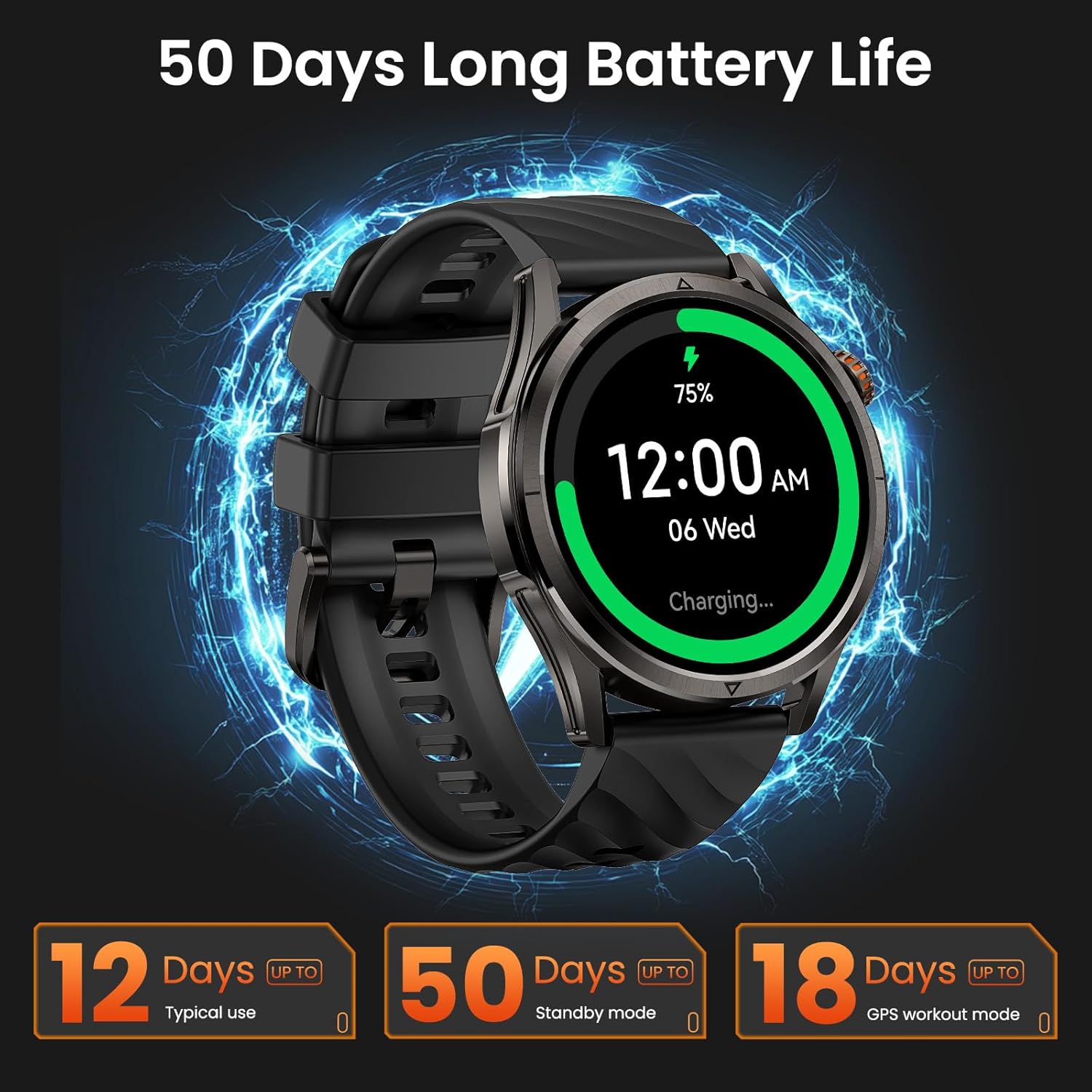
Image 3.1: KOSPET Magic R10 Smart Watch on a charger, indicating 75% battery and displaying battery life estimates.
3.2 App Installation (Apexmove)
The KOSPET Magic R10 Smart Watch requires the Apexmove application for full functionality. The app is compatible with iOS 10.0+ and Android 5.1+ devices.
- Download the 'Apexmove' app from the Apple App Store (for iOS) or Google Play Store (for Android).

Image 3.2: Download the Apexmove app from your device's app store.
3.3 Pairing with Phone
To connect your watch to your smartphone:
- זיכער מאַכן אַז אייער טעלעפאָן'ס בלועטוט איז ענייבאַלד.
- Open the Apexmove app. Navigate to 'Device' and select 'Add a new device'.
- The app will search for your watch. Select 'KOSPET Magic R10' from the list.
- באַשטעטיקן די פּאָרינג בקשה אויף ביידע דיין טעלעפאָן און די זייגער.

Image 3.3: Connection steps for iOS devices.
3.4 נאָטיפיקאַציע סעטאַפּ
צו באַקומען מעסעדזשעס און אַפּ נאָוטאַפאַקיישאַנז אויף דיין זייגער, נאָכפאָלגן די סטעפּס:
פֿאַר יאָס דעוויסעס:
- זיכער מאַכן אַז די Apexmove אַפּ בלייבט אַקטיוו אין הינטערגרונט.
- In the Apexmove app, go to 'Device' and open 'SMS Reminder' to enable SMS notifications.
- Still in 'Device', click 'App Notification' and enable notifications for desired applications.
- Go to your iPhone's 'Settings' > 'Notifications' > 'Apexmove' and allow notifications.

Image 3.4: iOS message and app notification setup.
פֿאַר אַנדרויד דעוויסעס:
- Keep the Apexmove app active (add to whitelist in settings if necessary).
- Turn off 'Do Not Disturb' and 'Low Power Mode' on your phone.
- In the Apexmove app, go to 'Device' and open 'SMS Reminder' to enable SMS notifications.
- Still in 'Device', click 'App Notification' and enable notifications for desired applications.
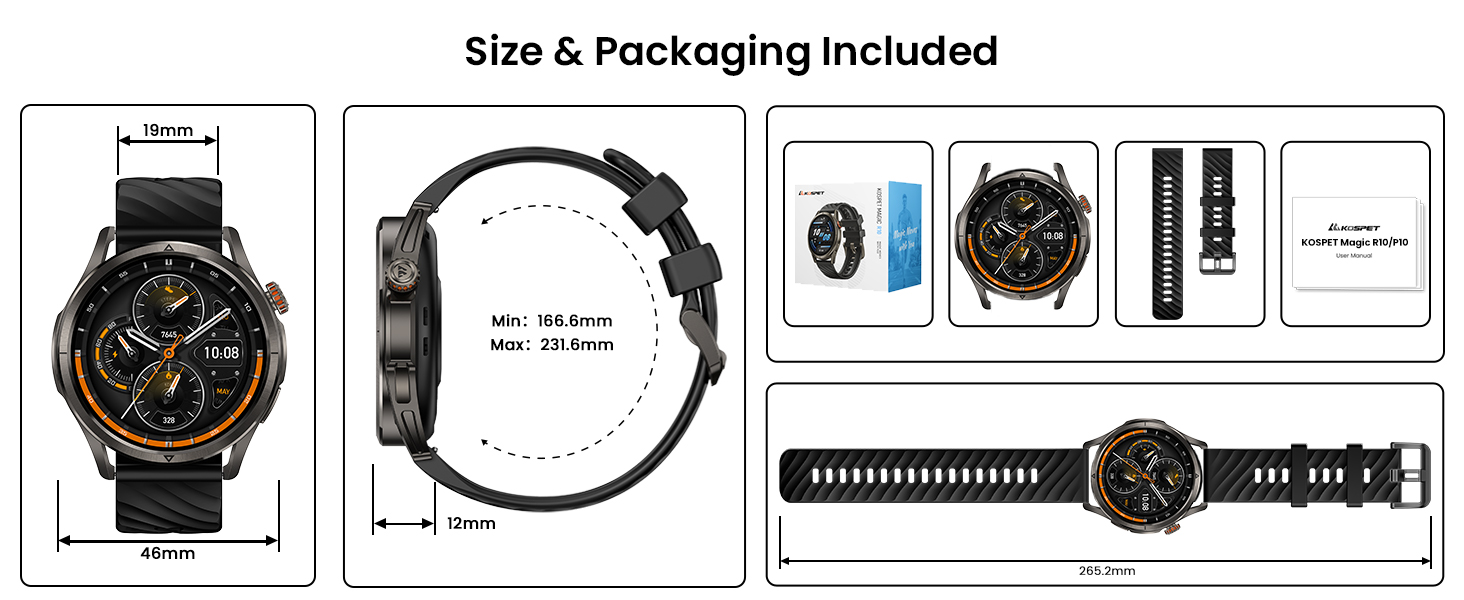
Image 3.5: Android message and app notification setup.
4. אַפּערייטינג ינסטרוקטיאָנס
4.1 אַרויסווייַזונג און נאַוויגאַציע
The Magic R10 features a 1.43" AMOLED display with Corning Gorilla Glass for durability and clear visibility. Navigate the watch interface using touch gestures and the physical buttons.
4.2 דזשי-פי-עס פונקציאָנאַליטעט
The watch includes built-in GPS that connects to 6 satellite systems, providing accurate location tracking. Dual-band GNSS ensures reliable signal strength, even in challenging environments. An integrated Altitude Pressure Compass provides elevation data and directional guidance.

Image 4.1: Multi-GNSS positioning and route tracking.
4.3 ספּאָרט מאָדעס
The Magic R10 supports 180 sport modes. It also features 6 smart recognition sports (walking, cycling, elliptical, etc.) that automatically detect and begin monitoring your activity without manual input.

Image 4.2: Apexmove app interface displaying activity data for various sports.
4.4 געזונט מאָניטאָרינג
The watch is equipped with a 4PD sensor for comprehensive health tracking, including:
- הארץ ראטע: Continuous 24/7 heart rate monitoring.
- SpO2: Blood oxygen saturation tracking.
- שלאָף מאָניטאָרינג: טרעקט שלאףtagעס און געדויער.
- Stress and Emotions: מאָניטאָרט סטרעס לעוועלס.
- מענסטרואציע ציקלען: Provides tracking for women's health.
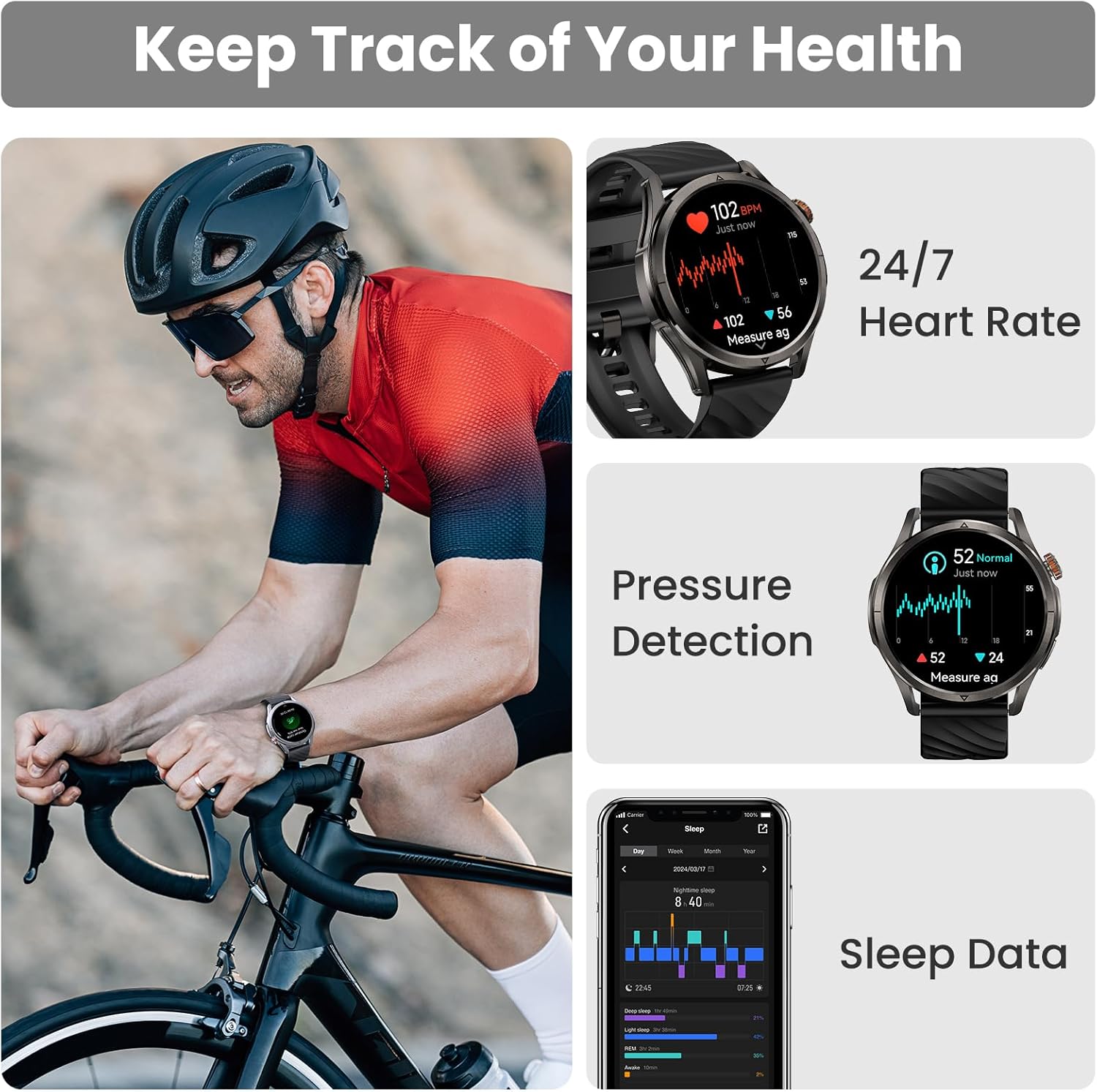
Image 4.3: Health monitoring features including heart rate, pressure, and sleep data.

Image 4.4: Menstrual cycle tracking interface.
Image 4.5: Heart rate monitoring during exercise.

Image 4.6: Sleep monitoring data display.
4.5 Calling and Notifications
The watch allows you to answer and make calls directly from your wrist when connected to your phone. It also displays message reminders and notifications from various applications.

Image 4.7: Call management, voice assistant, and message reminders.
4.6 ווויס אַססיסטאַנט
Utilize the built-in voice assistant for hands-free task execution, such as checking weather or initiating calls.
5. וישאַלט
5.1 וואַסער קעגנשטעל
The Magic R10 has a 5ATM water resistance rating, making it suitable for swimming and daily exposure to water (rain, sweat). It is not recommended for diving or high-pressure water activities.

Image 5.1: Watch being used for swimming, demonstrating 5ATM water resistance.
5.2 רייניקונג
רעגולער רייניקט אייער זייגער און רימען מיט א ווייכן, טרוקענעם שטאָףamp שטאָף. פֿאַרמײַדט ניצן שאַרפֿע כעמיקאַלן אָדער אַברייסיוו מאַטעריאַלן. מאַכט זיכער אַז די טשאַרדזשינג קאָנטאַקטן זענען ריין און טרוקן איידער איר טשאַרדזשט.
5.3 באַטערי קער
צו פאַרלענגערן די באַטאַרייע לעבן:
- ויסמיידן עקסטרעם טעמפּעראַטורעס.
- Charge the watch fully before prolonged storage.
- Do not allow the battery to completely drain frequently.
6. טראָובלעשאָאָטינג
6.1 בלוטוט פֿאַרבינדונג פּראָבלעמען
If your watch fails to connect or maintain a Bluetooth connection:
- זיכער מאַכן אַז בלועטוט איז ענייבאַלד אויף דיין טעלעפאָן און די זייגער.
- ריסטאַרט ביידע דיין טעלעפאָן און די זייגער.
- Ensure the Apexmove app is updated to the latest version.
- Try unpairing the watch from your phone's Bluetooth settings and then re-pairing through the Apexmove app.
- Check if other Bluetooth devices are causing interference. Temporarily disconnect other devices if necessary.
6.2 קורצע באַטעריע לעבן
אויב די באַטאַרייע לעבן איז קירצער ווי דערוואַרט:
- רעדוצירן פאַרשטעלן ברייטנאַס.
- Disable 'Always On Display' if enabled.
- Limit frequent GPS usage or long GPS tracking sessions.
- אויסלעשן אומנייטיקע נאטיפיקאציעס.
- Ensure the watch is fully charged using the provided cable.
6.3 אומגענויע געזונטהייט דאַטן
For accurate health monitoring:
- זייט זיכער אז די זייגער טראָגט גוט אויף אייער האַנטגעלענק, נישט צו ענג אדער צו לויז.
- האַלטן די סענסער געגנט ריין.
- פֿאַרמײַדן איבערגעטריבענע באַוועגונג בעת מעסטונגען (למשל, SpO2).
7. ספּעסאַפאַקיישאַנז
| שטריך | באַשרייַבונג |
|---|---|
| מאָדעל נומער | Magic R10 |
| פאַרשטעלן גרייס | 1.43 אינטשעס |
| ווייַז טיפּ | AMOLED |
| גוף מאַטעריאַל | ומבאַפלעקט שטאָל |
| וואַסער קעגנשטעל | 5אַטם |
| גפּס | Built-in GPS (6 satellite systems, Dual-band GNSS) |
| באַטאַרייע קאַפּאַציטעט | 450 מיליamp שעהן |
| באַטאַרייע לעבן (טיפּיש נוצן) | אַרויף צו 12 טעג |
| Battery Life (GPS Workout Mode) | אַרויף צו 18 שעה |
| Battery Life (Standby Mode) | אַרויף צו 50 טעג |
| זכּרון סטאָרידזש קאַפּאַסיטי | 128 מב |
| אַפּערייטינג סיסטעם קאַמפּאַטאַבילאַטי | Android 5.1+ און iOS 10.0+ |
| קאַנעקטיוויטי | בלועטאָאָטה |
| ספּעציעלע פֿעיִקייטן | Activity Tracker, Always On Display, GPS, Notifications, Voice Assistant, Phone Call |
| פּונקט וואָג | 9.6 אונסעס |

Image 7.1: Watch dimensions and package contents.
8. וואָראַנטי און שטיצן
פֿאַר וואָראַנטי אינפֿאָרמאַציע און קונה שטיצע, ביטע זען די באַאַמטער KOSPET webזייטל אדער קאנטאקט דעם פארקויפער פון וועמען איר האט געקויפט דאס אפאראט. האלט אייער באווייז פון קויפן פאר גאראנטיע פארלאנגען.


