הקדמה
This manual provides essential instructions for setting up, operating, and maintaining your Epson EcoTank L1270 WiFi printer. Please read this guide thoroughly to ensure proper use and to maximize the performance and longevity of your device. The Epson EcoTank L1270 is an inkjet printer designed for efficient printing with a rechargeable ink tank system and Wi-Fi connectivity.
1. סעטאַפּ
1.1 אַנפּאַקינג די פּרינטער
Carefully remove the printer from its packaging. Ensure all protective tapes and materials are removed from the exterior and interior of the printer. Keep the packaging materials for future transport or storage.
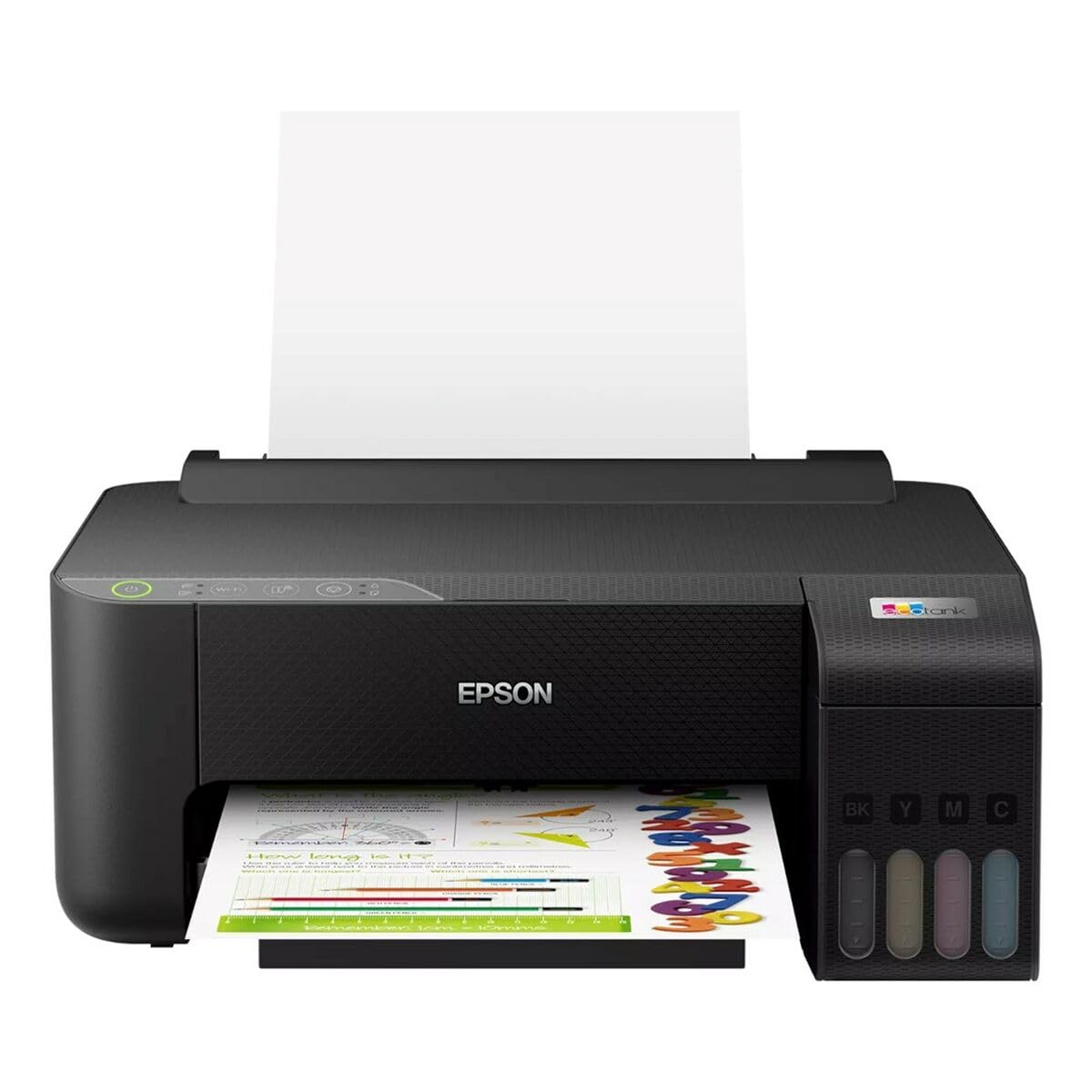
Image 1.1: Epson EcoTank L1270 WiFi Printer. This image shows the printer ready for initial setup after unpacking.
1.2 אָנפֿילן די טינט טאַנקען
The EcoTank L1270 uses a refillable ink tank system. Follow these steps to fill the ink tanks:
- עפֿנט דעם דעקל פֿון דעם טינט־טאַנק־אַפּאַראַט אויפֿן דרוקער.
- Uncap the ink bottle for the corresponding color. Each bottle is keyed to fit only the correct tank.
- שטעקט אריין די טינט פלעשל אין דעם פיל-פארט. די טינט וועט אויטאמאטיש אנהייבן צו פילן דעם טאנק. דריקט נישט די פלעשל.
- אזוי שנעל ווי דער טאנק איז פול, נעמט ארויס די פלעשל און לייגט עס צו. מאכט צו דעם דעקל פונעם טינט טאנק.
- איבערחזרן פֿאַר אַלע קאָלירן.
באַמערקונג: Use only genuine Epson ink bottles to prevent damage and ensure optimal print quality.
1.3 מאַכט קאַנעקשאַן
Connect the power cord to the printer and then to a wall outlet. Press the power button to turn on the printer. The printer will perform an initial setup process, which may take a few minutes.
1.4 ווייכווארג און דרייווער אינסטאַלאַציע
To use your printer, you need to install the necessary drivers and software on your computer. Visit the official Epson support website for the EcoTank L1270 model to download the latest drivers and utilities. Follow the on-screen instructions provided by the installer.
- גיין צו Epson שטיצן.
- זוכן פֿאַר "EcoTank L1270".
- Download and run the recommended driver package.
1.5 Wi-Fi סעטאַפּ
The Epson EcoTank L1270 supports Wi-Fi connectivity. You can connect the printer to your wireless network using one of the following methods:
- Using the Printer's Control Panel: Navigate to the Wi-Fi settings on the printer's control panel, select your network, and enter the password.
- Using EpsonNet Setup: If installed, use the EpsonNet Setup utility on your computer to configure the wireless connection.
- WPS (Wi-Fi פּראָטעקטעד סעטאַפּ): If your router supports WPS, press the WPS button on your router, then follow the instructions on the printer's control panel to establish a connection.
2. אפערירן דעם דרוקער
2.1 לאָודינג פּאַפּיר
Load paper into the rear paper feeder. Ensure the paper guides are adjusted to the width of the paper. The printer supports various paper types and sizes, up to A4.
- Fan the paper stack before loading to prevent misfeeds.
- Do not overload the paper feeder; refer to the maximum capacity (100 sheets for plain paper).
2.2 דרוקן דאקומענטן
To print a document from your computer:
- עפֿענען דעם דאָקומענט וואָס איר ווילט דרוקן.
- אויסקלייבן "דרוק" פון דער אַפּליקאַציע'ס מעניו (למשל, File > דרוקן).
- Choose "Epson EcoTank L1270" as your printer.
- Adjust print settings such as paper size, print quality, and number of copies.
- דריקט "דרוקן".
2.3 Duplex Printing (Two-Sided Printing)
The EcoTank L1270 supports manual duplex printing. To print on both sides of the paper:
- In your print settings, select the option for "Manual Duplex Printing" or "Print on Both Sides".
- Print the odd-numbered pages first.
- When prompted, reload the printed pages into the paper feeder according to the on-screen instructions to print the even-numbered pages on the reverse side.
3. וישאַלט
3.1 קאָנטראָלירן טינט לעוועלס
Visually inspect the ink tanks on the front of the printer to check current ink levels. The tanks are transparent, allowing for easy monitoring. Refill ink when levels are low to avoid running out during a print job.
3.2 איבערפילן טינט טאנקעס
When an ink tank is low, purchase genuine Epson replacement ink bottles. Follow the same procedure as described in Section 1.2 "Filling the Ink Tanks".
3.3 רייניקן דעם דרוק קאָפּ
If print quality declines (e.g., missing lines, faded colors), perform a print head cleaning. This can be done through the printer's utility software on your computer or via the printer's control panel. Refer to the software's help guide for detailed steps.
3.4 רייניקונג פון פּאַפּיר־וועג
If you experience paper jams or streaks on prints, the paper path may need cleaning. Consult the printer's software utility or the online manual for instructions on how to perform a paper path cleaning.
4. טראָובלעשאָאָטינג
די סעקציע באהאנדלט אלגעמיינע פראבלעמען וואס איר קענט באגעגענען מיט אייער עפסאָן עקאטאנק L1270 דרוקער.
4.1 Printer Not Printing / Blank Pages
- טשעק טינט לעוועלס: Ensure all ink tanks have sufficient ink.
- Print Head Clogged: Perform a print head cleaning (see Section 3.3).
- Paper Loaded Correctly: Verify paper is loaded properly and not jammed.
- דרייווער ינסטאַלירונג: Ensure printer drivers are correctly installed and up to date. Reinstall if necessary.
4.2 Wi-Fi פֿאַרבינדונג פּראָבלעמען
- Router Range: Ensure the printer is within range of your Wi-Fi router.
- נעץ פּאַראָל: Double-check that the correct Wi-Fi password has been entered.
- ריסטאַרט דיווייסאַז: Try restarting your printer, computer, and Wi-Fi router.
- Reconfigure Wi-Fi: Attempt to set up the Wi-Fi connection again (see Section 1.5).
4.3 שלעכטע דרוק קוואַליטעט
- פּרינט קאָפּ רייניקונג: Perform a print head cleaning and nozzle check.
- פּאַפּיר טיפּ: זייט זיכער אַז איר ניצט דעם ריכטיקן פּאַפּיר טיפּ פֿאַר אייערע דרוק סעטטינגס.
- Ink Quality: Use genuine Epson inks for best results.
For more complex issues, refer to the comprehensive online manual on the Epson support website or contact Epson customer support.
5. ספּעסאַפאַקיישאַנז
| שטריך | דעטאַל |
|---|---|
| סאָרט | Epson |
| מאָדעל נאָמען | EcoTank L1270 WiFi |
| דרוק טעכנאָלאָגיע | ינגקדזשעט |
| קאַנעקטיוויטי | ווי-פי |
| מאַקסימום דרוק רעזאָלוציע (קאָליר) | 5760 רענטגענ 1440 דפּי |
| מאַקסימום דרוק רעזאָלוציע (שוואַרץ און ווייס) | 5760 דפּי |
| מאַקסימום דרוק גיכקייט (מאָנאָכראָם) | 15 בלעטער פּער מינוט |
| Max Paper Capacity | 100 sheets (plain paper) |
| דופּלעקס פּרינטינג | יאָ (מאַנואַל) |
| ספּעציעלע שטריך | Rechargeable Ink Tank |
| דימענסיעס (L X W X H) | 26P x 42,5l x 46H cm (approx.) |
6. וואָראַנטי אינפֿאָרמאַציע
The Epson EcoTank L1270 WiFi printer comes with a limited warranty. For specific terms, conditions, and duration of your warranty, please refer to the warranty documentation included with your product or visit the official Epson support webזייטל. האַלט דיין קויפן באַווייַז פֿאַר וואָראַנטי קליימז.
7. שטיצן
For further assistance, technical support, or to download the latest drivers and manuals, please visit the official Epson support webפּלאַץ:
עפּסאָן אפיציעלע שטיצע Webפּלאַץ
You may also find helpful resources and FAQs on their webפּלאַץ.


