1. הקדמה
The virtavo VistaFlask 2K Security Camera is a wireless, battery-powered outdoor camera designed to enhance your home security. Featuring 2K QHD imaging, AI motion detection, starlight lens for colorful night vision, and weatherproof construction, it provides reliable surveillance in various conditions. This manual provides detailed instructions for setting up, operating, maintaining, and troubleshooting your camera.

Image: Two virtavo VistaFlask 2K security cameras, designed for outdoor use.
2. זיכערקייַט אינפֿאָרמאַציע
- זיכער מאַכן אַז די קאַמעראַ איז זיכער אינסטאַלירט צו פאַרמייַדן פאַלן.
- Use only the specified charging cable and power adapter to charge the battery.
- שטעלט נישט אויס די קאַמעראַ צו עקסטרעמע טעמפּעראַטורן אַרויס פון איר אַפּערייטינג ראַנגע.
- Avoid disassembling or modifying the camera, as this will void the warranty and may cause damage.
- האַלט די קאַמעראַ און אירע אַקסעסאָריעס אַוועק פון קינדער.
3. פּעקל אינהאַלט
- virtavo VistaFlask 2K Security Camera(s)
- מאָונטינג בראַקאַץ (s)
- וסב טשאַרדזשינג קאַבלע
- באַניצער מאַנואַל
- מאַונטינג סקרוז און אַנגקערז
4. פּראָדוקט איבערview
The virtavo VistaFlask camera features a compact design with essential components for optimal performance. Key elements include the lens, IR LEDs for night vision, a microphone for audio input, a speaker for two-way communication, and a motion sensor. The power switch, sync button, and charging port are located at the bottom of the camera, alongside the microSD card slot for local storage.

בילד: אינערלעך view highlighting the battery and electronic components.

בילד: אונטן view of the camera with power switch, charging port, sync button, and microSD card slot.
5. סעטאַפּ גייד
5.1 ערשט סעטאַפּ
- טשאַרדזשינג די אַפּאַראַט: Before first use, fully charge the camera using the provided USB cable. The battery lasts 1-3 months per charge depending on usage.
- אראפקאפיע די אַפּ: זוכן פֿאַר 'HOME V' in your smartphone's app store (iOS or Android) and download the application.
- שאַפֿן אַ חשבון: Open the 'HOME V' app and follow the on-screen instructions to register a new account or log in if you already have one.
5.2 Camera Pairing and Connection
Follow these steps to pair your virtavo VistaFlask camera with the 'HOME V' app. For a visual guide, please refer to the official installation video below.
Video: Official virtavo VistaFlask Installation Guide Setup. This video demonstrates the step-by-step process of binding the camera to the 'HOME V' app using QR codes, including powering on the camera, confirming the red light flashing, connecting to the camera's hotspot, and connecting to your home Wi-Fi network.
- לייג דיווייס: In the 'HOME V' app, tap the '+' icon to add a new device.
- יבערקוקן QR קאָד: Grant camera access to the app. Scan the QR code located on the back of your virtavo VistaFlask camera.
- מאַכט אויף: Ensure the camera is powered on. The power switch is located at the bottom.
- Confirm Flashing Light: Confirm that the camera's red indicator light is flashing rapidly. If not, press and hold the 'Sync' button for 5-10 seconds until you hear a 'Du' sound or see rapid flashing.
- Connect to Camera Hotspot: The app will prompt you to connect to the camera's Wi-Fi hotspot (e.g., 'IPC365_AP-XXXX'). Confirm and join this network.
- Select Home Wi-Fi: Choose your home 2.4GHz Wi-Fi network from the list and enter the correct password. Note: This device only supports 2.4GHz Wi-Fi.
- געבן א נאמען פאר אייער קאמערא: Once connected, name your camera for easy identification (e.g., 'Front Door', 'Living Room').
5.3 גשמיות ינסטאַלירונג
The virtavo VistaFlask camera is designed for easy installation, both indoors and outdoors. Its weatherproof design ensures durability.

Image: Easy installation on smooth surfaces like glass or tiles, no drilling required.

Image: Wireless connection for remote access.
- קלייַבן אַ אָרט: Select a location with good Wi-Fi signal strength and a clear view פון די געגנט איר ווילן צו מאָניטאָר.
- מאָונטינג: Use the provided mounting bracket, screws, and anchors to securely attach the camera to a wall or other suitable surface. Ensure the camera is positioned to capture the desired field of view.
- וועטערפּראָאָף: The camera is designed to withstand various weather conditions, making it suitable for outdoor use.
6. אַפּערייטינג ינסטרוקטיאָנס
6.1 לעבן View און צוויי-וועג אַודיאָ
Access real-time video feed and communicate through the camera using the 'HOME V' app.
- לעבן View: עפֿנט די אַפּ און סעלעקטירט אייער קאַמעראַ צו view די לעבן קאָרמען.
- צוויי-וועג אַודיאָ: דריקט דעם מיקראָפאָן בילדל אין דער לייוו view to speak through the camera's speaker, and listen through its microphone.
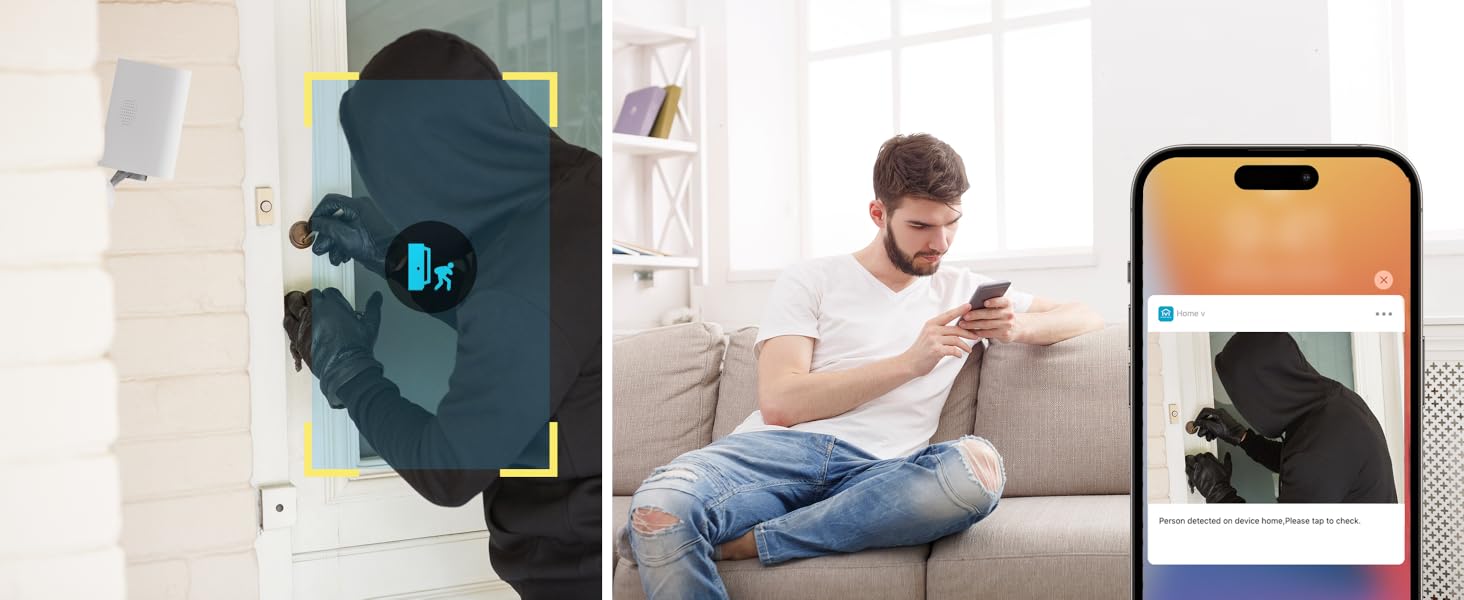
Image: Two-way audio feature for communication.
6.2 באַוועגונג דעטעקציע און וואָרענונגען
The camera features advanced PIR motion detection and AI capabilities to minimize false alarms.
- PIR באַוועגונג דעטעקשאַן: Detects motion up to 30 feet.
- סמאַרט אַלערץ: באַקומען רעגע נאָוטאַפאַקיישאַנז אויף דיין סמאַרטפאָון ווען באַוועגונג איז דעטעקטעד.
- AI Detection (Cloud Subscription): With an optional cloud subscription, the camera can differentiate between humans, vehicles, and animals, reducing irrelevant alerts.
- קוסטאָמיזאַבלע דעטעקשאַן זאָנעס: Set specific areas for motion detection to focus on critical zones and ignore others.
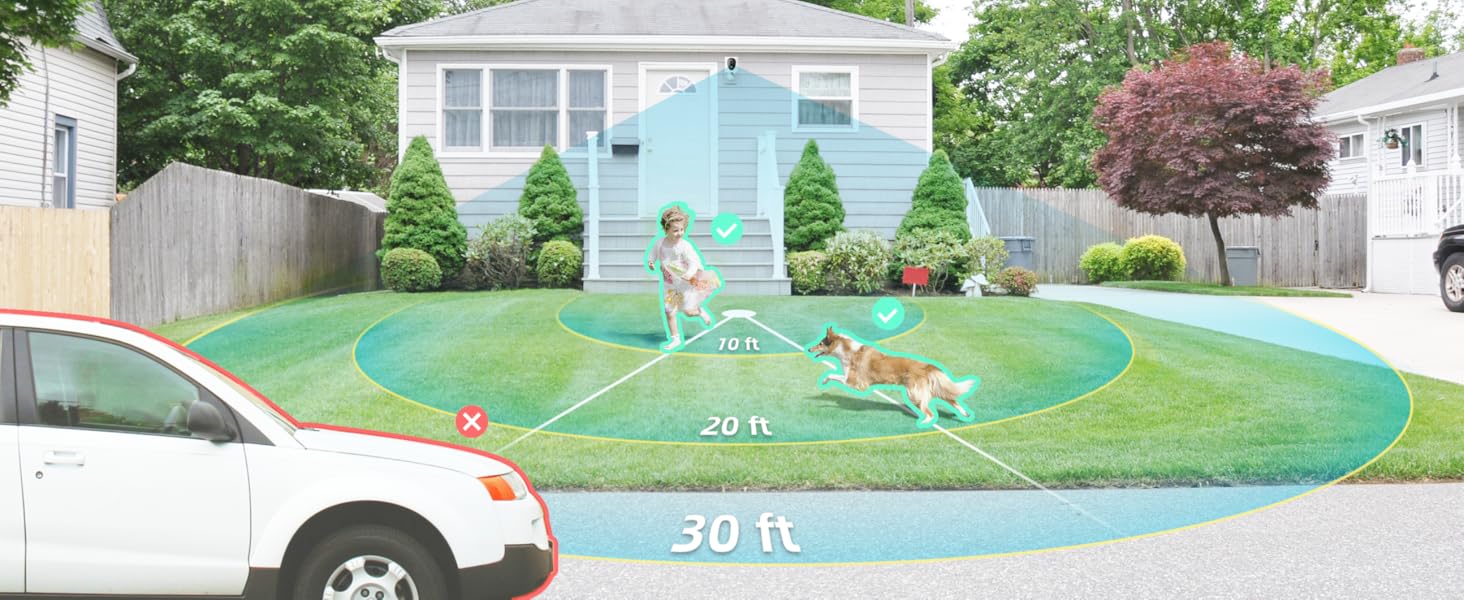
Image: Smart detection distinguishing between people, vehicles, and animals.
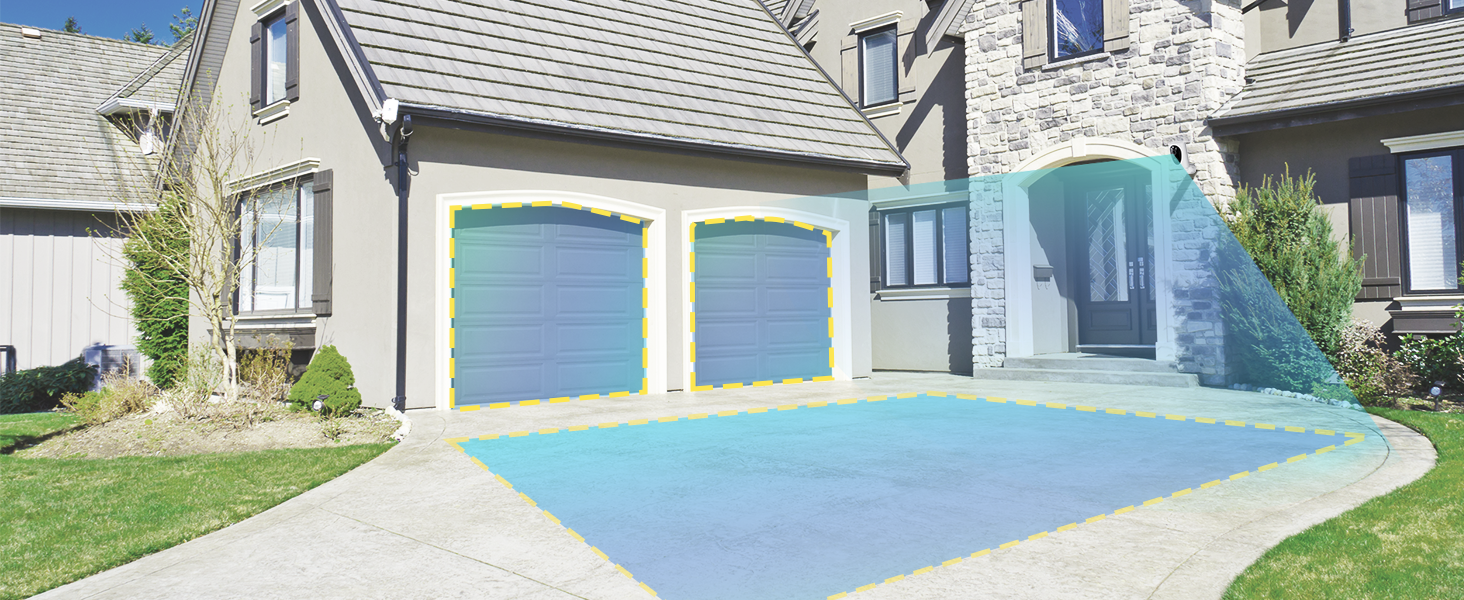
Image: Customizable motion detection zones.

Image: Instant alerts with image previews.
6.3 נאַכט זעאונג
The camera provides clear vision even in low-light conditions.
- קאָליר נאַכט זעאונג: Utilizes Starlight technology and a wide F1.6 aperture for vivid, color-rich images in low light.
- IR נאַכט וויזשאַן: Equipped with 2 high-intensity IR LEDs for clear black-and-white viewאין גאַנצער פינצטערניש.

Image: Superior 2K QHD imaging and color-rich night vision.
6.4 רעקאָרדינג און סטאָרידזש
Your data is secured with flexible storage options.
- לאקאלע סטאָרידזש: Supports microSD cards from 32GB to 256GB for continuous recording, even without network access. (MicroSD card not included).
- וואָלקן סטאָרידזש: Optional cloud storage plans offer additional features like snapshot alerts and advanced AI capabilities. Video encryption ensures privacy.
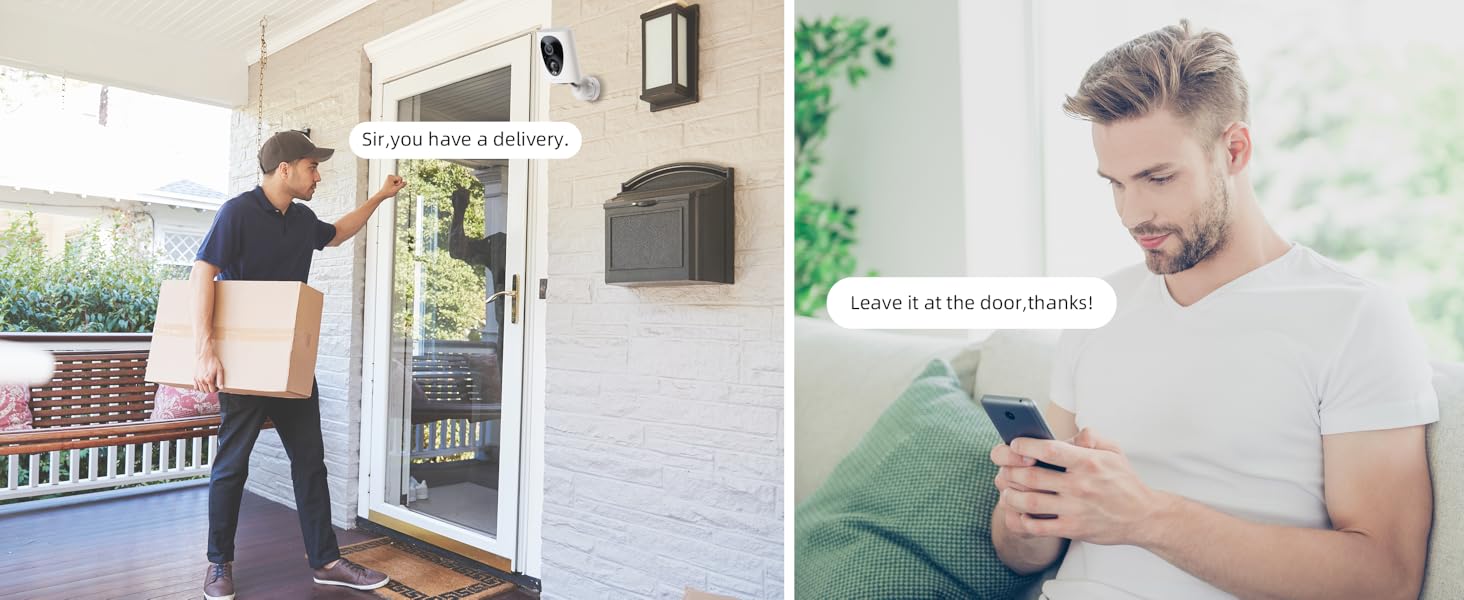
Image: Comparison of no-fee basic storage (SD card) and cloud storage options.
6.5 App Features and Remote Access
Manage and control your security remotely via the 'HOME V' app.
- ווייַט מאָניטאָרינג: Monitor your home from anywhere with an internet connection.
- מולטי-באַניצער אַקסעס: Share camera access with family members.
- סקעדזשולינג: Set schedules for recording or alerts.

Image: Remote access and multi-user monitoring via the 'HOME V' app.
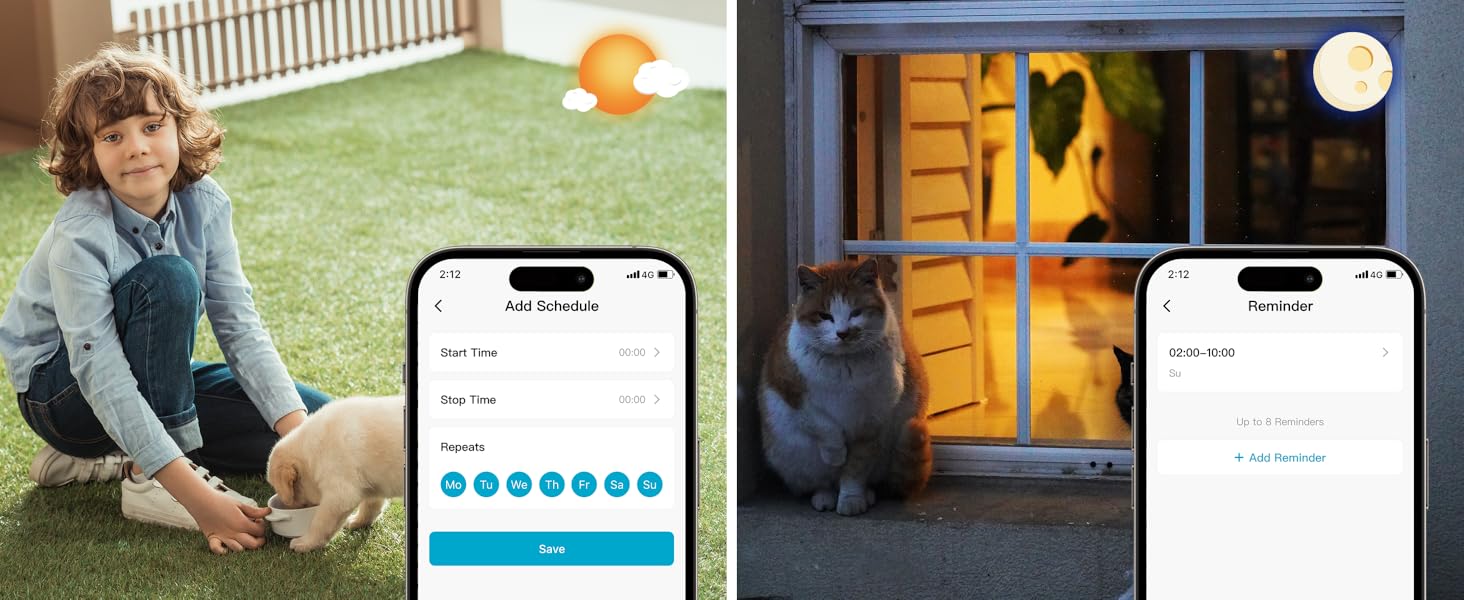
Image: App features including scheduling and reminders.
7. וישאַלט
- באַטערי טשאַרדזשינג: Recharge the camera battery when prompted by the app. A full charge can last 1-3 months depending on activity.
- רייניקונג: ווישט אָפּ די קאַמעראַ לינז און קערפּער מיט אַ ווייכן, דamp שטאָף. ויסמיידן אַברייסיוו קלינערז.
- Firmware דערהייַנטיקונגען: Regularly check the 'HOME V' app for firmware updates to ensure optimal performance and security.
8. טראָובלעשאָאָטינג
| אַרויסגעבן | מעגלעך סיבה | לייזונג |
|---|---|---|
| Camera won't power on | Battery depleted; Power switch off | Charge the camera fully; Ensure power switch is in the 'ON' position. |
| קענען ניט פאַרבינדן צו ווי-פי | Incorrect Wi-Fi password; 5GHz Wi-Fi network; Weak Wi-Fi signal | Verify password; Ensure you are connecting to a 2.4GHz network; Move camera closer to router or use a Wi-Fi extender. |
| אָפט פאַלש אַלאַרמס | High motion sensitivity; Unfiltered motion sources (e.g., trees, animals) | Adjust motion sensitivity in app; Set up detection zones to exclude irrelevant areas; Consider cloud subscription for AI detection. |
| Poor night vision clarity | Dirty lens; Obstruction in front of camera; Insufficient ambient light for color night vision | Clean the lens; Remove obstructions; Ensure adequate ambient light for color mode or switch to IR night vision. |
| באַטאַרייע דריינז געשווינד | High activity/recordings; Frequent live view access; Weak Wi-Fi signal | Reduce motion detection sensitivity; Limit live view sessions; Improve Wi-Fi signal strength. |
9. ספּעסאַפאַקיישאַנז
| שטריך | דעטאַל |
|---|---|
| מאָדעל נאָמען | LJH10 |
| דרינענדיק / דרויסנדיק באַניץ | דרינענדיק, דרויסנדיק |
| מאַכט מקור | Battery Powered (4400mAh rechargeable Lithium battery) |
| קאַנעקטיוויטי פּראָטאָקאָל | Wi-Fi (נאָר 2.4GHz) |
| קאָנטראָללער טיפּ | HOME V App |
| מאַונטינג טיפּ | וואנט בארג |
| ווידעא קאַפּטורע רעסאָלוטיאָן | 2K QHD |
| Viewינג אַנגלע | 120 Degrees (Field of View: 130 Degrees) |
| נאַכט וויזשאַן ראַנגע | 30 פֿיס |
| נידעריק ליכט טעכנאָלאָגיע | Starlight (F1.6 aperture, 3.0mm focal length) |
| נומער פון יר לעדס | 2 |
| וואַסער קעגנשטעל מדרגה | וואָטערפּרוף |
| דימענסיעס (L X W X H) | 2.7 X 1.3 X 3.2 אינטשעס |
| פּונקט וואָג | 1.41 פונט |
| סטאָרידזש אָפּציעס | MicroSD (32GB-256GB), Cloud Storage |
| ספּעציעלע פֿעיִקייטן | 2-Way Audio, Battery Powered, Local Recording, Motion Sensor, Night Vision, AI Motion Detection |
10. וואָראַנטי און שטיצן
virtavo products are designed for reliability and performance. For information regarding product warranty, please refer to the warranty card included in your product packaging or visit the official virtavo website. If you encounter any issues or have questions not covered in this manual, please contact virtavo customer support through the 'HOME V' app or their official support channels for assistance.


