1. הקדמה
This manual provides essential information for the safe and efficient operation of your TORNADO Smart LED TV 43ES1500E. Please read these instructions thoroughly before using your television and retain them for future reference.

Image: The TORNADO Smart LED TV 43ES1500E displayed in a modern living room environment.
The TORNADO Smart LED TV 43ES1500E features a 43-inch Full HD display, integrated Wi-Fi, and multiple connectivity options including RF, USB, and HDMI. It operates on the TORNADO Smart Portal operating system, offering access to various applications and internet browsing capabilities.
ווידעא: אן איבערview of the TORNADO Smart LED TV, demonstrating its features and setup process.
2. סעטאַפּ
2.1 אויספּאַקן און אינהאַלט
Carefully open the television packaging. Ensure all components are present and undamaged. The box should contain:
- TORNADO Smart LED TV Unit
- ווייַט קאָנטראָל
- טעלעוויזיע שטענדערס (2 שטיקלעך)
- שרויפן פֿאַר שטאַנד אינסטאַלאַציע
- מאַכט קאַבלע
- באַניצער מאַנואַל און וואָראַנטי קאָרט
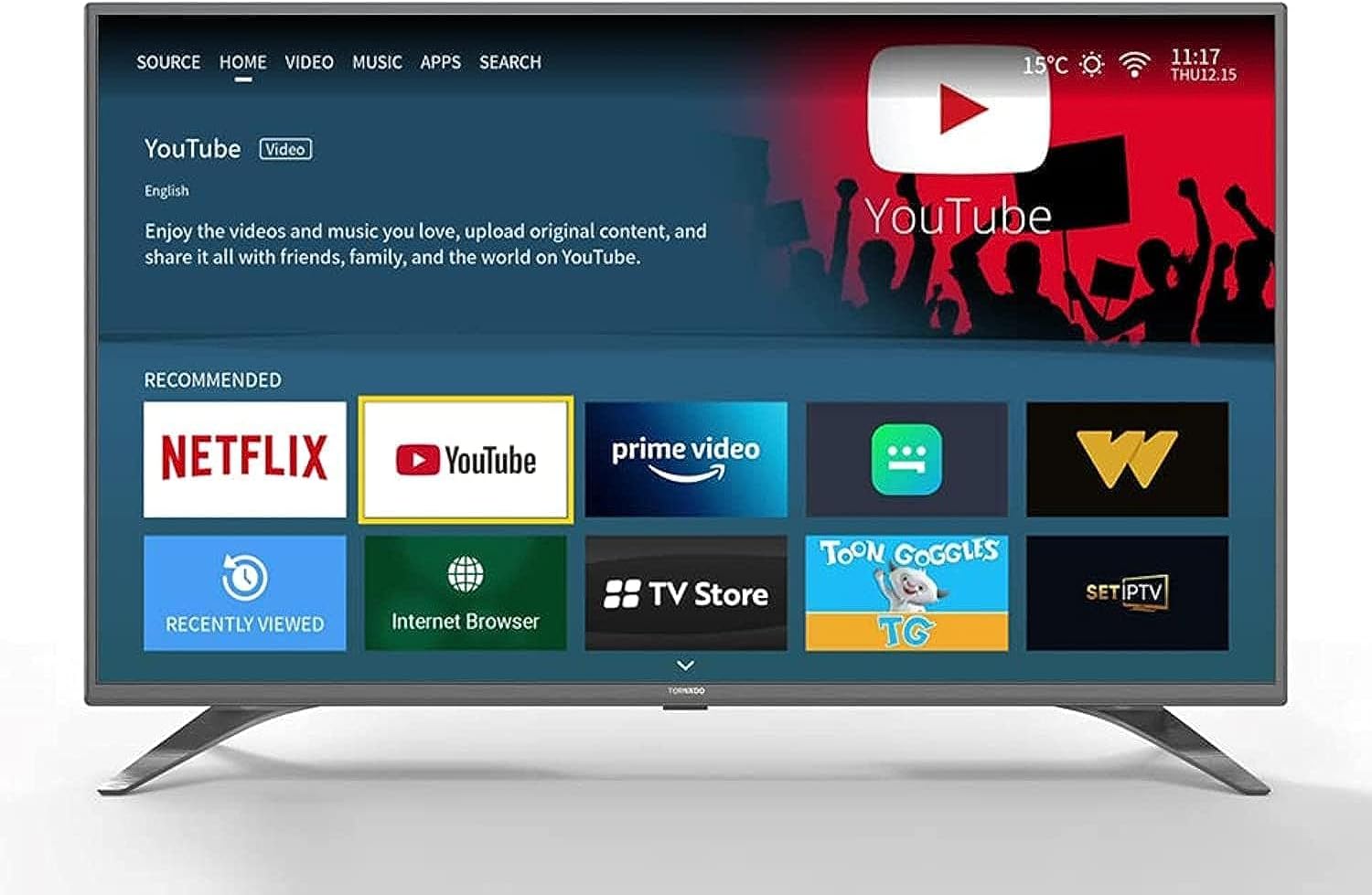
Image: The TORNADO Smart LED TV and its accompanying accessories, including the remote control, stands, and documentation.
2.2 שטיין ייַנמאָנטירונג
To install the TV stands:
- לייגט דעם טעלעוויזיע מיטן עקראַן אַראָפּ אויף אַ ווייכער, גלאַטער ייבערפלאַך צו פאַרמייַדן קראַצן.
- גלייכט יעדן שטאַנד מיט די קאָרעספּאָנדירנדיקע סלאָץ אויף דער אונטערשטער טייל פון דעם טעלעוויזאָר.
- באַפעסטיקט יעדן שטאַנד מיט די צוגעשטעלטע שרויפן. מאַכט זיכער אַז זיי זענען פעסט אָנגעצויגן.

בילד: פראָנט view of the TORNADO Smart LED TV 43ES1500E with its two stands securely attached.
2.3 וואַנט מאָונטינג (אָפּציאָנאַל)
If you choose to wall-mount your TV, ensure you use a compatible wall mount bracket for the TV's size and weight. It is recommended to have a qualified technician perform the installation to ensure safety and proper mounting.
- Remove any pre-installed screws from the back of the TV if they interfere with the wall mount.
- Attach the wall mount brackets to the TV using the appropriate screws, ensuring they are securely fastened to the VESA mounting points.
- Mount the TV to the wall bracket according to the wall mount manufacturer's instructions.
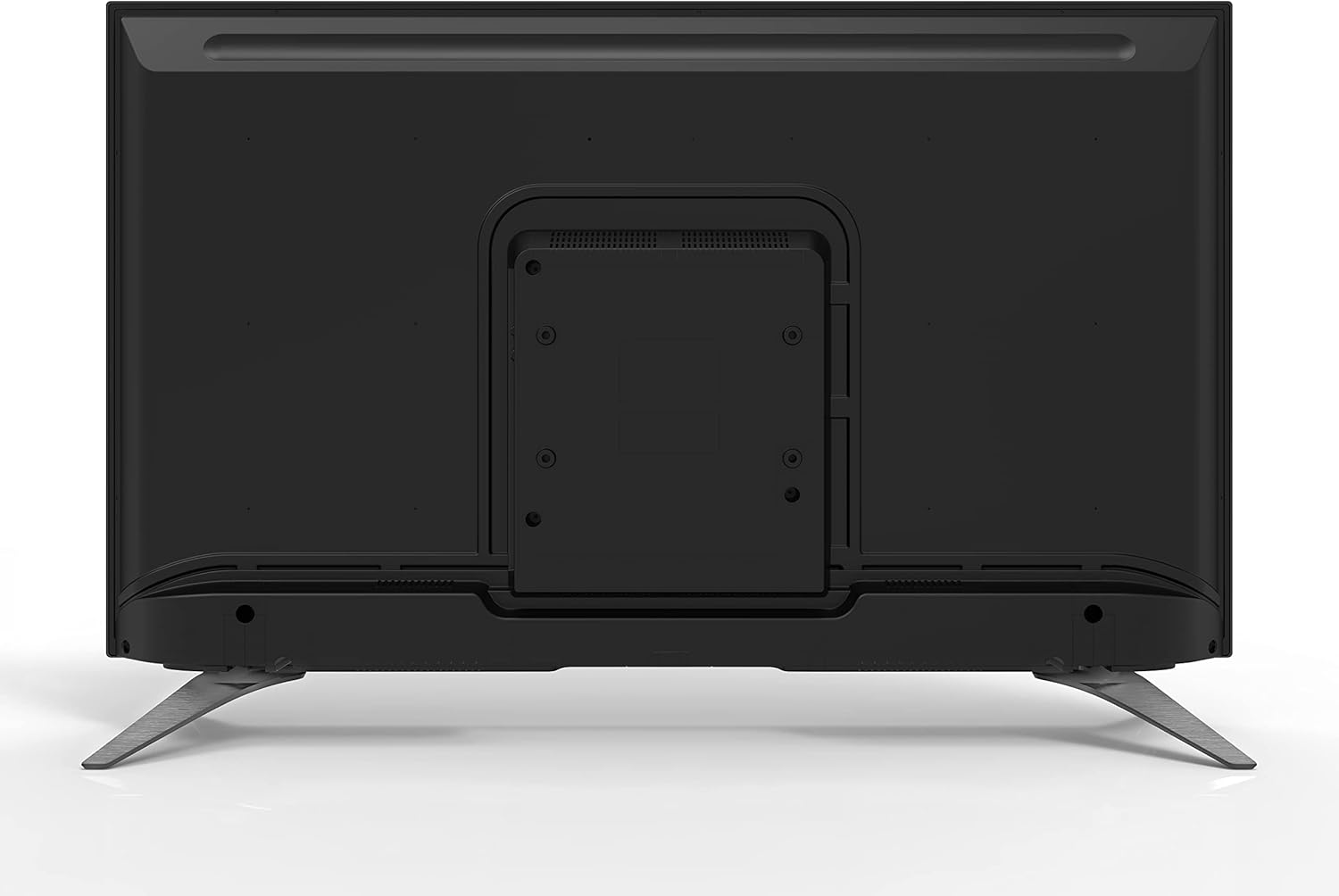
בילד: הינטערשטע view of the TORNADO Smart LED TV 43ES1500E, highlighting the VESA mounting points for wall installation.
2.4 Connecting Power and Initial Power-Up
Connect the power cable to the TV's power input and then to a wall outlet. Ensure the outlet is easily accessible. Press the power button on the remote control or the TV to turn it on. Follow the on-screen instructions for initial setup, including language selection, network connection, and channel scanning.

בילד: זייט פּראָfile of the TORNADO Smart LED TV 43ES1500E, displaying its connectivity ports including HDMI and USB.
3. אַפּערייטינג ינסטרוקטיאָנס
3.1 רימאָוט קאָנטראָל פאַנגקשאַנז
The remote control allows you to navigate the TV's menus and control various functions. Familiarize yourself with the button layout for optimal use.
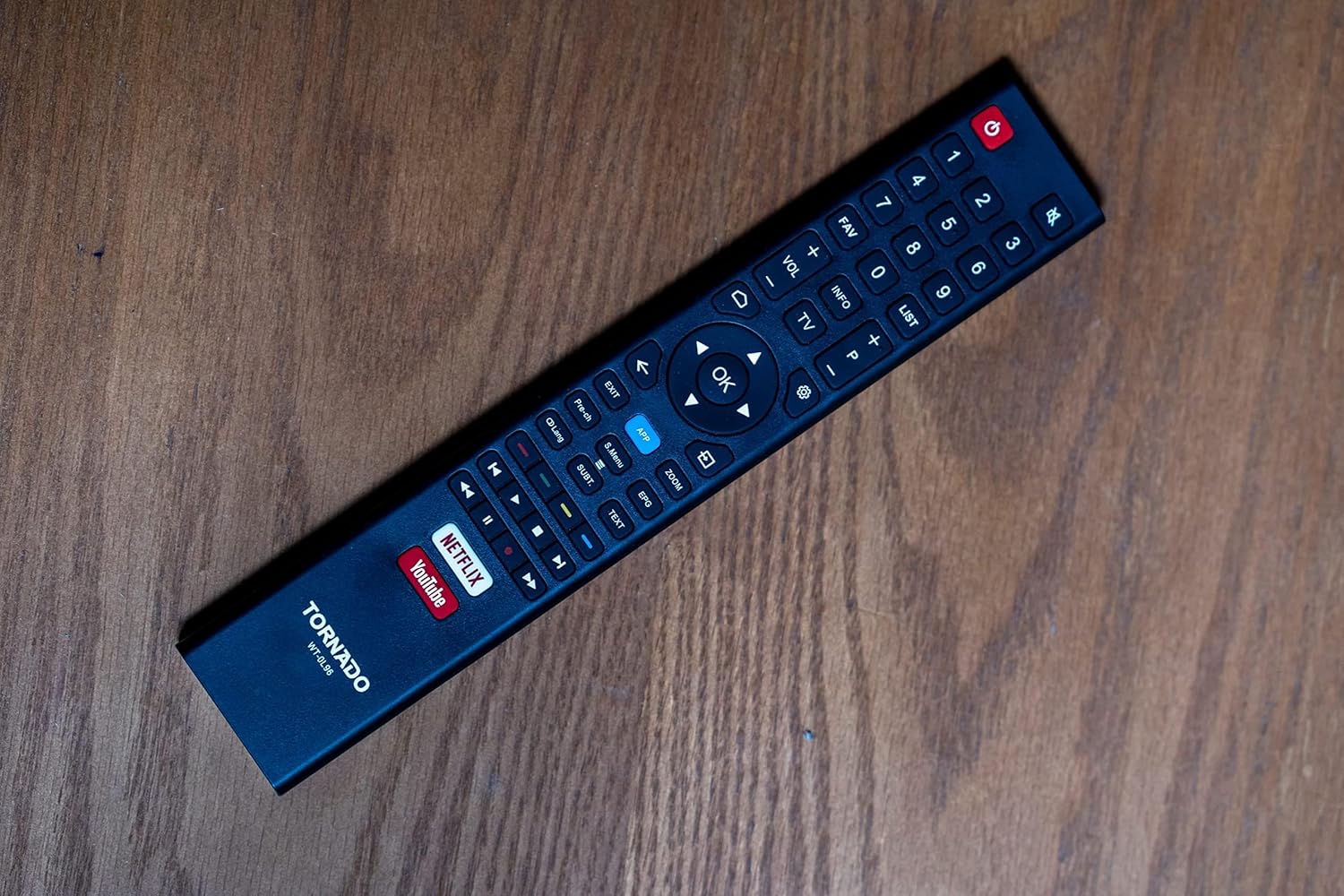
Image: The remote control for the TORNADO Smart LED TV 43ES1500E, showing its various buttons and layout.
3.2 סמאַרט טעלעוויזיע פֿעיִקייטן
Your TORNADO Smart LED TV runs on the TORNADO Smart Portal operating system, providing access to a range of smart features:
- Web בלעטערער: צוטריט דעם אינטערנעט גלייך פון אייער טעלעוויזיע.
- פאַר-אינסטאַלירטע אַפּליקאַציעס: Enjoy popular streaming services like Netflix, YouTube, and Prime Video.
- סקרין שפּיגל: Connect your mobile device to the TV to display content from your phone or tablet on the larger screen.

Image: The smart TV interface of the TORNADO 43ES1500E, showing recommended applications like Netflix, YouTube, and Prime Video.
3.3 PVR (Personal Video Recorder) Function
The PVR function allows you to record live television broadcasts directly to a USB storage device connected to your TV. To use this feature, ensure a USB drive with sufficient storage is connected.
3.4 Time Shift Function
With the Time Shift function, you can pause live TV and resume watching later. This feature also requires a USB storage device to be connected to the TV.
Video: A demonstration of the TORNADO Smart LED TV's PVR and Time Shift functions, showing how to record and pause live television.
4. וישאַלט
To ensure the longevity and optimal performance of your TORNADO Smart LED TV, follow these maintenance guidelines:
- רייניקונג די פאַרשטעלן: ווישט אָפּ דעם עקראַן מיט אַ ווייכן, טרוקענעם, לינט-פֿרײַעם שטאָף. פֿאַר שווערע פֿלעקן, ווישט אַ ביסלampווישט דעם שטאָף מיט וואַסער אָדער אַ ספּעציאַליזירטן עקראַן רייניגער (שפּריצט נישט גלייך אויפן עקראַן).
- רייניקונג דעם גוף: Use a soft, dry cloth to clean the TV's frame and back panel.
- ווענטילאַטיאָן: זיכערט זיך אז די ווענטילאציע עפענונגען אויף דער הינטערשטער זייט פון דעם טעלעוויזאר זענען נישט פארשטאפט כדי צו פארמיידן איבערהיצונג.
- מאַכט אַוועק: Always turn off the TV and unplug it from the power outlet before cleaning or when it will not be used for an extended period.
5. טראָובלעשאָאָטינג
This section addresses common issues you might encounter with your TORNADO Smart LED TV.
5.1 Image Distortion or Interference
If the image appears distorted, blurry, or has interference (repeated or overlapping images):
- טשעק קאַנעקשאַנז: Ensure all antenna/satellite (RF) and HDMI cables are securely connected to the TV and external devices.
- מינאַמייז ינטערפיראַנס: Keep the TV away from other electronic devices that might cause electromagnetic interference, such as hair dryers or other appliances. Ensure signal cables are not running parallel to power cables.
5.2 TV Turns Off Automatically
If the TV turns off by itself:
- Check Sleep Timer: Verify that the sleep timer function is not activated in the TV settings.
- Automatic Standby: Ensure the automatic standby feature (if available) is not set to turn off the TV after a specific period of inactivity. Adjust or disable this setting in the system menu.
5.3 ווײַטקאָנטראָל אַרבעט נישט
If the remote control is unresponsive:
- טשעק באַטעריז: Replace the batteries in the remote control with new ones, ensuring correct polarity.
- מניעות: זיכער מאַכן אַז עס זענען נישטאָ קיין שטערונגען צווישן דער ווײַטקאָנטראָל און דעם טעלעוויזיע'ס אינפֿראַרעד סענסאָר.
Video: Troubleshooting guide for common issues with the TORNADO Smart LED TV, including image problems and remote control functionality.
6. ספּעסאַפאַקיישאַנז
Detailed technical specifications for the TORNADO Smart LED TV 43ES1500E:
| שטריך | באַשרייַבונג |
|---|---|
| מאָדעל נומער | 43ES1500E |
| פאַרשטעלן גרייס | 43 אינטשעס |
| ווייַז טעכנאָלאָגיע | געפירט |
| האַכלאָטע | 1920 רענטגענ 1080 (פול הד) |
| אַספּעקט פאַרהעלטעניש | 16:9 |
| קאַנטראַסט פאַרהעלטעניש | 1:3000 |
| Viewינג אַנגלע | 178° |
| דערפרישן קורס | 60 הז |
| Broadcasting Type | Digital (DVB-T/T2/S2) |
| אָפּערייטינג סיסטעם | TORNADO Smart Portal |
| קאַנעקטיוויטי | Wi-Fi, RF, USB (2), HDMI (2), Video In (1) |
| אַודיאָ רעזולטאַט מאַכט | 2 רענטגענ 10 וואט |
| ספּעציעלע פֿעיִקייטן | Built-in Receiver, Web Browser, Netflix, YouTube, Screen Mirroring, PVR, Time Shift |
| דימענסיעס (אָן שטיין) | 970 X 566 X 85 מם |
| דימענסיעס (מיט שטיין) | 970 X 618 X 220 מם |
| נעץ וואָג | 7.3 קג |
| גראָב וואָג | 9.8 קג |
| ענערגיע עפעקטיווקייַט קלאַס | A |
| לאַנד פון אָריגין | מצרים |

Image: The TORNADO Smart LED TV 43ES1500E with its key dimensions (width, height, depth) clearly indicated.
7. וואָראַנטי און שטיצן
Your TORNADO Smart LED TV 43ES1500E comes with a 3-year full free warranty from the manufacturer. For warranty claims, technical support, or service inquiries, please refer to the contact information provided on your warranty card or visit the official Tornado service center.
ביטע באַהאַלטן אייער קויפן-באַווייַז פֿאַר וואָראַנטי וואַלידאַציע.


