1. הקדמה
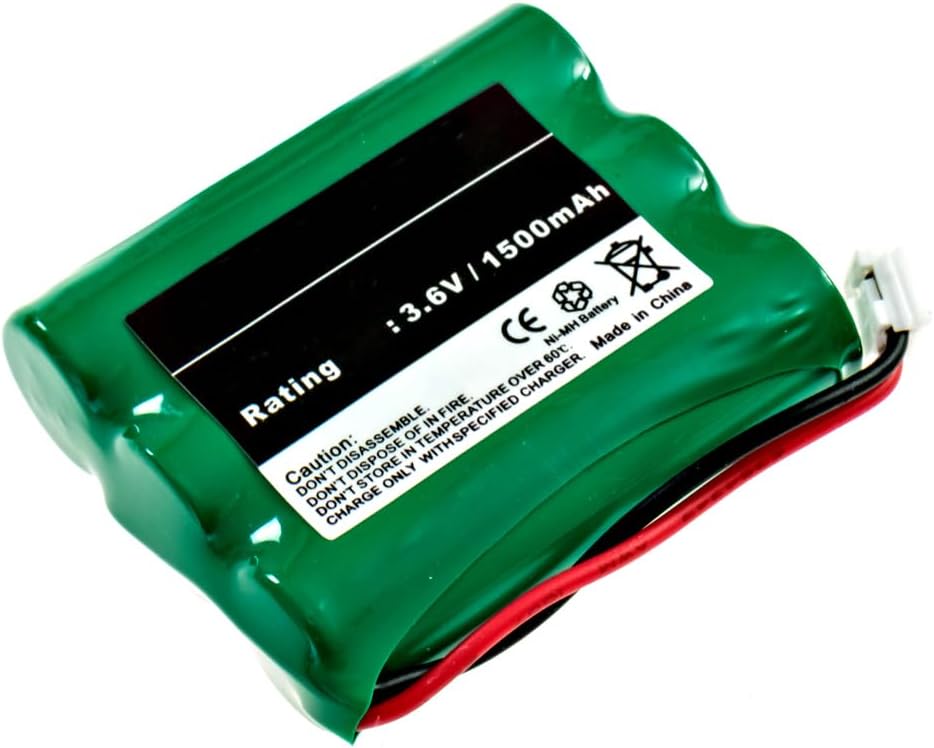
This manual provides essential instructions for the safe and effective use of your EMPIRE NiMH 3.6V 1500mAh Cordless Phone Battery. This battery is designed to be compatible with Vtech 2600 cordless phones and other models requiring similar specifications. Please read this manual thoroughly before installation and use.
2. זיכערקייַט אינפֿאָרמאַציע
Observe the following safety precautions to prevent damage to the battery, phone, or personal injury:
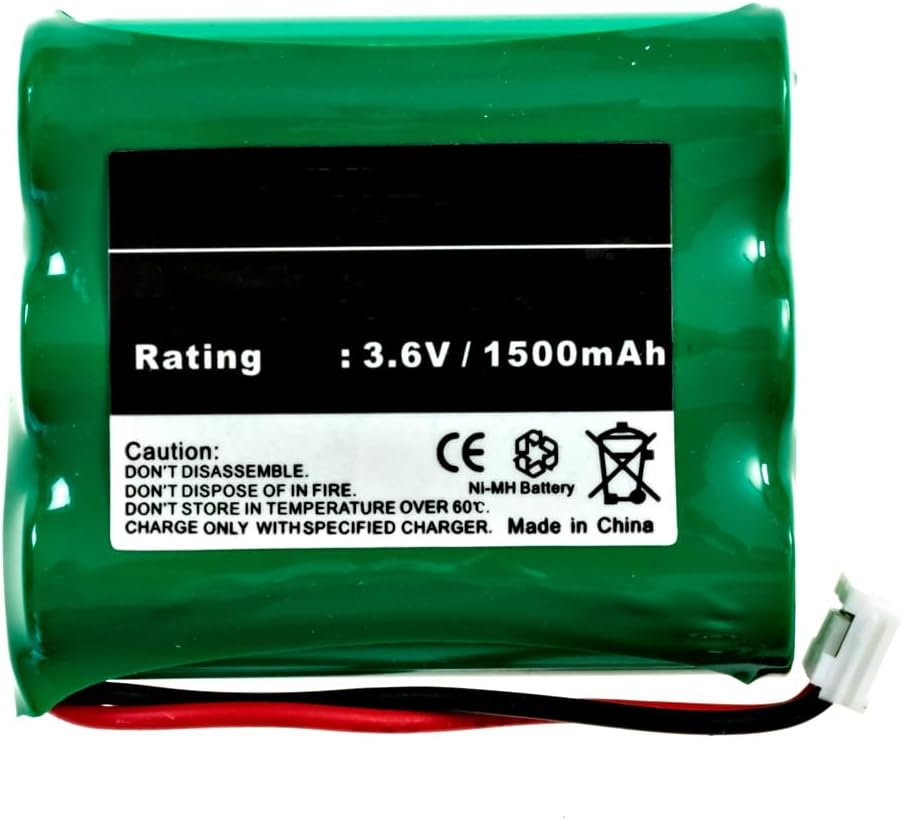
- נישט צענעמען: Attempting to disassemble the battery can cause short circuits, fire, or exposure to hazardous materials.
- נישט אַוועקוואַרפן אין פייער: באַטעריעס קענען עקספּלאָדירן אָדער ליקן ווען זיי ווערן אויסגעשטעלט צו פייַער.
- DO NOT STORE IN HIGH TEMPERATURES: Avoid storing the battery in temperatures exceeding 60°C (140°F). High temperatures can reduce battery life and pose a safety risk.
- CHARGE ONLY WITH SPECIFIED CHARGER: Use only the charger provided with your cordless phone or a compatible charger designed for NiMH batteries. Using an incompatible charger may damage the battery or phone.
- האַלטן באַטעריז אויס פון דערגרייכן פון קינדער.
- If battery fluid comes into contact with skin or eyes, flush immediately with water and seek medical attention.
3. פּעקל אינהאַלט
- 1 x EMPIRE NiMH 3.6V 1500mAh Cordless Phone Battery (Model: 74436-EM-CPH-482D)
4. סעטאַפּ און ייַנמאָנטירונג
Follow these steps to install the battery into your compatible cordless phone:
- געפֿינען די באַטערי אָפּטייל: On most cordless phones, the battery compartment is located on the back of the handset. Refer to your phone's original user manual if you cannot locate it.
- אַרויסנעמען די אַלטע באַטאַרייע (אויב אָנווענדלעך): If replacing an old battery, carefully disconnect its connector from the phone's battery terminal and remove the old battery.
- אַרײַנשטעלן אַ נײַע באַטעריע: Place the new EMPIRE battery into the compartment, ensuring the wires are not pinched.
- פאַרבינדן די באַטאַרייע: Align the battery connector with the terminal inside the phone's battery compartment and push firmly until it clicks into place. Ensure the connection is secure.
- פֿאַרמאַכן אָפּטייל: פאַרבייַטן די דעקן פון די באַטאַרייע אָפּטייל.
5. אַפּערייטינג ינסטרוקטיאָנס
5.1 ערשט טשאַרדזשינג
For optimal performance, fully charge the new battery before its first use. Place the handset with the newly installed battery into its charging cradle for at least 12-16 hours, even if the phone indicates a full charge sooner. This initial charge helps to condition the NiMH battery.
5.2 Regular Use and Charging
- Return the handset to its charging cradle when not in use to ensure it is always ready.
- NiMH batteries benefit from occasional full discharge/recharge cycles to maintain capacity. If you notice reduced talk time, allow the battery to fully discharge before recharging it completely.
- Avoid leaving the battery completely discharged for extended periods, as this can reduce its lifespan.
6. וישאַלט און קער
- רייניקונג: Keep the battery and phone contacts clean and free of dust or debris. Use a dry, soft cloth for cleaning.
- סטאָרידזש: If storing the battery for an extended period, charge it to approximately 50% capacity and store it in a cool, dry place. Recharge every 3-6 months to prevent deep discharge.
- באַזייַטיקונג: Do not dispose of batteries in household waste. NiMH batteries contain recyclable materials. Consult your local waste management facility for proper recycling or disposal options.
7. טראָובלעשאָאָטינג
| פּראָבלעם | מעגלעך סיבה | לייזונג |
|---|---|---|
| Phone does not turn on after battery installation. | די באַטעריע נישט ריכטיק פארבונדן אדער נישט אויפגעלאָדן. | Ensure the battery connector is securely plugged in. Place the handset on the charger for at least 12-16 hours. |
| Short talk time or standby time. | Battery not fully charged, battery conditioning needed, or battery nearing end of life. | Perform a full discharge/recharge cycle. Ensure the phone is on the charger when not in use. If the issue persists after several cycles, the battery may need replacement. |
| Phone displays "Low Battery" frequently. | די באַטאַרייע טוט נישט האַלטן אָפּצאָל יפעקטיוולי. | Ensure charging contacts are clean. Perform a full discharge/recharge cycle. If the problem continues, consider replacing the battery. |
8. ספּעסאַפאַקיישאַנז
| שטריך | דעטאַל |
|---|---|
| מאָדעל נומער | 74436-EM-CPH-482D |
| באַטערי טיפּ | ניקאַל-מעטאַל הידריד (NiMH) |
| Voltage | 3.6V |
| קאַפּאַציטעט | 1500 mAh (מיליampא שעה) |
| קאַמפּאַטאַבילאַטי | Vtech 2600 Cordless Phone and other compatible models |
| דימענשאַנז | 1.99 X 1.67 X 0.57 אינטשעס |
| וואָג | 2.36 אונסעס |
9. וואָראַנטי און שטיצן
פֿאַר וואָראַנטי אינפֿאָרמאַציע אָדער טעכנישע שטיצע, ביטע זען די דאָקומענטאַציע וואָס איז צוגעשטעלט געוואָרן מיט אייער קויף אָדער קאָנטאַקטירט דעם פֿאַרקויפֿער גלייך. האַלט אייער קויף קוויטל ווי אַ באַווייַז פֿון קויף.


