1. Sản phẩm hếtview
The Monster Mission 320 Gaming Headset (Model H16) is designed to provide an immersive audio experience for gamers across multiple platforms. It features Bionic 7.1 Audio, dynamic RGB lighting, comfortable earcups, and an adaptive noise-canceling microphone for clear communication. This manual provides essential information for setup, operation, and maintenance.

Hình ảnh: Trênview of the Monster Mission 320 Gaming Headset highlighting its key features.
2. Thiết lập và kết nối
The Monster Mission 320 headset offers versatile connectivity options for various gaming platforms and devices.
2.1 Kết nối có dây (giắc cắm 3.5mm)
For most gaming consoles (PS5, PS4, Switch) and mobile devices, connect the headset directly using the integrated 3.5mm audio jack. Ensure the jack is fully inserted into the device's audio port.
2.2 USB Connection (for PC)
For PC gaming, the headset can be connected via USB for enhanced features like 7.1 surround sound and RGB lighting control. Plug the USB connector into an available USB port on your computer. Drivers may install automatically.
2.3 Kết nối Bluetooth
For wireless audio on compatible devices, activate Bluetooth pairing mode on the headset (refer to the operating instructions for specific steps). Tìm kiếm 'Monster Mission 320' on your device's Bluetooth settings and select to pair.

Image: The headset demonstrating wide compatibility with various gaming consoles and PCs.
3. Hướng dẫn vận hành
3.1 Bật/Tắt nguồn
Locate the power button on the headset. Press and hold for 3 seconds to power on or off. An indicator light will confirm the status.
3.2 Điều khiển âm lượng
Adjust the audio volume using the integrated volume roller or buttons on the headset's earcup or inline control, if present.
3.3 Sử dụng micrô
The adaptive noise-canceling microphone is omnidirectional and swivel-adjustable. Position it optimally for clear voice pickup. To mute the microphone, use the dedicated mute switch on the headset or inline control.

Image: A user demonstrating the adaptive noise-canceling microphone feature of the headset.
3.4 7.1 Surround Sound Activation
When connected via USB to a compatible PC, the Bionic 7.1 Audio feature can be activated for an immersive surround sound experience. Refer to your PC's audio settings or any accompanying software for specific activation steps.
3.5 Chiếu sáng RGB động
The headset features dynamic RGB lighting effects. These lights automatically cycle through colors, enhancing the gaming atmosphere. There may be a dedicated button on the headset or inline control to cycle through lighting modes or turn them off.
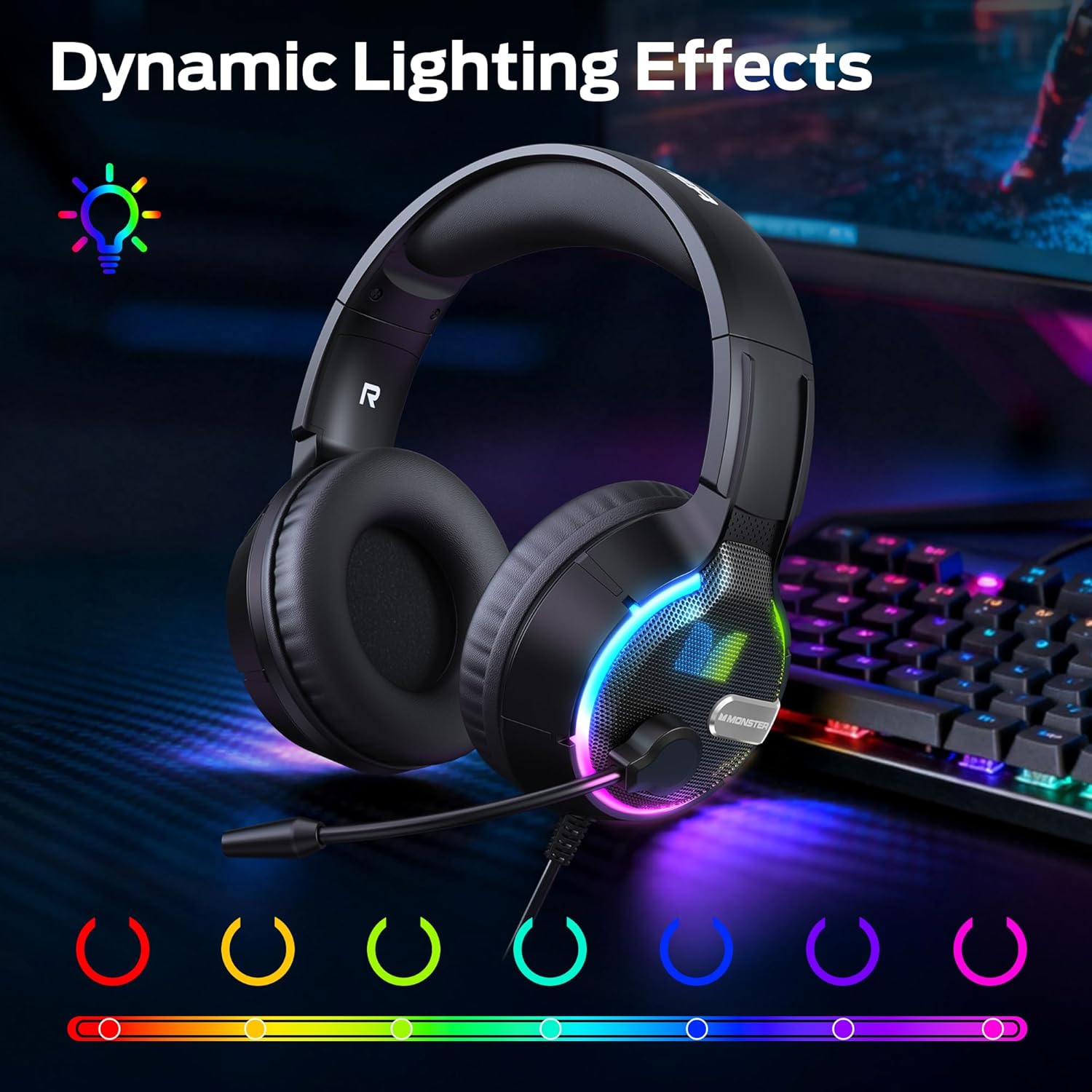
Image: The headset showcasing its vibrant dynamic RGB lighting effects.
4. Các tính năng chính
4.1 Bionic 7.1 Audio
Experience specialized, professional-grade 7.1 surround sound that enhances positional audio cues in games, providing a competitive edge and deeper immersion. This feature is primarily available via USB connection on compatible platforms.
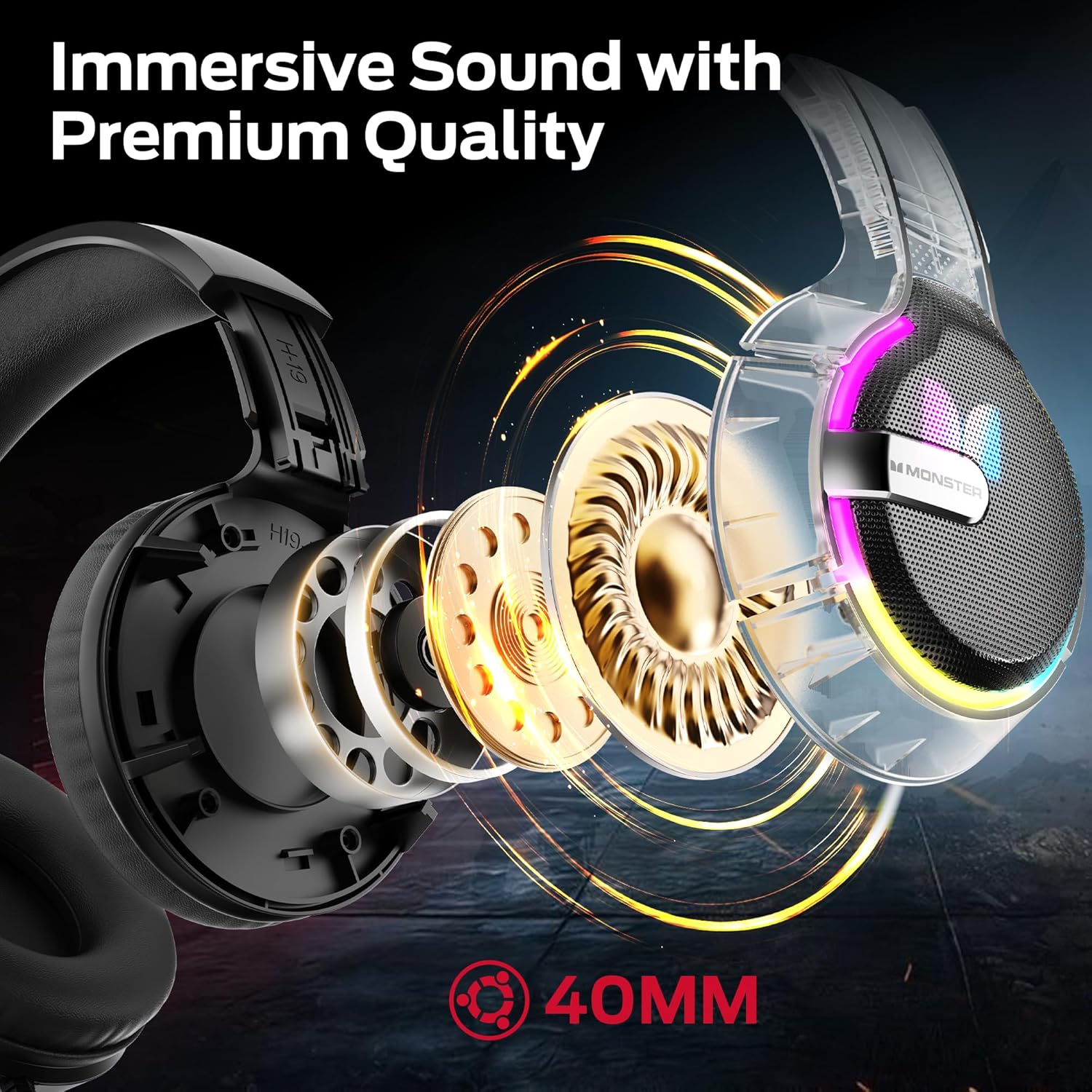
Hình ảnh: Một nội bộ view of the headset's 40mm audio drivers, responsible for its immersive sound.
4.2 Hiệu ứng ánh sáng RGB động
The headset's earcups feature vibrant RGB lighting that cycles dynamically, adding a visual flair to your gaming setup and integrating with the game atmosphere.
4.3 Comfortable Earmuff Design
Soft and smooth imitation protein leather earmuffs, combined with an optimized headband ergonomic curvature, ensure a comfortable fit without negative pressure. The earmuff-style cavity provides excellent comfort during extended gaming sessions for all ages.

Hình ảnh: Một chi tiết view of the soft, skin-friendly earmuffs designed for comfort and ventilation.
4.4 Adaptive Noise-Canceling Microphone
The omnidirectional, swivel microphone includes high-quality adaptive noise cancellation. Coupled with passive noise-canceling earmuffs, it effectively blocks external noise, ensuring your voice is clearly transmitted for in-game commands.
5. Thông số kỹ thuật
| Tính năng | Chi tiết |
|---|---|
| Thương hiệu | Quái vật |
| Tên mẫu | H16 |
| Công nghệ kết nối | Bluetooth (also supports wired 3.5mm and USB) |
| Màu sắc | Đen |
| Vị trí tai | Trên tai |
| Trọng lượng sản phẩm | 15.8 ounce |
| Kích thước gói hàng | 8.86 x 7.76 x 4.17 inch |
| Các thành phần bao gồm | Hướng dẫn sử dụng |
6. Bảo trì
To ensure the longevity and optimal performance of your Monster Mission 320 Gaming Headset, follow these maintenance guidelines:
- Vệ sinh: Dùng khăn mềm, khô để lau sạch phần chụp tai và băng đô. Để làm sạch sâu hơn, hãy dùng khăn hơi ẩm.amp cloth with mild soap can be used, ensuring no moisture enters the speaker grilles or microphone.
- Kho: Bảo quản tai nghe ở nơi khô ráo, thoáng mát, tránh ánh nắng trực tiếp và nhiệt độ cao. Tránh đặt vật nặng lên tai nghe.
- Chăm sóc cáp: Avoid sharp bends or excessive pulling on the cables. When not in use, gently coil the cables to prevent tangling and damage.
- Chăm sóc micrô: If the microphone is detachable, remove it when not needed to prevent accidental damage. Keep the microphone clean and free from dust.
KHAI THÁC. Xử lý sự cố
If you encounter any issues with your Monster Mission 320 Gaming Headset, refer to the following common troubleshooting steps:
- Không có âm thanh:
- Ensure the headset is properly connected to your device (3.5mm jack fully inserted, USB securely plugged in, or Bluetooth successfully paired).
- Kiểm tra mức âm lượng trên cả tai nghe và thiết bị được kết nối.
- Hãy kiểm tra xem thiết bị đầu ra âm thanh chính xác đã được chọn trong cài đặt âm thanh của thiết bị hay chưa.
- Micrô không hoạt động:
- Ensure the microphone is not muted (check the mute switch on the headset/inline control).
- Verify that the microphone is securely plugged into the headset, if detachable.
- Kiểm tra cài đặt âm thanh của thiết bị để đảm bảo micrô tai nghe được chọn làm thiết bị đầu vào và âm lượng của nó không được đặt về 0.
- Đèn RGB không hoạt động:
- Ensure the headset is powered on and connected via USB, as RGB lighting often requires USB power.
- Check for a dedicated RGB control button on the headset or inline control.
- Âm thanh bị méo:
- Giảm âm lượng của cả tai nghe và thiết bị.
- Kiểm tra tai nghe bằng một thiết bị khác để loại trừ sự cố cụ thể của thiết bị.
8. Bảo hành và Hỗ trợ
Monster provides a one-year warranty for the Mission 320 Gaming Headset. For any questions or assistance with your product, please contact our customer support. Our team is dedicated to providing high-quality after-sales service to ensure a worry-free experience.
Please refer to the contact information provided with your purchase or visit the official Monster webtrang web để biết chi tiết hỗ trợ.


