1. Kết thúcview
The PlayStation 5 Disc Edition Console (Slim) model CFI-2100 offers a new generation of gaming experiences. It features an ultra-high speed SSD for lightning-fast loading, deeper immersion with haptic feedback, adaptive triggers, and 3D Audio technology. This console is designed to deliver stunning graphics and supports a back catalog of compatible PS4 games.
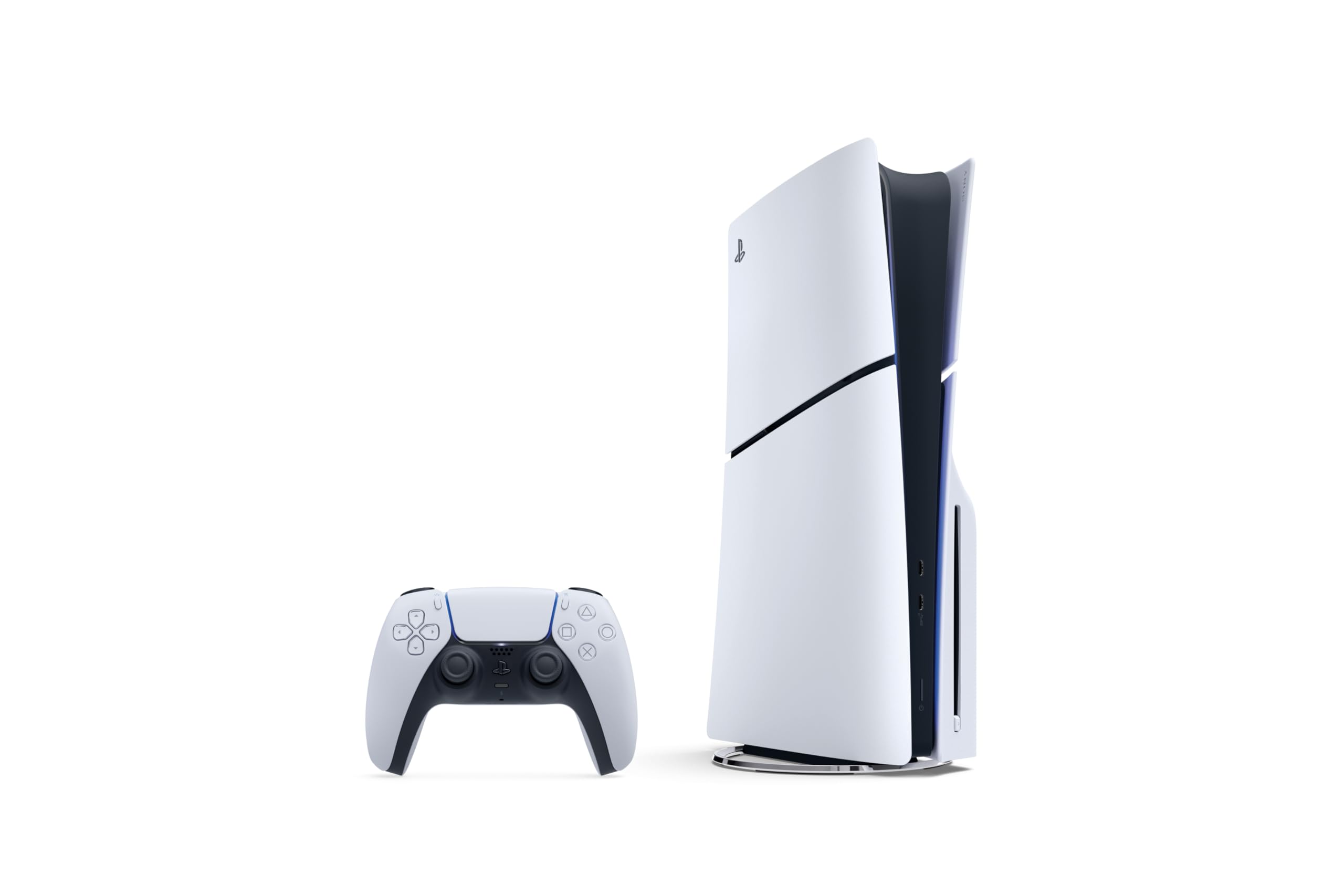
Image: The PlayStation 5 Disc Edition Console (Slim) shown horizontally with a DualSense wireless controller.
2. Thiết lập
Before you begin, ensure you have all components included with your PlayStation 5 console:
- PlayStation 5 Console (1TB SSD, Disc Drive)
- Wireless DualSense Controller
- 2 Horizontal Stand Feet
- Cáp HDMI
- Dây nguồn AC
- Cáp USB
- Tài liệu in
- Astro's Playroom (pre-installed game)
A vertical stand is sold separately if you prefer that orientation.
2.1 Kết nối bảng điều khiển của bạn
- Đặt bảng điều khiển: Position your PS5 console horizontally using the included stand feet on a stable surface near your TV. Ensure adequate ventilation around the console.
- Kết nối cáp HDMI: Connect one end of the HDMI cable to the HDMI OUT port on the back of your PS5 console and the other end to the HDMI input on your TV.
- Kết nối dây nguồn: Plug the AC power cord into the AC IN connector on the back of your PS5 console, then plug the other end into a wall outlet.
- Kết nối bộ điều khiển: Use the USB cable to connect your DualSense wireless controller to a USB port on the console. This will pair the controller and charge it.
- Bật nguồn: Press the power button on the console or the PS button on your controller to turn on the system.
An internet connection is required to pair the Disc Drive and PS5 console upon initial setup and for system software updates.

Hình ảnh: Mặt trước view of the PS5 Disc Edition (Slim) showing the disc drive slot and USB ports.

Hình ảnh: Bên view of the PS5 Disc Edition (Slim), highlighting its compact and sleek design.
3. Hướng dẫn vận hành
3.1 Bật/Tắt nguồn
- Để bật nguồn: Press the power button on the console or the PS button on a paired DualSense controller.
- Để Tắt Nguồn: From the control center, select Power > Turn Off PS5. You can also press and hold the power button on the console until it beeps twice.
- Chế độ nghỉ ngơi: Từ trung tâm điều khiển, chọn Nguồn > Vào Chế độ Nghỉ. Ở Chế độ Nghỉ, máy chơi game có thể sạc tay cầm, tải xuống bản cập nhật và giữ cho trò chơi ở trạng thái tạm dừng.
3.2 Đưa đĩa vào và đẩy đĩa ra
- To Insert a Disc: Hold the disc with the label side facing up (when the console is horizontal with the disc drive on the left) and gently slide it into the disc slot until it is pulled in automatically.
- Cách lấy đĩa ra: Press the eject button located next to the disc slot.
3.3 Sử dụng bộ điều khiển
The DualSense wireless controller provides an immersive gaming experience. Ensure your controller is charged by connecting it to the console with the USB cable. For optimal 3D audio, connect compatible headphones to the controller or use built-in TV speakers with appropriate settings.
4. Các tính năng chính
- Ultra-High Speed SSD: Maximize your play sessions with near-instant load times for installed PS5 games, allowing creators to design games in ways never before possible.
- 1TB of Storage: Keep your favorite games ready and waiting for you to jump in and play with ampdung lượng lưu trữ.
- Dò tia: Immerse yourself in worlds with a new level of realism as rays of light are individually simulated, creating true-to-life shadows and reflections in supported PS5 games.
- Phản hồi xúc giác: Discover a deeper gaming experience with responsive vibrations that react to your in-game choices and simulate environmental factors.
- Các trình kích hoạt thích ứng: Experience dynamic resistance that mimics the tension of interactions with in-game gear and environments, such as drawing a bowstring or firing a weapon.
- Âm thanh 3D: Enjoy immersive soundscapes where audio seems to come from every direction, enhancing your perception of in-game environments. (Requires compatible headphones or TV speakers with system software update).
- Khả năng tương thích ngược: Play a vast catalog of supported PS4 games directly on your PS5 console.

Image: Icons representing key PS5 features including Ray Tracing, Ultra-high Speed SSD, 4K Gaming, 3D Audio, Haptic Feedback, and Adaptive Triggers.
4.1 Feature Videos
Video: Một đoạn phim ngắnview of the PS5 Disc Edition, highlighting its flexibility and value for gamers who appreciate physical media and next-gen performance.
Video: Demonstrates the backwards compatibility of the PS5 Disc Edition, showing how PS4 games can be played and often benefit from improved performance on the new console.
5. Bảo trì
Proper maintenance ensures the longevity and optimal performance of your PlayStation 5 console.
- Vệ sinh: Regularly wipe the console and controller with a soft, dry cloth. Avoid using liquid cleaners or abrasive materials. Ensure ventilation ports are free from dust and obstructions.
- Cập nhật phần mềm: Keep your console's system software updated to the latest version. Updates often include performance improvements, new features, and security enhancements. The console can download updates in Rest Mode if configured.
- Quản lý lưu trữ: Monitor your 1TB SSD storage. Delete unused games or media to free up space for new content.
KHAI THÁC. Xử lý sự cố
If you encounter issues with your PlayStation 5 console, try the following basic troubleshooting steps:
- Không có điện: Check that the AC power cord is securely connected to both the console and a working wall outlet. Try a different outlet.
- Không hiển thị: Ensure the HDMI cable is firmly connected to both the console and your TV. Try a different HDMI port on your TV or a different HDMI cable. Verify your TV is set to the correct HDMI input.
- Bộ điều khiển không phản hồi: Ensure the controller is charged. Connect it to the console with the USB cable to re-pair it. If issues persist, try resetting the controller using the small reset button on its back.
- Lỗi đọc đĩa: Ensure the disc is clean and free of scratches. Reinsert the disc. If the problem continues, try a different game disc to determine if the issue is with the console or the disc itself.
- Hệ thống bị treo/sập: Restart the console. Ensure your system software is up to date.
Để được hỗ trợ chi tiết hơn về cách khắc phục sự cố hoặc các vấn đề dai dẳng, vui lòng tham khảo trang hỗ trợ chính thức của PlayStation. webđịa điểm.
7. Thông số kỹ thuật
| Tính năng | Chi tiết |
|---|---|
| Số hiệu mẫu | CFI-2100 |
| Kho | Ổ cứng thể rắn 1TB |
| Ổ đĩa | Đã bao gồm |
| Kích thước (Sản phẩm) | 17 x 14 x 6.6 inch |
| Trọng lượng (Mặt hàng) | 9.48 pound |
| Nhà sản xuất | Giải trí tương tác của Sony |
| Ngày phát hành | Ngày 30 tháng 2025 năm XNUMX |
| Pin | Cần có 1 pin Lithium Ion (đã bao gồm) |
8. Bảo hành và Hỗ trợ
This PlayStation 5 console is manufactured by Sony Interactive Entertainment. For warranty information, technical support, and additional resources, please visit the official PlayStation support webtrang web. Giữ lại bằng chứng mua hàng để yêu cầu bảo hành.
Hỗ trợ PlayStation chính thức: www.playstation.com/support/


