1. Giới thiệu
This manual provides essential information for the safe and efficient use of your HP 140W USB-C AC Adapter (Model TPN-LA29). Please read this manual thoroughly before using the product and retain it for future reference.
The HP 140W USB-C AC Adapter is designed to provide reliable power to compatible HP laptops, including the HP Spectre 2-in-1 Laptop 16-aa0023dx, HP OMEN Transcend Laptop 14-fb0000 RTX 4050 4060, and HP Spectre x360 16-aa0000 Ultra 7 RTX 4050 models. It features a USB-C connector for versatile compatibility and fast charging capabilities.
2. Thông tin an toàn
Hãy tuân thủ các biện pháp phòng ngừa an toàn sau đây để tránh bị thương hoặc hư hỏng thiết bị:
- Chỉ sử dụng với các thiết bị tương thích như được chỉ định trong hướng dẫn này.
- Không để bộ chuyển đổi tiếp xúc với nước, hơi ẩm hoặc nhiệt độ khắc nghiệt.
- Tránh làm rơi hoặc va đập mạnh vào bộ chuyển đổi.
- Do not attempt to disassemble or modify the adapter. This will void the warranty and may cause electric shock or fire.
- Ensure the power outlet is easily accessible and properly grounded.
- Disconnect the adapter from the power outlet during lightning storms or when unused for extended periods.
- Giữ bộ chuyển đổi cách xa trẻ em.
- If the adapter or cable is damaged, discontinue use immediately and seek professional assistance.
3. Nội dung gói hàng
Xác minh rằng tất cả các mục đều có trong gói hàng của bạn:
- HP 140W USB-C AC Adapter (Model TPN-LA29)
- Dây nguồn
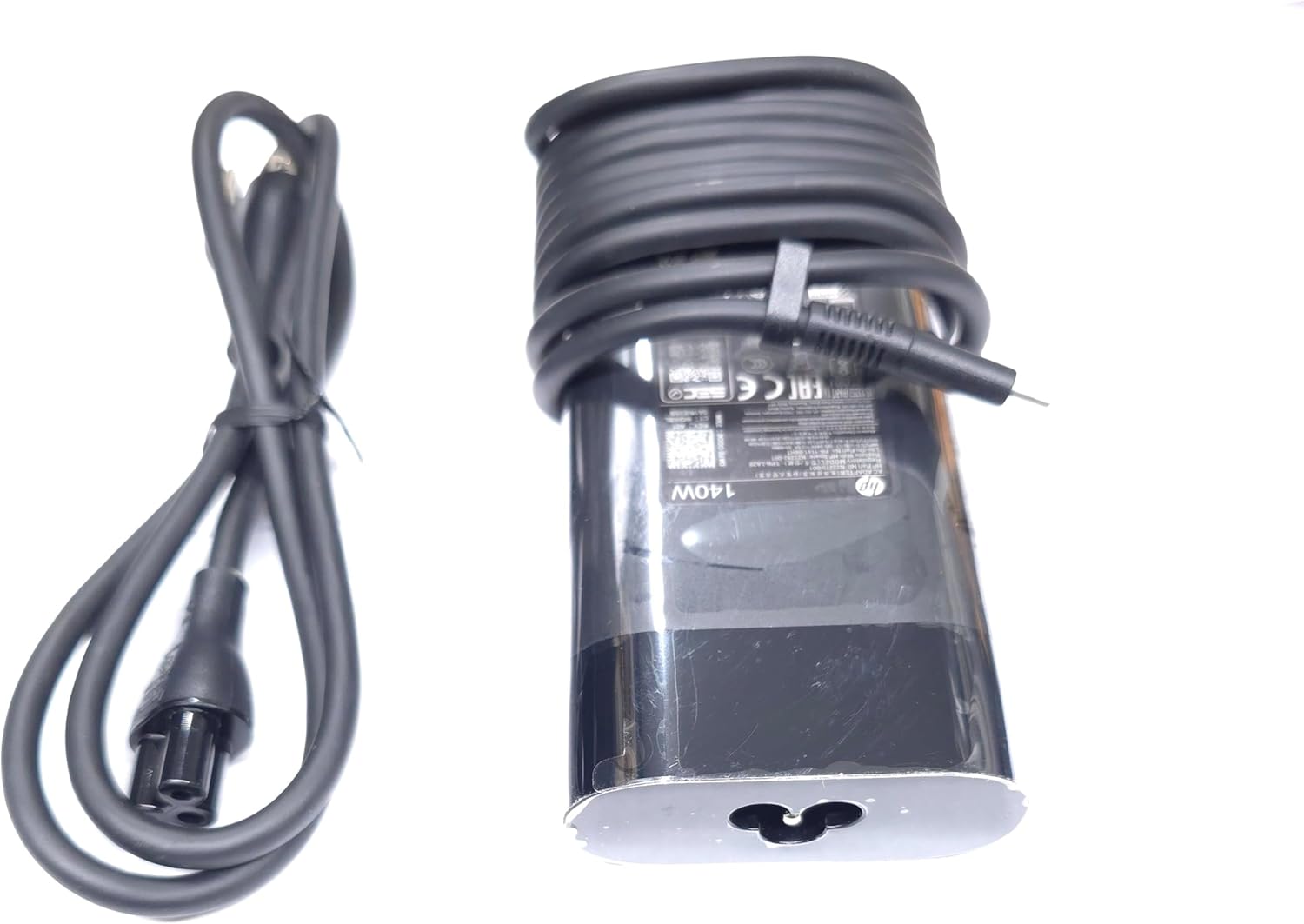
Image: The HP 140W USB-C AC Adapter and its accompanying power cord, as typically found in the product packaging.
4. Hướng dẫn thiết lập
Follow these steps to set up your HP 140W USB-C AC Adapter:
- Kết nối dây nguồn: Insert the power cord into the AC input port on the HP 140W USB-C AC Adapter. Ensure a firm connection.
- Kết nối với ổ cắm điện: Cắm đầu còn lại của dây nguồn vào ổ cắm điện AC tiêu chuẩn.
- Kết nối với máy tính xách tay: Insert the USB-C connector of the adapter into the USB-C charging port on your compatible HP laptop.
- Xác minh kết nối: Confirm that your laptop indicates it is receiving power or charging.

Image: The USB-C end of the adapter cable, ready to be connected to a compatible laptop's charging port.
5. Hướng dẫn vận hành
The HP 140W USB-C AC Adapter is designed for automatic operation. Once connected, it will provide power to your laptop and charge its battery.
- Đèn báo sạc: Your laptop's operating system or physical indicator light will show the charging status.
- Hiệu suất tối ưu: For best performance, ensure the adapter is placed in a well-ventilated area to prevent overheating.
- Ngắt kết nối: To disconnect, first unplug the USB-C connector from your laptop, then unplug the power cord from the wall outlet.
6. Bảo trì và chăm sóc
Proper care ensures the longevity and optimal performance of your adapter:
- Vệ sinh: Hãy dùng khăn mềm, khô để lau sạch bộ chuyển đổi. Không sử dụng chất tẩy rửa dạng lỏng hoặc dung môi.
- Kho: When not in use, store the adapter in a cool, dry place. Avoid tightly wrapping the cables to prevent damage.
- Điều tra: Periodically inspect the adapter and cables for any signs of wear, cuts, or damage. If damage is found, replace the adapter.
KHAI THÁC. Xử lý sự cố
If you encounter issues with your HP 140W USB-C AC Adapter, refer to the following common problems and solutions:
| Vấn đề | Nguyên nhân có thể | Giải pháp |
|---|---|---|
| Laptop không sạc được. | Loose connection, faulty outlet, incompatible device. |
|
| Adapter is hot to the touch. | Normal operation, poor ventilation, excessive load. |
|
| Sparking at outlet when plugging in. | Normal inrush current, faulty outlet. |
|
8. Thông số kỹ thuật
Detailed technical specifications for the HP 140W USB-C AC Adapter:
- Số hiệu mẫu: TPN-LA29
- Đầu vào: AC 100V - 240V, 2.5A, 50-60Hz (Worldwide Use)
- Đầu ra:
- 5.0V/3.0A (15.0W)
- 9.0V / 3.0A
- 12.0V / 5.0A
- 15.0V / 5.0A
- 20.0V / 5.0A
- 28.0V / 5.0A
- Tổng công suất đầu ra: 140W
- Loại đầu nối: USB-C (Loại-C)
- Màu sắc: Đen
- Trọng lượng sản phẩm: Khoảng 1 pound (0.45 kg)
- Kích thước gói hàng: 7.83 x 6.93 x 1.26 inch (19.89 x 17.60 x 3.20 cm)
- Compatible P/N: TPN-LA29, N22270-001, N22282-001, PA-1141-08HT
- Nhà sản xuất: Lite-On Technology Corp.
- Tính năng đặc biệt: Sạc nhanh
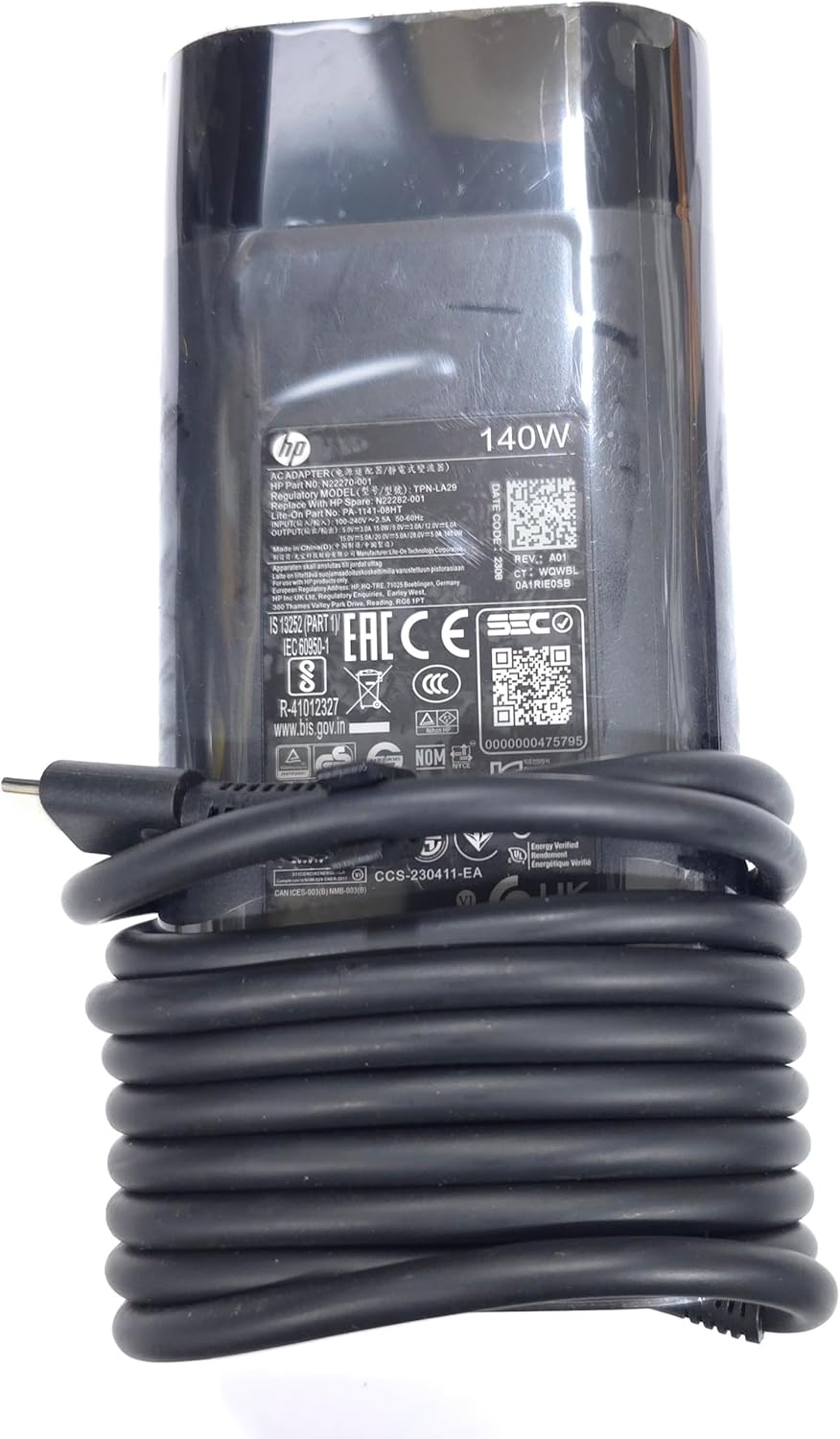
Hình ảnh: Cận cảnh view of the adapter's label, displaying detailed electrical specifications and model information.
9. Bảo hành và Hỗ trợ
For warranty information and technical support, please refer to the documentation provided with your original HP laptop or visit the official HP support website. The manufacturer, Lite-On Technology Corp., provides the adapter under HP's quality standards.
Hỗ trợ trực tuyến: For the latest drivers, troubleshooting guides, and product information, visit www.hp.com/support.
Liên hệ bộ phận hỗ trợ: Refer to your region-specific HP support contact details for phone or chat assistance.