1. Hết thiết bịview
The Samsung Galaxy A56 5G is a powerful smartphone designed for reliable performance and a rich user experience. It features a 6.7-inch FHD+ Super AMOLED display, a 50MP camera system, and IP67 dust and water resistance. This manual provides essential information for setting up, operating, and maintaining your device.
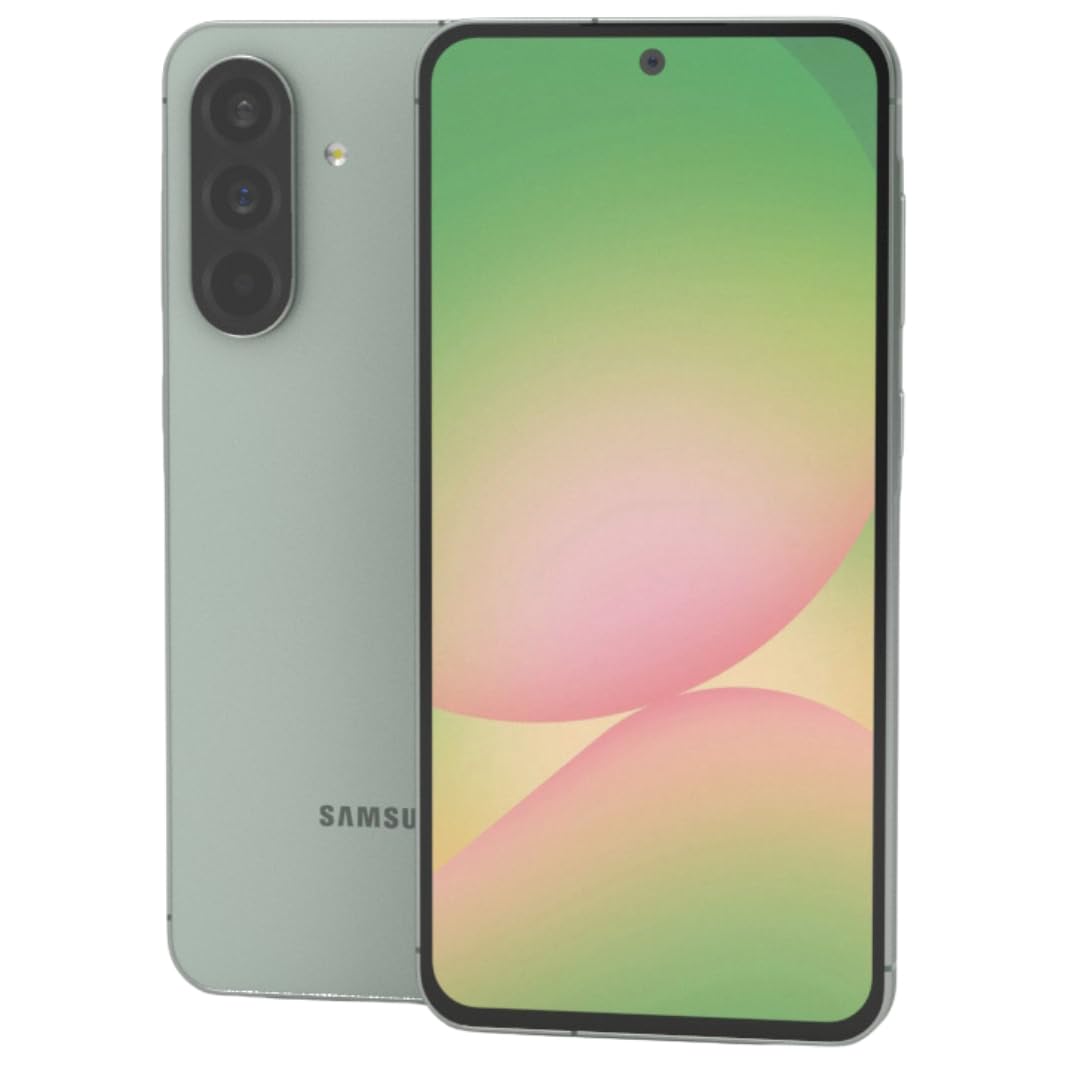
Hình 1: Đằng trước view của điện thoại thông minh Samsung Galaxy A56 5G, được trưng bày.asing màn hình lớn của nó.
2. Hướng dẫn cài đặt
2.1. Mở hộp và kiểm tra ban đầu
Cẩn thận lấy tất cả các sản phẩm ra khỏi bao bì. Kiểm tra xem có đủ các thành phần sau không:
- Điện thoại thông minh Samsung Galaxy A56 5G
- Cáp USB-C sang USB-C
- 25W Samsung Super Fast Charger
- Dụng cụ đẩy SIM
- Hướng dẫn bắt đầu nhanh (nếu có)
Kiểm tra xem thiết bị có bị hư hỏng vật lý không trước khi tiếp tục.
2.2. Inserting SIM Card(s) and eSIM
The Galaxy A56 5G supports Dual SIM functionality and eSIM. You can use two physical Nano-SIM cards or one physical Nano-SIM and one eSIM simultaneously.
- Xác định vị trí khay thẻ SIM ở bên cạnh thiết bị.
- Đưa dụng cụ đẩy SIM vào lỗ nhỏ bên cạnh khay và đẩy nhẹ cho đến khi khay bật ra.
- Đặt thẻ Nano-SIM vào khay với các chân tiếp xúc màu vàng hướng xuống dưới. Đảm bảo chúng được lắp đúng vị trí.
- Cẩn thận lắp lại khay SIM vào thiết bị.
- Để kích hoạt eSIM, hãy làm theo lời nhắc trên màn hình trong quá trình thiết lập ban đầu hoặc điều hướng đến Settings > Connections > SIM card manager.
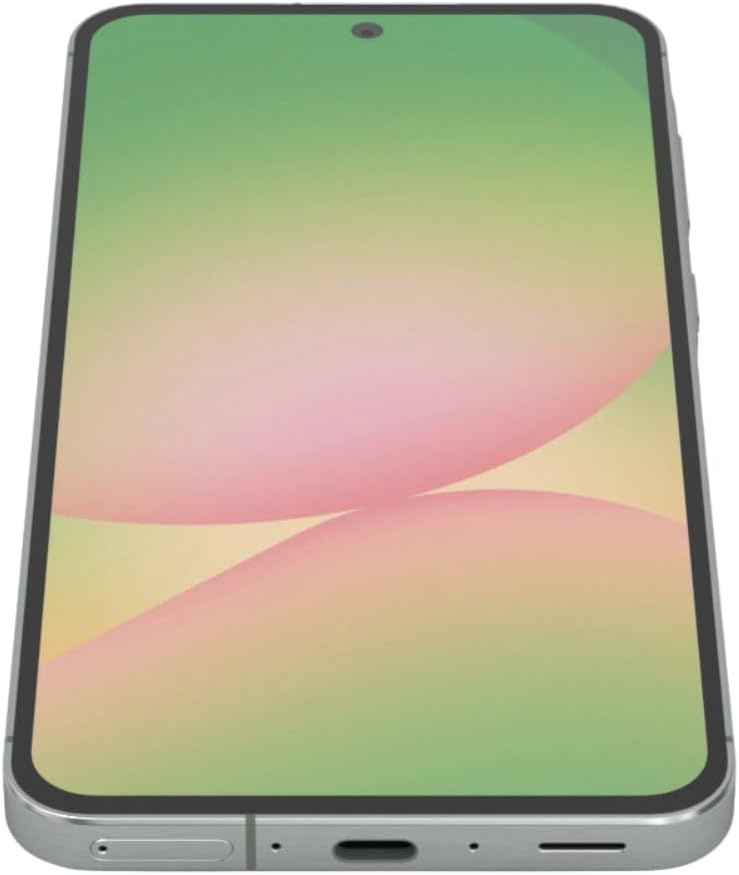
Hình 2: Bên view of the Samsung Galaxy A56 5G, showing the location of the SIM card tray and USB-C port.
2.3. Sạc pin
Before first use, fully charge the device battery. Use only the provided 25W Samsung Super Fast Charger and USB-C cable.
- Kết nối cáp USB-C vào cổng sạc ở phía dưới điện thoại.
- Kết nối đầu còn lại của cáp với bộ đổi nguồn 25W.
- Cắm bộ đổi nguồn vào ổ cắm trên tường.
- Đèn báo sạc sẽ xuất hiện trên màn hình.
Ghi chú: The device supports 25W Super Fast Charging. Using a lower wattage charger may result in slower charging times.
2.4. Bật / Tắt nguồn
- Để bật nguồn: Nhấn và giữ phím Bên (nút Nguồn) cho đến khi logo Samsung xuất hiện.
- Để Tắt Nguồn: Press and hold the Side key and Volume Down button simultaneously, then tap "Power off" on the screen. Alternatively, swipe down from the top of the screen to open the Quick Panel, tap the Power icon, and select "Power off".
- Khởi động lại: Follow the power off steps, but select "Restart".
2.5. Thiết lập thiết bị ban đầu
Upon first power-on, the device will guide you through the initial setup process. This includes:
- Lựa chọn ngôn ngữ
- Kết nối mạng Wi-Fi
- Đăng nhập tài khoản Google
- Data transfer from an old device (using Samsung Smart Switch)
- Thiết lập khóa màn hình (mã PIN, hình vẽ, mật khẩu, vân tay)
- Reviewing and agreeing to terms and conditions
3. Vận hành thiết bị của bạn
3.1. Điều hướng và Giao diện người dùng
The Galaxy A56 5G runs on Android 15 with Samsung's One UI 7. Navigation is primarily touch-based.
- Màn hình chính: Trung tâm điều khiển chính cho các ứng dụng và tiện ích của bạn.
- Ngăn kéo ứng dụng: Vuốt lên từ màn hình chính để truy cập tất cả các ứng dụng đã cài đặt.
- Bảng điều khiển nhanh: Vuốt xuống từ đầu màn hình để truy cập cài đặt nhanh và thông báo.
- Ứng dụng gần đây: Swipe up and hold from the bottom of the screen (if using gesture navigation) or tap the Recent Apps button (if using navigation buttons) to view các ứng dụng được sử dụng gần đây.
3.2. Google Circle to Search Feature
The Circle to Search with Google feature allows for quick information retrieval. Simply circle, highlight, or tap an object or text on your screen to initiate a Google Search.
3.3. Thực hiện cuộc gọi và gửi tin nhắn
- Gọi: Mở Điện thoại Mở ứng dụng, nhập số điện thoại và nhấn vào biểu tượng cuộc gọi.
- Tin nhắn: Mở Tin nhắn Trong ứng dụng, chạm vào biểu tượng tin nhắn mới, nhập số điện thoại người nhận hoặc chọn từ danh bạ, nhập tin nhắn của bạn và chạm vào gửi.
3.4. Sử dụng máy ảnh
The device features a 50MP main camera, 12MP ultra-wide, 5MP macro, and a 12MP front camera. The camera system includes AI enhancements that optimize image quality by recognizing elements like sky, skin, and hair. The front camera supports Super HDR for high-resolution selfie videos with optimized colors and contrast. The camera app also includes an Object Eraser tool that allows you to remove unwanted elements from your photos.
- Mở Máy ảnh ứng dụng.
- Chọn chế độ bạn muốn (Ảnh, Video, Chân dung, Chuyên nghiệp, v.v.).
- Nhấn nút chụp để chụp ảnh hoặc bắt đầu/dừng quay video.
- Sử dụng nút điều khiển thu phóng trên màn hình để điều chỉnh độ phóng đại.
- Chuyển đổi giữa camera trước và sau bằng biểu tượng chuyển đổi camera.
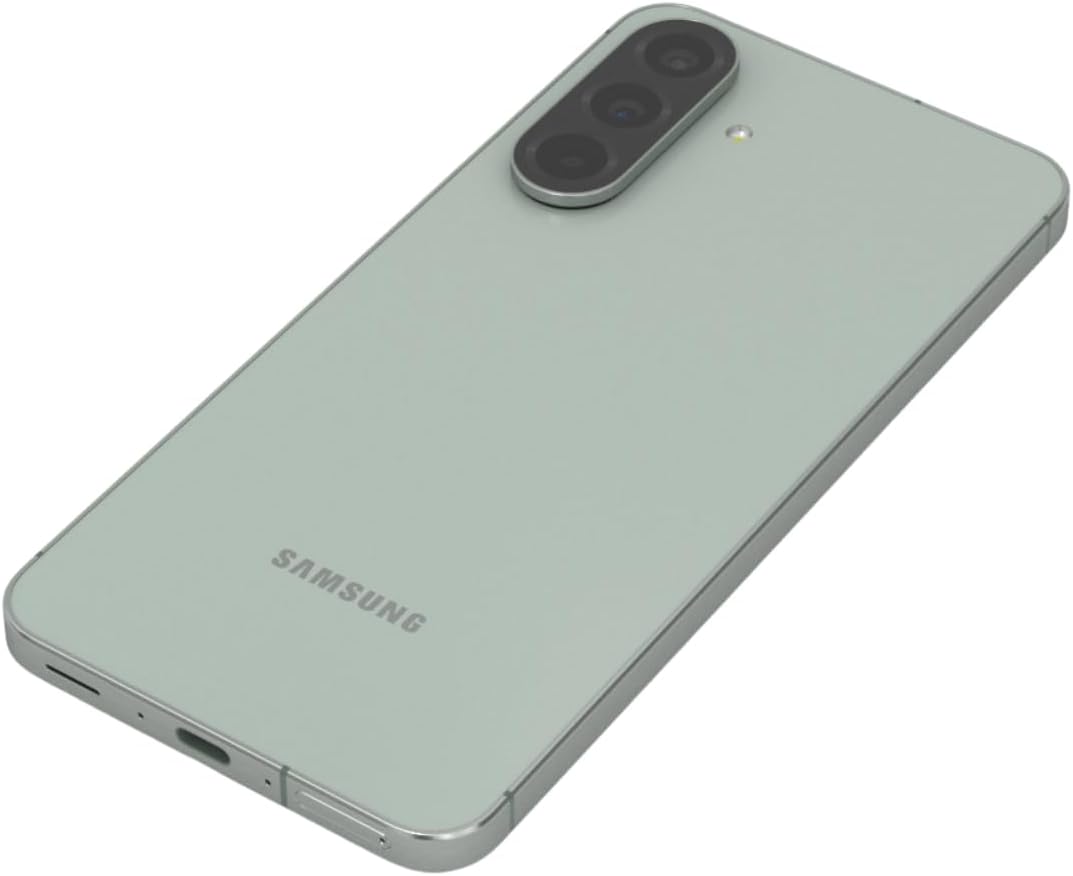
Hình 3: Ở phía sau view Hình ảnh chiếc Samsung Galaxy A56 5G, nhấn mạnh hệ thống ba camera.
3.5. Internet và kết nối
- Wi-Fi: Đi đến Cài đặt > Kết nối > Wi-Fi để kết nối với các mạng có sẵn.
- Dữ liệu di động: Đảm bảo dữ liệu di động được bật trong Cài đặt> Kết nối> Sử dụng dữ liệu.
- Bluetooth: Pair with other devices via Cài đặt > Kết nối > Bluetooth.
- NFC: Use for contactless payments and quick sharing via Cài đặt > Kết nối > NFC và thanh toán không tiếp xúc.
3.6. Tính năng bảo mật
The Galaxy A56 5G includes an in-display optical fingerprint sensor for secure unlocking.
- Đi đến Cài đặt > Bảo mật và quyền riêng tư > Sinh trắc học > Dấu vân tay.
- Hãy làm theo hướng dẫn trên màn hình để đăng ký dấu vân tay của bạn.
- You can also set up Face Recognition for convenient unlocking.
4. Bảo trì và chăm sóc
4.1. Tối ưu hóa pin
To maximize battery life (5000mAh capacity):
- Điều chỉnh độ sáng màn hình.
- Bật chế độ tiết kiệm pin (Cài đặt > Pin và chăm sóc thiết bị > Pin).
- Đóng các ứng dụng không sử dụng đang chạy trong nền.
- Giới hạn mức sử dụng dữ liệu nền cho một số ứng dụng nhất định.
4.2. Cập nhật phần mềm
Keep your device's software up to date for optimal performance and security. Samsung provides up to 6 major Android upgrades for this model.
- Đi đến Cài đặt > Cập nhật phần mềm.
- Vỗ nhẹ Tải xuống và cài đặt.
- Làm theo hướng dẫn trên màn hình.
4.3. Vệ sinh thiết bị của bạn
Use a soft, lint-free cloth to clean the screen and body of the phone. Avoid harsh chemicals or abrasive materials. The device has an IP67 rating for dust and water resistance, meaning it can withstand immersion in up to 1 meter of fresh water for up to 30 minutes. However, it is not recommended for beach or pool use and water resistance may decrease over time with normal wear.
KHAI THÁC. Xử lý sự cố
5.1. Các vấn đề thường gặp và giải pháp
| Vấn đề | Giải pháp |
|---|---|
| Thiết bị không bật | Đảm bảo pin đã được sạc. Nhấn và giữ nút Nguồn trong ít nhất 10 giây để buộc khởi động lại. |
| Kết nối mạng kém | Check SIM card insertion. Toggle Airplane mode on/off. Restart the device. Verify network settings with your carrier. |
| Ứng dụng bị sập hoặc đóng băng | Xóa bộ nhớ đệm ứng dụng (Cài đặt > Ứng dụng > [Tên ứng dụng] > Lưu trữ > Xóa bộ nhớ đệmCập nhật ứng dụng. Khởi động lại thiết bị. |
| Pin hết nhanh | Review sử dụng pin trong Cài đặt > Pin và chăm sóc thiết bị > Pin. Reduce screen brightness. Close background apps. |
| Cảm biến vân tay không hoạt động | Ensure your finger and the screen are clean and dry. Re-register your fingerprint if necessary. |
6. Thông số kỹ thuật
| Tính năng | Chi tiết |
|---|---|
| Tên mẫu | Galaxy A56 5G |
| Số hiệu mẫu | A566E/DS |
| Trưng bày | 6.7-inch FHD+ Super AMOLED, 120Hz Refresh Rate, 1080 x 2340 Resolution |
| Bộ xử lý | Exynos 1580 (4nm), tám nhân, tốc độ CPU 2.9 GHz |
| ĐẬP | 12GB |
| Kho | 256 GB (Không có khe cắm thẻ SD) |
| Camera sau | Camera chính 50MP (f/1.8), camera siêu rộng 12MP (f/2.2), camera macro 5MP (f/2.4) |
| Camera trước | 12MP (f/2.2) |
| Ắc quy | Pin 5000 mAh, sạc siêu nhanh 25W |
| Hệ điều hành | Android 15 (with up to 6 major Android upgrades) |
| Kết nối | 5G, 4G LTE, Wi-Fi, Bluetooth 5.3, GPS, NFC |
| Loại SIM | Dual SIM + eSIM |
| Chống nước / chống bụi | IP67 |
| Kích thước | 6 x 4 x 2 inch |
| Cân nặng | 10.6 ounce |
| Tính năng đặc biệt | Fingerprint (under display, optical), Accelerometer, Internet Browser, Music Player, Speakerphone, Touchscreen, Unlocked |
7. Bảo hành và Hỗ trợ
This is an International Model and may not include a U.S. manufacturer warranty. Please refer to the seller's return policy for details regarding returns and exchanges.
For technical assistance, you can visit the official Samsung support website or contact their customer service. For issues related to your purchase, please contact your seller directly.
Optional protection plans may be available for purchase to extend coverage beyond the standard return policy. Please check with your retailer for details on available plans.
8. Video sản phẩm
Watch these official videos for additional guidance and feature demonstrations.
Video 1: Device Overview
Video này cung cấp một cái nhìn tổng quan ngắn gọn.view of the Samsung Galaxy A56 5G, highlighting its key features and design. (Duration: 0:17)
Video 2: Advanced Features
A detailed video demonstrating some of the advanced functionalities and user interface elements of the device. (Duration: 1:25)
Video 3: Camera Capabilities
Explore the various camera modes and features available on the Galaxy A56 5G. (Duration: 0:36)
Video 4: Performance and Gaming
This video showcases the device's performance, including its capabilities for gaming and multitasking. (Duration: 0:48)
Video 5: Durability and Design
Learn about the robust design and IP67 water resistance of the Samsung Galaxy A56 5G. (Duration: 1:27)
Video 6: Display Features
This video highlights the vibrant 6.7-inch FHD+ Super AMOLED display and its Vision Booster technology. (Duration: 1:17)
Video 7: Software Experience
Một quaview of the Android 15 operating system and Samsung's One UI 7 interface. (Duration: 0:36)
Video 8: Quick Features
A short video highlighting some quick and convenient features of the device. (Duration: 0:10)
Video 9: Connectivity Options
This video explains the various connectivity options, including 5G, Wi-Fi, and Bluetooth. (Duration: 1:12)
Video 10: Ecosystem Integration
Discover how the Galaxy A56 5G integrates with the broader Samsung ecosystem. (Duration: 1:04)