1. Giới thiệu
This manual provides instructions for the proper installation, use, and maintenance of your OtterBox Symmetry Series 360 Elite Case. This case is designed to protect your compatible iPad Air while offering versatile functionality and maintaining access to all device features.
2. Khả năng tương thích
The OtterBox Symmetry Series 360 Elite Case (Model 77-94794) is specifically designed for:
- 10.9-inch iPad Air (4th Generation)
- 10.9-inch iPad Air (5th Generation)
Ensure your iPad model matches these specifications for optimal fit and protection. This case is not compatible with other iPad models.
3. Nội dung gói hàng
Your OtterBox Symmetry Series 360 Elite Case package includes:
- 1 x OtterBox Symmetry Series 360 Elite Case
4. Hướng dẫn cài đặt
Follow these steps to properly install your iPad into the OtterBox Symmetry Series 360 Elite Case:
- Prepare Your iPad: Hãy đảm bảo iPad của bạn sạch sẽ và không bám bụi bẩn.
-
Open the Folio: Open the front folio cover of the case completely.
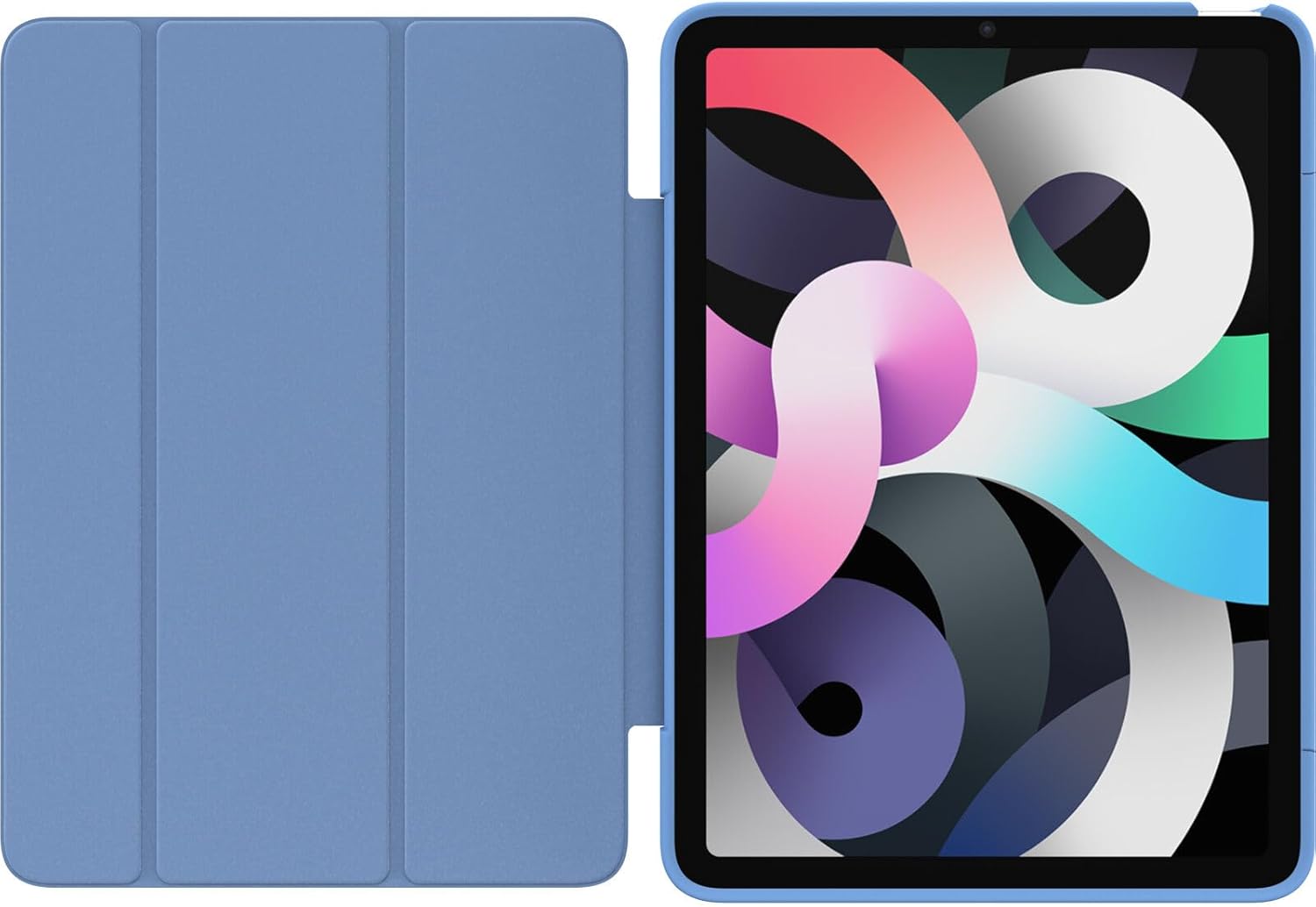
Image: The OtterBox Symmetry Series 360 Elite Case with its folio cover fully opened, revealing the clear back panel designed to showcase the iPad and the blue accents of the case.
-
Lắp iPad vào: Carefully align your iPad with the clear back shell of the case. Start by inserting one side of the iPad into the case, then gently press the remaining edges until the iPad is securely seated. Ensure all ports, buttons, and the camera align with the case's cutouts.

Hình ảnh: Phía sau view of the OtterBox Symmetry Series 360 Elite Case with an iPad securely placed inside. The clear back allows the iPad's design to be visible, complemented by the blue side accents of the case.
- Xác minh sự phù hợp: Double-check that the iPad is fully seated and all edges are protected by the case. The case should fit snugly around the device.
-
Close the Folio: Close the front folio cover to protect the screen. The magnetic closure will help keep it secure.

Image: The OtterBox Symmetry Series 360 Elite Case in Bell Bottom Blue, shown from the front with the folio cover closed, providing full screen protection.
5. Các tính năng chính và hoạt động
5.1. Screen Protection Folio
The versatile folio cover protects your iPad's screen from scratches and minor impacts when closed. It also supports the iPad's auto sleep/wake function, turning the screen on or off when opened or closed.
5.2. Multi-Position Stand
The folio cover can be folded into multiple stand angles for comfortable typing, viewing, or drawing. Simply fold the cover back and adjust it to your desired position.

Image: The OtterBox Symmetry Series 360 Elite Case holding an iPad in an angled stand position, suitable for viewnội dung.

Hình ảnh: Mặt trước view of the OtterBox Symmetry Series 360 Elite Case with an iPad positioned in a stable stand mode, ideal for hands-free use.
5.3. Apple Pencil Holder
The case features a discreet holder for your Apple Pencil, keeping it secure and accessible. Insert your Apple Pencil into the designated slot on the side of the case.

Hình ảnh: Một mặt chuyên nghiệpfile of the OtterBox Symmetry Series 360 Elite Case, highlighting the integrated Apple Pencil holder with an Apple Pencil stored within it.
5.4. Clear, Scratch-Resistant Back
The transparent back panel allows the original design of your iPad to be visible while providing scratch resistance and protection against minor drops and bumps.

Hình ảnh: Một chi tiết view of the back of the OtterBox Symmetry Series 360 Elite Case, with the folio open, showcasing the clear, scratch-resistant material that protects the iPad while allowing its aesthetic to show through.
6. Bảo trì và chăm sóc
To ensure the longevity and appearance of your OtterBox Symmetry Series 360 Elite Case, follow these care instructions:
- Vệ sinh: Sử dụng một mềm, damp cloth to wipe down the exterior of the case. For stubborn marks, a mild soap solution can be used. Avoid harsh chemicals or abrasive cleaners, as these may damage the case material.
- Bụi và mảnh vụn: Periodically remove your iPad from the case and clean both the device and the interior of the case to prevent dust and debris from accumulating and potentially scratching your iPad.
- Tránh những điều kiện khắc nghiệt: Do not expose the case to extreme temperatures, direct sunlight for prolonged periods, or corrosive substances.
KHAI THÁC. Xử lý sự cố
If you encounter any issues with your OtterBox Symmetry Series 360 Elite Case, consider the following:
- Ốp lưng không vừa:
- Verify that your iPad model is either the 10.9-inch iPad Air 4th Generation or 5th Generation. This case is not compatible with other iPad models.
- Ensure the iPad is correctly aligned and fully seated within the case, pressing firmly around all edges during installation.
- Folio Cover Does Not Stay Closed:
- Check for any obstructions between the folio cover and the iPad screen.
- Ensure the case is not damaged or warped.
- Apple Pencil Does Not Fit in Holder:
- Ensure you are using a compatible Apple Pencil model (e.g., Apple Pencil 2nd Generation, which magnetically attaches to the iPad Air 4th/5th Gen).
- Check for any debris in the holder slot.
8. Thông số kỹ thuật
| Tên sản phẩm | OtterBox Symmetry Series 360 Elite Case |
| Số hiệu mẫu | 77-94794 |
| Khả năng tương thích | 10.9-inch iPad Air (4th/5th Generations) |
| Kích thước | 9.97 x 7.57 x 0.6 inch |
| Trọng lượng sản phẩm | 13.7 ounce |
| Vật liệu | Durable, scratch-resistant materials |
| Màu sắc | Bell Bottom Blue |
| Tính năng đặc biệt | Slim fit, folio screen protection, multi-position stand, Apple Pencil holder, clear back |
9. Bảo hành và Hỗ trợ
OtterBox products are backed by a limited lifetime warranty. For detailed warranty information, product support, or to contact customer service, please visit the official OtterBox webđịa điểm:
Vui lòng giữ lại bằng chứng mua hàng của bạn để yêu cầu bảo hành.


