1. Giới thiệu
The XHDATA D220 is a compact and lightweight portable radio designed for easy carrying and use. It supports AM, FM, and Shortwave (SW) bands, providing access to a wide range of broadcasts. Featuring a DSP chip for enhanced reception and a built-in speaker for clear audio, this radio is suitable for various environments, from home to outdoor activities. It operates on two AA batteries, ensuring portability and convenience.
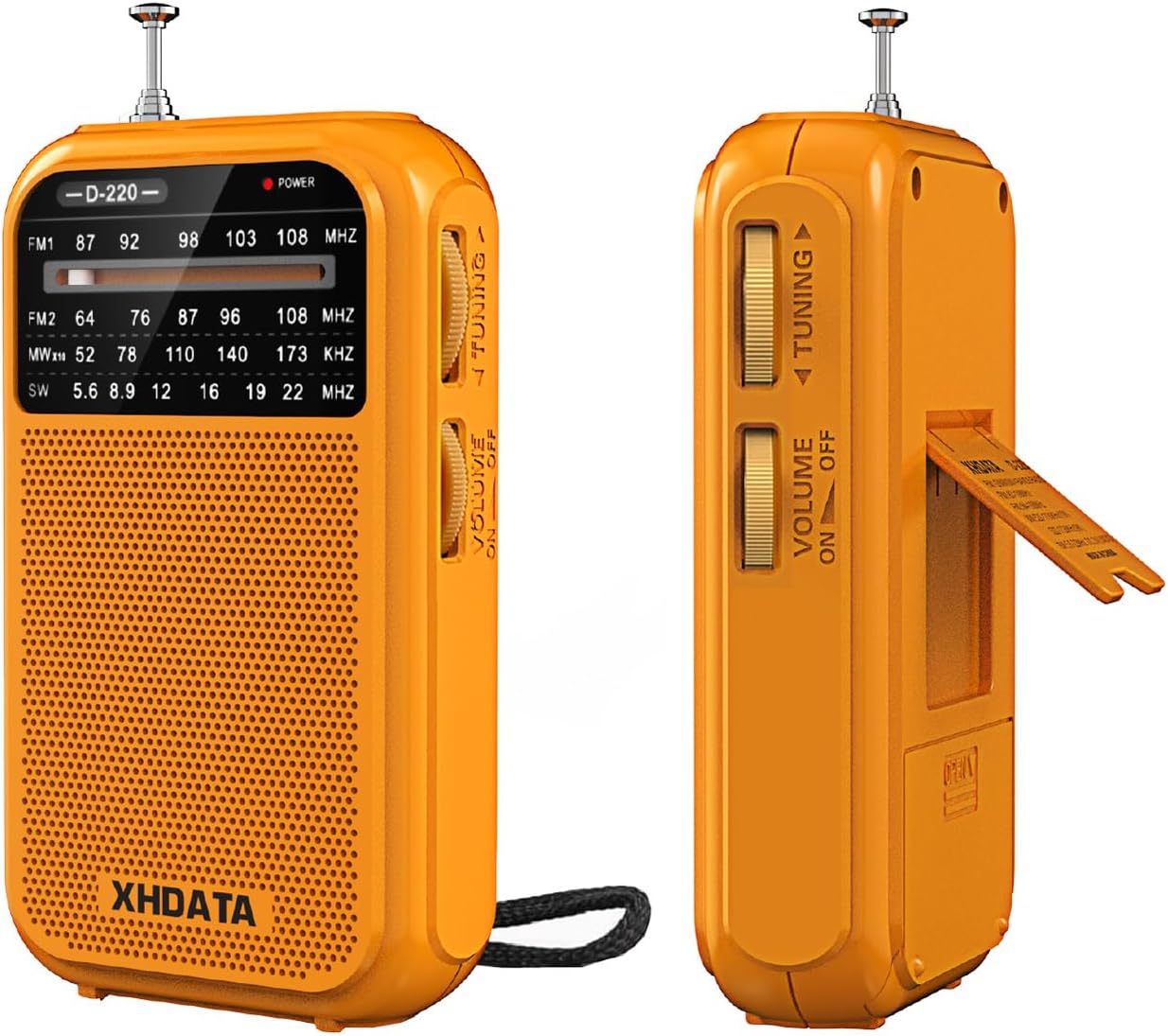
Hình 1.1: Mặt trước và mặt bên view of the XHDATA D220 Portable Radio in orange.

Figure 1.2: The compact size of the D220 radio, highlighting its portability and dimensions (125mm x 72mm x 28mm).
2. Thiết lập
2.1 Lắp đặt pin
The XHDATA D220 radio operates on two (2) AA batteries (not included). Follow these steps to install the batteries:
- Xác định vị trí nắp ngăn chứa pin ở mặt sau của radio.
- Trượt nắp xuống dưới để mở ngăn.
- Lắp hai pin AA, đảm bảo đúng cực (+ và -) như chỉ dẫn bên trong ngăn chứa pin.
- Đóng nắp ngăn chứa pin bằng cách trượt lên trên cho đến khi nghe thấy tiếng kêu tách.

Hình 2.1: Phía sau view of the D220 radio, illustrating the battery compartment and control layout.

Figure 2.2: Proper insertion of two AA batteries into the radio's battery compartment.
3. Hướng dẫn vận hành
3.1 Bật/Tắt nguồn và Điều khiển âm lượng
Để bật radio, hãy xoay núm điều chỉnh. Công tắc âm lượng / nguồn located on the side of the unit clockwise. Continue rotating to increase the volume. To turn off the radio, rotate the switch counter-clockwise until it clicks and the sound ceases.
3.2 Lựa chọn băng tần
The D220 supports multiple frequency bands. Use the Công tắc băng tần located on the side of the radio to select your desired band:
- FM1: 87-108 MHz (Standard FM band)
- FM2: 64-108 MHz (Extended FM band)
- LÀ: 520-1730 KHz (Medium Wave)
- Tây Nam: 5.6-22.0 MHz (Shortwave)
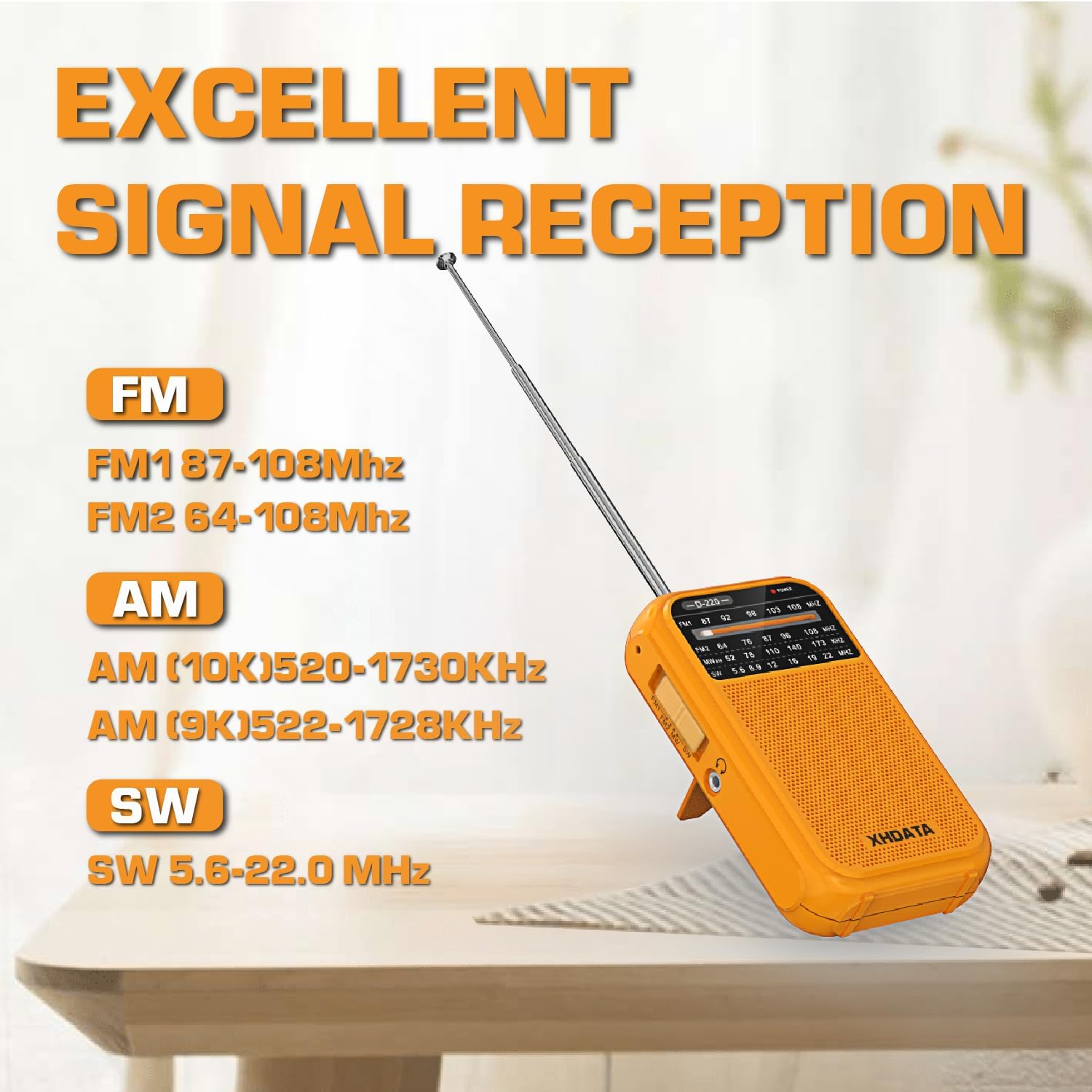
Figure 3.1: The D220 radio with its antenna extended, illustrating the supported frequency bands for optimal signal reception.
3.3 Dò đài
Once a band is selected, use the Núm điều chỉnh to scan for stations. Rotate the knob slowly to fine-tune to a clear signal. The frequency display on the front panel will indicate the approximate frequency.
- For FM and SW reception, extend the telescopic antenna fully for best results.
- For AM reception, the radio uses a built-in ferrite bar antenna. Rotate the radio for optimal signal strength.
3.4 Sử dụng tai nghe
The D220 radio is equipped with a 3.5mm headphone jack. Insert standard 3.5mm headphones into this jack to listen privately. When headphones are connected, the built-in speaker will automatically mute.

Figure 3.2: A user enjoying audio through headphones connected to the D220 radio.
4. Bảo trì
- Vệ sinh: Wipe the radio with a soft, dry cloth. Do not use abrasive cleaners or solvents, as they may damage the surface.
- Chăm sóc pin: Nếu không sử dụng radio trong thời gian dài, hãy tháo pin ra để tránh rò rỉ và ăn mòn.
- Kho: Hãy bảo quản radio ở nơi khô ráo, thoáng mát, tránh ánh nắng trực tiếp, nhiệt độ quá cao hoặc quá thấp và độ ẩm cao.
- Chăm sóc ăng-ten: Handle the telescopic antenna gently to avoid bending or breaking. Do not force it.
KHAI THÁC. Xử lý sự cố
| Vấn đề | Nguyên nhân có thể | Giải pháp |
|---|---|---|
| Không có nguồn điện / Đài không bật. | Pin đã hết hoặc lắp không đúng cách. | Thay pin AA mới, đảm bảo đúng cực. |
| Tín hiệu yếu / Nhiễu sóng. | Tín hiệu yếu, ăng-ten không mở rộng hoặc bị nhiễu. | Extend the telescopic antenna fully (for FM/SW). Rotate the radio for AM. Try moving to a different location away from electronic devices. Fine-tune the tuning knob. |
| Không có âm thanh phát ra từ loa. | Âm lượng quá nhỏ hoặc đang kết nối tai nghe. | Tăng âm lượng. Tháo tai nghe nếu bạn muốn sử dụng loa. |
| Âm thanh bị méo mó. | Volume too high or weak signal. | Decrease the volume. Try to fine-tune the station or move to a better reception area. |
6. Thông số kỹ thuật
- Người mẫu: D-220-O
- Kích thước sản phẩm: 2.8 x 1.1 x 4.9 inch (125 x 74 x 30 mm)
- Trọng lượng sản phẩm: 6.7 ounces (125g without batteries)
- Nguồn điện: 2 x Pin AA (không bao gồm)
- Công nghệ Tuner: AM/FM/SW with DSP chip
- Các băng tần vô tuyến được hỗ trợ:
- FM1: 87-108 MHz
- FM2: 64-108 MHz
- Sáng: 520-1730 KHz
- Tây Nam: 5.6-22.0 MHz
- Công nghệ kết nối: 3.5mm Audio Jack
- Tính năng đặc biệt: Built-In AM Antenna, Dust Resistant, Lightweight, Portable, Shockproof
7. Bảo hành và Hỗ trợ
7.1 Thông tin bảo hành
XHDATA provides a 1-year after-sales service for the D220 Portable Radio. Additionally, a 30-day return policy is available from the date of purchase. Please retain your proof of purchase for warranty claims.
7.2 Hỗ trợ khách hàng
For any questions, technical assistance, or warranty inquiries, please contact XHDATA customer support. Refer to the contact information provided in your product packaging or visit the official XHDATA webtrang web để biết thêm chi tiết.
This product includes an Owner's Manual. Please consult it for additional information and detailed instructions.


