1. Giới thiệu và kết thúcview
The IOGIANT AC1200Mbps Universal WiFi to Ethernet Adapter is a versatile networking device designed to provide wireless connectivity to wired-only devices or extend your existing Wi-Fi network. This 3-in-1 device functions as a WiFi to Ethernet adapter (wireless bridge), a wireless access point, and a WiFi range extender. It eliminates the need for complex driver installations, offering a plug-and-play solution for various devices.
With dual-band support (867Mbps on 5GHz and 300Mbps on 2.4GHz), it ensures fast and reliable data transfer for activities such as streaming, VoIP calls, and file downloads. Its external, 180-degree adjustable antennas enhance signal strength and flexibility in device placement.
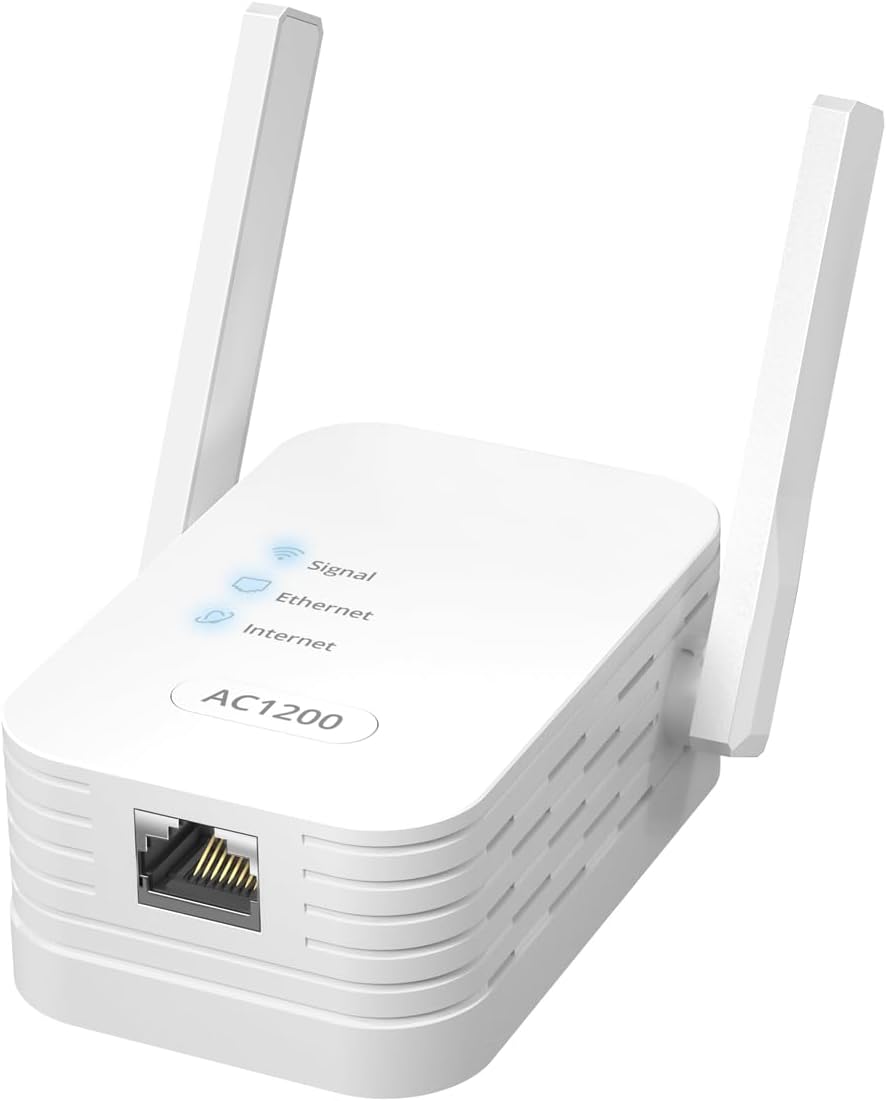
Image: The IOGIANT AC1200Mbps Universal WiFi to Ethernet Adapter, a white rectangular device with two adjustable antennas and an Ethernet port.
2. Nội dung gói hàng
Vui lòng kiểm tra xem có đầy đủ các mục trong gói hàng của bạn không:
- 1 x WiFi to Ethernet Adapter
- 1 x Cáp Ethernet RJ45 (Dài 5 mét)
- 1 x Hướng dẫn cài đặt nhanh
3. Tính năng sản phẩm
- Chức năng 3 trong 1: Operates as a WiFi to Ethernet Adapter (Wireless Bridge), Wireless Access Point (AP Mode), and WiFi Range Extender.
- Cài đặt không cần trình điều khiển: No software drivers are required for setup, ensuring a simple plug-and-play experience.
- Khả năng tương thích rộng: Connects a wide range of wired devices to Wi-Fi, including printers, smart TVs, Blu-ray players, game consoles (PlayStation, Xbox), DVRs, computers, and VoIP phones.
- Wi-Fi băng tần kép tốc độ cao: Hỗ trợ tốc độ 867Mbps trên băng tần 5GHz và 300Mbps trên băng tần 2.4GHz cho kết nối nhanh và ổn định.
- Kết nối đáng tin cậy: Provides a stable wired connection for various online activities without interruptions.
- Ăng-ten có thể điều chỉnh: Features external, 180-degree adjustable antennas for optimizing signal reception and transmission.
4. Thiết lập
The IOGIANT AC1200Mbps adapter offers multiple setup methods for convenience.
4.1. Wireless Bridge Mode (WiFi to Ethernet Adapter)
This mode allows wired devices to connect to your wireless network.
- Plug the adapter into a power outlet near your wired device.
- Connect the adapter's Ethernet port to your wired device (e.g., printer, TV) using the provided RJ45 Ethernet cable.
- Thiết lập WPS (Khuyến nghị thiết lập nhanh):
- Nhấn nút WPS trên bộ định tuyến Wi-Fi chính của bạn.
- Within two minutes, press the WPS button on the IOGIANT adapter. The Signal LED on the adapter will blink and then turn solid when connected.
- Web Browser Setup (For manual configuration or if WPS fails):
- Connect a computer to the adapter's Ethernet port or wirelessly to its default Wi-Fi network (SSID and password usually found on the device label or quick guide).
- Mở một web browser and enter the default IP address or domain name (e.g., setupwifi.net) provided in the Quick Installation Guide.
- Hãy làm theo hướng dẫn trên màn hình để chọn mạng Wi-Fi và nhập mật khẩu.
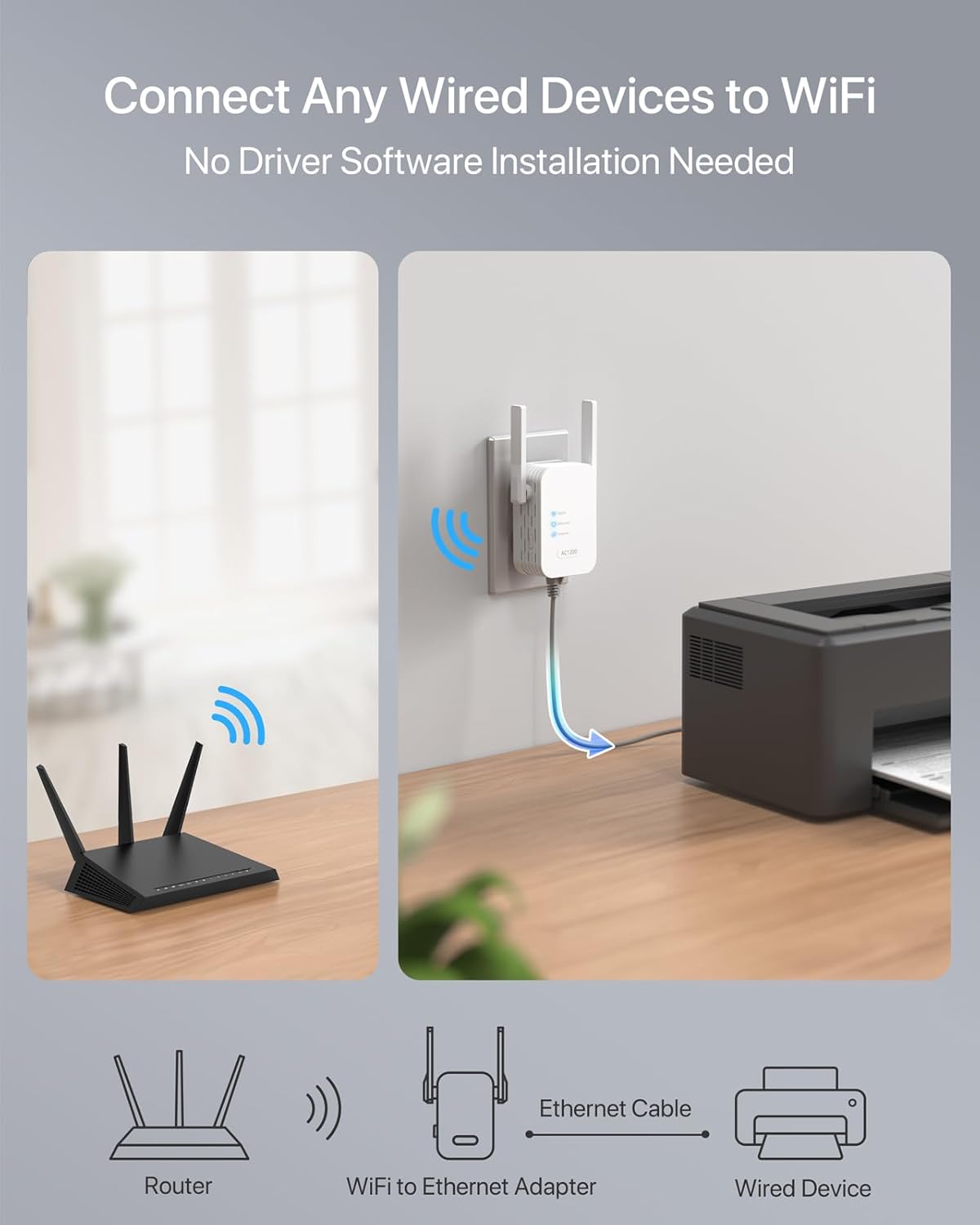
Image: A visual representation of the adapter connecting a router wirelessly to a wired device like a printer via an Ethernet cable.
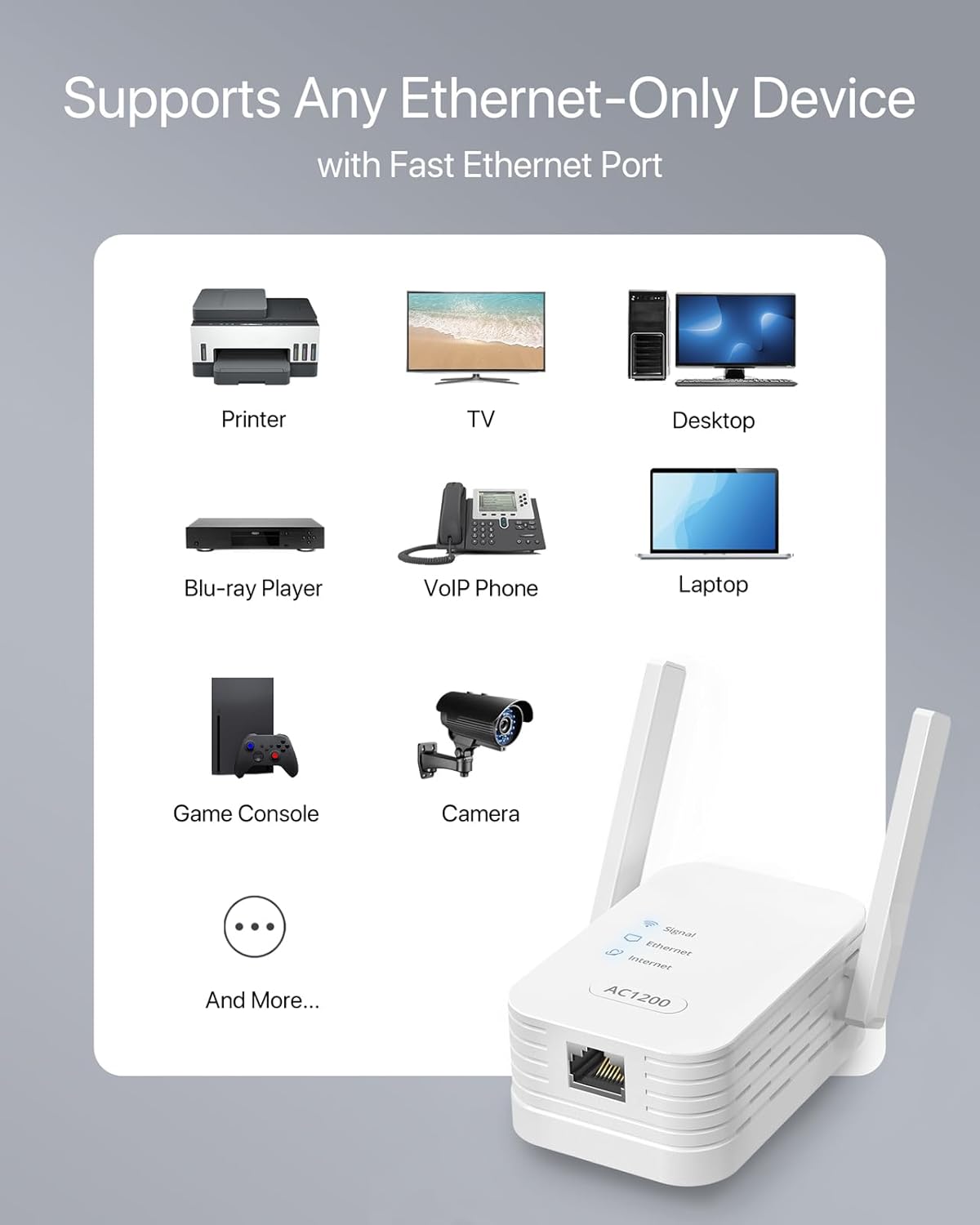
Hình ảnh: Một hình minh họa thể hiện...asing the adapter's compatibility with devices such as printers, TVs, desktops, Blu-ray players, VoIP phones, laptops, game consoles, and cameras.
4.2. Wireless Access Point (AP) Mode
In AP mode, the adapter connects to a wired internet source and broadcasts a new Wi-Fi network.
- Cắm bộ chuyển đổi vào ổ cắm điện.
- Connect the adapter's Ethernet port to your modem or router's LAN port using an Ethernet cable.
- Access the adapter's web interface (as described in 4.1 Web Browser Setup).
- Select "Wireless Access Point Mode" and follow the prompts to configure your new Wi-Fi network's SSID and password.
4.3. WiFi Range Extender Mode
This mode extends the coverage of your existing Wi-Fi network.
- Plug the adapter into a power outlet in an area with good signal from your main router, but also where you need extended coverage.
- Use either WPS setup or web browser setup (as described in 4.1) to connect the adapter to your existing Wi-Fi network.
- Once connected, the adapter will broadcast an extended Wi-Fi network.

Hình ảnh: Một chi tiết view of the adapter's external, 180-degree adjustable antennas, highlighting their role in signal optimization.
5. Hoạt động
Once configured, the IOGIANT AC1200Mbps adapter operates automatically based on the selected mode. The LED indicators on the device provide status information:
- Đèn LED báo hiệu: Indicates the strength of the Wi-Fi signal. A solid light typically means a good connection.
- Đèn LED Ethernet: Lights up when a device is connected via the Ethernet port.
- Đèn LED Internet: Cho biết kết nối internet đã thành công.
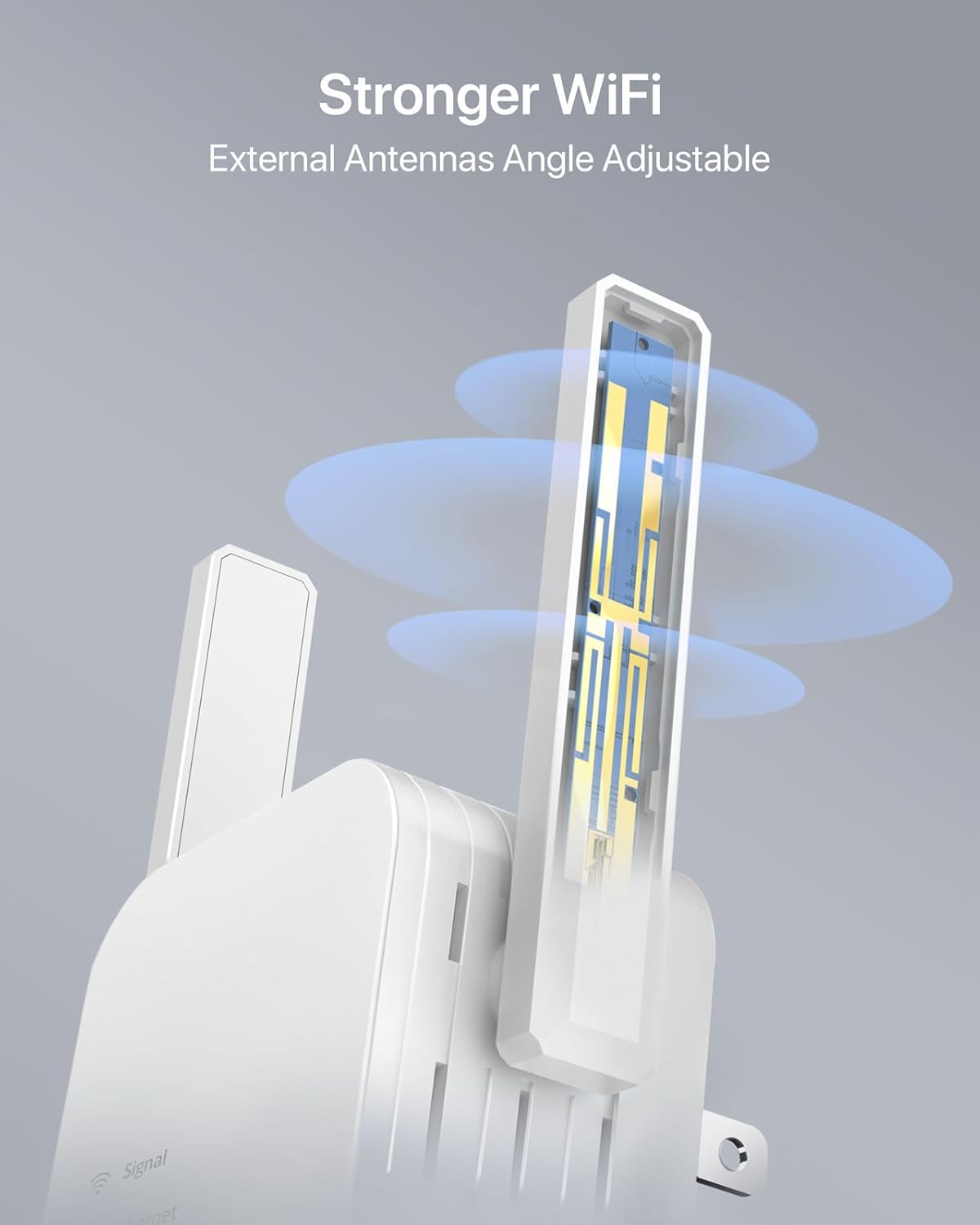
Image: Two individuals comfortably watching television, symbolizing the reliable and uninterrupted connection provided by the adapter for streaming and downloading.

Hình ảnh: Một đồ họa minh họa lợi thế về tốc độ.tage of AC1200 (867Mbps on 5GHz) over AC750 (433Mbps on 5GHz), emphasizing faster Wi-Fi performance.
6. Bảo trì
To ensure the longevity and optimal performance of your IOGIANT adapter, consider the following maintenance tips:
- Giữ thiết bị ở nơi thông thoáng để tránh quá nóng.
- Tránh để thiết bị ở nơi có nhiệt độ hoặc độ ẩm quá cao.
- Lau sạch bên ngoài bằng vải mềm, khô. Không sử dụng chất tẩy rửa dạng lỏng.
- If the device becomes unresponsive, try unplugging it from the power outlet for 10 seconds and then plugging it back in.
KHAI THÁC. Xử lý sự cố
If you encounter issues with your IOGIANT AC1200Mbps adapter, refer to the following common troubleshooting steps:
| Vấn đề | Nguyên nhân có thể | Giải pháp |
|---|---|---|
| Không có kết nối Internet | Incorrect setup, weak signal, router issue. | Verify all cable connections. Ensure the adapter is within range of your main router. Try restarting both the adapter and your router. Re-run the setup process. |
| Tốc độ kết nối chậm | Sự nhiễu sóng, khoảng cách từ bộ định tuyến, tắc nghẽn mạng. | Relocate the adapter closer to your main router or the wired device. Ensure antennas are optimally positioned. Reduce interference from other electronic devices. |
| WPS Setup Fails | Router WPS issue, timing issue. | Ensure your router supports WPS and it's enabled. Try pressing the WPS buttons simultaneously or within the specified timeframe. Use the web Phương pháp thiết lập trình duyệt như một giải pháp thay thế. |
| Device Abruptly Stops Working | Temporary glitch, power issue. | Unplug the device from the power outlet for 30 seconds, then plug it back in. If the issue persists, perform a factory reset (refer to the Quick Installation Guide for reset instructions). |
For more detailed troubleshooting or advanced configurations, please consult the official User Guide (PDF) available for download from the manufacturer's website or the product page where you purchased the device.
8. Thông số kỹ thuật
| Tính năng | Chi tiết |
|---|---|
| Kích thước sản phẩm | 2.99 x 1.97 x 3.39 inch (7.59cm dài x 5.00cm rộng x 8.61cm cao) |
| Trọng lượng sản phẩm | 3.53 ounce (100 gram) |
| Số hiệu mẫu | 1200Mbps WiFi to Ethernet Adapter |
| Thương hiệu | IOGIANT |
| Giao diện phần cứng | Mạng Ethernet |
| Màu sắc | Trắng |
| Thiết bị tương thích | Printers, Cameras, TV, TV Boxes, Blu-ray Players, Streaming Players, Computers, Desktops, Laptops, VoIP Phones, Game Consoles, PlayStations, Xbox, and more. |
| Giao thức liên kết dữ liệu | Fast Ethernet, IEEE 802.11 ac/b/g/n |
| Tốc độ truyền dữ liệu | 1200 Megabit mỗi giây (Mbps) |
| Nhà sản xuất | ioGiant Technology LLC |
9. Bảo hành và Hỗ trợ
The IOGIANT AC1200Mbps Universal WiFi to Ethernet Adapter typically comes with a 2-year warranty, as indicated on the product packaging. For specific warranty terms and conditions, please refer to the documentation included with your product or contact IOGIANT customer support.
For further assistance, technical support, or to download the full User Guide (PDF), please visit the official IOGIANT website or refer to the contact information provided in your Quick Installation Guide.
User Guide (PDF) Link: Tải xuống Hướng dẫn Sử dụng


