1. Giới thiệu
The OtterBox Wireless Power Bank for MagSafe provides portable power for your compatible devices. Designed for seamless interaction with iPhones featuring MagSafe technology, this 3K mAh power bank offers convenient wireless charging and can also function as a standalone power source for other devices via its USB-C port.
This manual will guide you through the setup, operation, and maintenance of your power bank to ensure optimal performance and longevity.
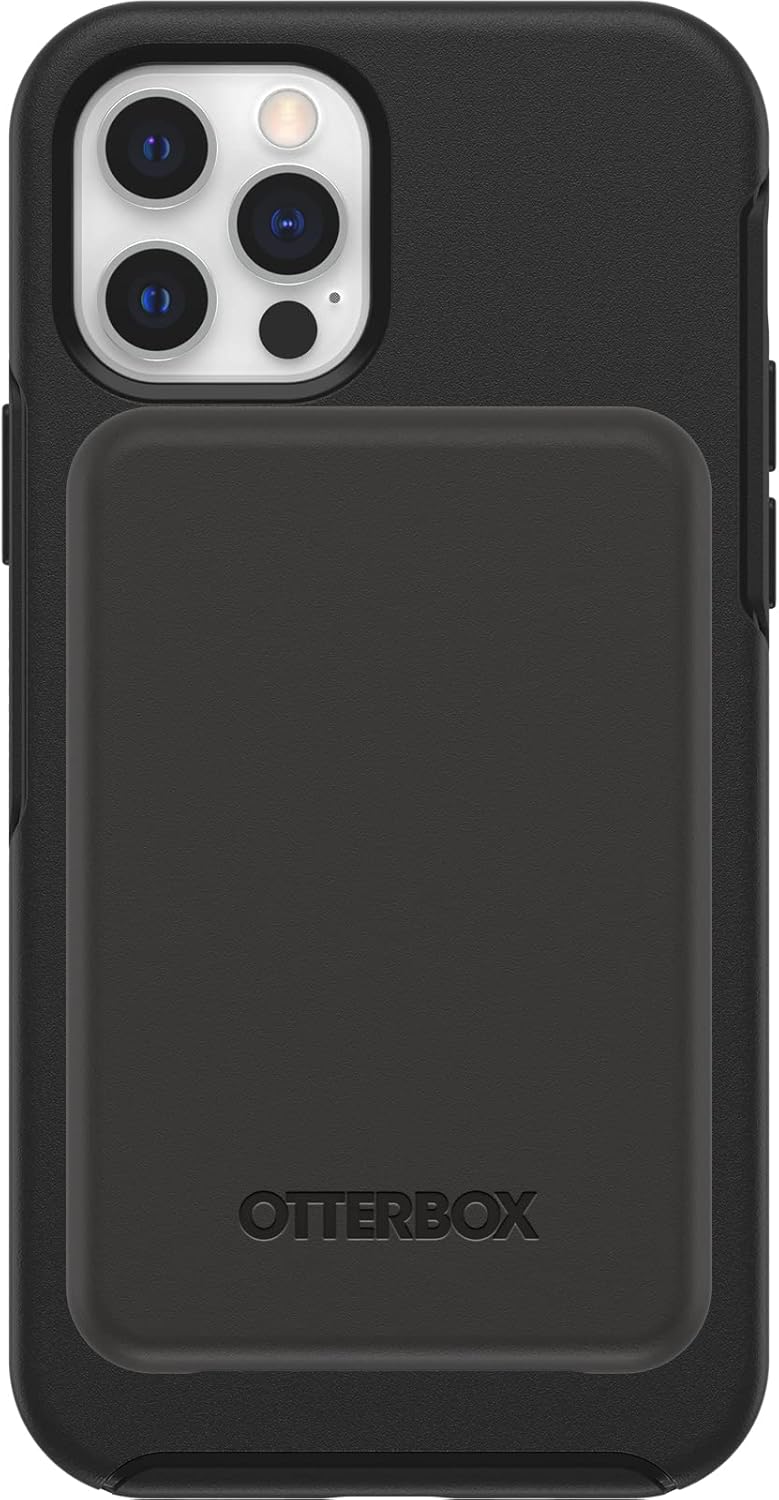
Image 1.1: The OtterBox Wireless Power Bank magnetically attached to the back of an iPhone, providing a sleek and integrated charging solution.
2. Có gì trong hộp
Xác minh rằng tất cả các mặt hàng đều có trong bao bì sản phẩm của bạn:
- OtterBox Wireless Power Bank (3K mAh)
- 6-inch USB-C to USB-C Cable

Image 2.1: The product packaging displaying the OtterBox Wireless Power Bank and its included USB-C to USB-C cable.
3. Thiết lập
3.1 Phí ban đầu
Before first use, fully charge your OtterBox Wireless Power Bank. This ensures optimal battery performance and accuracy of the LED indicators.
- Kết nối cáp USB-C sang USB-C đi kèm với cổng USB-C trên pin dự phòng.
- Kết nối đầu còn lại của cáp với bộ chuyển đổi nguồn USB-C tương thích (không kèm theo).
- The LED indicators on the power bank will illuminate to show charging progress. All four LEDs will be solid white when fully charged.
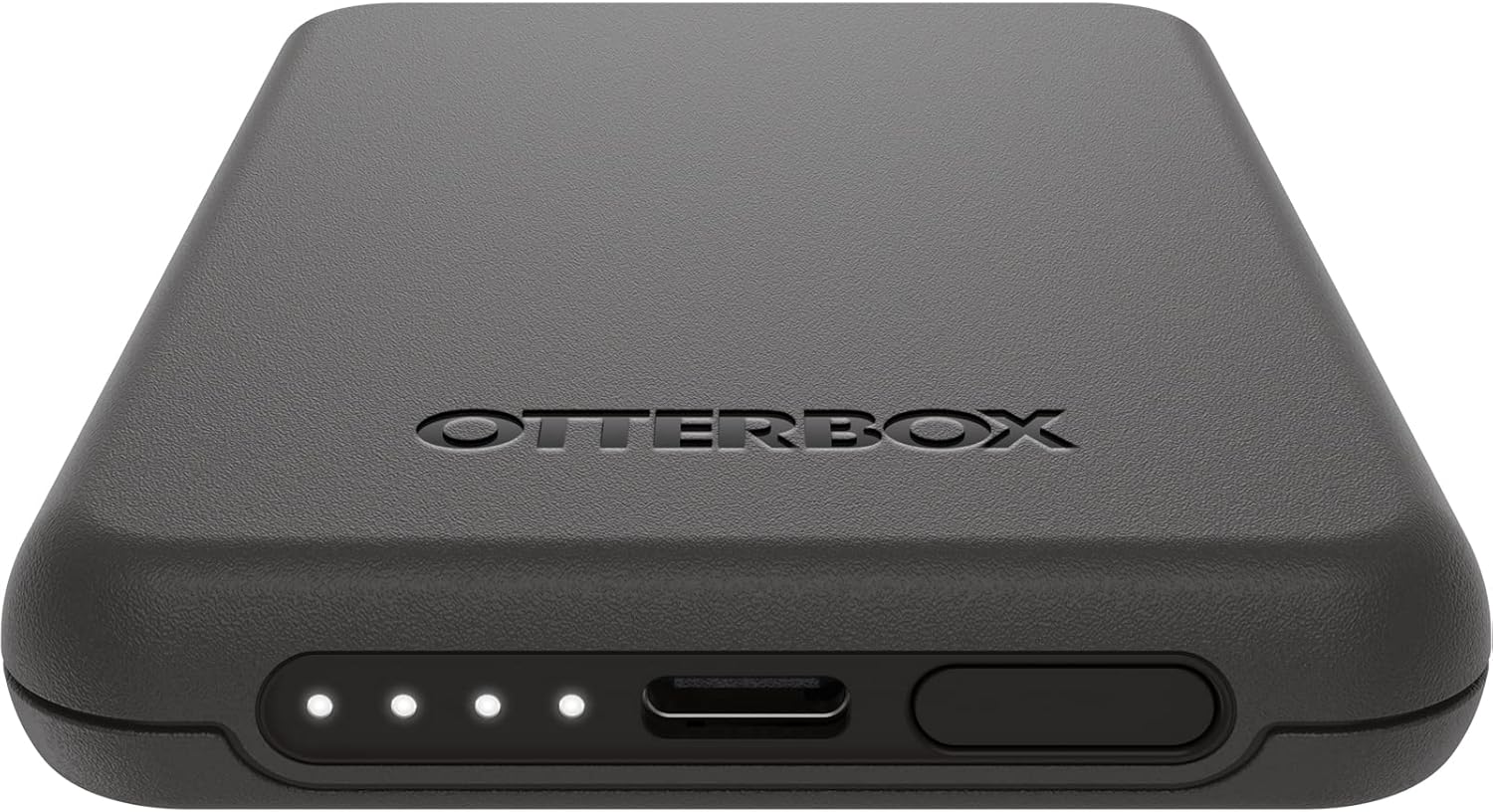
Hình ảnh 3.1: Một chi tiết view of the power bank's bottom edge, showing the USB-C charging port and the four LED battery status indicators.
3.2 Khả năng tương thích MagSafe
For wireless charging, ensure your iPhone is MagSafe compatible (iPhone 12 series or newer) or is housed in an OtterBox case designed for MagSafe.
4. Hướng dẫn vận hành
4.1 Charging Your Device Wirelessly (MagSafe)
- Align the OtterBox Wireless Power Bank with the MagSafe area on the back of your iPhone or MagSafe-compatible case.
- The power bank will magnetically attach and begin charging your device.
- The LED indicators on the power bank will show its remaining charge.

Image 4.1: The power bank is shown attached to the back of an iPhone, illustrating the magnetic connection for wireless charging.
4.2 Charging Other Devices (USB-C)
The power bank can also charge other devices, such as AirPods or other smartphones, using the USB-C port.
- Connect one end of a USB-C cable (or appropriate cable for your device) to the USB-C port on the power bank.
- Kết nối đầu kia của cáp với thiết bị của bạn.
- The power bank will begin charging the connected device.
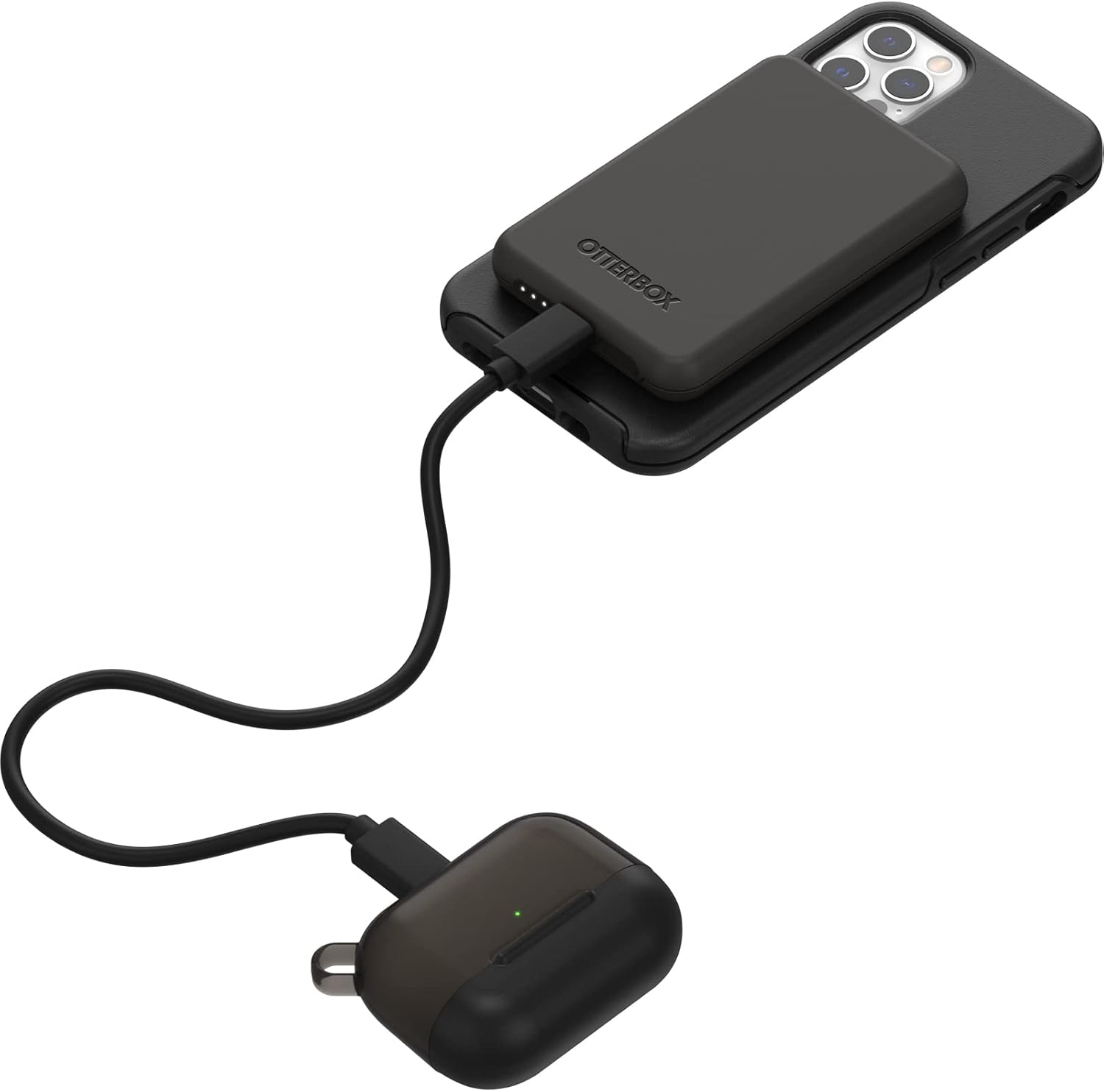
Image 4.2: The power bank is connected via a USB-C cable to a pair of AirPods, demonstrating its capability to charge other devices.
4.3 LED Power Indicators
The four LED lights on the power bank indicate the remaining battery charge and charging status:
- Solid White LEDs: Indicate remaining battery capacity. Each LED represents approximately 25% charge.
- Flashing White LEDs: Indicate the power bank is currently charging.
- Không có đèn LED: The power bank is either fully discharged or not actively charging/discharging.
5. Bảo trì
- Vệ sinh: Use a soft, dry cloth to clean the surface of the power bank. Avoid abrasive cleaners or solvents.
- Kho: Bảo quản sạc dự phòng ở nơi khô ráo, thoáng mát, tránh ánh nắng trực tiếp và nhiệt độ cao.
- Chăm sóc pin: To prolong battery life, avoid fully discharging the power bank frequently. Recharge it when the charge is low.
- Bảo vệ chống rơi: The power bank is engineered with durable design and drop protection. However, avoid unnecessary drops or impacts to prevent damage.
KHAI THÁC. Xử lý sự cố
| Vấn đề | Nguyên nhân có thể | Giải pháp |
|---|---|---|
| Pin dự phòng không sạc được thiết bị không dây. |
|
|
| Pin dự phòng không sạc được qua cổng USB-C. |
|
|
| LED indicators are not lighting up. |
|
|
| Lực hút từ yếu. |
|
|
7. Thông số kỹ thuật
| Số hiệu mẫu | OFTC-0090-A |
| Dung tích | 3KmAh |
| Đầu ra sạc không dây | 7.5W |
| Kết nối | MagSafe, USB-C |
| Kích thước | 3.84 x 2.56 x 0.47 inch |
| Cân nặng | 3.84 ounce |
| Thiết bị tương thích | iPhone 12/12 Pro, iPhone 13, iPhone 13 Pro, iPhone 13 and 12 Pro Max, iPhone 13 mini (MagSafe compatible devices) |
| Vật liệu | Magnets, Silicone |
8. Bảo hành và Hỗ trợ
Bảo hành trọn đời có giới hạn: OtterBox products are backed by a limited lifetime warranty covering material and workmanship defects. This ensures quality and customer satisfaction.
For warranty claims, technical support, or further assistance, please visit the official OtterBox webtrang web hoặc liên hệ với bộ phận chăm sóc khách hàng của họ. Giữ lại hóa đơn mua hàng để xác nhận bảo hành.
Note: Warranty terms may vary by region. Refer to the official OtterBox webTruy cập trang web này để xem thông tin bảo hành chi tiết và cập nhật nhất.
9. Thông tin an toàn
Vui lòng đọc kỹ tất cả hướng dẫn an toàn trước khi sử dụng sản phẩm này để tránh bị thương hoặc hư hỏng.
- Do not expose the power bank to extreme temperatures (above 45°C / 113°F or below -10°C / 14°F).
- Do not disassemble, modify, or attempt to repair the power bank.
- Hãy để pin dự phòng tránh xa nước, hơi ẩm và các vật liệu dễ cháy.
- Tránh làm rơi hoặc để pin dự phòng chịu những va đập mạnh.
- Hãy vứt bỏ pin dự phòng một cách có trách nhiệm theo quy định của địa phương. Không vứt vào rác thải sinh hoạt.
- Để xa tầm tay trẻ em.
- Discontinue use if the power bank becomes excessively hot, emits odor, or shows signs of damage.


