1. Giới thiệu
The JBL LIVE 400BT are on-ear wireless headphones designed to deliver JBL Signature Sound. These headphones feature Bluetooth connectivity, a built-in microphone for hands-free calls, and integrated voice assistant support (Amazon Alexa). They also include Ambient Aware and TalkThru technologies for enhanced situational awareness and convenient conversations without removing the headphones. The headphones offer up to 24 hours of battery life and can be used with an audio cable when the battery is depleted.
2. Có gì trong hộp
Khi mở gói hàng, hãy đảm bảo tất cả các mặt hàng đều có đủ:
- JBL LIVE 400BT Headphones
- Cáp sạc
- Aux Cable (3.5 mm)
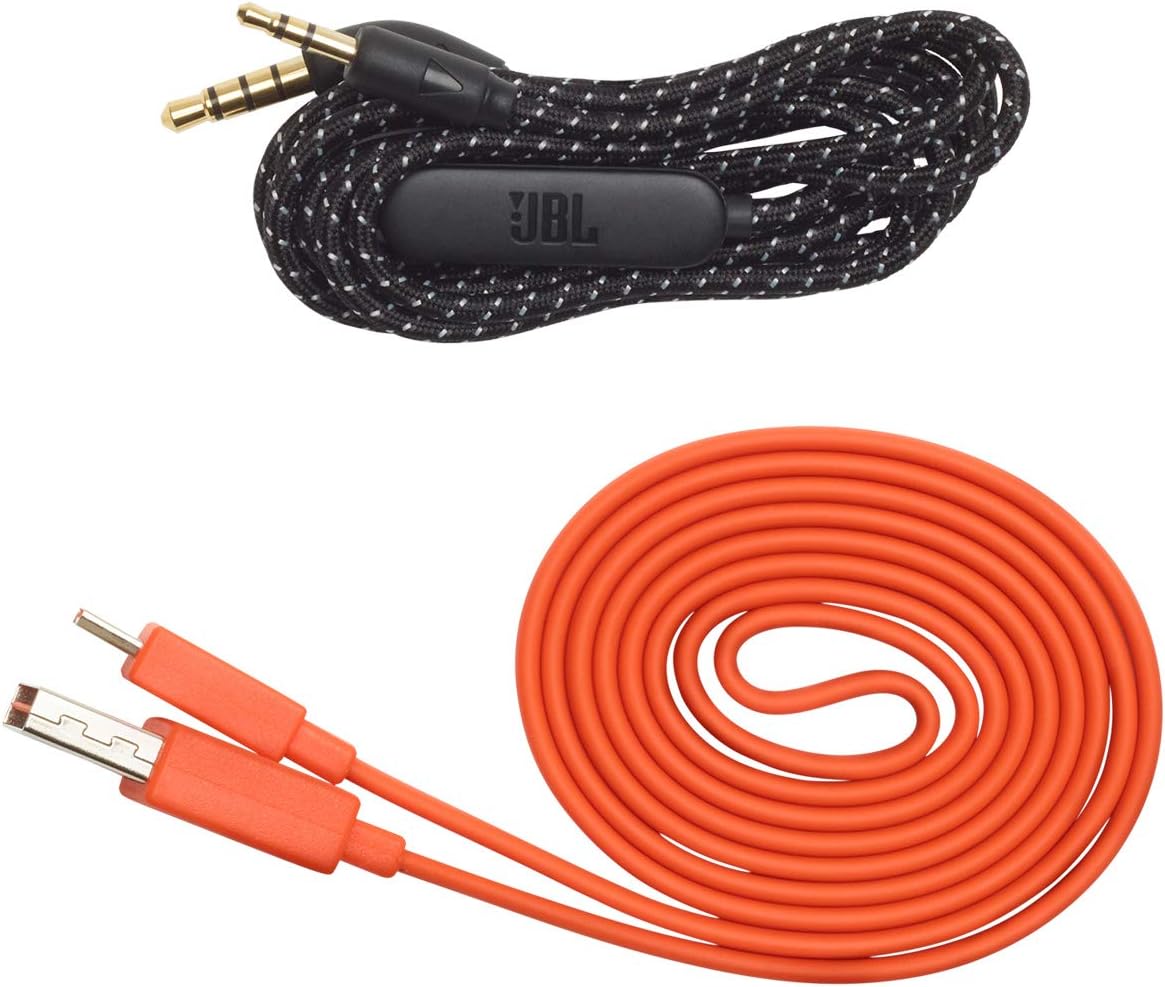
Image: JBL LIVE 400BT headphones shown with the included charging cable and 3.5mm aux cable.
3. Thiết lập
3.1. Sạc tai nghe
Before first use, fully charge your JBL LIVE 400BT headphones. A full charge provides up to 24 hours of playback. A quick 15-minute charge can provide an additional 2 hours of listening time.
- Kết nối cáp sạc được cung cấp kèm theo tai nghe với cổng sạc trên tai nghe.
- Kết nối đầu còn lại của cáp sạc với nguồn điện USB (ví dụ: bộ chuyển đổi nguồn, cổng USB của máy tính).
- Đèn LED trên tai nghe sẽ hiển thị trạng thái sạc. Thông thường, đèn sẽ tắt hoặc đổi màu khi sạc đầy.
3.2. Bật / Tắt nguồn
- To power on, slide the power switch located on the right earcup.
- To power off, slide the power switch back to the off position.
3.3. Ghép nối Bluetooth
The JBL LIVE 400BT headphones use Bluetooth 4.0 for wireless connectivity with a range of up to 10 meters.
- Đảm bảo tai nghe đã được tắt nguồn.
- Slide the power switch to the "on" position and hold it for approximately 3-5 seconds until the LED indicator flashes blue, indicating pairing mode.
- Trên thiết bị của bạn (điện thoại thông minh, máy tính bảng, máy tính), hãy bật Bluetooth và tìm kiếm các thiết bị khả dụng.
- Select "JBL LIVE 400BT" from the list of available devices.
- Sau khi kết nối, đèn chỉ báo LED sẽ chuyển sang màu xanh lam đặc.

Image: The right earcup of the JBL LIVE 400BT headphones, highlighting the power switch and LED indicator for Bluetooth pairing.
4. Vận hành Tai nghe
4.1. Điều khiển cơ bản
The headphones feature intuitive controls on the earcups for managing audio and calls.
- Phát/Tạm dừng: Nhấn nút đa chức năng một lần.
- Bài hát tiếp theo: Nhấn đúp vào nút đa chức năng.
- Bản nhạc trước: Nhấn ba lần vào nút đa chức năng.
- Tăng/Giảm âm lượng: Hãy sử dụng các nút điều chỉnh âm lượng chuyên dụng.
- Trả lời/Kết thúc cuộc gọi: Nhấn nút đa chức năng một lần trong khi có cuộc gọi đến hoặc đang có cuộc gọi.
- Từ chối cuộc gọi: Nhấn và giữ nút đa chức năng trong 2 giây khi có cuộc gọi đến.
4.2. Voice Assistant (Amazon Alexa)
Access Amazon Alexa directly from your headphones. Use the JBL App to set up your voice assistant preference.
- Ensure your headphones are connected to your smartphone via Bluetooth.
- Download and open the JBL Headphones App.
- Follow the in-app instructions to select and configure Amazon Alexa as your voice assistant.
- Once configured, tap the left earcup to activate Alexa and issue commands (e.g., "Play my favorite playlist," "Check the weather").
4.3. Ambient Aware and TalkThru Technology
These features allow you to stay connected to your surroundings or have conversations without removing your headphones.
- Nhận biết môi trường xung quanh: A touch of the Ambient Aware button (located on the left earcup) increases ambient sound, allowing you to hear what's happening around you while music continues at a lower volume.
- Nói chuyện qua: Activate TalkThru mode by pressing the TalkThru button (located on the left earcup). This significantly drops the music volume, enabling clear conversations with others without removing the headphones.
Video: Official JBL demonstration of the LIVE 400BT headphones, highlighting features like JBL Signature Sound, Ambient Aware, TalkThru technology, and voice assistant integration.
4.4. Kết nối có dây
If the battery runs out or you prefer a wired connection, use the provided 3.5mm audio cable.
- Cắm một đầu của cáp âm thanh 3.5 mm vào giắc cắm âm thanh trên tai nghe.
- Plug the other end into your audio source's 3.5mm output.
- The headphones will function passively, without requiring battery power.
5. Bảo trì
Proper care ensures the longevity of your JBL LIVE 400BT headphones.
- Vệ sinh: Dùng vải mềm, khô để vệ sinh chụp tai và băng đô. Tránh sử dụng hóa chất mạnh hoặc vật liệu mài mòn.
- Kho: When not in use, store the headphones in a cool, dry place. Avoid extreme temperatures. The headphones are foldable for compact storage.
- Chăm sóc pin: Để kéo dài tuổi thọ pin, tránh xả hết pin tai nghe thường xuyên. Hãy sạc pin định kỳ, ngay cả khi không sử dụng liên tục.
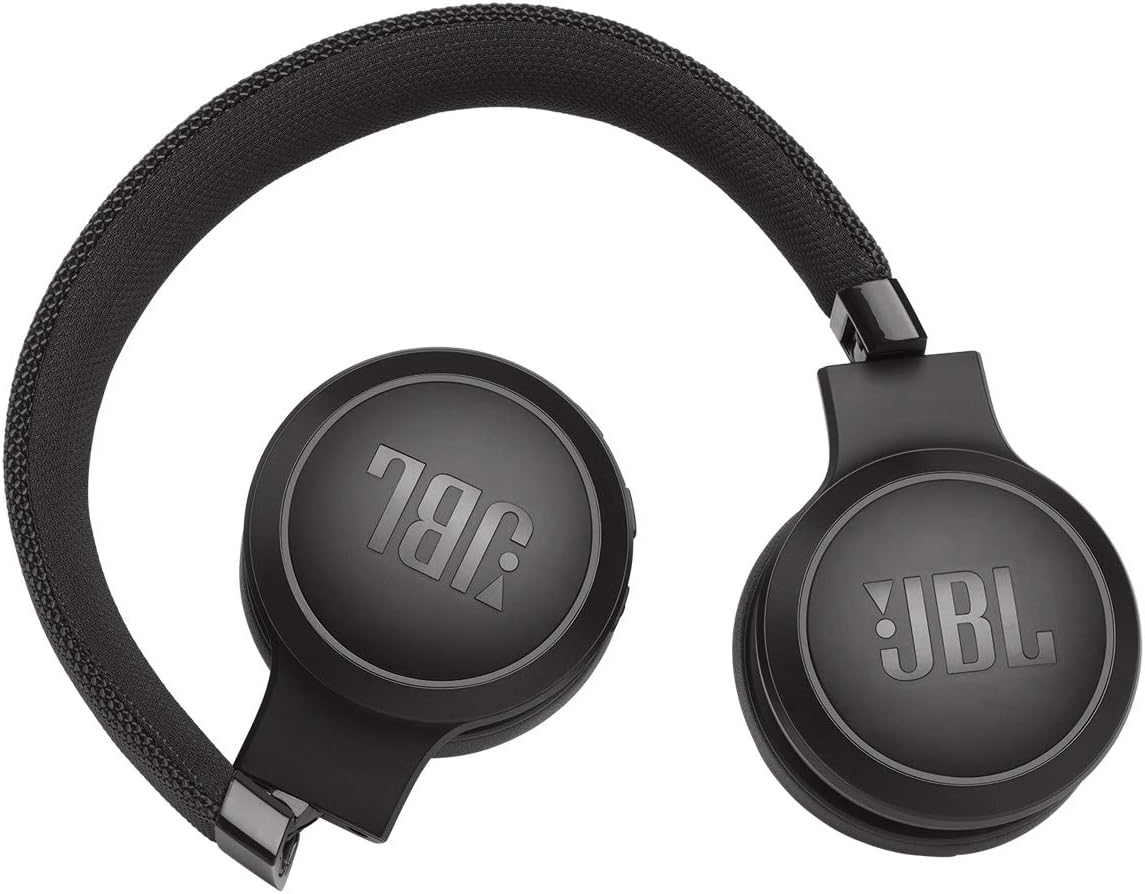
Image: JBL LIVE 400BT headphones shown in a folded position, demonstrating their portability and ease of storage.
KHAI THÁC. Xử lý sự cố
If you encounter issues with your JBL LIVE 400BT headphones, refer to the following common solutions.
6.1. No Power / Cannot Turn Off
- Sạc pin: Ensure the headphones are fully charged. A low battery can cause unexpected behavior.
- Chu kỳ nguồn điện: If the headphones are stuck on or cannot be turned off, try connecting them to a charger for a few minutes, then attempt to power off again.
- Khôi phục cài đặt gốc: If the issue persists, a factory reset may resolve it. Consult the JBL support website or the full user manual for specific factory reset instructions for your model, as this often involves a combination of button presses.
6.2. Sự cố kết nối Bluetooth
- Đảm bảo chế độ ghép nối: Verify the headphones are in pairing mode (flashing blue LED).
- Khoảng cách thiết bị: Make sure the headphones are within 10 meters of your Bluetooth device.
- Quên thiết bị: On your device, "forget" or "unpair" the JBL LIVE 400BT from your Bluetooth settings, then attempt to pair again.
- Khởi động lại thiết bị: Restart both your headphones and the Bluetooth device.
6.3. Không có âm thanh hoặc âm lượng thấp
- Kiểm tra mức âm lượng: Ensure volume is turned up on both the headphones and your connected device.
- Correct Output: Verify that your device is sending audio to the JBL LIVE 400BT.
- Kết nối có dây: If using the aux cable, ensure it is fully inserted into both the headphones and the audio source.
7. Thông số kỹ thuật
| Tính năng | Đặc điểm kỹ thuật |
|---|---|
| Tên mẫu | JBL LIVE 400 - Black (JBLLIVE400BTBLKAM) |
| Thương hiệu | JBL |
| Công nghệ kết nối | Bluetooth |
| Công nghệ truyền thông không dây | Bluetooth |
| Phiên bản Bluetooth | 4.0 |
| Phạm vi Bluetooth | 10 mét |
| Kích thước trình điều khiển âm thanh | 40 milimét |
| Loại trình điều khiển âm thanh | Trình điều khiển động |
| Đáp ứng tần số | 20 KHz |
| Độ nhạy | 106 dB |
| Trở kháng | 32 Ohm |
| Tuổi thọ pin | 24 giờ |
| Thời gian sạc | 2 giờ |
| Jack cắm tai nghe | Giắc cắm 3.5 mm |
| Loại điều khiển | Alexa, Touch, Voice Assistant |
| Phương pháp kiểm soát | Cảm ứng, giọng nói |
| Kiểm soát tiếng ồn | Active Noise Cancellation (basic_noise_control) |
| Vật liệu | Da giả |
| Trọng lượng sản phẩm | 6.6 ounce (185.8 gram) |
| Kích thước sản phẩm | 8.07 x 2.17 x 8.78 inch |
| Ngày đầu tiên có sẵn | Ngày 7 tháng 2019 năm XNUMX |
8. Bảo hành và Hỗ trợ
For warranty information, technical support, or further assistance, please visit the official JBL support webtrang web hoặc liên hệ với bộ phận chăm sóc khách hàng của họ. Hãy giữ lại hóa đơn mua hàng để yêu cầu bảo hành.
Bạn có thể tìm thấy các nguồn tài nguyên bổ sung và thông tin liên lạc trên Cửa hàng JBL trên Amazon.


