Giới thiệu
This manual provides essential information for the safe and effective use of your Philips HP6519/01 Epilator. Please read these instructions carefully before first use and keep them for future reference. Following these guidelines will help you achieve optimal results and maintain the longevity of your device.
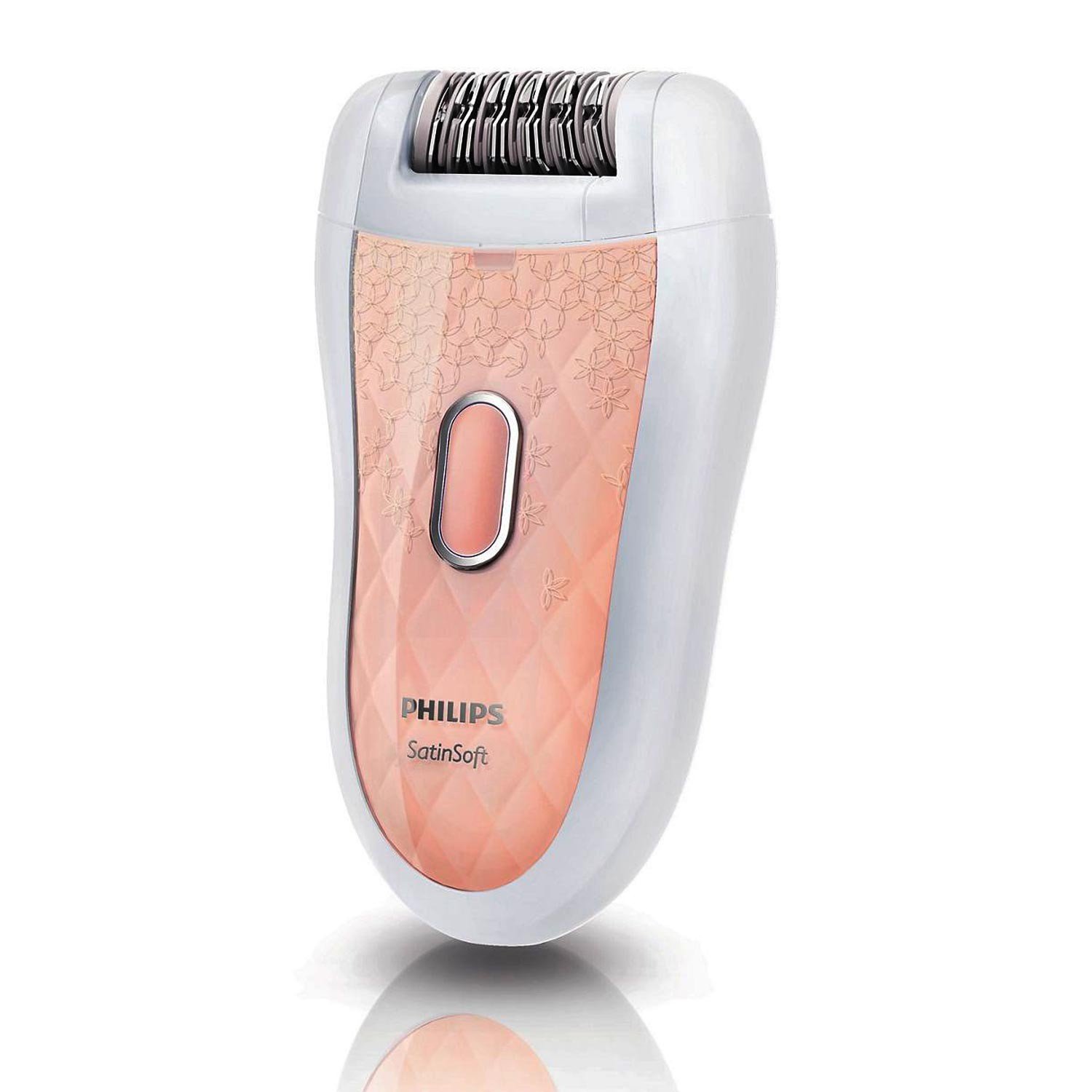
Image of the Philips HP6519/01 Epilator, a compact hair removal device.
Tính năng sản phẩm
The Philips HP6519/01 Epilator is designed for efficient and comfortable hair removal, offering several features to enhance your experience:
- Skin Care System: Protects the skin against pulling and maximizes hygiene.
- Hypo-allergenic and Silver-ion Discs: Advanced technology for gentle hair removal and radiant skin.
- Phụ kiện massage: Gently vibrating massage bar stimulates and soothes the skin for a more pleasant epilation process.
- Sensitive Area Cap: Specifically adapted for more sensitive skin, allowing for gentle epilation in delicate areas.
- Gentle Tweezing Discs: Designed to remove hair without pulling the skin.
- Fully Washable Epilation Head: Ensures optimal hygiene and easy cleaning under running water.
- Hai cài đặt tốc độ: Speed 1 for extra gentle epilation and Speed 2 for extra efficient epilation, allowing you to choose according to your needs.
- Sử dụng ướt và khô: Can be used on dry skin or in the shower for added comfort.
- Exfoliation Brush: Unique Philips design with hypo-allergenic bristles for optimal hygiene, suitable for wet & dry use.
Thiết lập và sạc
Your Philips HP6519/01 Epilator is designed for cordless operation for up to 40 minutes. It can also be used with the power cable if the battery runs out. To ensure your epilator is always ready for use, follow these charging instructions:
- Kiểm tra tình trạng pin: If the LED light flashes red, the battery is low and you have only a few minutes of power left. Once these minutes are up, the light will stay red continuously, indicating it's time to charge.
- Kết nối bộ sạc: Simply plug the power supply into a wall socket and connect the epilator to the power supply.
- Đèn báo sạc: The white LED light will flash to show that the epilator is charging.
- Sạc đầy: When the battery is fully charged, the white light stays on continuously for approximately 20 minutes and then goes out.
- Khả năng tương thích du lịch: Philips epilator power plugs automatically select the correct voltage, making them suitable for travel. Ensure the plug fits the local socket.
Video demonstrating the charging process and battery indicators of the Philips epilator.
Hướng dẫn sử dụng
Chuẩn bị da
Proper skin preparation is crucial for effective and comfortable epilation:
- Tẩy tế bào chết: The day before epilation, gently exfoliate your body. This removes dead skin cells, revealing softer, more radiant skin and helping to reduce ingrown hairs.
- Da sạch: For best results, epilate after taking a shower to ensure your skin is clean.
- Da khô: Always ensure your skin is completely dry after showering before beginning dry epilation.
Epilation Technique
Follow these steps for efficient hair removal:
- Bật: Switch on the epilator.
- Glide Against Hair Growth: Gently glide the epilator over your skin in steady, slow movements, always moving against the direction of hair growth.
- Duy trì liên lạc: Ensure the epilator head is held straight for good skin contact.
- Áp suất nhẹ: You do not need to use much pressure; the epilator is designed to do the work for you.
- Kéo căng da: For sensitive areas or to ensure all hairs are captured and to reduce discomfort, gently stretch your skin a little.
- Regular Epilation: Regular epilation helps reduce pain over time as hair grows in cycles, leading to fewer hairs growing back simultaneously.
Video demonstrating the proper technique for dry epilation using the Philips epilator, including skin preparation and movement against hair growth.
Cài đặt tốc độ
Your epilator features two speed settings:
- Tốc độ 1: For extra gentle epilation, ideal for sensitive areas or first-time users.
- Tốc độ 2: For extra efficient epilation, suitable for larger areas or when you need faster results.
Choose the speed that best suits your comfort level and the body part you are epilating.
Vệ sinh và bảo trì
Maintaining your epilator's cleanliness is essential for hygiene and optimal performance:
- Vệ sinh sau mỗi lần sử dụng: Always clean the epilator head after each use to remove all hairs and debris.
- Đầu có thể giặt được: Philips epilators are designed for quick and easy cleaning. Simply detach the epilation head and rinse it under running water.
- Remove Hairs: While rinsing, roll the epilation head with your finger to ensure all hairs are thoroughly removed.
- Làm khô hoàn toàn: After washing, dry the epilation head completely before reattaching or storing.
- Sử dụng bàn chải làm sạch: Use the included cleaning brush to remove any stubborn hairs or debris from the epilator head and body.
- Sử dụng cá nhân: For hygiene purposes, do not share your epilation head with anyone else.
Video demonstrating how to clean and maintain your Philips epilator for lasting performance and hygiene.
Phụ kiện kèm theo
Your Philips HP6519/01 Epilator comes with the following accessories to enhance your hair removal routine:
- Sensitive Area Cap: For gentle epilation on delicate skin.
- Exfoliation Brush: To prepare skin and reduce ingrown hairs.
- Bàn chải làm sạch: For easy removal of hairs from the epilator head.
- Storage Cap: To protect the epilator head when not in use.
- Đính kèm: Additional attachment for specific grooming needs.
Thông số kỹ thuật
| Đặc điểm kỹ thuật | Chi tiết |
|---|---|
| Số hiệu mẫu | HP6519 / 01 |
| Thương hiệu | Philips |
| Nguồn điện | Pin chạy bằng |
| Number of Catching Points | 20 |
| Số lượng đĩa | 21 |
| Pulling Actions/Second (Speed 1) | 666 |
| Pulling Actions/Second (Speed 2) | 733 |
| Trọng lượng sản phẩm | 420 gam |
| Kích thước gói hàng | 18.6 x 18.6 x 8.4cm |
| Mức độ chống nước | Không chống nước |
Bảo hành và Hỗ trợ
Your Philips HP6519/01 Epilator comes with a 2-year Philips India warranty from the date of purchase, covering manufacturing defects and ensuring peace of mind. For any support or warranty claims, please refer to the contact information provided in your product packaging or visit the official Philips support webđịa điểm.


