Kirish
This manual provides instructions for the setup, operation, and maintenance of your LG 32QN600-B QHD 32-inch IPS monitor. Please read this manual thoroughly before operating your device to ensure safe and optimal performance. Keep this manual for future reference.
Xavfsizlik bo'yicha muhim ma'lumotlar
Yong'in, elektr toki urishi va odamlarning shikastlanishi xavfini kamaytirish uchun ushbu mahsulotni ishlatishda doimo asosiy xavfsizlik choralariga rioya qiling. Bunga quyidagilar kiradi, lekin ular bilan cheklanmaydi:
- Shamollatish teshiklarini to'smang.
- Hech qanday issiqlik manbalariga yaqin joyda o'rnatmang.
- Elektr shnurini yurish yoki siqilishdan saqlang.
- Faqat ishlab chiqaruvchi tomonidan belgilangan qo'shimchalar/aksessuarlar foydalaning.
- Barcha xizmat ko'rsatishni malakali xizmat ko'rsatish xodimlariga topshiring.
Sozlash; o'rnatish
1. Paketni ochish
Carefully remove all components from the packaging. Ensure all parts listed in the packing list are present and undamaged. Keep packaging materials for future transport or return.
2. Stand Assembly / Wall Mounting
The monitor can be set up using its adjustable Edge-ArcLine stand or mounted to a wall using a VESA compatible mount (100 x 100 mm). Follow the instructions provided with the stand or wall mount kit for proper assembly.

Rasm: orqa view of the LG 32QN600-B monitor with its Edge-ArcLine stand attached. The stand provides stability and allows for tilt and height adjustments.
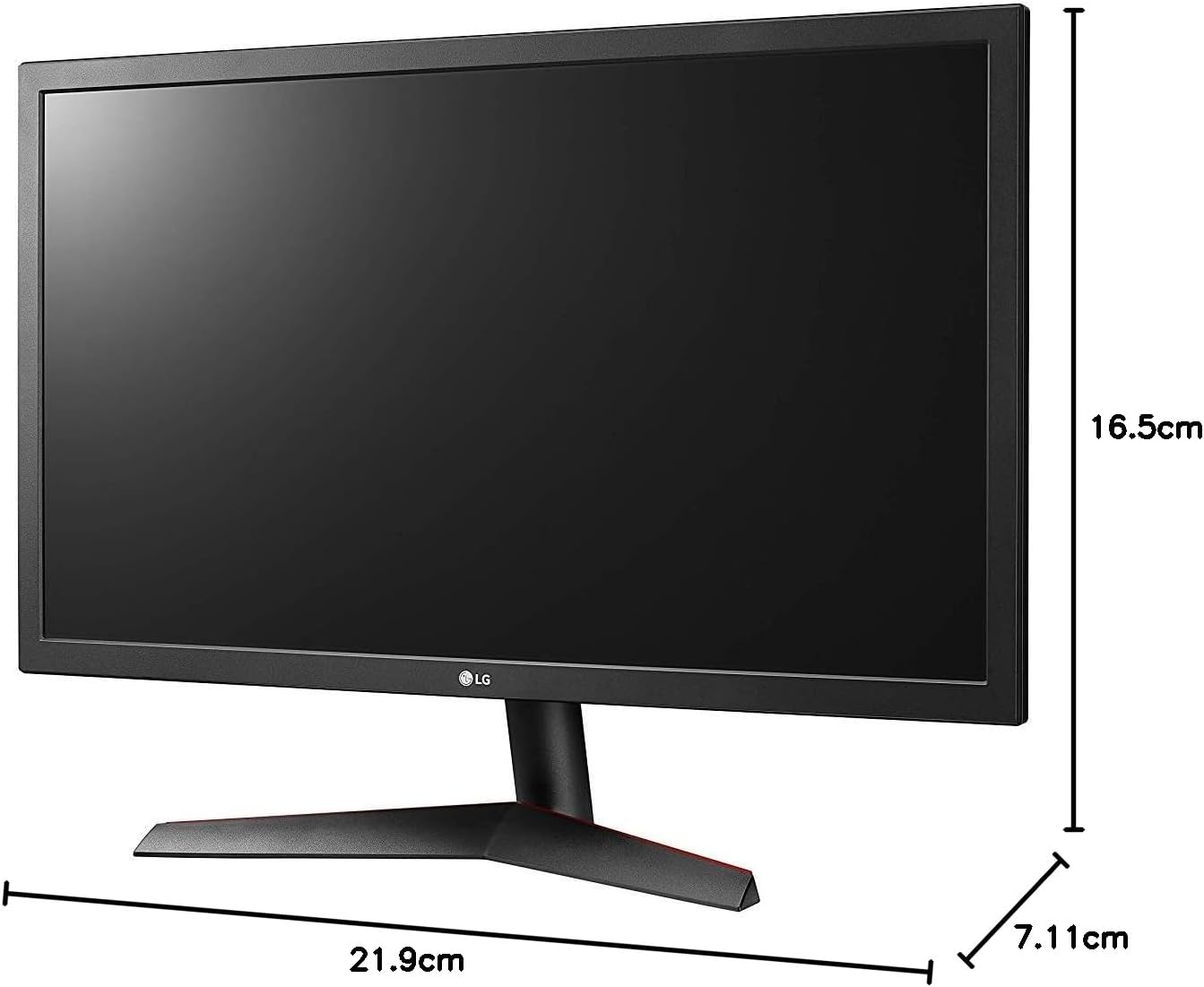
Image: Diagram illustrating the approximate dimensions of a similar LG monitor, showing width, height, and depth. Note: Specific dimensions for the 32QN600-B model are not provided in the available data.
3. Kompyuterga ulanish
Connect the monitor to your computer using one of the following cable types. Ensure the monitor and computer are powered off before making connections.
- HDMI ulanishi: Use an HDMI cable to connect the monitor's HDMI port to the HDMI port on your computer's graphics card. This monitor supports 2 HDMI inputs.
- DisplayPort ulanishi: Use a DisplayPort cable to connect the monitor's DisplayPort to the DisplayPort on your computer's graphics card. This monitor supports 1 DisplayPort input.

Image: Close-up of the rear panel of the LG 32QN600-B monitor, displaying the available input ports including HDMI and DisplayPort connections.
4. Quvvatga ulanish
Quvvat adapterini monitorning quvvat manbaiga ulang, keyin elektr simini rozetkaga ulang.
Monitorni ishlatish
1. Quvvatni yoqish/o‘chirish

Rasm: old view of the LG 32QN600-B QHD 32-inch IPS monitor, showing the display and stand.
Press the power button (usually a joystick-style button located on the bottom center of the monitor) to turn the monitor on or off.
2. Ekrandagi displey (OSD) menyusi navigatsiyasi
The OSD menu allows you to adjust various monitor settings. Use the joystick button to navigate the menu:
- Asosiy ekran menyusini ochish uchun joystik tugmasini bosing.
- Menyu parametrlari bo‘ylab harakatlanish uchun joystikni yuqoriga/pastga/chapga/o‘ngga suring.
- Variantni tanlash yoki sozlashni tasdiqlash uchun joystik tugmasini bosing.
- Move the joystick left to exit a sub-menu or the OSD.
3. Rasm sozlamalari
Displey sozlamalarini optimallashtirish uchun sozlang viewtajribasi:
- Yorqinlik: Ekranning umumiy yorqinligini boshqaradi.
- Kontrast: Yorug'lik va qorong'i joylar orasidagi farqni sozlaydi.
- Rang harorati: Changes the color warmth or coolness.
- Gamma: Adjusts the mid-tone luminance.
4. Maxsus xususiyatlar
The LG 32QN600-B monitor includes several features to enhance your viewing va o'yin tajribasi:
- HDR 10 mosligi: Supports High Dynamic Range content for enhanced contrast and color detail.
- O'qish rejimi: Uzoq o'qish seanslari paytida ko'zning charchashini minimallashtirish uchun ko'k chiroq chiqishini kamaytiradi.
- Miltillovchi xavfsiz: Virtually eliminates screen flicker to reduce eye fatigue.
- AMD FreeSync: Synchronizes the monitor's refresh rate with compatible AMD graphics cards to reduce screen tearing and stuttering for smoother gameplay.
- Dynamic Action Sync (DAS): Minimizes input lag, allowing for quicker responses in fast-paced games.
- Qora stabilizator: Automatically brightens dark areas in games, making it easier to spot objects or enemies hidden in shadows.
Xizmat
Monitorni tozalash
To clean the monitor, ensure it is powered off and unplugged from the power outlet. Use a soft, lint-free cloth lightly dampened with water or a mild, non-abrasive screen cleaner. Do not spray cleaner directly onto the screen. Avoid using harsh chemicals, abrasives, or solvents.
Umumiy parvarish
Avoid placing heavy objects on the monitor or its cables. Do not expose the monitor to direct sunlight, high humidity, or extreme temperatures. Ensure adequate ventilation around the monitor.
Muammolarni bartaraf qilish; nosozliklarni TUZATISH
Agar siz monitor bilan bog'liq muammolarga duch kelsangiz, quyidagi umumiy muammolar va echimlarga qarang:
| Muammo | Mumkin sabab / yechim |
|---|---|
| Quvvat yo'q | Ensure the power cord is securely connected to the monitor and a working power outlet. Check if the power adapter is functioning. |
| Signal yo'q / bo'sh ekran | Verify that the video cable (HDMI or DisplayPort) is securely connected to both the monitor and the computer. Ensure the correct input source is selected in the OSD menu. Check if the computer is powered on and not in sleep mode. |
| Tasvir loyqa yoki buzilgan | Adjust the resolution settings on your computer to match the monitor's native resolution (2560 x 1440). Check the video cable for damage. Perform an auto-adjustment or reset picture settings in the OSD menu. |
| Ranglar noto'g'ri | Adjust color settings (color temperature, gamma) in the OSD menu. Ensure your graphics card drivers are up to date. |
| Ekran yirtilishi yoki duduqlanishi (o'yin paytida) | Ensure AMD FreeSync is enabled on both the monitor (via OSD) and your compatible AMD graphics card settings. |
Agar ushbu echimlarni sinab ko'rganingizdan keyin muammo davom etsa, LG mijozlarni qo'llab-quvvatlash xizmatiga murojaat qiling.
Texnik xususiyatlari
| Model nomi | LG 32QN600-B |
| Ekran o'lchami | 32 dyuym |
| Panel turi | IPS |
| Rezolyutsiya | QHD (2560 x 1440) |
| Aspekt nisbati | 16:9 |
| HDR qo'llab-quvvatlash | HDR 10 mos keladi |
| Yorqinlik (odatiy) | 350 nits |
| Ranglar gamuti | DCI-P3 90% (odatiy) |
| Moslashuvchan sinxronlash texnologiyasi | AMD FreeSync |
| Ulanish | 2 x HDMI, 1 x DisplayPort |
| VESA devorga o'rnatish moslamasi | 100 x 100 mm |
| Maxsus xususiyatlar | Reader Mode, Flicker Safe, Dynamic Action Sync, Black Stabilizer |
| Quvvat kiritish | 100-240 volt |
| Olchamlari (G x Y x D) | Specific dimensions for the 32-inch model are not available in the provided data. |
| Og'irligi | Specific weight for the 32-inch model is not available in the provided data. |
Kafolat haqida ma'lumot
LG monitors typically come with a limited manufacturer's warranty. For detailed information regarding your product's warranty period, coverage, and terms and conditions, please refer to the warranty card included with your product or visit the official LG websayt. Kafolat da'volari uchun xaridingizni tasdiqlovchi hujjatingizni saqlang.
Mijozlarni qo‘llab-quvvatlash
For technical assistance, troubleshooting beyond this manual, or service inquiries, please contact LG Customer Support:
- Websayt: Rasmiy LG ga tashrif buyuring webqo'llab-quvvatlash resurslari, tez-tez so'raladigan savollar va drayverlarni yuklab olish uchun sayt.
- Telefon: Mahsulot hujjatlariga yoki LG ga murojaat qiling webmintaqaviy aloqa raqamlari uchun sayt.