1. تعارف
This manual provides detailed instructions for the setup, operation, maintenance, and troubleshooting of your MOFII 2.4GHz Wireless Keyboard and Mouse Combo. This combo features a gradient color design with retro typewriter-style round keycaps, an ergonomic design with foldable stands, and anti-slip pads for comfortable use. It utilizes 2.4GHz wireless technology for a stable connection.
2. پیکیج کے مشمولات
- MOFII Wireless Keyboard
- MOFII Wireless Mouse
- USB Receiver (located inside the mouse battery compartment)
- صارف دستی
- Cleaning Brush (for detachable keycaps)
3. سیٹ اپ ہدایات
ابتدائی سیٹ اپ کے لیے ان اقدامات پر عمل کریں:
- بیٹریاں انسٹال کریں: The keyboard and mouse each require one AA battery (not included). Open the battery compartment on the underside of both the keyboard and mouse and insert the batteries, ensuring correct polarity.
- USB وصول کنندہ کا پتہ لگائیں: The USB receiver is stored in the battery compartment of the mouse. Carefully remove it.
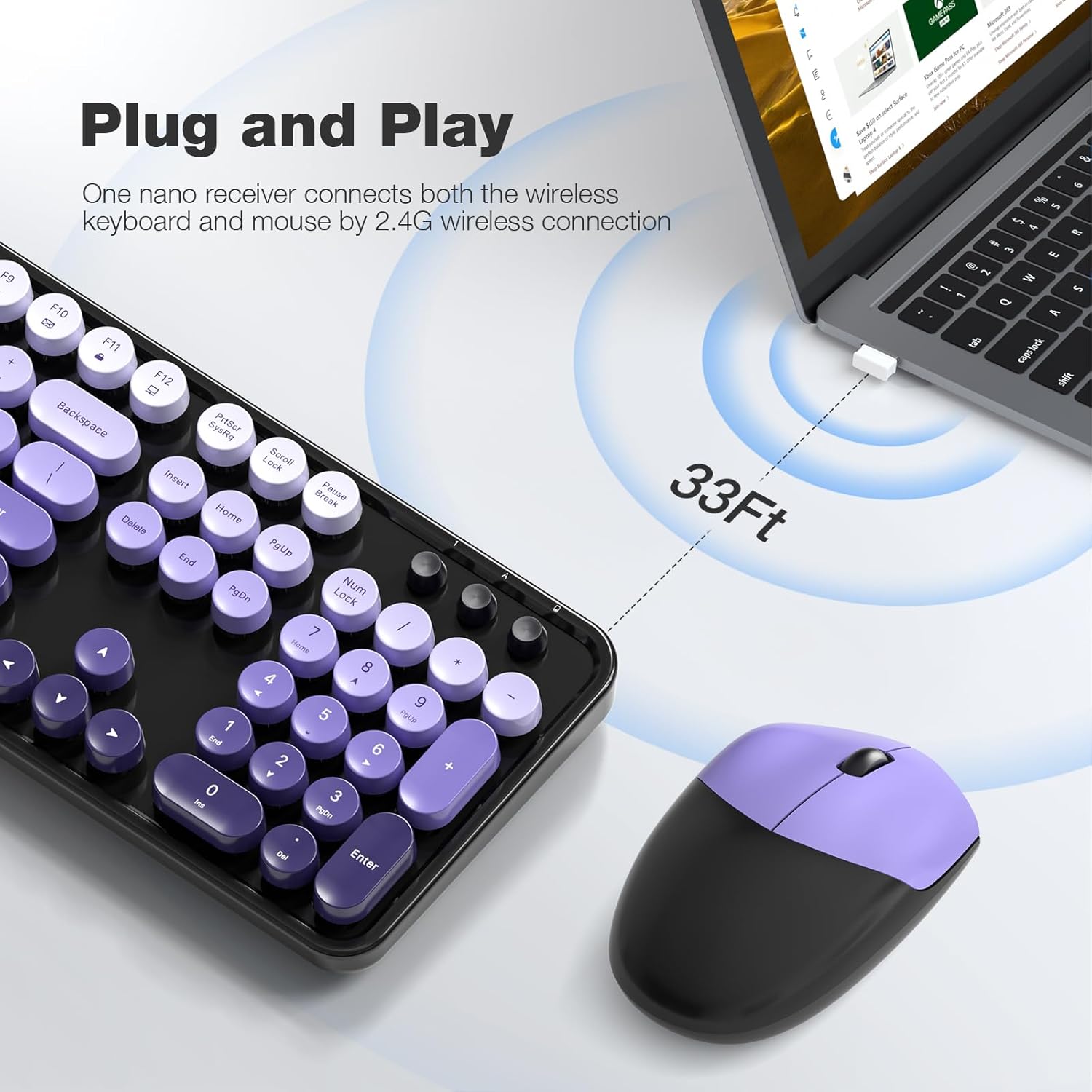
- وصول کنندہ کو جوڑیں: Plug the USB receiver into an available USB port on your computer (PC, laptop, desktop, etc.).
- پاور آن: کی بورڈ اور ماؤس کو ان کے متعلقہ پاور سوئچز (عام طور پر نیچے کی طرف واقع) کا استعمال کرتے ہوئے آن کریں۔
- خودکار کنکشن: The keyboard and mouse will automatically connect to your computer. No additional drivers are required for most operating systems.

The 2.4GHz wireless technology provides a stable and reliable connection up to 33 feet (10 meters) without latency.
4. آپریٹنگ ہدایات
4.1 کی بورڈ کی خصوصیات
- پورے سائز کا لے آؤٹ: The 104-key layout includes a number pad for efficient data entry.
- ملٹی میڈیا شارٹ کٹس: Utilize the 13 multimedia shortcuts (Fn + F1-F12) to control audio/video playback, volume, web براؤزنگ، اور ای میل.
- ایرگونومک ڈیزائن: The keyboard features foldable stands on the underside to adjust the typing angle for improved comfort. Anti-slip pads prevent movement during use.

4.2 آٹو سلیپ موڈ
To conserve battery life, both the keyboard and mouse are equipped with a smart auto-sleep function. If inactive for 5 minutes, they will automatically enter sleep mode. To wake them up, simply click any key on the keyboard or move the mouse.

5 دیکھ بھال
5.1 صفائی
The keyboard features detachable round keycaps, allowing for easy cleaning. Use the included cleaning brush to remove dust and debris from between the keys. For deeper cleaning, carefully remove the keycaps and clean the keyboard base and keycaps separately with a soft, damp کپڑا اس بات کو یقینی بنائیں کہ دوبارہ جمع کرنے سے پہلے تمام حصے مکمل طور پر خشک ہوں۔

5.2 بیٹری کی تبدیلی
When the keyboard or mouse stops responding or experiences intermittent connectivity, it may be time to replace the AA batteries. Open the battery compartment on the underside of the device, remove the old battery, and insert a new AA battery, observing the correct polarity. Close the compartment securely.
6 خرابیوں کا سراغ لگانا
- کی بورڈ/ماؤس سے کوئی جواب نہیں:
- یقینی بنائیں کہ بیٹریاں صحیح طریقے سے انسٹال ہیں اور ختم نہیں ہوئی ہیں۔ اگر ضروری ہو تو تبدیل کریں۔
- Check if the power switch on both devices is in the 'ON' position.
- تصدیق کریں کہ USB ریسیور آپ کے کمپیوٹر پر کام کرنے والے USB پورٹ میں محفوظ طریقے سے لگا ہوا ہے۔ ایک مختلف USB پورٹ آزمائیں۔
- رینج کے مسائل کو مسترد کرنے کے لیے کی بورڈ اور ماؤس کو USB ریسیور کے قریب لے جائیں۔
- وقفہ یا وقفے وقفے سے رابطہ:
- Reduce interference by moving other wireless devices away from the receiver.
- یقینی بنائیں کہ آلات اور وصول کنندہ کے درمیان کوئی بڑی دھاتی اشیاء نہیں ہیں۔
- بیٹریاں کم ہونے کی صورت میں تبدیل کریں۔
- ملٹی میڈیا کیز کام نہیں کر رہی ہیں:
- Ensure you are pressing the 'Fn' key simultaneously with the desired function key (F1-F12).
- Check your operating system settings for any conflicting hotkey configurations.
- ماؤس کرسر چھلانگ لگاتا ہے یا غلط ہے:
- Ensure the mouse sensor is clean and free from dust or debris.
- Use the mouse on a suitable surface (e.g., a mouse pad) for optimal tracking.
7. وضاحتیں
| برانڈ | MOFII |
| ماڈل | 2.4GHz Retro Typewriter Keyboard and Mouse Combo |
| رنگ | Black Purple Gradient Color |
| کنیکٹوٹی ٹیکنالوجی | 2.4GHz وائرلیس (USB وصول کنندہ) |
| کی بورڈ لے آؤٹ | 104-Key Full-Size |
| خصوصی خصوصیت | Round Keycaps, Ergonomic Design, Auto-Sleep Mode, Multimedia Shortcuts |
| ہم آہنگ آلات | Laptop, Personal Computer, Desktop, Notebook, Smart TV |
| ہم آہنگ آپریٹنگ سسٹمز | Windows 7/8/10/11/XP/Vista, Linux, Chrome |
| طاقت کا منبع | 1x AA Battery (Keyboard), 1x AA Battery (Mouse) - بیٹریاں شامل نہیں ہیں۔ |
| شے کا وزن | 3.2 اونس |
| پیکیج کے طول و عرض | 17.76 x 5.43 x 3.03 انچ |
8. وارنٹی اور سپورٹ
For warranty information and technical support, please refer to the product packaging or contact MOFII customer service directly. Keep your purchase receipt for warranty claims.


