1. تعارف
Thank you for choosing the havit OWS915 Open Ear Headphones. These headphones are designed to provide a comfortable and secure listening experience while maintaining awareness of your surroundings. Featuring Bluetooth 5.4 connectivity, 64 hours of total playtime with the charging case, IPX5 water resistance, and Environmental Noise Cancellation (ENC) for clear calls, the OWS915 is suitable for various activities.
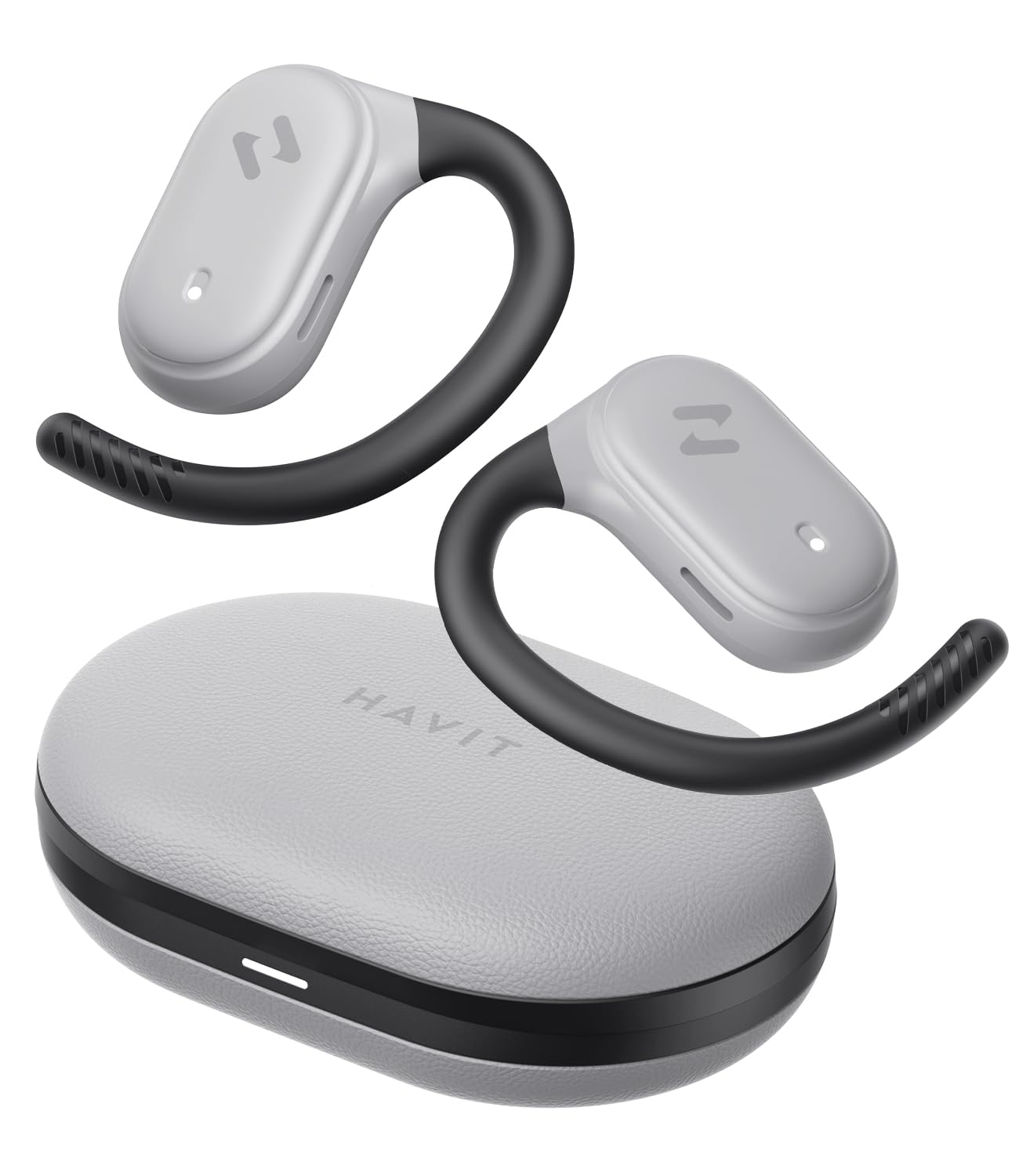
Image: havit OWS915 Open Ear Headphones and their charging case, showcasing the product's design.
2. باکس میں کیا ہے۔
- havit OWS915 Open Ear Headphones (Left and Right)
- چارجنگ کیس
- USB-C چارجنگ کیبل
- صارف دستی

Image: A visual representation of all items included in the havit OWS915 product packaging.
3. پہننے کی ہدایات
For optimal comfort and sound quality, ensure the headphones are worn correctly.
- چارجنگ کیس کھولیں اور ایئر بڈز کو ہٹائیں۔
- Place the earhook over the top of your ear.
- Adjust the earbud so that the speaker rests comfortably outside your ear canal, directing sound towards your ear.

Image: A three-step visual guide demonstrating the proper way to position the open-ear headphones on the ear.
4. سیٹ اپ
4.1 ابتدائی جوڑا
- یقینی بنائیں کہ ہیڈ فون چارج ہیں۔
- Open the charging case. The earbuds will automatically enter pairing mode, indicated by a flashing LED light.
- اپنے آلے پر (اسمارٹ فون، ٹیبلیٹ، کمپیوٹر)، بلوٹوتھ کو فعال کریں اور دستیاب آلات تلاش کریں۔
- Select "havit OWS915" from the list of devices.
- ایک بار منسلک ہونے کے بعد، ایئربڈز پر LED اشارے چمکنا بند کر دے گا۔
4.2 ہیڈ فون اور کیس چارج کرنا
The headphones provide up to 8.5 hours of playtime on a single charge, with the charging case extending this to a total of 64 hours.
- چارجنگ ایئربڈز: ایئربڈز کو چارجنگ کیس میں رکھیں۔ وہ خود بخود چارج ہونے لگیں گے۔ ائربڈز پر اشارے کی لائٹس چارجنگ کی حیثیت دکھائے گی۔
- چارجنگ کیس: Connect the provided USB-C cable to the charging port on the case and to a power source. The indicator light on the case will show charging progress.

Image: The havit OWS915 headphones in their charging case, highlighting the 8.5 hours of playtime per charge and 64 hours total with the case.
5. آپریٹنگ ہدایات
5.1 ٹچ کنٹرولز
The havit OWS915 headphones feature intuitive touch controls on each earbud.
| فنکشن | ایکشن |
|---|---|
| چلائیں/روکیں۔ | کسی بھی ایئربڈ کو دو بار تھپتھپائیں۔ |
| پچھلا گانا | Touch and hold left earbud for 1 second |
| اگلا گانا | Touch and hold right earbud for 1 second |
| جواب / کال ختم کریں۔ | کسی بھی ایئربڈ کو دو بار تھپتھپائیں۔ |
| کال کو مسترد کریں۔ | Touch and hold either earbud for 1 second |
| وائس اسسٹنٹ | بائیں ایئربڈ کو تین بار تھپتھپائیں۔ |
| گیم موڈ/میوزک موڈ | دائیں ایئربڈ کو تین بار تھپتھپائیں۔ |

Image: A visual guide detailing the various touch control functions on the havit OWS915 earbuds.
5.2 HAVIT LIFE APP
Enhance your listening experience by downloading the HAVIT LIFE APP. The app allows you to:
- Customize EQ settings to match your audio preferences.
- ٹچ کنٹرول کے افعال کو ایڈجسٹ کریں۔
- Monitor headphone battery levels.
- Switch between game and music modes.

Image: Screenshots of the HAVIT LIFE APP, demonstrating options for equalizer settings and other customizations.
6. Features and Technology
6.1 Open-Ear Design and Comfort
The OWS915 headphones feature an open-ear design with lightweight (7.9 grams) and soft TPU materials, ensuring a comfortable and secure fit for extended wear without fatigue. This design allows you to remain aware of your surroundings.

Image: A person wearing the havit OWS915 headphones, illustrating the comfortable and secure open-ear design.
6.2 Powerful Sound Performance
Equipped with advanced 14.2mm dynamic drivers and bass enhancement technology, these headphones deliver rich bass and vibrant 3D surround sound for an immersive audio experience.

Image: An illustration of the 14.2mm dynamic drivers, highlighting their role in delivering powerful bass.
6.3 Crystal Clear Calls with 4-Microphone ENC
The integrated 4-microphone Environmental Noise Cancellation (ENC) technology ensures your voice is transmitted clearly during calls, even in noisy environments.
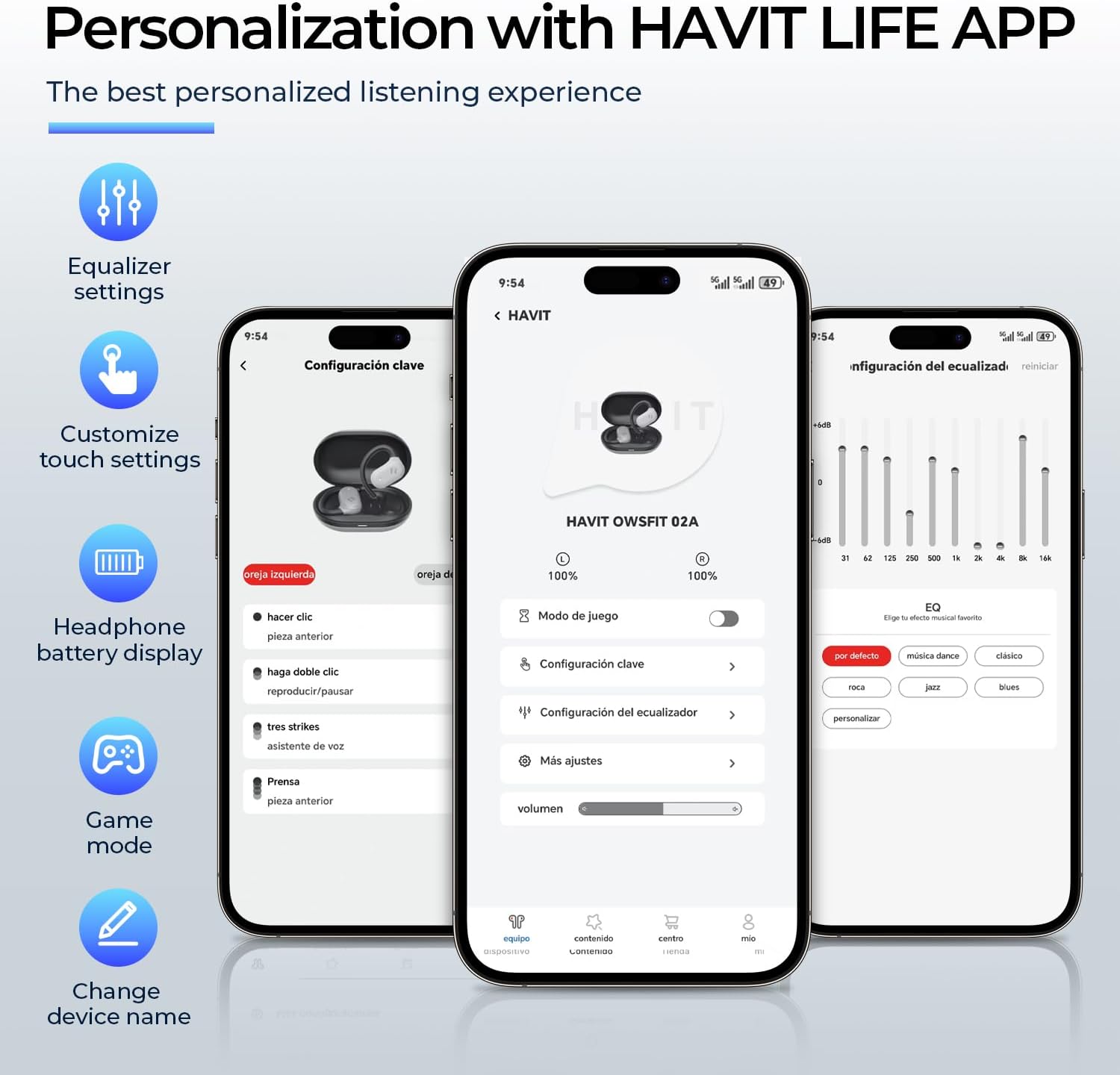
Image: A person using the havit OWS915 headphones for a call, illustrating the clear communication provided by 4-microphone ENC technology.
6.4 Cutting-Edge Directional Audio Technology
Innovative directional audio technology provides precise sound placement, minimizing sound leakage while improving bass quality. This allows you to enjoy your audio without disturbing others and without compromising your awareness.

Image: A visual representation of the directional audio technology, showing sound waves directed towards the ear with minimal leakage.
6.5 IPX5 پانی کی مزاحمت
With an IPX5 rating, the OWS915 headphones are resistant to sweat and splashes, making them suitable for workouts, outdoor activities, and light rain.
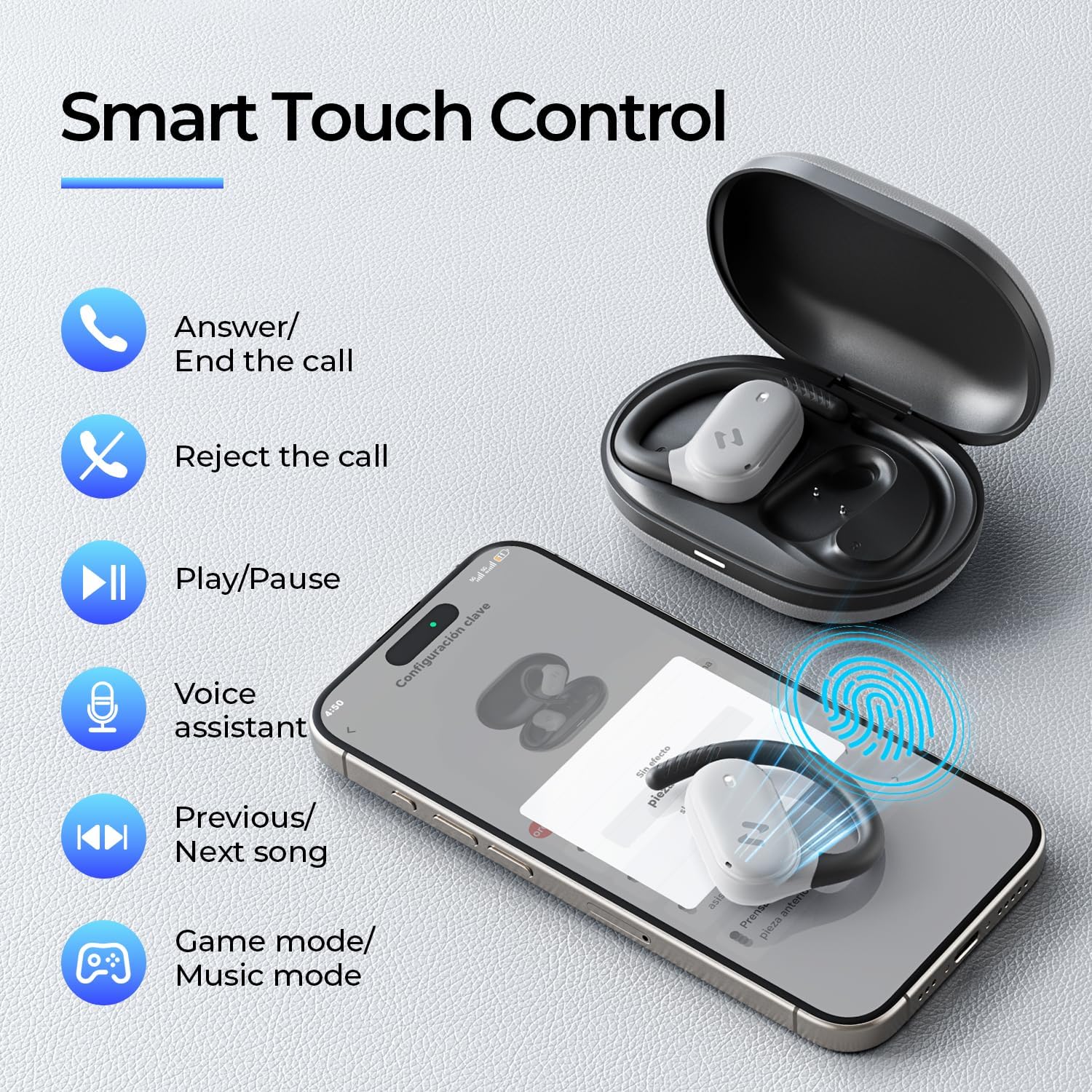
Image: The havit OWS915 headphones partially submerged in water, demonstrating their IPX5 water and sweat resistance.
7 دیکھ بھال
- صفائی: نرم، خشک کپڑے سے ایئر بڈز اور چارجنگ کیس کو باقاعدگی سے صاف کریں۔ کھرچنے والے مواد یا سخت کیمیکل استعمال کرنے سے گریز کریں۔
- پانی کی نمائش: While IPX5 rated, avoid submerging the headphones in water. If exposed to sweat or splashes, wipe them dry before placing them back in the charging case.
- ذخیرہ: ہیڈ فونز کو ان کے چارجنگ کیس میں محفوظ کریں جب وہ استعمال میں نہ ہوں تاکہ ان کی حفاظت کی جا سکے اور یہ یقینی بنایا جا سکے کہ وہ چارج رہیں۔
- بیٹری کی دیکھ بھال: To prolong battery life, avoid fully discharging the headphones or charging case frequently. Charge them regularly.
8 خرابیوں کا سراغ لگانا
- کوئی طاقت نہیں: یقینی بنائیں کہ ایئربڈز اور چارجنگ کیس پوری طرح سے چارج ہیں۔
- جوڑا بنانے میں ناکامی:
- یقینی بنائیں کہ آپ کے آلے پر بلوٹوتھ فعال ہے۔
- Ensure the earbuds are in pairing mode (flashing LED).
- دوسرے قریبی آلات پر بلوٹوتھ کو آف کریں جو شاید کنیکٹ کرنے کی کوشش کر رہے ہوں۔
- ایئربڈس کو دوبارہ ترتیب دینے کی کوشش کریں (اگر ضرورت ہو تو مخصوص ری سیٹ ہدایات کے لیے مکمل مینوئل دیکھیں)۔
- کوئی آواز نہیں:
- اپنے آلے اور ہیڈ فون دونوں پر والیوم لیول چیک کریں۔
- یقینی بنائیں کہ ہیڈ فون آپ کے آلے سے مناسب طریقے سے جڑے ہوئے ہیں۔
- کسی مختلف ایپلیکیشن یا ذریعہ سے آڈیو چلانے کی کوشش کریں۔
- ناقص کال کا معیار:
- یقینی بنائیں کہ مائیکروفون رکاوٹ نہیں ہیں۔
- پس منظر میں کم شور والے علاقے میں جائیں۔
- Check your device's network connection.
9. وضاحتیں
| فیچر | تفصیلات |
|---|---|
| ماڈل کا نام | OWS915 |
| کنیکٹوٹی ٹیکنالوجی | وائرلیس (بلوٹوتھ 5.4) |
| بلوٹوتھ رینج | 10 میٹر |
| بیٹری لائف (ایئر بڈز) | 8.5 گھنٹے (سنگل چارج) |
| کل پلے ٹائم (کیس کے ساتھ) | 64 گھنٹے |
| پانی کی مزاحمت کی سطح | IPX5 (واٹر پروف) |
| آڈیو ڈرائیور کا سائز | 14.2 ملی میٹر |
| کنٹرول کا طریقہ | ایپ، ٹچ |
| شامل اجزاء | مائیکروفون |
| آئٹم کا وزن (ایئر بڈز) | 7.9 گرام (ہر ایک) |
| کیس کا وزن اٹھانا | 77.8 گرام |
| مواد | پی سی + اے بی ایس + ٹی پی یو |
| تعدد رسپانس | 20 KHz |
| حساسیت | 118 ڈی بی |
| رکاوٹ | 32 اوہم |
10. ویڈیو گائیڈ
بصری اوور کے لیے یہ آفیشل ویڈیو دیکھیںview of the havit OWS915 Open Ear Headphones.
Video: An official product video from HAVIT Direct showcasing the havit OWS915 Open Ear Headphones, including their design and features.
11. وارنٹی اور سپورٹ
havit products come with a standard warranty. For detailed warranty information, technical support, or customer service inquiries, please refer to the warranty card included in your product packaging or visit the official havit webسائٹ آپ مدد کے لیے براہ راست بیچنے والے سے بھی رابطہ کر سکتے ہیں۔
آن لائن مدد: www.havit.com/support


