تعارف
This manual provides instructions for the safe and effective use of your Mova Fresh Pro Electric Toothbrush. Please read this manual thoroughly before first use and retain it for future reference.
باکس میں کیا ہے۔

Image: All components included in the Mova Fresh Pro package: electric toothbrush handle, two brush heads, wireless charger with USB cable, user manual, important safety instructions, two brush head holders, and a toothbrush travel case.
- Electric Toothbrush Handle x1
- برش ہیڈ x2
- Wireless Charger (Includes USB Cable) x1
- یوزر مینوئل x1
- Important Safety Instructions x1
- Brush Head Holder x2
- Toothbrush Travel Case x1
سیٹ اپ
1. برش کے سر کو جوڑنا
Align the brush head with the metal shaft on the toothbrush handle and push down firmly until it clicks into place. Ensure the brush head is securely attached before use.
2. ابتدائی چارجنگ
Before first use, fully charge the toothbrush. Place the toothbrush handle onto the wireless charging base. Connect the USB cable from the charging base to a compatible USB power adapter (not included). The indicator light on the handle will show charging status. A full charge typically provides up to 30 days of use (based on two minutes of brushing twice daily).
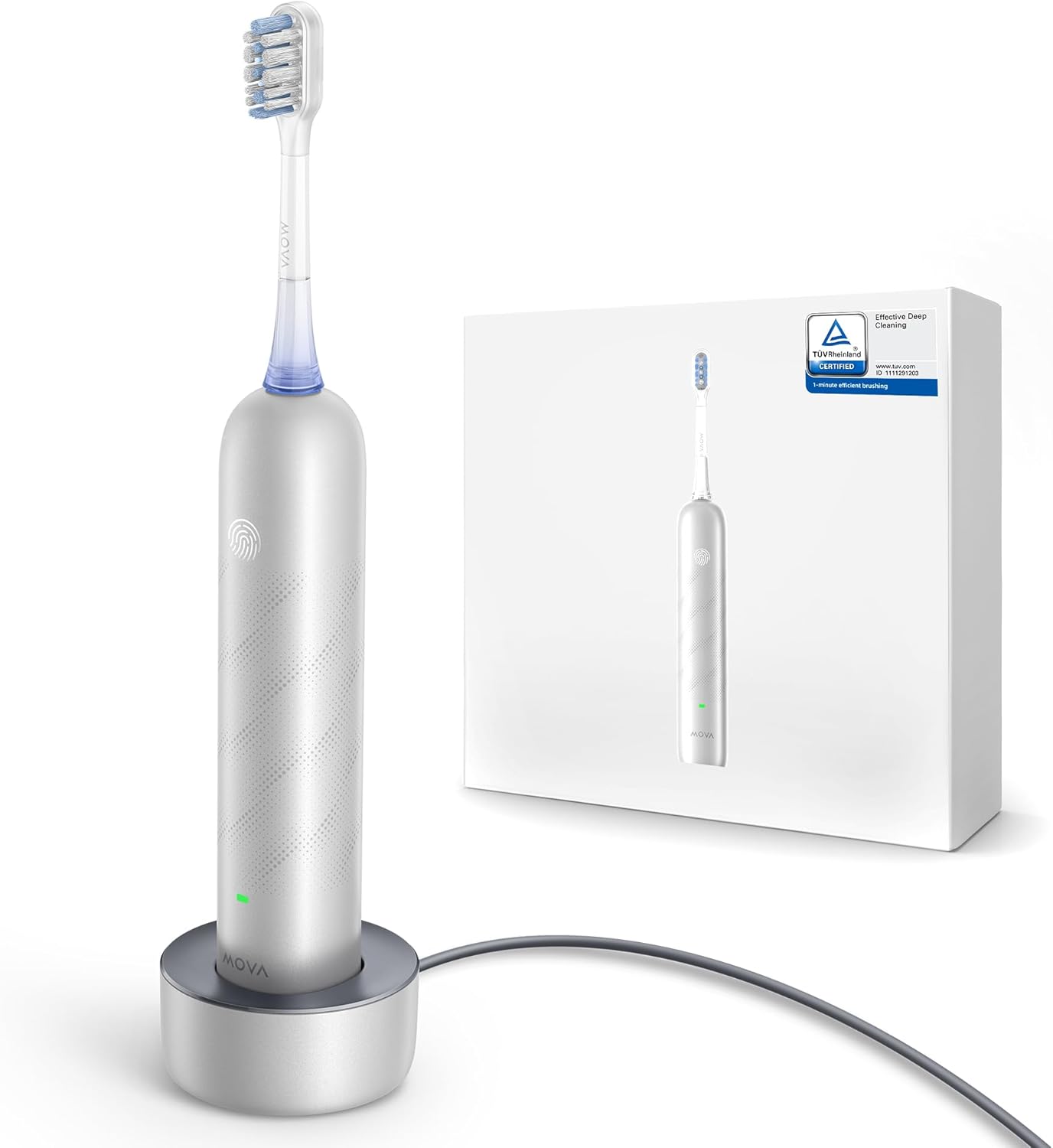
Image: The Mova Fresh Pro Electric Toothbrush handle resting on its wireless charging base, next to its product packaging.
3. ایپ کنکشن (اختیاری)
Download the Mova Home app from your device's app store. Follow the in-app instructions to pair your toothbrush via Bluetooth for personalized guidance and brushing reports.

Image: A user holding the Mova Fresh Pro toothbrush in one hand and a smartphone displaying the Mova Home app interface in the other, demonstrating personalized guidance for healthy oral habits.
آپریٹنگ ہدایات
1. Powering On/Off and Mode Selection
Press the power button on the handle to turn the toothbrush on. The toothbrush will start in the last used mode. Press the button again to cycle through available modes or adjust intensity via the app. Press and hold the power button to turn the toothbrush off.
2. برش کرنے کی تکنیک
Apply a small amount of toothpaste to the brush head. Place the brush head against your teeth at a slight angle towards the gum line. Move the brush slowly from tooth to tooth, allowing the 3DClean technology to clean each surface. The toothbrush is designed for effective cleaning in one minute, utilizing bristles that vibrate and pulsate in three directions (up-and-down, side-to-side, and rotational).

Image: An illustration demonstrating the Mova Fresh Pro's 3DClean technology, showing the brush head's bristles effectively cleaning tooth surfaces with water and toothpaste.
3. Pressure Sensing
The toothbrush features intuitive pressure sensing to help prevent excessive brushing force. If too much pressure is applied, the toothbrush may provide a visual or tactile alert to guide you to a gentler brushing technique.

Image: A person brushing their teeth with the Mova Fresh Pro electric toothbrush, illustrating the comfortable and caring brushing experience provided by its intuitive pressure sensing.
ایپ کی خصوصیات
The Mova Home app offers enhanced control and insights into your brushing habits:
- Personalized Guidance: Receive real-time feedback and recommendations for improving your brushing technique.
- Brushing Reports: View detailed reports on brushing duration, coverage, and pressure applied.
- سایڈست کمپن کی سطح: Customize the vibration intensity to your preference.
چارج ہو رہا ہے۔
The Mova Fresh Pro features convenient wireless charging. Simply place the toothbrush handle onto the charging base. Ensure the base is connected to a power source. The battery indicator light will confirm charging status. A single charge can last up to 30 days, making it suitable for travel.

Image: A person packing the Mova Fresh Pro toothbrush and its travel case into a suitcase, highlighting its portability and the benefit of up to 30 days of use on a single charge for travel.
دیکھ بھال
1. Cleaning the Brush Head
After each use, rinse the brush head thoroughly under running water while the toothbrush is still on to remove any remaining toothpaste and debris. Turn off the toothbrush and remove the brush head. Rinse the brush head and the metal shaft separately. Allow them to air dry.

Image: A detailed diagram of the Mova Fresh Pro brush head, illustrating its multi-directional bristles designed for ultra-deep cleaning, polishing, and stain removal.
2. Cleaning the Handle
ٹوتھ برش کے ہینڈل کو اشتہار سے صاف کریں۔amp cloth. Do not immerse the handle in water for extended periods, although it is IPX7 waterproof for rinsing.
3. برش کے سر کی تبدیلی
For optimal oral hygiene, it is recommended to replace the brush head every three months, or sooner if the bristles become frayed or worn. The Mova Fresh Pro comes with two brush heads.
سفر کی خصوصیات
The Mova Fresh Pro is designed for convenience on the go:
- سفر کیس: A compact and elegant travel case is included to protect your toothbrush and brush heads during travel.
- Smart Mistouching Protection Mode: When packed in the travel case, the toothbrush automatically enters a protection mode to prevent accidental power-ups and conserve battery. To exit this mode, press and hold the power button.
حفاظتی معلومات
انتباہ:
- بچوں کے استعمال کے لیے نہیں ہے۔
- Keep out of reach of young children to prevent choking hazard.
- Do not use for purposes other than oral hygiene.
- Use with care to avoid damage to teeth and gums.
غذائی سپلیمنٹس سے متعلق بیانات کا FDA کی طرف سے جائزہ نہیں لیا گیا ہے اور ان کا مقصد کسی بیماری یا صحت کی حالت کی تشخیص، علاج، علاج یا روک تھام کرنا نہیں ہے۔
خرابی کا سراغ لگانا
مشترکہ مسائل اور حل
| مسئلہ | ممکنہ وجہ | حل |
|---|---|---|
| ٹوتھ برش آن نہیں ہوتا ہے۔ | بیٹری کم ہے یا چارج نہیں ہے۔ | Place the toothbrush on the charging base and ensure it is connected to power. Allow sufficient time for charging. |
| دانتوں کا برش استعمال کے دوران رک جاتا ہے۔ | کم بیٹری۔ | ٹوتھ برش کو ری چارج کریں۔ |
| ایپ ٹوتھ برش سے منسلک نہیں ہے۔ | بلوٹوتھ آف ہے یا جوڑا بنانے میں مسئلہ ہے۔ | Ensure Bluetooth is enabled on your smartphone. Restart the app and toothbrush, then attempt to pair again. Refer to the app's help section for specific pairing instructions. |
| Reduced brushing performance. | پہنا برش سر. | برش کے سر کو تبدیل کریں۔ |
وضاحتیں
مصنوعات کی وضاحتیں
- ماڈل نمبر: B0DPJW5PHC
- مصنوعات کے طول و عرض: 5.51 x 1.14 x 1.22 انچ
- آئٹم کا وزن: 5.22 اونس
- طاقت کا منبع: بیٹری سے چلنے والا
- بیٹری: 1 بیٹری (شامل)
- عمر کی حد (تفصیل): بالغ
- خصوصی خصوصیت: پورٹیبل
- مینوفیکچرر: مووا
- پہلی دستیاب تاریخ: 24 فروری 2025
وارنٹی اور سپورٹ
For warranty information or technical support, please contact Mova customer service. Refer to the Important Safety Instructions document included in your package for contact details or visit the official Mova webسائٹ
آن لائن مدد: Mova Official Store on Amazon


