1. تعارف
Thank you for choosing the goobay Digital Timer. This device is designed to help you manage power consumption and enhance home security by automatically switching electrical appliances on and off. It features up to 16 programmable settings (8 ON/OFF pairs), a random mode for anti-burglary protection, and an integrated backup battery to retain settings during power outages
Please read this manual carefully before use to ensure proper operation and safety.
2. حفاظتی ہدایات
- صرف اندرونی استعمال کے لیے۔ نمی یا انتہائی درجہ حرارت کا سامنا نہ کریں۔
- Do not exceed the maximum load of 3680 W (230 V AC, 16 A).
- ڈیوائس کو الگ نہ کریں اور نہ ہی اسے ٹھیک کرنے کی کوشش کریں۔ تمام خدمات کو اہل اہلکاروں سے رجوع کریں۔
- یقینی بنائیں کہ ٹائمر محفوظ طریقے سے گراؤنڈ آؤٹ لیٹ میں لگا ہوا ہے۔
- بچوں کی پہنچ سے دور رکھیں۔
- Unplug the timer from the wall outlet before cleaning. Clean only with a dry cloth.
- Do not connect appliances that generate a lot of heat, such as heaters, without supervision.
3. پروڈکٹ ختمview
The goobay Digital Timer is a compact and efficient device for controlling your electrical appliances.
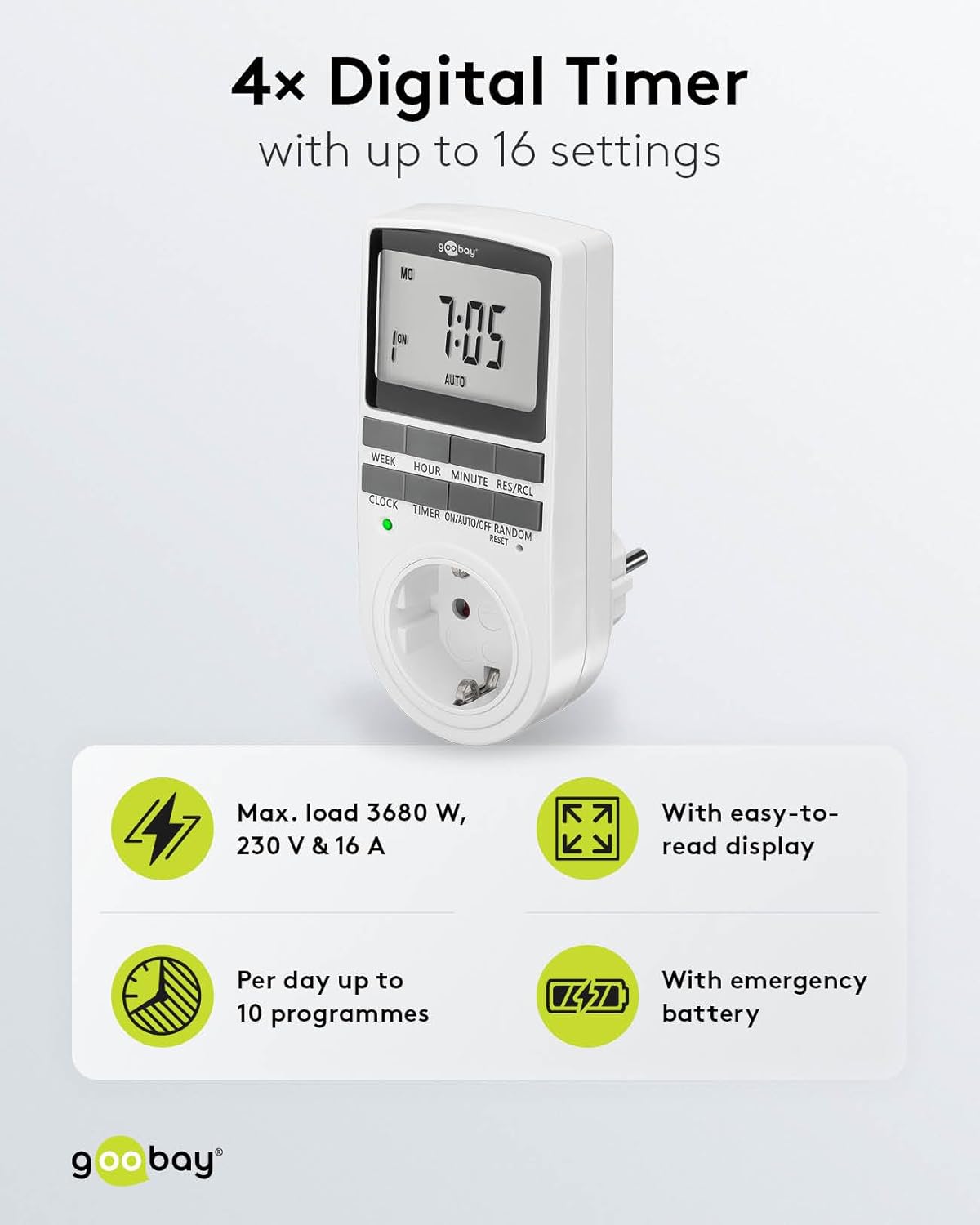
Image: goobay Digital Timer highlighting its features: Max. load 3680 W, 230 V & 16 A; Easy-to-read display; Up to 10 programs per day; Emergency backup battery.
اہم خصوصیات میں شامل ہیں:
- زیادہ سے زیادہ لوڈ: 3680 W, 230 V & 16 A
- قابل پروگرام ترتیبات: Up to 8 ON/OFF program pairs (16 individual settings).
- بے ترتیب موڈ: Simulates presence for enhanced security.
- بیک اپ بیٹری: Retains settings for over 100 days during power outages
- توانائی کی بچت: Interrupts standby mode of connected devices.
- کومپیکٹ ڈیزائن: Space-saving installation.

تصویر: سائیڈ view of the goobay Digital Timer showing its compact dimensions: 135 mm height, 60 mm width, 38 mm depth, and 155g weight.
4. سیٹ اپ
4.1 ابتدائی چارجنگ
Before first use, plug the timer into a wall outlet for approximately 5-10 minutes to charge the internal backup battery. This ensures the display functions and settings can be retained even when unplugged.
4.2 ڈیوائس کو ری سیٹ کرنا
If the display is blank or unresponsive, or if you wish to clear all previous settings, press the ری سیٹ کریں۔ button using a small, non-metallic pointed object (e.g., a toothpick or the included reset tool). This will clear all programs and reset the clock.

Image: The goobay Digital Timer showing the LED status display, Reset function (with reset tool), Safety plug (Type F, CEE 7/4, 230V, 16A, 3680W), and Safety socket (Type F, CEE 7/3, 6A, 250V output).
4.3 موجودہ وقت کا تعین کرنا
- دبائیں گھڑی بٹن
- دبائیں ہفتہ button to select the current day of the week (MO, TU, WE, TH, FR, SA, SU).
- دبائیں گھنٹہ button to set the current hour (0-23).
- دبائیں منٹ button to set the current minute (0-59).
- دبائیں گھڑی تصدیق کرنے اور ٹائم سیٹنگ موڈ سے باہر نکلنے کے لیے دوبارہ بٹن۔

Image: Close-up of the goobay Digital Timer's display, indicating Weekday, Selected time setting (1-10), Time of day, and Operating mode (On/Auto/Off).
5. آپریٹنگ ہدایات
5.1 پروگرامنگ آن/آف اوقات
The timer allows for up to 8 ON/OFF program pairs (16 individual settings).
- دبائیں ٹائمر button to enter programming mode. The display will show "1 ON".
- دبائیں ہفتہ to select the day(s) for this program. Options include:
- Individual days (MO, TU, WE, TH, FR, SA, SU)
- Groups of days (MO TU WE TH FR SA SU, MO TU WE TH FR, SA SU, MO TU WE TH FR SA, MO WE FR, TU TH SA, MO TU WE, TH FR SA)
- دبائیں گھنٹہ to set the desired ON hour.
- دبائیں منٹ to set the desired ON minute.
- دبائیں ٹائمر again. The display will show "1 OFF".
- Repeat steps 2-4 to set the desired OFF time for the same program.
- دبانا جاری رکھیں ٹائمر to cycle through program settings 2 ON, 2 OFF, up to 8 ON, 8 OFF, setting each as needed.
- تمام مطلوبہ پروگرام ترتیب دینے کے بعد، دبائیں گھڑی button to exit programming mode and return to the current time display.

Image: Diagram illustrating the functions of the goobay Digital Timer's buttons: WEEK (Set weekday), HOUR (Set hours), MINUTE (Set minutes), RES/RCL (Delete or restore setting), CLOCK (Set different times of day), TIMER (Switch set times), ON/AUTO/OFF (Manual or automatic mode), RANDOM (Random mode).
5.2 Operating Modes (ON/AUTO/OFF)
دبائیں آن/آٹو/آف آپریٹنگ طریقوں سے چکر لگانے کے لیے بٹن:
- آن: منسلک آلات تمام پروگرام شدہ ترتیبات کو اوور رائیڈ کرتے ہوئے مسلسل آن رہے گا۔
- آٹو: The connected appliance will operate according to the programmed ON/OFF times. This is the standard operating mode for scheduled tasks.
- بند: منسلک آلات تمام پروگرام شدہ ترتیبات کو اوور رائیڈ کرتے ہوئے مسلسل بند رہے گا۔
5.3 رینڈم موڈ
The random mode is designed to simulate presence for security purposes. When activated, the timer will switch ON and OFF at random intervals between 6:00 PM and 5:30 AM.
- یقینی بنائیں کہ ٹائمر اندر ہے۔ آٹو موڈ
- دبائیں بے ترتیب button to activate or deactivate this mode. An "R" will appear on the display when random mode is active.
5.4 دن کی روشنی کی بچت کا وقت (DST)
To adjust for Daylight Saving Time, press the گھنٹہ اور منٹ buttons simultaneously while in گھڑی mode. The time will advance or rewind by one hour. Repeat to revert.
6 دیکھ بھال
- صفائی: Unplug the timer from the wall outlet before cleaning. Wipe the exterior with a soft, dry cloth. Do not use liquid cleaners or sprays.
- ذخیرہ: If storing the timer for an extended period, ensure the backup battery is charged periodically to maintain its functionality.
- بیک اپ بیٹری: The integrated backup battery is designed to retain settings for over 100 days. No user maintenance is required for the battery.
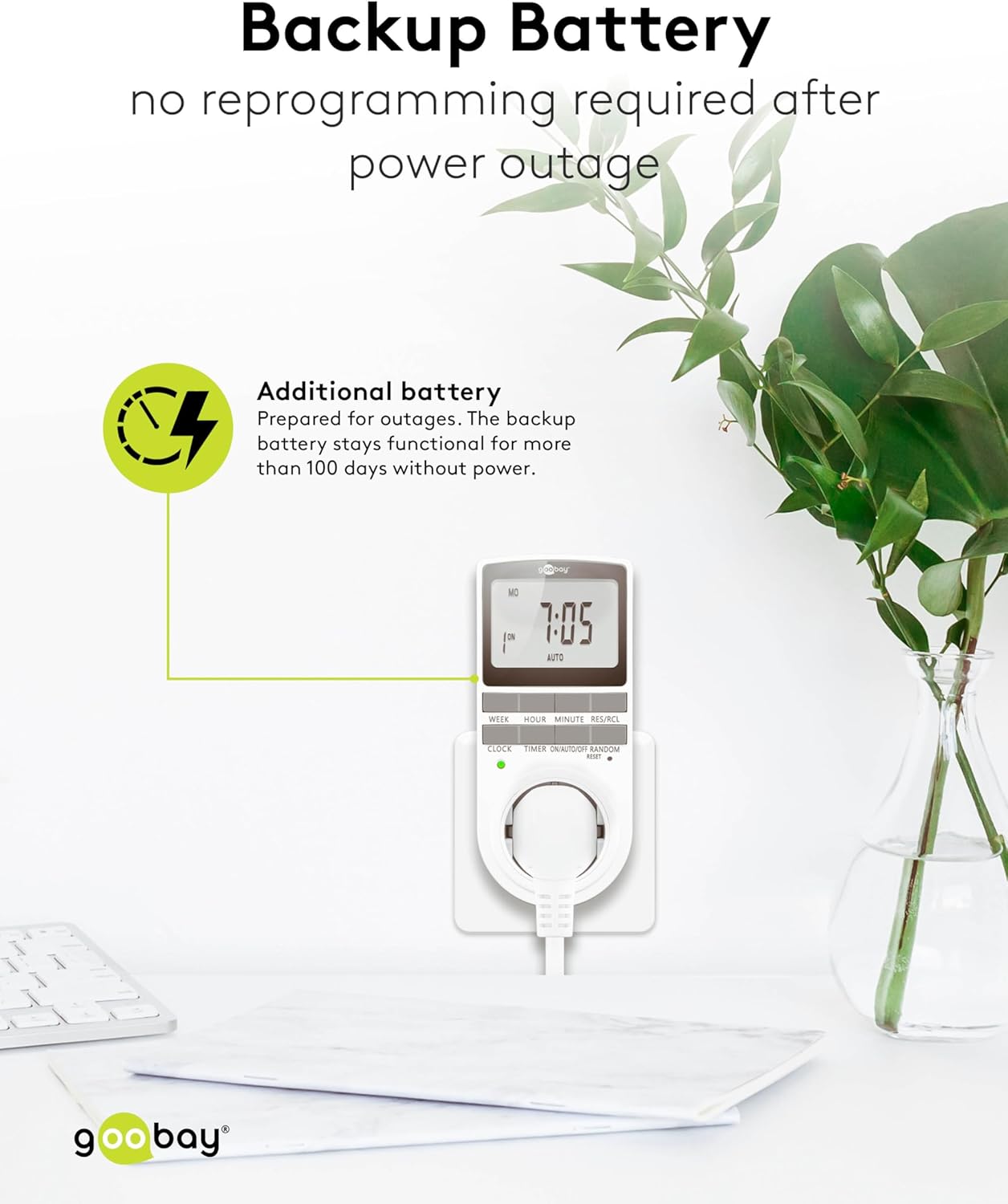
Image: The goobay Digital Timer plugged into an outlet, illustrating the backup battery feature which prevents reprogramming after a power outage.
7 خرابیوں کا سراغ لگانا
| مسئلہ | ممکنہ وجہ | حل |
|---|---|---|
| ڈسپلے خالی یا غیر جوابی ہے۔ | Backup battery is depleted or device needs reset. | Plug the timer into a live outlet for 5-10 minutes to charge the battery. If still unresponsive, press the ری سیٹ کریں۔ بٹن |
| پروگرام شدہ اوقات میں آلات آن/آف نہیں ہوتا ہے۔ | Timer is not in آٹو mode, programs are incorrect, or appliance is faulty. | Ensure the timer is set to آٹو mode. Verify programmed ON/OFF times. Check if the connected appliance works when plugged directly into the wall outlet. |
| Random mode is not working. | Timer is not in آٹو mode or random mode is not activated. | یقینی بنائیں کہ ٹائمر اندر ہے۔ آٹو موڈ دبائیں بے ترتیب button to activate it (an "R" should appear on the display). |
| Time is incorrect after a power outage. | Backup battery is depleted or was not charged sufficiently. | Plug the timer into a live outlet for at least 10 minutes to fully charge the backup battery. Reset and reprogram if necessary. |
8. وضاحتیں
| برانڈ: | گوبے |
| ماڈل نمبر: | 74217 |
| رنگ: | سفید |
| مواد: | Acrylonitrile Butadiene Styrene Plastic |
| پروڈکٹ کے طول و عرض (L x W x H): | 7.6 x 6 x 13.5 سینٹی میٹر |
| آئٹم کا وزن: | 155 گرام |
| سپلائی جلدtage: | 230 V (AC) |
| زیادہ سے زیادہ سوئچنگ پاور: | 3680 ڈبلیو |
| زیادہ سے زیادہ موجودہ: | 16.0 اے |
| ترتیبات کی تعداد: | 16 (8 ON/OFF program pairs) |
| تحفظ کی درجہ بندی: | آئی پی 20 |
| تحفظ کی کلاس: | I |
| اصل ملک: | چین |
9. وارنٹی اور سپورٹ
Specific warranty information is not provided within this manual. For details regarding warranty coverage, technical support, or service, please refer to the official goobay webسائٹ یا اپنے خوردہ فروش سے رابطہ کریں۔
You can often find additional resources and contact information on the manufacturer's webسائٹ: www.goobay.com


