تعارف
This instruction manual provides essential information for the safe and efficient use of your Goobay USB-C to Lightning Charging and Sync Cable. Please read this manual thoroughly before using the product and retain it for future reference. This cable is designed for charging and data synchronization between devices equipped with a USB-C port and Apple devices featuring a Lightning port.
پروڈکٹ ختمview
The Goobay USB-C to Lightning Cable (Model 49270) is a durable and versatile cable designed for connecting Apple Lightning-enabled devices to USB-C power adapters or computers. It supports both fast charging up to 60 watts and high-speed data transfer up to 0.48 Gigabits per second. The cable features a braided design for enhanced durability and flexibility, with a length of 0.5 meters.
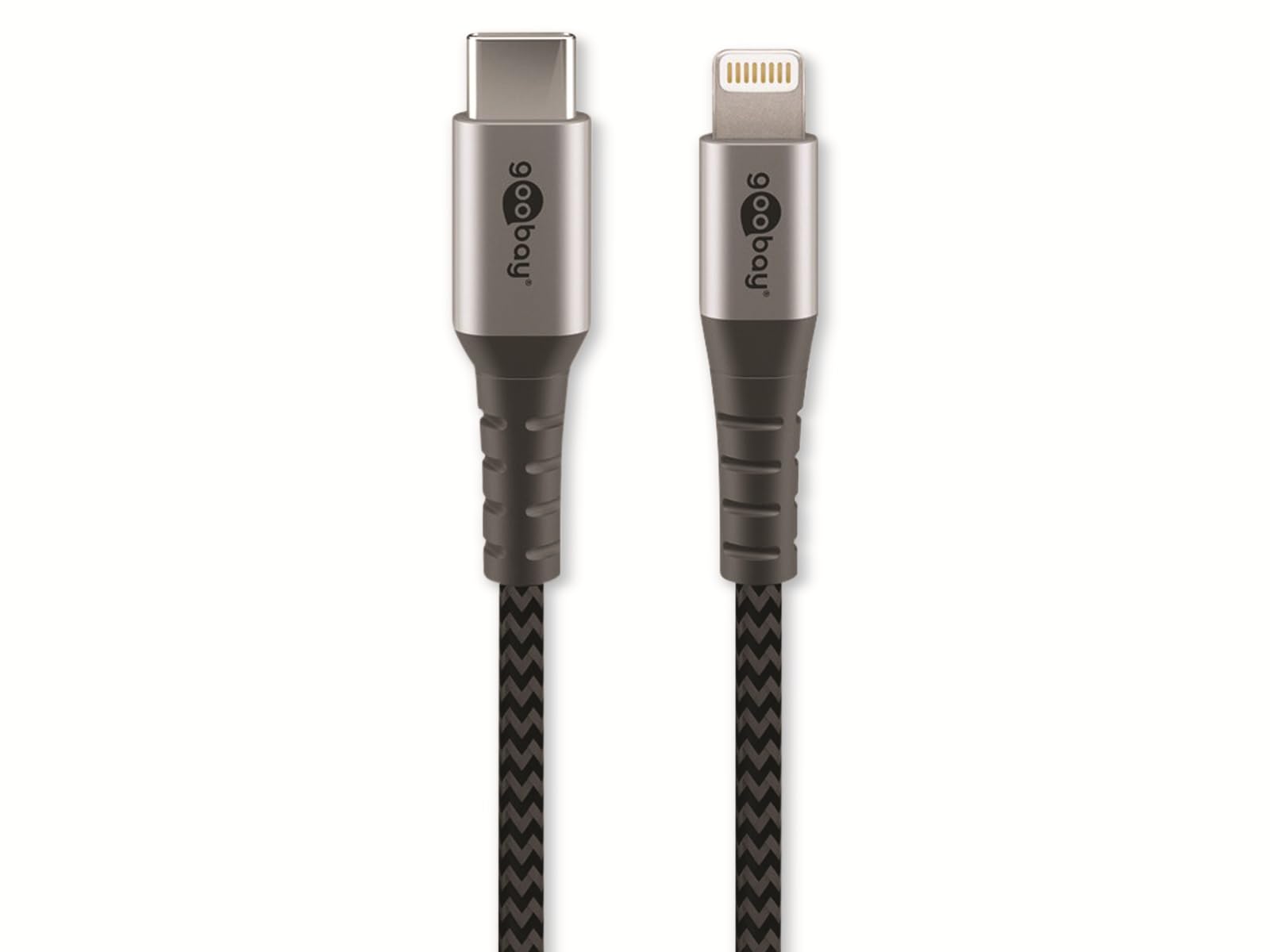
Image: Goobay USB-C to Lightning Cable. This image shows the cable with a USB-C connector on one end and a Lightning connector on the other, highlighting its braided exterior and space grey color.
پیکیج کا مواد:
- 1x Goobay USB-C to Lightning Cable (0.5m)
سیٹ اپ
Using the Goobay USB-C to Lightning cable is straightforward. Follow these steps to connect your devices:
- کنیکٹرز کی شناخت کریں: Locate the USB-C connector (smaller, oval-shaped) and the Lightning connector (larger, rectangular with rounded corners).
- پاور سورس یا کمپیوٹر سے جڑیں: Insert the USB-C connector into a compatible USB-C port on a power adapter, laptop, or desktop computer. Ensure the connection is firm.
- Connect to Apple Device: Insert the Lightning connector into the Lightning port of your Apple iPhone, iPad, or iPod. Ensure the connection is firm.
- کنکشن کی تصدیق کریں: Your Apple device should indicate that it is charging or connected for data transfer.
آپریٹنگ ہدایات
اپنے آلے کو چارج کرنا:
To charge your Apple device, connect the USB-C end of the cable to a compatible USB-C power adapter (e.g., a wall charger or power bank) and the Lightning end to your Apple device. The cable supports fast charging up to 60W, provided your power adapter and device also support this wattage.
ڈیٹا کی مطابقت پذیری:
To synchronize data between your Apple device and a computer, connect the USB-C end of the cable to a USB-C port on your computer and the Lightning end to your Apple device. Your computer should recognize the device, allowing you to transfer files, photos, and other data using iTunes or Finder (macOS Catalina and later).
دیکھ بھال
Proper care and maintenance will extend the life of your Goobay cable:
- ذخیرہ: Store the cable in a clean, dry place when not in use. Avoid extreme temperatures.
- ہینڈلنگ: Do not bend the cable sharply or pull it forcefully from connectors. Always grip the connector housing when plugging or unplugging.
- صفائی: اگر ضروری ہو تو، نرم، خشک کپڑے سے کیبل اور کنیکٹرز کو آہستہ سے صاف کریں۔ مائع کلینر یا کھرچنے والے مواد کا استعمال نہ کریں۔
- معائنہ: Periodically inspect the cable for any signs of damage, such as fraying, cuts, or bent pins on the connectors. Discontinue use if damage is observed.
خرابی کا سراغ لگانا
If you encounter issues with your Goobay USB-C to Lightning cable, refer to the following common solutions:
- ڈیوائس چارج نہیں ہو رہی ہے:
- یقینی بنائیں کہ کیبل کے دونوں سرے محفوظ طریقے سے جڑے ہوئے ہیں۔
- Try a different USB-C power adapter or port.
- Test the cable with a different Apple device, if available, to rule out a device issue.
- چیک کریں کہ آیا پاور اڈاپٹر صحیح طریقے سے کام کر رہا ہے۔
- Data Synchronization Failure:
- Verify that the USB-C end is connected to a data-enabled USB-C port on your computer.
- Ensure your computer's operating system and iTunes/Finder are up to date.
- Restart both your Apple device and computer.
- Check for any prompts on your Apple device asking to "Trust This Computer."
- سست چارجنگ:
- یقینی بنائیں کہ آپ کا پاور اڈاپٹر کافی واٹ فراہم کرتا ہے۔tage (e.g., 20W or higher for fast charging).
- چارج کرتے وقت ڈیوائس کو زیادہ استعمال کرنے سے گریز کریں۔
وضاحتیں
| برانڈ: | گوبے |
| ماڈل نمبر: | 49270 |
| کنیکٹر کی قسم: | USB Type C (Male) to Lightning (Male) |
| کیبل کی قسم: | Charging and Data Sync Cable |
| کیبل کی لمبائی: | 0.5 میٹر |
| خصوصی خصوصیت: | Braided design for durability |
| ڈیٹا کی منتقلی کی شرح: | Up to 0.48 Gigabits Per Second (USB 2.0 speed) |
| Max Power Delivery: | 60 واٹ تک |
| رنگ: | خلائی گرے |
| ہم آہنگ آلات: | Apple iPhone (e.g., iPhone 8, X, XR, XS, 11, 12, 13 series), iPad, iPod with Lightning port, and USB-C enabled laptops, power adapters, and headphones. |
| سرٹیفیکیشن: | MFI (Made For iPhone/iPad/iPod) |
وارنٹی اور سپورٹ
Goobay products are manufactured with quality and reliability in mind. For information regarding warranty terms, technical support, or customer service, please refer to the official Goobay website or contact your retailer. Please have your product model number (49270) available when seeking support.
مینوفیکچرر: گوبے
Webسائٹ: www.goobay.de (Please note: This is a general placeholder for the manufacturer's website. Actual support links may vary.)


