تعارف
Thank you for choosing the NXGKET Rechargeable Walkie-Talkie. This manual provides detailed instructions for the safe and effective use of your new device. Designed for both children and adults, these walkie-talkies offer reliable communication with a long range, making them ideal for outdoor activities, camping, and general recreational use. Please read this manual thoroughly before operating the device and keep it for future reference.
حفاظتی معلومات
محفوظ آپریشن کو یقینی بنانے اور نقصان کو روکنے کے لیے، براہ کرم درج ذیل احتیاطی تدابیر پر عمل کریں:
- Do not disassemble or modify the walkie-talkie. Unauthorized modifications can void the warranty and pose safety risks.
- Keep the device away from water and moisture. It is water-resistant but not waterproof.
- Avoid exposing the walkie-talkie to extreme temperatures, direct sunlight, or open flames.
- Use only the provided USB Type-C charging cable and a compatible power adapter (not included) for charging.
- Supervise children during use to ensure proper handling and safety.
- Do not operate the walkie-talkie near medical devices or in areas where radio communication is restricted (e.g., hospitals, aircraft).
- بیٹریوں اور الیکٹرانک اجزاء کو مقامی ضابطوں کے مطابق ذمہ داری سے ٹھکانے لگائیں۔
پیکیج کے مشمولات
پیکیج کھولنے پر، براہ کرم تصدیق کریں کہ تمام اشیاء موجود ہیں اور اچھی حالت میں ہیں:
- 2 x NXGKET Rechargeable Walkie-Talkies (Blue)
- 2 x Built-in 1200mAh Lithium Polymer Batteries
- 1 x USB Type-C Charging Cable (for dual charging)
- 1 ایکس یوزر مینوئل (یہ دستاویز)

Image: The NXGKET Walkie-Talkie package showing two blue walkie-talkies, a charging cable, and the product box, illustrating the typical contents.
پروڈکٹ ختمview
Familiarize yourself with the various components and controls of your walkie-talkie:

Image: A detailed diagram labeling the key components of the NXGKET Walkie-Talkie, including the antenna, PTT button, LCD display, lamp button, menu/lock button, sound speaker, power/scan button, up/down buttons, call/ring button, Type-C charging port, and removable belt clip.
- اینٹینا: سگنل منتقل کرنے اور وصول کرنے کے لیے۔
- پی ٹی ٹی (پش ٹو ٹاک) بٹن: اپنی آواز کو منتقل کرنے کے لیے دبائے رکھیں۔
- اپ بٹن: Navigates menus upwards or increases values.
- Lamp بٹن: Activates the built-in LED flashlight.
- Menu/Lock Button: Enters menu settings or locks/unlocks the keypad.
- Sound Speaker: آؤٹ پٹ کو آڈیو موصول ہوا۔
- پاور/سکین بٹن: Turns the device on/off (long press) or initiates channel scanning (short press).
- نیچے بٹن: Navigates menus downwards or decreases values.
- Call/Ring Button: Sends a call tone to other walkie-talkies on the same channel.
- ٹائپ سی چارجنگ پورٹ: USB Type-C چارجنگ کیبل کو جوڑنے کے لیے۔
- Remove Belt Clip: Point for attaching or detaching the belt clip.
- LCD ڈسپلے: چینل، حجم، بیٹری کی حیثیت، اور دیگر اشارے دکھاتا ہے۔
سیٹ اپ
1. ابتدائی چارجنگ
Your walkie-talkie comes with a built-in 1200mAh lithium polymer battery. For optimal performance, fully charge the device before first use.
- Connect the provided USB Type-C charging cable to the charging port on the side of the walkie-talkie.
- USB کیبل کے دوسرے سرے کو ایک مطابقت پذیر USB پاور سورس (مثلاً، وال اڈاپٹر، کمپیوٹر USB پورٹ، پاور بینک) سے جوڑیں۔
- The battery indicator on the LCD display will show charging status. A full charge typically takes approximately 2 hours.
- Once fully charged, the battery can provide up to 24 hours of work time and up to 3 days of standby time.

Image: An illustration demonstrating the 1200mAh lithium polymer battery and its charging time (2 hours for full charge) and work time (24 hours), alongside a diagram of the high-volume speaker.
2. پاور آن/آف
- To turn on the walkie-talkie, press and hold the پاور / اسکین بٹن until the LCD screen illuminates.
- To turn off the walkie-talkie, press and hold the پاور / اسکین بٹن جب تک LCD اسکرین بند نہ ہو جائے۔
آپریٹنگ ہدایات
1. Setting Channels and Privacy Codes
For two or more walkie-talkies to communicate, they must be set to the same channel and privacy code (CTCSS/DCS).
- The NXGKET walkie-talkie has 16 main channels and 121 privacy codes (38 CTCSS codes and 83 DCS codes).
- دبائیں مینو/لاک بٹن once to enter channel selection mode. Use the Up or ڈاؤن بٹن to select your desired channel (1-16). Press پی ٹی ٹی تصدیق کرنے کے لیے یا مینو again to move to privacy code setting.
- دبائیں مینو/لاک بٹن twice to enter privacy code selection mode. Use the Up or ڈاؤن بٹن to select your desired privacy code (0-121). Code 0 means no privacy code.
- دبائیں پی ٹی ٹی بٹن اپنے انتخاب کی تصدیق کرنے اور مینو سے باہر نکلیں۔
- Ensure all walkie-talkies intended for communication are set to the identical channel and privacy code.
2 ترسیل اور وصول کرنا
- اپنی آواز کو منتقل کرنے کے لیے، دبائیں اور دبائے رکھیں پی ٹی ٹی بٹن. Speak clearly into the microphone (located near the speaker). Release the پی ٹی ٹی بٹن when you finish speaking to allow the other party to respond.
- جب پی ٹی ٹی بٹن is not pressed, the walkie-talkie is in receive mode. You will hear incoming transmissions through the speaker.
3. حجم کو ایڈجسٹ کرنا
استعمال کریں۔ Up اور ڈاؤن بٹن (when not in menu mode) to adjust the speaker volume. The volume level will be displayed on the LCD screen.
4. ٹون پر کال کریں
دبائیں Call/Ring Button once to send an audible call tone to other walkie-talkies on the same channel and privacy code, alerting them to an incoming transmission.
5 VOX (وائس آپریٹڈ ایکسچینج) فنکشن
VOX allows hands-free operation. When activated, the walkie-talkie will automatically transmit when it detects your voice.
- دبائیں مینو/لاک بٹن multiple times until "VOX" appears on the LCD display.
- استعمال کریں۔ Up or ڈاؤن بٹن to select the VOX sensitivity level (e.g., 1-3, with 3 being most sensitive). Select "OFF" to disable VOX.
- دبائیں پی ٹی ٹی بٹن تصدیق کرنے اور باہر نکلنے کے لیے۔
6 چینل اسکین
The scan function allows you to automatically scan through channels to find active conversations.
- مختصراً دبائیں۔ پاور / اسکین بٹن (when the device is on) to initiate channel scanning. The walkie-talkie will cycle through channels until it detects a signal.
- It will pause on an active channel. To stop scanning, press the پاور / اسکین بٹن دوبارہ یا پی ٹی ٹی بٹن.
7. ایل ای ڈی ٹارچ
The built-in LED flashlight can be used for illumination in low-light conditions.
- دبائیں Lamp بٹن once to turn on the flashlight.
- دبائیں Lamp بٹن ٹارچ کو بند کرنے کے لیے دوبارہ۔
8. کیپیڈ لاک
To prevent accidental button presses, you can lock the keypad.
- دبائیں اور تھامیں۔ مینو/لاک بٹن for a few seconds until a lock icon appears on the LCD display.
- غیر مقفل کرنے کے لیے، دبائیں اور دبائے رکھیں مینو/لاک بٹن again until the lock icon disappears.
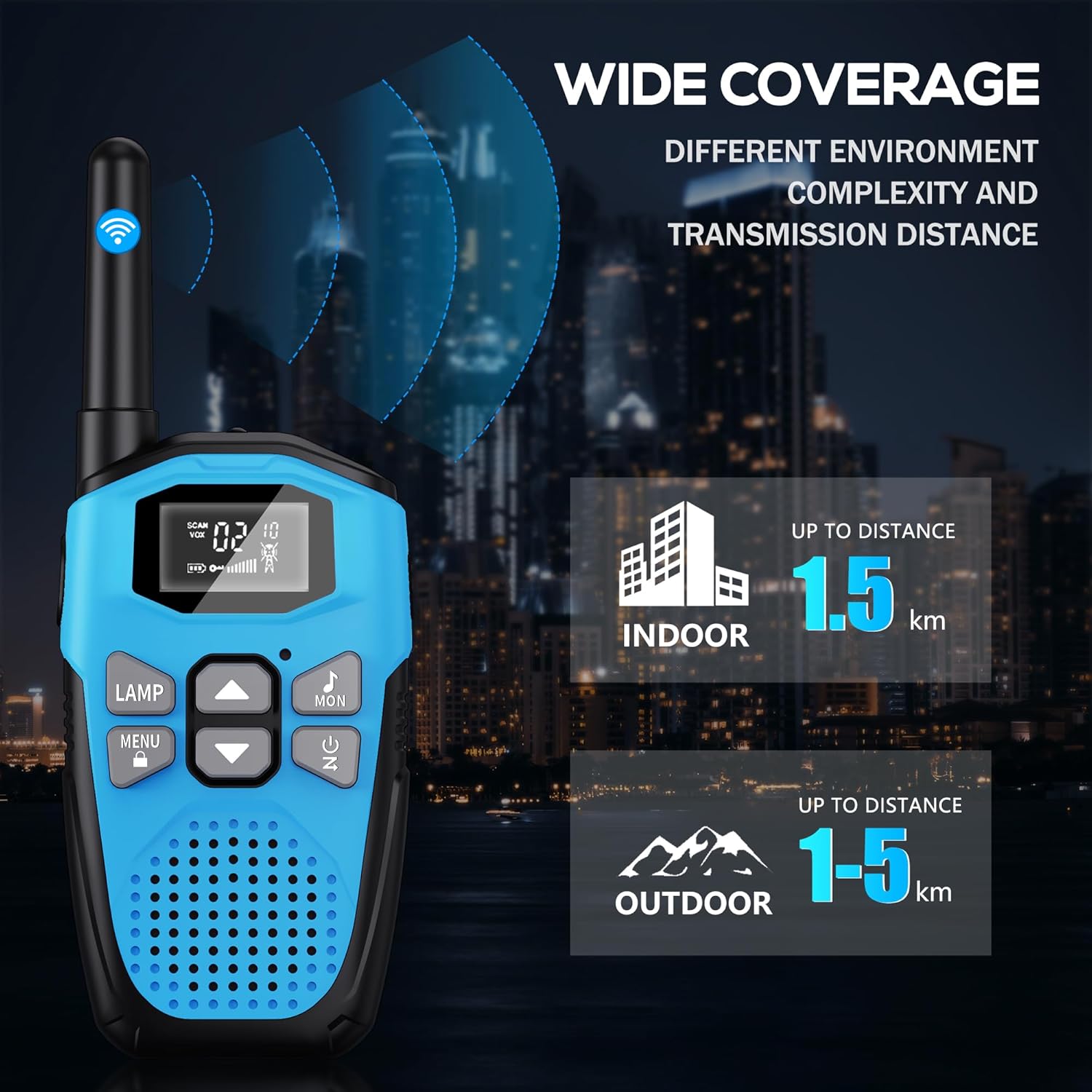
Image: An illustration showing the wide coverage capabilities of the walkie-talkie, indicating an indoor range of up to 1.5 km and an outdoor range of 1-5 km, depending on environmental complexity and transmission distance.
دیکھ بھال
- صفائی: Wipe the walkie-talkie with a soft, damp کپڑا سخت کیمیکل یا کھرچنے والے کلینر کا استعمال نہ کریں۔
- ذخیرہ: استعمال میں نہ ہونے پر آلہ کو براہ راست سورج کی روشنی اور انتہائی درجہ حرارت سے دور ٹھنڈی، خشک جگہ پر اسٹور کریں۔
- بیٹری کی دیکھ بھال: For long-term storage, it is recommended to charge the battery to about 50% every 3-6 months to maintain battery health.
- ڈراپ پروٹیکشن: The walkie-talkie features a hard shell and anti-drop design for environmental protection. However, avoid excessive drops or impacts to prevent damage.

Image: A visual representation highlighting the walkie-talkie's hard shell, anti-drop design, and key features such as VOX hands-free, keypad lock, clear sound, drop protection, noise reduction, and LED emergency light.
خرابی کا سراغ لگانا
| مسئلہ | ممکنہ وجہ | حل |
|---|---|---|
| کوئی طاقت نہیں۔ | بیٹری ختم ہو گئی ہے۔ | Charge the walkie-talkie fully. |
| Cannot communicate with other walkie-talkies | Different channels or privacy codes. | Ensure all walkie-talkies are on the same channel and privacy code. |
| خراب آواز کا معیار یا جامد | حد سے باہر؛ کم بیٹری؛ مداخلت | Move closer to the other unit; charge battery; move away from sources of interference. |
| مختصر مواصلاتی رینج | Obstacles (buildings, terrain); environmental factors. | Move to an open area; range is reduced in urban/dense environments. |
| کی پیڈ غیر جوابدہ | کی پیڈ مقفل ہے۔ | دبائیں اور تھامیں۔ مینو/لاک بٹن انلاک کرنے کے لئے. |
وضاحتیں
| فیچر | تفصیل |
|---|---|
| برانڈ | این ایکس جی کے ای ٹی |
| ماڈل نمبر | 2AYV7YG-813 |
| رنگ | نیلا |
| بیٹری کی قسم | Built-in 1200mAh Lithium Polymer (rechargeable) |
| چارجنگ پورٹ | USB ٹائپ سی |
| چینلز کی تعداد | 16 |
| پرائیویسی کوڈز | 121 (38 CTCSS، 83 DCS) |
| تعدد کی حد | 446 MHz (UHF) |
| Maximum Range (Open Area) | Up to 5 Kilometers (approx. 3.1 miles) |
| Maximum Range (Urban Area) | Up to 1.5 Kilometers (approx. 0.9 miles) |
| والیومtage | 3.7 وولٹ |
| پانی کی مزاحمت کی سطح | پانی مزاحم (واٹر پروف نہیں) |
| خصوصی خصوصیات | Rechargeable Battery, Volume Control, Long Range, Lightweight, Noise Reduction, VOX, LCD Display with Backlight, LED Flashlight, Keypad Lock, Low Battery Alert, Drop Protection. |
وارنٹی اور سپورٹ
The NXGKET walkie-talkie has been tested to meet CE certification standards.
- وارنٹی: یہ پروڈکٹ خریداری کی تاریخ سے 1 سال کی وارنٹی کے ساتھ آتی ہے۔
- کسٹمر سپورٹ: For any questions, issues, or warranty claims, please contact NXGKET customer service via email. Refer to your purchase documentation for specific contact details or visit the official NXGKET webسائٹ


