1. تعارف
خریداری کے لیے آپ کا شکریہasing the SOAR XL ShockBox BTH6 Wireless Bluetooth Speaker. This speaker is designed to provide high-quality audio with versatile connectivity options, including Bluetooth 5.0, AM/FM radio, USB, and Aux inputs. Its portable and shockproof design, combined with dynamic multicolor LED lights, makes it suitable for various environments. Please read this manual carefully to ensure proper use and maintenance of your device.
2. پروڈکٹ ختمview
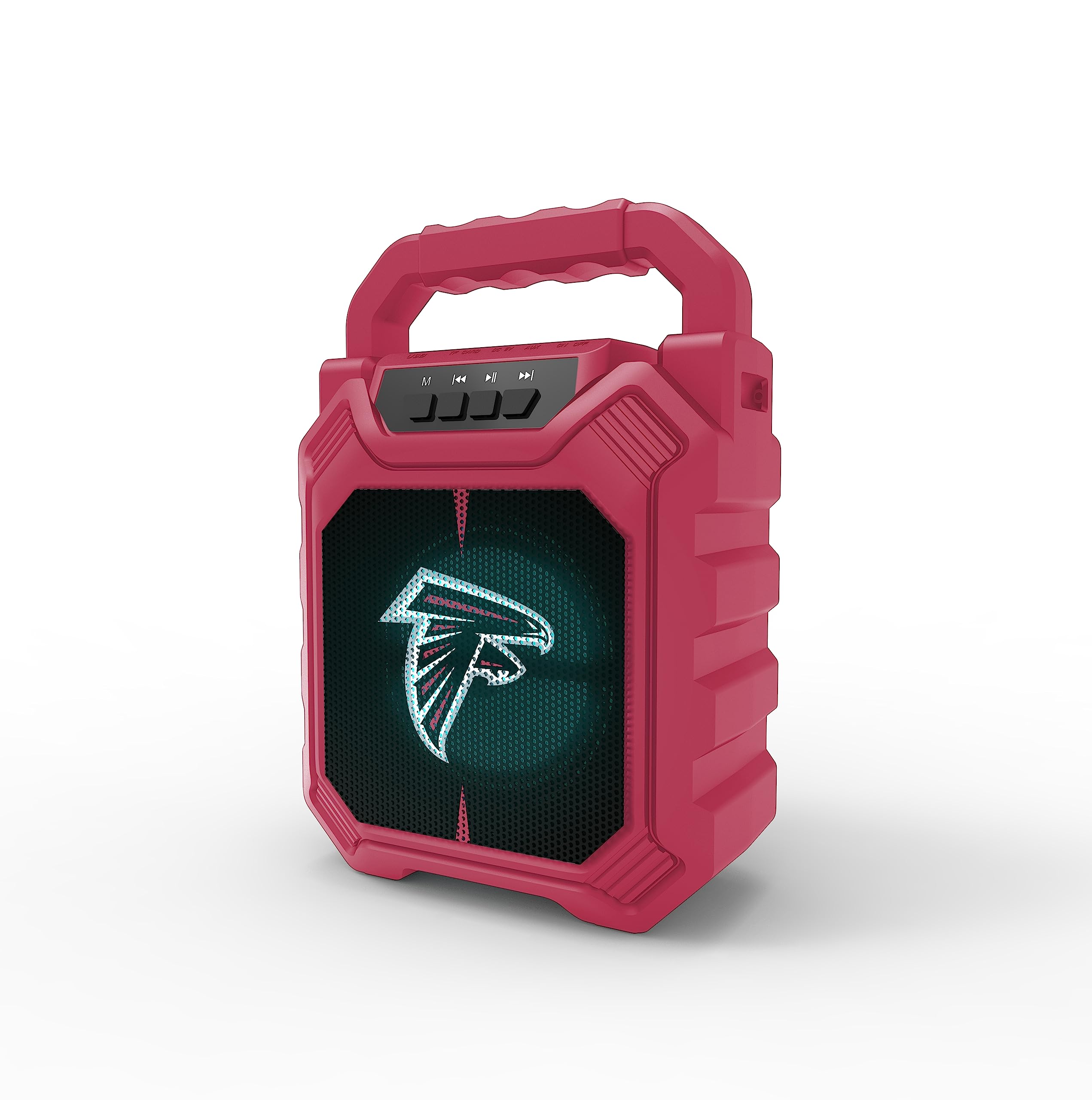
تصویر 1: سامنے view of the SOAR XL ShockBox BTH6 Wireless Bluetooth Speaker, featuring the Atlanta Falcons logo.
اہم خصوصیات:
- بلوٹوتھ 5.0 کنیکٹیویٹی: For seamless wireless audio streaming.
- متعدد آڈیو ان پٹ: Supports AM/FM radio, USB, and Aux connections.
- پورٹیبل ڈیزائن: Features a convenient top handle and shockproof construction.
- لمبی بیٹری کی زندگی: Provides over 5 hours of playback on a single charge.
- متحرک ایل ای ڈی لائٹس: Multicolor LED lights pulse with the music.
- حقیقی وائرلیس سٹیریو (TWS): Connect two speakers for enhanced stereo sound.
3 کنٹرولز اور پورٹس

Image 2: Top panel of the speaker, illustrating the control buttons and various input ports.
بٹن کے افعال:
- پاور بٹن: Press and hold to turn the speaker ON/OFF. Short press to switch modes (Bluetooth, FM, USB, Aux).
- 'M' (موڈ) بٹن: Short press to cycle through input modes (Bluetooth, FM Radio, USB, Aux).
- Previous Track / Volume Down: Short press for previous track (in Bluetooth/USB mode). Press and hold to decrease volume.
- پلے/پاز بٹن: Short press to play or pause audio. In FM mode, short press to auto-scan and save stations.
- Next Track / Volume Up: Short press for next track (in Bluetooth/USB mode). Press and hold to increase volume.
ان پٹ پورٹس:
- مائیکرو USB چارجنگ پورٹ: اسپیکر چارج کرنے کے لیے۔
- USB پورٹ: USB فلیش ڈرائیو سے آڈیو چلانے کے لیے۔
- Aux-in Port (3.5mm): For connecting external audio devices via an auxiliary cable.
- مائیکرو ایس ڈی کارڈ سلاٹ: مائیکرو ایس ڈی کارڈ سے آڈیو چلانے کے لیے۔
4. سیٹ اپ اور آپریشن
4.1 اسپیکر کو چارج کرنا
- Connect the provided micro-USB cable to the charging port on the speaker.
- کیبل کے دوسرے سرے کو USB پاور اڈاپٹر (شامل نہیں) یا کمپیوٹر کے USB پورٹ سے جوڑیں۔
- چارجنگ انڈیکیٹر لائٹ روشن ہو جائے گی۔ ایک بار مکمل چارج ہونے کے بعد، روشنی کا رنگ تبدیل ہو سکتا ہے یا بند ہو سکتا ہے۔
- A full charge provides over 5 hours of playback time.
4.2 پاور آن/آف۔
- To turn ON, press and hold the Power button until you hear an audible prompt.
- To turn OFF, press and hold the Power button again until the speaker powers down.
4.3 بلوٹوتھ جوڑی
- اسپیکر کو آن کریں۔ یہ خود بخود بلوٹوتھ پیئرنگ موڈ میں داخل ہو جائے گا، جس کی نشاندہی چمکتی ہوئی LED لائٹ اور ایک قابل سماعت پرامپٹ سے ہوتی ہے۔
- اپنے آلے پر (اسمارٹ فون، ٹیبلیٹ وغیرہ)، بلوٹوتھ کو فعال کریں اور دستیاب آلات تلاش کریں۔
- Select "SOAR BTH6" from the list of devices.
- ایک بار جوڑا بننے کے بعد، اسپیکر ایک قابل سماعت تصدیق کا اخراج کرے گا، اور LED لائٹ چمکنا بند کر دے گی۔
- پاور آن ہونے پر اسپیکر خود بخود آخری جوڑی والے آلے سے دوبارہ جڑ جائے گا، اگر ڈیوائس رینج کے اندر ہے اور بلوٹوتھ فعال ہے۔
4.4 ایف ایم ریڈیو آپریشن
- Turn on the speaker and press the 'M' (Mode) button until you enter FM Radio mode.
- To auto-scan and save available FM stations, short press the Play/Pause button. The speaker will scan and store stations automatically.
- Use the Previous Track and Next Track buttons to navigate between saved stations.
4.5 USB and Aux Input
- USB ان پٹ: Insert a USB flash drive into the USB port. The speaker will automatically switch to USB mode and begin playing audio files.
- آکس ان پٹ: Connect an external audio device (e.g., MP3 player) to the Aux-in port using a 3.5mm audio cable. Press the 'M' button to switch to Aux mode.
4.6 ایل ای ڈی لائٹنگ موڈز

Image 3: The speaker displaying its dynamic LED lights in a vibrant setting.
The speaker features dynamic multicolor LED lights that pulse to the rhythm of the music. These lights activate automatically when the speaker is in use. There are no user-adjustable modes for the LED lights; they are designed to enhance the audio experience visually.
4.7 حقیقی وائرلیس سٹیریو (TWS) جوڑا

Image 4: Two SOAR XL ShockBox BTH6 speakers paired together for True Wireless Stereo (TWS) sound.
ایک وسیع تر آواز حاصل کرنے کے لیےtage, you can pair two SOAR XL ShockBox BTH6 speakers together using the TWS function:
- Ensure both speakers are turned OFF.
- Turn ON both speakers. They will enter Bluetooth pairing mode.
- On one of the speakers (this will be your primary speaker), double-press the 'M' (Mode) button. The speakers will attempt to connect to each other.
- Once successfully paired, you will hear an audible confirmation. The LED lights on both speakers will synchronize.
- اب، اپنے آلے کو بلوٹوتھ کے ذریعے پرائمری اسپیکر سے جوڑیں جیسا کہ سیکشن 4.3 میں بیان کیا گیا ہے۔ آڈیو سٹیریو میں دونوں اسپیکرز کے ذریعے چلے گا۔
5 دیکھ بھال
- صفائی: اسپیکر کے بیرونی حصے کو صاف کرنے کے لیے نرم، خشک کپڑا استعمال کریں۔ کھرچنے والے کلینر یا سالوینٹس کا استعمال نہ کریں۔
- ذخیرہ: اسپیکر کو ٹھنڈی، خشک جگہ پر براہ راست سورج کی روشنی اور انتہائی درجہ حرارت سے دور رکھیں۔
- بیٹری کی دیکھ بھال: To prolong battery life, charge the speaker regularly, even if not in frequent use. Avoid fully discharging the battery for extended periods.
- پانی کی مزاحمت: While designed to be durable, avoid submerging the speaker in water.
6 خرابیوں کا سراغ لگانا
| مسئلہ | ممکنہ حل |
|---|---|
| سپیکر آن نہیں ہوتا۔ | Ensure the battery is charged. Connect the speaker to a power source using the micro-USB cable. |
| بلوٹوتھ کے ذریعے جوڑا نہیں بنایا جا سکتا۔ | Make sure the speaker is in Bluetooth mode and within range (approx. 10 meters). Turn off and on your device's Bluetooth. Forget "SOAR BTH6" from your device's Bluetooth list and try pairing again. |
| کوئی آواز یا کم والیوم نہیں۔ | اسپیکر اور اپنے منسلک ڈیوائس دونوں پر والیوم لیول چیک کریں۔ یقینی بنائیں کہ درست ان پٹ موڈ کا انتخاب کیا گیا ہے۔ |
| ایف ایم ریڈیو کا استقبال ناقص ہے۔ | Adjust the speaker's position. Ensure you are in an area with good signal strength. |
| TWS جوڑا ناکام ہوجاتا ہے۔ | Ensure both speakers are fully charged and not connected to any other Bluetooth devices. Follow the TWS pairing steps carefully. |
7. وضاحتیں
| فیچر | تفصیل |
|---|---|
| ماڈل نمبر | BTH6 (Variant: NFL-BTH6-DLPH) |
| بلوٹوتھ ورژن | 5.0 |
| آڈیو آدانوں | Bluetooth, AM/FM Radio, USB, Aux-in, MicroSD |
| کھیلنے کا وقت | Over 5 hours (per charge) |
| چارجنگ پورٹ | مائیکرو یو ایس بی |
| کارخانہ دار | پرائم برانڈز گروپ انکارپوریٹڈ |
| پہلی تاریخ دستیاب ہے۔ | 6 ستمبر 2023 |
8. سرکاری پروڈکٹ ویڈیو
ویڈیو 1: ایک آفیشل پروڈکٹ ویڈیو شوasing the features and dynamic LED lights of the SOAR BTH6 Wireless Bluetooth Speaker.
9. وارنٹی اور سپورٹ
For warranty information and customer support, please refer to the documentation included with your product or contact the manufacturer, Prime Brands Group Inc., directly. Details regarding specific warranty periods and support procedures are typically provided at the point of purchase or on the manufacturer's official webسائٹ


