1. پروڈکٹ ختمview
The HUAWEI WiFi AX2 is a high-performance wireless router designed to provide fast and reliable internet connectivity throughout your home. It supports Wi-Fi 6 technology, offering speeds up to 1500 Mbps, with a 5GHz band supporting up to 1201 Mbps and a 2.4GHz band supporting up to 300 Mbps. This router features HarmonyOS Mesh+ for seamless multi-router setups, comprehensive parental controls, and an advanced antenna design for stable connections.
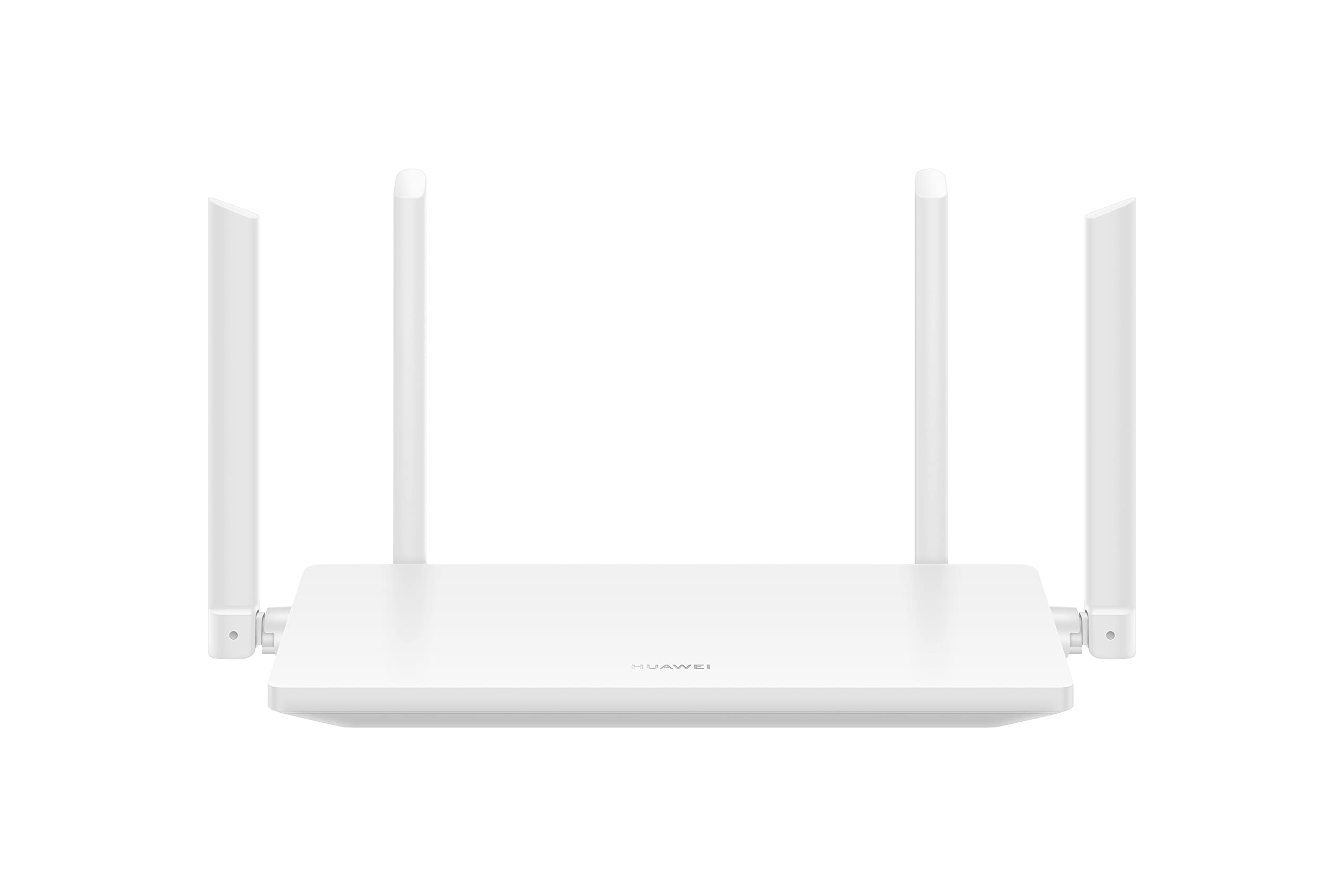
تصویر 1.1: سامنے view of the HUAWEI WiFi AX2 Wireless Router, showing its sleek white design and four external antennas.
2. پیکیج کے مشمولات
سیٹ اپ کے ساتھ آگے بڑھنے سے پہلے، براہ کرم یقینی بنائیں کہ تمام اشیاء پیکیج میں موجود ہیں:
- HUAWEI WiFi AX2 Wireless Router (WS7001-20)
- پاور اڈاپٹر
- ایتھرنیٹ کیبل
- کوئیک اسٹارٹ گائیڈ
- وارنٹی کارڈ
3. سیٹ اپ ہدایات
Follow these steps to set up your HUAWEI WiFi AX2 Router:
- پاور اڈاپٹر کو جوڑیں: Plug the power adapter into the router's power port and then into a wall outlet. The power indicator light on the router should turn on.
- انٹرنیٹ سے جڑیں: Connect one end of the Ethernet cable to the WAN port (usually labeled 'WAN' or a globe icon) on your router and the other end to your modem's LAN port.
- اپنے آلات کو جوڑیں:
- وائرڈ کنکشن: Connect your computer or other network devices to any of the LAN ports (labeled 1, 2, 3) on the router using an Ethernet cable.
- وائرلیس کنکشن: On your Wi-Fi enabled device (smartphone, tablet, laptop), search for the Wi-Fi network name (SSID) printed on the label at the bottom of your router. Select it and enter the Wi-Fi password (also on the label).
- تک رسائی حاصل کریں۔ Web-based Management Page: کھولنا a web منسلک ڈیوائس پر براؤزر اور داخل کریں۔ 192.168.3.1 in the address bar. Follow the on-screen instructions to complete the initial setup, including setting up your Wi-Fi name and password.
- Download the HUAWEI AI Life App: For easier management and advanced features, download the HUAWEI AI Life app from your device's app store. Use the app to configure settings, manage connected devices, and utilize parental controls.

تصویر 3.1: پیچھے view of the HUAWEI WiFi AX2 Router, showing the power port, three LAN/WAN ports, and the WPS/Reset button.
4. آپریٹنگ ہدایات
4.1 Dual-Band Automatic Switching
The HUAWEI WiFi AX2 operates on both 2.4GHz and 5GHz bands simultaneously. It intelligently switches your devices between these bands to ensure optimal connection quality and speed at all times. This means you don't need to manually select between 2.4GHz and 5GHz networks.
4.2 HarmonyOS Mesh+
If you have multiple HUAWEI routers that support HarmonyOS Mesh+, you can group them under a single Wi-Fi name. This creates a unified mesh network, allowing your devices to automatically switch between routers as you move around your home, ensuring continuous and strong Wi-Fi coverage.
4.3 Comprehensive Parental Control
Manage your family's internet usage with the built-in parental control features. Through the HUAWEI AI Life app, you can:
- نامناسب تک رسائی کو مسدود کریں۔ webسائٹس
- Limit internet access time for specific devices.
- View internet usage statistics for connected devices.
5 دیکھ بھال
اپنے راؤٹر کی بہترین کارکردگی اور لمبی عمر کو یقینی بنانے کے لیے، دیکھ بھال کے درج ذیل نکات پر غور کریں:
- جگہ کا تعین: Place the router in a central location, away from obstructions, large metal objects, and other electronic devices that may cause interference. Ensure adequate ventilation around the router.
- فرم ویئر اپ ڈیٹس: Regularly check for and install firmware updates through the HUAWEI AI Life app or the web-based management page. Updates often include performance improvements and security patches.
- ریبوٹنگ: اگر آپ کو نیٹ ورک کے مسائل کا سامنا ہے تو، 10 سیکنڈ کے لیے پاور اڈاپٹر کو ان پلگ کرکے اور پھر اسے دوبارہ پلگ ان کرکے روٹر کو ریبوٹ کرنے کی کوشش کریں۔
- صفائی: راؤٹر کو صاف اور دھول سے پاک رکھیں۔ بیرونی حصے کو صاف کرنے کے لیے نرم، خشک کپڑا استعمال کریں۔ مائع کلینر استعمال نہ کریں۔

تصویر 5.1: سائیڈ view of the HUAWEI WiFi AX2 Router, highlighting the ventilation slots for proper heat dissipation.
6 خرابیوں کا سراغ لگانا
If you encounter issues with your HUAWEI WiFi AX2 Router, refer to the following common problems and solutions:
| مسئلہ | ممکنہ وجہ | حل |
|---|---|---|
| انٹرنیٹ تک رسائی نہیں ہے۔ | Incorrect cable connection, modem issue, or incorrect router settings. | Check that the Ethernet cable is securely connected to the WAN port and your modem. Reboot both the modem and the router. Verify internet settings via the web-based management page or AI Life app. |
| سست Wi-Fi کی رفتار | Interference, too many connected devices, outdated firmware, or poor router placement. | Ensure the router is placed optimally (see Maintenance section). Reduce the number of active devices. Update router firmware. Consider if your internet service provider (ISP) speed is the bottleneck. |
| وائی فائی اکثر منقطع ہوتا ہے۔ | Signal interference, distance from router, or channel congestion. | Move closer to the router. Check for sources of interference (e.g., microwaves, cordless phones). Use the AI Life app to analyze Wi-Fi channels and switch to a less congested one. |
| راؤٹر کی ترتیبات کے صفحہ تک رسائی حاصل نہیں کر سکتے | غلط IP ایڈریس، آلہ روٹر سے منسلک نہیں، یا براؤزر کا مسئلہ۔ | Ensure your device is connected to the router's Wi-Fi or via an Ethernet cable. Verify you are entering 192.168.3.1 correctly. Try a different web براؤزر |
If the problem persists, perform a factory reset by pressing and holding the WPS/Reset button on the back of the router for approximately 10 seconds until the indicator light flashes. Note that a factory reset will erase all your custom settings.
7. وضاحتیں
| فیچر | تفصیل |
|---|---|
| برانڈ | HUAWEI |
| ماڈل کا نام | WS7001-20 |
| آئٹم ماڈل نمبر | WS7001-20 |
| مصنوعات کے طول و عرض | 25.76 x 16.35 x 2.9 سینٹی میٹر |
| شے کا وزن | 580 گرام |
| وائرلیس قسم | 802.11ax (Wi-Fi 6) |
| فریکوئنسی بینڈ کلاس | ڈوئل بینڈ (2.4GHz اور 5GHz) |
| کنیکٹوٹی ٹیکنالوجی | وائی فائی |
| آپریٹنگ سسٹم | راؤٹر او ایس |
| بندرگاہوں کی تعداد | 3 (LAN/WAN auto-sensing) |
| خصوصی خصوصیات | پوائنٹ موڈ |
| ہم آہنگ آلات | اسمارٹ فون، ٹیبلٹ |
| مصنوعات کے لیے تجویز کردہ استعمال | گھر |
| بیٹریاں شامل ہیں۔ | نہیں |
| پہلی تاریخ دستیاب ہے۔ | 7 ستمبر 2023 |
8. وارنٹی اور سپورٹ
8.1 وارنٹی کی معلومات
For detailed warranty information, please refer to the warranty card included in your product package or visit the official HUAWEI webسائٹ وارنٹی کی شرائط و ضوابط خطے اور خوردہ فروش کے لحاظ سے مختلف ہو سکتے ہیں۔
8.2 تکنیکی معاونت
If you require further assistance or have technical questions not covered in this manual, please contact HUAWEI customer support. You can find contact details on the official HUAWEI website or through the HUAWEI AI Life app.


