تعارف
This manual provides essential information for the proper installation, operation, and maintenance of your Philips 278E1A 27" 4K UHD IPS Monitor. Please read this guide thoroughly before using the product to ensure optimal performance and safety. Keep this manual for future reference.
حفاظتی معلومات
- اس بات کو یقینی بنائیں کہ مانیٹر کو ایک مستحکم، ہموار سطح پر رکھا گیا ہے تاکہ حادثاتی گرنے سے بچا جا سکے۔
- Use only the power adapter and cables supplied by Philips.
- بجلی کے جھٹکے یا آگ سے بچنے کے لیے مانیٹر کو بارش یا نمی کے سامنے نہ رکھیں۔
- زیادہ گرمی سے بچنے کے لیے وینٹیلیشن کے سوراخوں کو روکنے سے گریز کریں۔
- خود مانیٹر کی خدمت کرنے کی کوشش نہ کریں۔ تمام خدمات کو اہل اہلکاروں سے رجوع کریں۔
سیٹ اپ
1. پیک کھولنا اور اسمبلی
Carefully remove the monitor and all components from the packaging. The box should contain the monitor, stand, HDMI cable, power cable, and user documentation.
- اسٹینڈ بیس کو اسٹینڈ گردن سے جوڑیں، اسے فراہم کردہ اسکرو سے محفوظ کریں۔
- جمع شدہ اسٹینڈ کو مانیٹر کی پشت پر بڑھتے ہوئے سوراخوں کے ساتھ سیدھ میں رکھیں اور اسے مضبوطی سے جوڑیں۔
2 کنیکٹنگ کیبلز
ضروری کیبلز کو مانیٹر اور اپنے کمپیوٹر سے جوڑیں۔
- بجلی کی تار: پاور کیبل کے ایک سرے کو مانیٹر کے پاور ان پٹ سے اور دوسرے سرے کو پاور آؤٹ لیٹ سے جوڑیں۔
- ویڈیو ان پٹ: Connect either an HDMI cable (2 ports available) or a DisplayPort cable (1 port available) from your computer's video output to the corresponding input on the monitor.
- آڈیو ان پٹ/آؤٹ پٹ: If desired, connect an audio cable from your computer's audio output to the monitor's audio input, or connect external speakers/headphones to the monitor's audio output.

شکل 1: پیچھے view of the Philips 278E1A monitor, highlighting the HDMI, DisplayPort, and audio input/output ports for connectivity.
3 ابتدائی پاور آن
Press the power button located on the bottom right of the monitor to turn it on. The monitor will automatically detect the active input source.
آپریٹنگ ہدایات
1 OSD مینو نیویگیشن
The On-Screen Display (OSD) menu allows you to adjust various monitor settings. Use the control buttons located on the bottom bezel of the monitor to navigate the menu.
- Press a button to activate the OSD menu.
- مینو کے اختیارات سے گزرنے کے لیے دشاتمک بٹنوں کا استعمال کریں۔
- کسی اختیار کو منتخب کرنے یا ترتیب کی تصدیق کرنے کے لیے 'OK' یا 'Enter' بٹن کو دبائیں۔
- پچھلے مینو پر واپس جانے یا OSD سے باہر نکلنے کے لیے 'Exit' یا 'Back' بٹن کو دبائیں۔
2 تصویر کی ترتیبات
بہترین کے لیے ڈسپلے کی خصوصیات کو ایڈجسٹ کریں۔ viewing
- چمک اور تضاد: Adjust these settings to control the overall luminance and the difference between light and dark areas.
- رنگ کی ترتیبات: Fine-tune color temperature, gamma, and saturation. The monitor supports 109% sRGB color gamut for accurate color reproduction.
- اسمارٹ کنٹراسٹ: This feature dynamically analyzes content and automatically adjusts backlight intensity to enhance contrast for optimal digital images and videos.
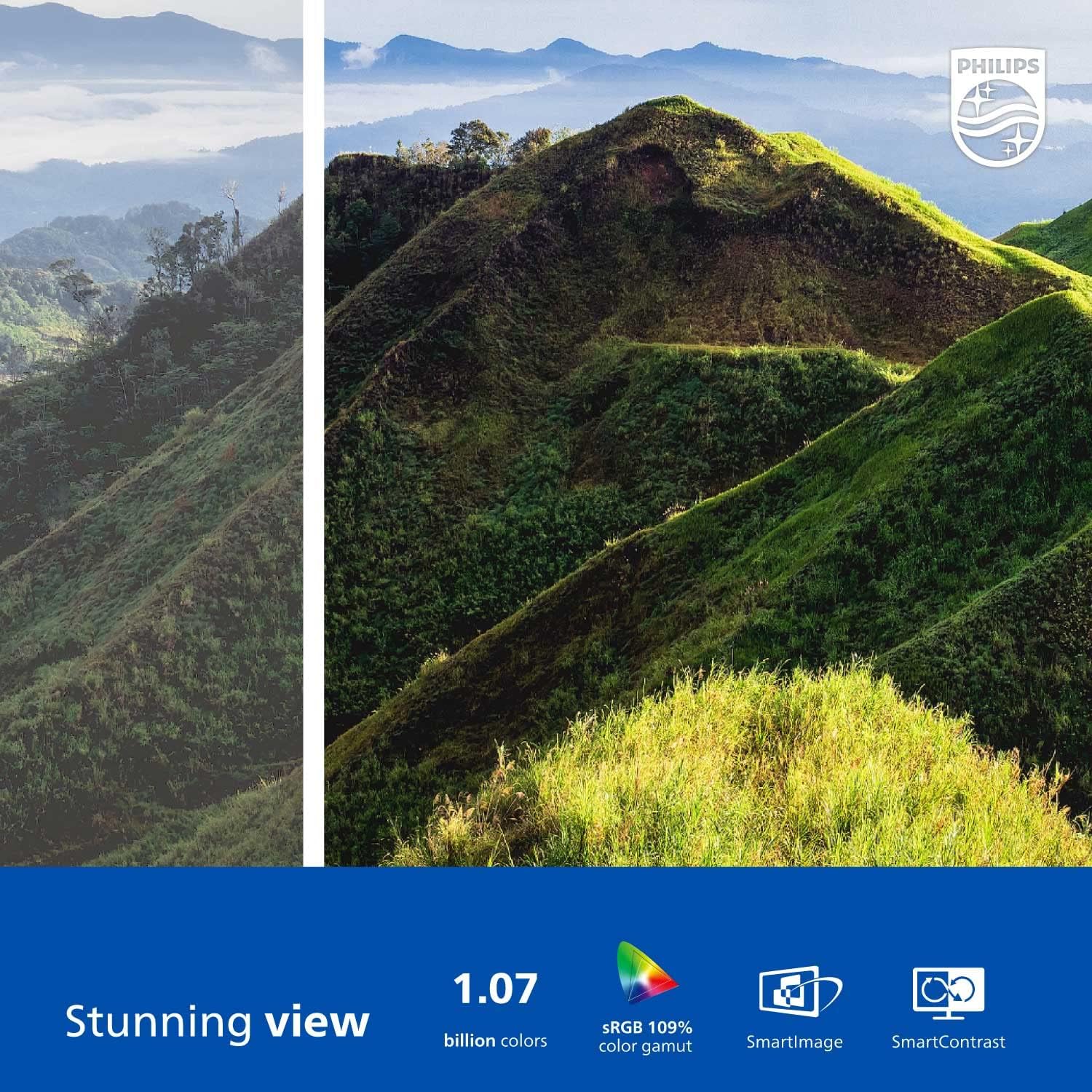
Figure 2: The Philips 278E1A monitor displaying a detailed and colorful mountain scene, illustrating its 4K UHD resolution and wide color gamut.
3. ان پٹ سلیکشن
Manually select the desired video input source if the automatic detection does not work or if you have multiple devices connected.
4. آڈیو سیٹنگز۔
Control the volume of the built-in speakers or connected audio devices.
5۔ آنکھوں کی دیکھ بھال کی خصوصیات
The Philips 278E1A includes features designed to reduce eye strain during prolonged use.
- فلکر فری ٹیکنالوجی: Regulates brightness and reduces screen flicker for more comfortable viewing
- کم نیلا موڈ: A software solution that reduces harmful shortwave blue light emissions from the screen.

Figure 3: A split image demonstrating the visual difference when LowBlue Mode and Flicker-free technologies are active, reducing eye strain.
6. Frameless Design and Viewزاویے
The monitor features a 3-sided frameless design, ideal for multi-monitor setups, and an IPS panel providing wide 178/178-degree viewing angles for consistent image quality from various perspectives.

Figure 4: A multi-monitor arrangement of Philips 278E1A displays, showcasing the minimal bezels and wide viewing angles suitable for extended desktop environments.
دیکھ بھال
1. سکرین کی صفائی
اسکرین کو صاف کرنے کے لیے، نرم، لنٹ سے پاک کپڑے سے اسے آہستہ سے صاف کریں۔ ضدی نمبروں کے لیے، ڈیampen the cloth with a mild, non-abrasive screen cleaner. Never spray cleaner directly onto the screen.
2. عمومی دیکھ بھال
Keep the monitor away from direct sunlight, excessive heat, and humidity. Avoid placing heavy objects on the monitor or its cables.
خرابی کا سراغ لگانا
اگر آپ کو اپنے مانیٹر کے ساتھ مسائل کا سامنا کرنا پڑتا ہے، تو درج ذیل عام حل سے رجوع کریں:
- کوئی طاقت نہیں: یقینی بنائیں کہ پاور کیبل مانیٹر اور پاور آؤٹ لیٹ دونوں سے محفوظ طریقے سے جڑی ہوئی ہے۔ چیک کریں کہ آیا پاور آؤٹ لیٹ کام کر رہا ہے۔
- سگنل نہیں ہیں: Verify that the video cable (HDMI or DisplayPort) is correctly connected to both the monitor and your computer. Ensure the correct input source is selected via the OSD menu.
- Image Problems (e.g., flickering, distorted colors): Check cable connections. Adjust picture settings in the OSD menu. If using a DisplayPort connection, ensure your graphics card supports 4K resolution at 60Hz.
- کوئی آڈیو نہیں: Check the monitor's volume settings and your computer's audio output settings. Ensure external speakers or headphones are properly connected if used.
مزید مدد کے لیے، براہ کرم فلپس کسٹمر سپورٹ سے رابطہ کریں۔
وضاحتیں
| فیچر | تفصیل |
|---|---|
| اسکرین کا سائز | 27 انچ |
| قرارداد | 3840 x 2160 (4K UHD) |
| پینل کی قسم | آئی پی ایس |
| کلر گامٹ | 109% sRGB |
| کنیکٹوٹی | 2x HDMI, 1x DisplayPort, Audio In & Out |
| مقررین | Built-in (3W stereo) |
| طول و عرض (اسٹینڈ کے ساتھ) | 18.1 x 24.1 x 7.6 انچ |
| وزن (اسٹینڈ کے ساتھ) | 13.57 پاؤنڈ |
| آنکھوں کی دیکھ بھال کی خصوصیات | Flicker-Free, LowBlue Mode |
وارنٹی اور سپورٹ
وارنٹی کی معلومات
Philips monitors sold in the United States come with a 4-Year Advance Replacement Warranty. This warranty minimizes downtime by providing a replacement unit in advance should your monitor require service.

Figure 5: Visual representation of the Philips 4-Year Warranty and Advance Replacement program, ensuring peace of mind for users.
کسٹمر سپورٹ
For technical support, warranty claims, or service inquiries, please visit the official Philips support website or contact their customer service hotline. Refer to the documentation included with your product for specific contact details in your region.
پروڈکٹ ویڈیوز
Philips Frameless Monitor Overview
یہ ویڈیو ایک اوور فراہم کرتا ہے۔view of the Philips 27-inch frameless monitor, highlighting its features and benefits for various work setups.
Why This Monitor is Top Rated
Learn about the key aspects that make this Philips monitor a top-rated choice, including its display quality and user-friendly features.


