вступ
The AOC MS200 Wireless Optical Mouse is designed to provide freedom, precision, and comfort for your daily computing tasks. Featuring a stable 2.4 GHz wireless connection, an adjustable optical sensor, and an ergonomic, lightweight design, this mouse is suitable for various applications, from general browsing to tasks requiring higher precision.
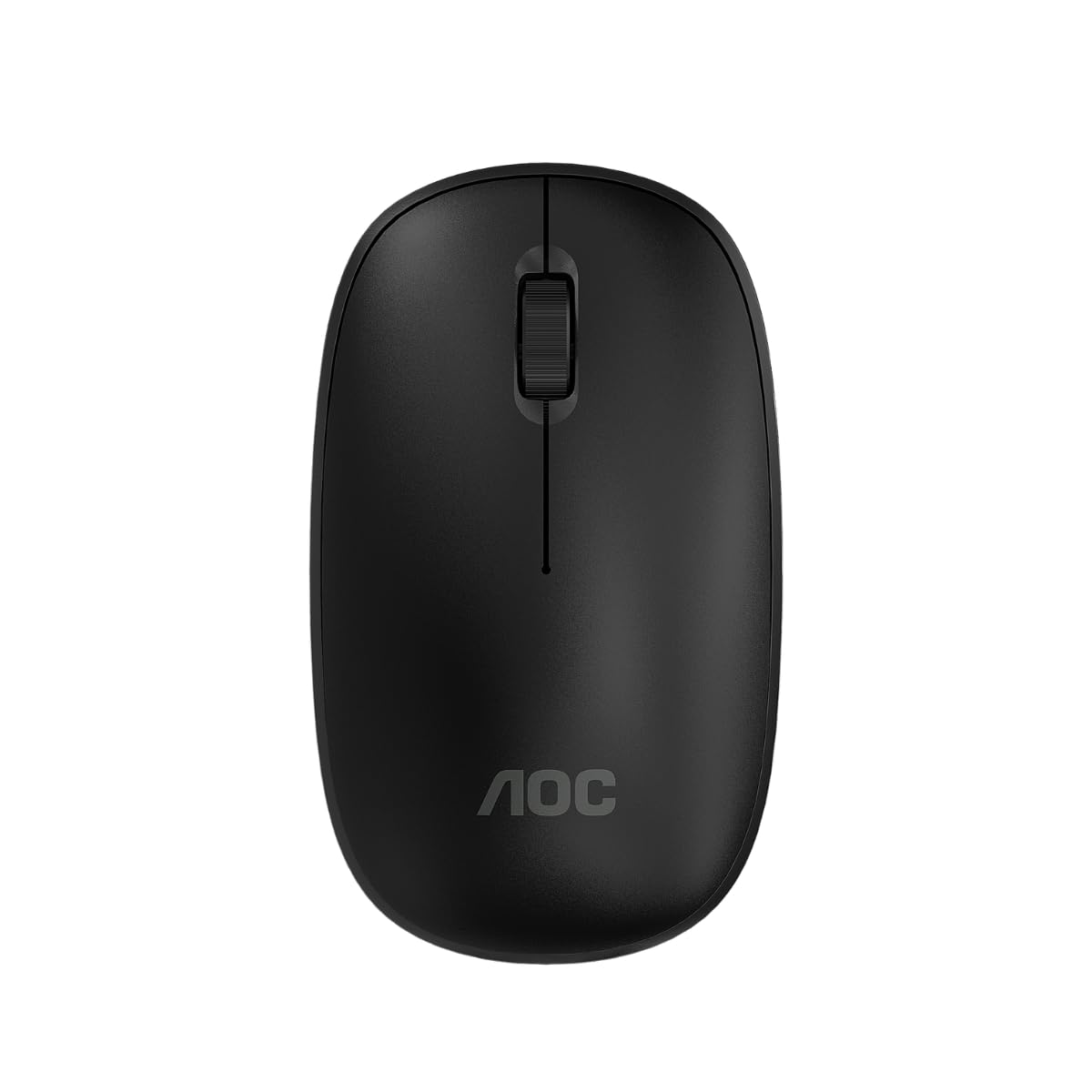
Image: The AOC MS200 Wireless Optical Mouse shown alongside its retail packaging.
Вміст упаковки
Будь ласка, перевірте вміст упаковки, щоб переконатися, що всі елементи присутні:
- AOC MS200 Wireless Optical Mouse
- USB-приймач 2.4 ГГц
- Посібник користувача (цей документ)
Примітка: Батарейки не входять до комплекту та мають бути придбані окремо.
Налаштування
- Вставте батарею: Open the battery compartment cover located on the underside of the mouse. Insert one AA battery (not included), ensuring correct polarity (+/-). Close the cover securely.
- Підключіть USB-приймач: Locate the USB 2.4 GHz receiver, usually stored within the battery compartment or packaged separately. Plug the USB receiver into an available USB port on your computer.
- Увімкнення миші: Turn on the mouse using the power switch, typically located on the underside of the device. The mouse should automatically connect to your computer.
- Встановлення драйвера: Ваша операційна система повинна автоматично виявити та встановити необхідні драйвери. Ручне встановлення драйверів зазвичай не потрібне.

Image: The underside of the AOC MS200 mouse, illustrating the optical sensor and the battery compartment.
Інструкція з експлуатації
The AOC MS200 mouse features a standard three-button layout with a scroll wheel for intuitive navigation.
- Ліва кнопка: Основна функція кліку для вибору елементів, відкриття посилань тощо.
- Права кнопка: Secondary click function, typically opens context menus.
- Колесо прокрутки: Прокручуйте документи вгору або вниз і web сторінки. Коліщатко прокручування також функціонує як середня кнопка при натисканні.
Налаштування DPI
The MS200 mouse features an adjustable DPI (Dots Per Inch) setting, allowing you to change cursor sensitivity. The mouse supports 800 and 1200 DPI settings. To switch between DPI modes, press the DPI button located on the top of the mouse, usually below the scroll wheel. Each press cycles through the available DPI settings.

Зображення: Верх view of the AOC MS200 mouse, highlighting the left and right click buttons, scroll wheel, and DPI adjustment button.
Технічне обслуговування
прибирання
Для підтримки оптимальної продуктивності та гігієни регулярно очищуйте мишу:
- Злегка протріть м’якою тканиною без ворсу dampпромити водою або м’яким миючим розчином.
- Уникайте використання агресивних хімікатів, абразивних засобів для чищення або розчинників.
- Do not allow liquids to enter the mouse casing.
- Clean the optical sensor on the underside of the mouse with a dry cotton swab to prevent tracking issues.
Заміна батареї
When the mouse performance degrades or it stops responding, it is likely time to replace the battery:
- Відкрийте батарейний відсік на нижній стороні миші.
- Вийміть стару батарейку типу АА.
- Вставте нову батарейку типу АА, дотримуючись правильної полярності.
- Закрийте кришку батарейного відсіку.
Усунення несправностей
If you encounter issues with your AOC MS200 mouse, refer to the following common solutions:
- Миша не реагує:
- Перевірте, чи миша ввімкнена.
- Переконайтеся, що батарея правильно вставлена та має достатній заряд. За потреби замініть її.
- Перевірте, чи USB-приймач надійно підключено до робочого USB-порту вашого комп’ютера. Спробуйте інший USB-порт.
- Переконайтеся, що миша знаходиться в межах 10-метрового бездротового радіусу дії приймача.
- Перезавантажте комп'ютер.
- Нестабільний рух курсора або його відсутність:
- Очистіть оптичний датчик на нижній стороні миші.
- Ensure you are using the mouse on a suitable surface. Highly reflective, transparent, or uneven surfaces may affect tracking.
- Затримка або затримка відповіді:
- Зменште відстань між мишею та USB-приймачем.
- Move the receiver to a front USB port if possible, to avoid interference from other devices.
- Переконайтеся, що немає великих металевих предметів або інших бездротових пристроїв, які можуть створювати перешкоди між мишею та приймачем.
Технічні характеристики
| Особливість | Специфікація |
|---|---|
| Номер моделі | AOCMS200B-LA |
| Технологія підключення | Бездротовий (2.4 ГГц) |
| Дальність бездротового зв'язку | До 10 метрів |
| Сенсорні технології | Оптичний |
| Налаштування DPI | 800 / 1200 DPI (Adjustable) |
| Кількість кнопок | 3 (Ліворуч, Праворуч, Коліщатко прокручування/Посередині) |
| Джерело живлення | Живлення від батарейок (1 батарейки типу АА, не входять до комплекту) |
| матеріал | пластик |
| Вага продукту | 43 г |
| Розміри продукту | 10.4 x 6.1 x 0.1 см (Д x Ш x В) |
| Довговічність | Switches with up to 2 million clicks lifespan |
| Колір | чорний |
Інформація про гарантію
AOC products are manufactured to the highest quality standards. This product is covered by a manufacturer's warranty. Please refer to the warranty card included with your purchase or visit the official AOC webсайт для отримання детальних гарантійних умов, що стосуються вашого регіону.
Підтримка
For further assistance, technical support, or to inquire about replacement parts, please contact AOC customer service. You can find contact information and additional resources on the official AOC webсайт:
When contacting support, please have your product model (MS200) and any relevant purchase information ready.


