1. Вступ
Thank you for choosing the boAt Airdopes 641 Truly Wireless Earbuds. This manual provides essential information for setting up, operating, and maintaining your earbuds to ensure optimal performance and longevity. Please read this guide carefully before using the product.
2. Продукт закінчивсяview
The boAt Airdopes 641 are designed for a seamless audio experience, featuring advanced connectivity and intuitive controls.

зображення: Key features of the Airdopes 641, highlighting RGB LEDs, Instant Wake N' Pair (IWP) technology, Bluetooth 5.0 connectivity, 6mm Dual Drivers for audio, and a Capacitive Touch Panel for controls.
2.1 Компоненти
- Навушники: Left and Right truly wireless earbuds with in-ear design.
- Зарядний футляр: Портативний чохол для зарядки та зберігання навушників.
- Кабель USB Type-C: Для зарядки футляра.
- Керівництво користувача: Цей документ.
2.2 Особливості
- Bluetooth 5.0: Для стабільного та ефективного бездротового з'єднання.
- IWP (Instant Wake N' Pair): Enables quick pairing with your device once the case lid is opened.
- Ємнісна сенсорна панель: For easy control of music, calls, and voice assistant.
- 6mm Dual Drivers: Delivers immersive audio experience.
- RGB світлодіоди: Indicator lights for status.
- Режим звіра: Low latency mode for gaming.
- IPX5 Water & Sweat Shield: Забезпечує захист від бризок та поту.
- Up to 30 Hours Total Playback: Combined battery life of earbuds and charging case.
- Зарядка USB Type-C: Сучасний та зручний порт зарядки.
3. Налаштування
3.1 Заряджання навушників та футляра
Перед першим використанням переконайтеся, що навушники та зарядний футляр повністю заряджені.
- Place both earbuds into the charging case, ensuring they are correctly seated. The earbuds will automatically begin charging.
- Підключіть зарядний кабель USB Type-C до порту зарядки на корпусі, а інший кінець – до сумісного USB-адаптера живлення (не входить до комплекту).
- The LED indicators on the case will show the charging status. Once fully charged, the indicators may change or turn off.
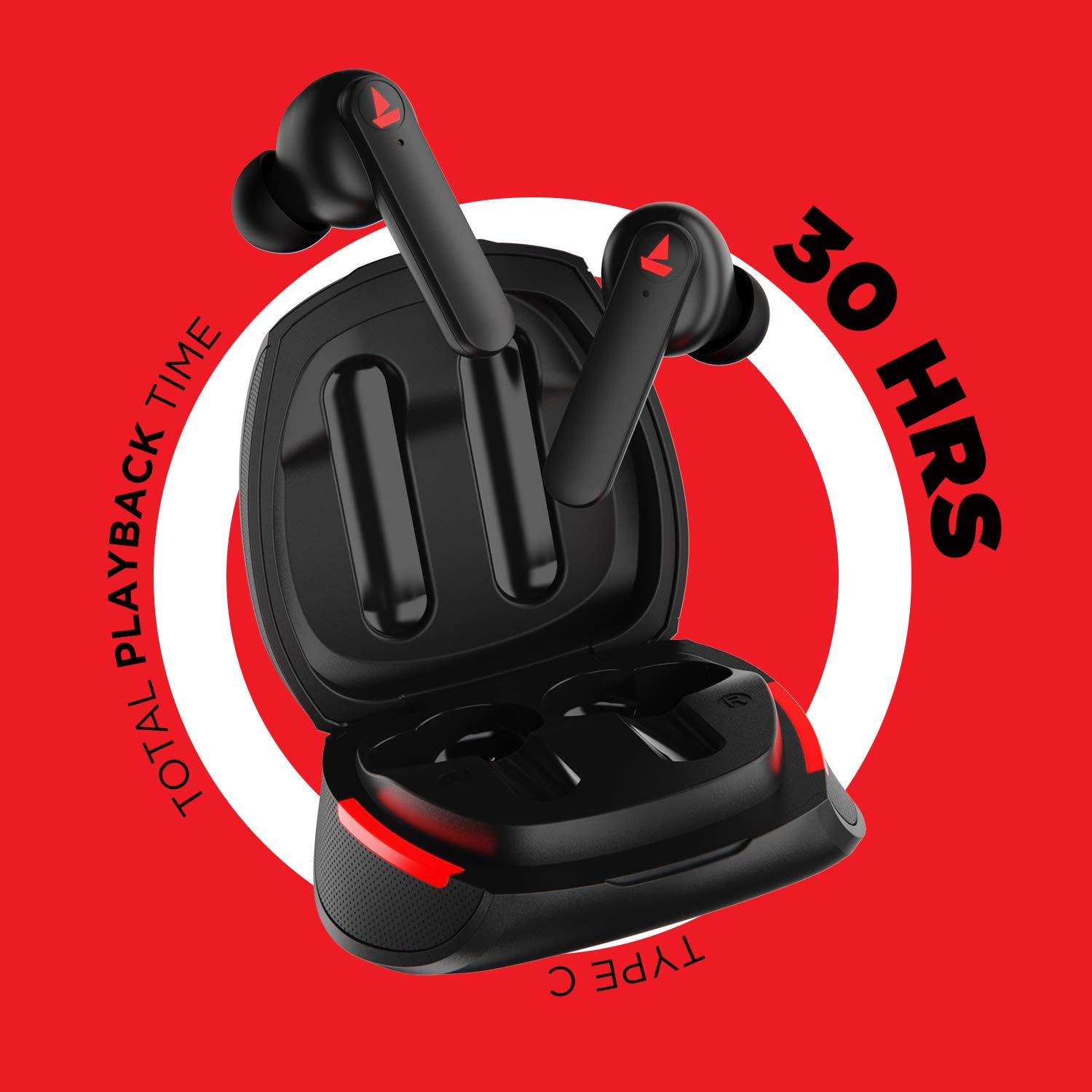
зображення: The Airdopes 641 earbuds resting in their charging case, illustrating the Type-C charging capability and the impressive 30 hours of total playback time.
3.2 Initial Pairing (IWP Technology)
The Airdopes 641 feature Instant Wake N' Pair (IWP) technology for quick and effortless connection.
- Відкрийте кришку зарядного футляра. Навушники автоматично увімкнуться та перейдуть у режим сполучення.
- На вашому смартфоні або пристрої з підтримкою Bluetooth увімкніть Bluetooth.
- шукати "Airdopes 641" in the list of available devices and select it to pair.
- Once paired, you will hear an audio prompt, and the earbuds will be ready for use.
- The earbuds will automatically connect to the last paired device when the case lid is opened, provided Bluetooth is enabled on the device.
4. Інструкція з експлуатації
4.1 Увімкнення/вимкнення живлення
- Увімкнення: Open the charging case lid. The earbuds will power on automatically. Alternatively, long-press the Capacitive Touch Control (CTC) on both earbuds for 3 seconds.
- Вимкнення живлення: Place the earbuds back into the charging case and close the lid. They will power off automatically. Alternatively, long-press the CTC on both earbuds for 5 seconds.
4.2 Capacitive Touch Controls (CTC)
The Airdopes 641 feature intuitive touch controls on each earbud.
- Відтворення/пауза: Single tap on either earbud's CTC.
- Наступний трек: Double tap on the right earbud's CTC.
- Попередній трек: Double tap on the left earbud's CTC.
- Відповісти/закінчити виклик: Single tap on either earbud's CTC.
- Відхилити виклик: Long press on either earbud's CTC for 2 seconds.
- Активувати голосового помічника: Triple tap on either earbud's CTC.
- Збільшення гучності: Long press the right earbud's CTC.
- Зменшення гучності: Long press the left earbud's CTC.
4.3 BEAST Mode (Low Latency Gaming)
Activate BEAST Mode for a low-latency audio experience, ideal for gaming.

зображення: The Airdopes 641 earbuds and their sleek charging case, emphasizing the "BEAST Mode" feature designed to provide a low-latency audio experience for gamers.
- Activate BEAST Mode: Triple tap on the right earbud's CTC.
- Deactivate BEAST Mode: Triple tap on the right earbud's CTC again.
5. Технічне обслуговування
Proper care ensures the longevity and performance of your Airdopes 641.
5.1 Очищення
- Обережно протріть навушники та зарядний футляр м’якою, сухою тканиною без ворсу.
- Не використовуйте абразивні засоби для чищення, спирт або хімічні розчинники.
- Регулярно очищуйте вушні насадки та сітку, щоб запобігти накопиченню сірки, яка може вплинути на якість звуку.
5.2 Водостійкість та стійкість до поту (IPX5)

зображення: The Airdopes 641 earbuds and their charging case surrounded by water splashes, illustrating their IPX5 rating for water and sweat resistance.
The Airdopes 641 are rated IPX5, meaning they are protected against low-pressure water jets from any direction. This makes them suitable for workouts and light rain.
- Не занурюйте навушники у воду.
- Не піддавайте їх впливу води під високим тиском або пари.
- Переконайтеся, що навушники сухі, перш ніж поміщати їх назад у зарядний футляр, щоб запобігти пошкодженню.
5.3 Зберігання
Зберігайте навушники в футлярі для зарядки, коли вони не використовуються, щоб захистити їх і підтримувати заряд.
6. Вирішення проблем
If you encounter issues with your Airdopes 641, try the following solutions.
6.1 Навушники не сполучаються/не підключаються
- Переконайтеся, що обидва навушники заряджені.
- Make sure Bluetooth is enabled on your device and the earbuds are within range.
- Try forgetting "Airdopes 641" from your device's Bluetooth list and re-pairing.
- Виконайте скидання до заводських налаштувань, як описано нижче.
6.2 Скидання до заводських налаштувань
A factory reset can resolve many common issues by restoring the earbuds to their original settings.

зображення: A visual guide detailing the steps for a factory reset of the Airdopes 641. It emphasizes clearing the device from pairing history first, then long-pressing the Capacitive Touch Control (CTC) on both earbuds inside the case for 10 seconds until a green LED flashes three times, followed by closing and reopening the case.
- Крок 1: Before performing the reset, clear "Airdopes 641" from your pairing device history by forgetting the device on your phone/tablet.
- Крок 2: Place both earbuds back inside the charging case in the correct orientation.
- Крок 3: Long press the Capacitive Touch Control (CTC) on both earbuds inside the case for up to 10 seconds. The successful reset will be indicated by the flashing of a green LED three times.
- Крок 4: Закрийте кришку зарядного футляра, а потім знову відкрийте її.
- Крок 5: Once you take the earbuds out from the charging case, they automatically restart and are ready for a new pairing.
Note: Please make sure the case is charged before performing a factory reset.
6.3 No Sound/Low Volume
- Перевірте рівні гучності як на пристрої, так і на навушниках.
- Переконайтеся, що навушники правильно розміщені у вухах.
- Очистіть сітку навушника від будь-якого сміття.
- Спробуйте повторно підключити навушники.
7. Технічні характеристики
| Назва моделі | Аеродопи 641 |
| Технологія підключення | Бездротовий (Bluetooth) |
| Технологія бездротового зв'язку | Bluetooth 5.0 |
| Тип управління | Сенсорне керування, голосове керування |
| Тип аудіо драйвера | Динамічний драйвер (6 мм) |
| Розташування вуха | Вухо |
| Форм-фактор | Вухо |
| матеріал | пластик |
| Рейтинг водонепроникності | IPX5 |
| Порт зарядки | USB Type-C |
| Сумісні пристрої | Tablets, Cellphones, Laptops, Desktops, Smart Speaker, Television |
8. Гарантія та підтримка
For warranty information and customer support, please refer to the warranty card included with your product or visit the official boAt webсайт. Зберігайте чек про покупку для гарантійних претензій.
Виробник: Imagine Marketing Pvt Ltd


