Продукт закінченийview
The Cisco 562 Headset is a wireless DECT 6.0 stereo headset designed for professional use, offering clear audio and comfortable wear. It features an over-the-head, binaural design with supra-aural ear placement and a uni-directional electret condenser microphone. This manual provides essential information for setting up, operating, and maintaining your headset.
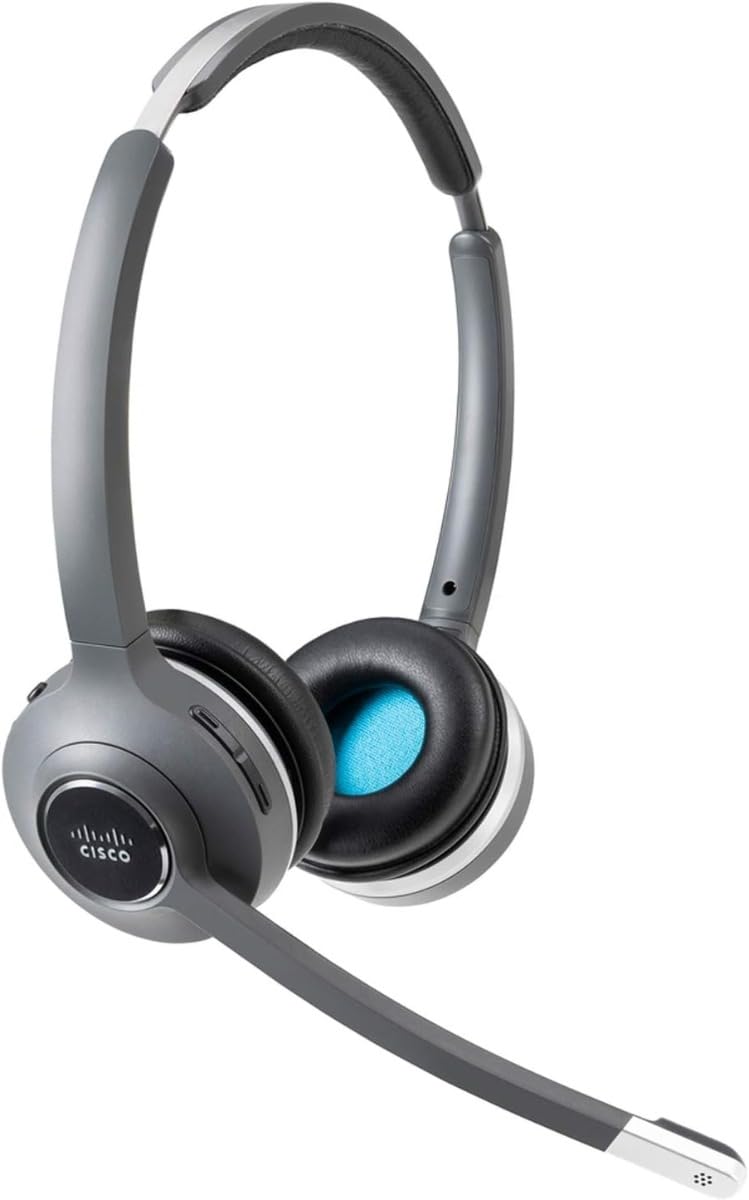
Image: Cisco 562 Wireless DECT Headset with its charging base. The headset is gray and black, featuring an adjustable headband and a microphone boom. The charging base has LED indicators for battery status.
Налаштування
1. Заряджання гарнітури
Place the Cisco 562 Headset onto its charging base. Ensure the headset is properly seated for charging. The LED indicators on the base will illuminate to show the charging status. A fully charged headset will display all indicators lit.
2. Налаштування гарнітури
The headset features an adjustable headband for a comfortable fit. Extend or retract the headband as needed. The microphone boom is also adjustable and can be positioned for optimal voice pickup.
Інструкція з експлуатації
Регулювання гучності
Locate the volume control buttons on the headset earcup. Press the '+' button to increase volume and the '-' button to decrease volume.
Функція відключення звуку
A dedicated mute button is available on the headset for quickly muting or unmuting your microphone during calls.
Відповідь/завершення дзвінків
Use the call control button on the headset to answer incoming calls or end active calls.
Комфорт і посадка
The headset is designed for extended wear with comfortable ear cushions and an adjustable fit. Ensure the headset is positioned correctly on your head for maximum comfort and sound isolation.
Технічне обслуговування
To ensure the longevity and optimal performance of your Cisco 562 Headset, follow these general maintenance guidelines:
- Keep the headset and charging base clean using a soft, dry cloth.
- Уникайте впливу екстремальних температур, вологості або прямих сонячних променів на гарнітуру.
- Store the headset on its charging base when not in use to maintain battery health.
- Не намагайтеся розбирати або ремонтувати гарнітуру самостійно, оскільки це може призвести до анулювання гарантії.
Усунення несправностей
If you encounter issues with your Cisco 562 Headset, consider the following general troubleshooting steps:
- Без звуку: Ensure the headset is powered on and properly connected to your device. Check volume settings on both the headset and the connected device.
- Мікрофон не працює: Verify the microphone is not muted. Check microphone settings on your connected device.
- Проблеми з підключенням: Ensure the headset is within the wireless operating range (up to 300 ft). Re-pair the headset with your device if necessary.
- Проблеми з якістю виклику: For call quality problems, ensure your connected device's software and the headset's firmware are up to date. Refer to Cisco's official support resources for advanced diagnostics.
Технічні характеристики
| Бренд | Cisco |
| Модель | 562 |
| Технологія підключення | Бездротовий зв'язок (DECT 6.0) |
| Бездротова робоча відстань | 300 фути |
| Режим звуку | Стерео |
| Максимальна частотна характеристика | 48 кГц |
| Розташування вуха | On Ear (Supra-aural) |
| Форм-фактор | Over-The-Head, Binaural |
| Тип мікрофона | Uni-Directional, Electret, Condenser |
| Імпеданс | 90 Ом |
| Колір | чорний |
Гарантія та підтримка
For detailed warranty information, technical support, and additional resources, please refer to the documentation included with your product or visit the official Cisco support website. Specific warranty terms and support options may vary by region and product registration.
Ви можете відвідати Cisco Store для отримання додаткової інформації про продукт.