вступ
Thank you for choosing the Spider Waterproof Bluetooth Speaker. This manual provides detailed instructions for the proper use, maintenance, and troubleshooting of your new speaker. Please read this manual thoroughly before operating the device to ensure optimal performance and longevity.
Інформація про безпеку
- Не піддавайте динамік впливу екстремальних температур або прямих сонячних променів протягом тривалого часу.
- Уникайте падіння та сильних ударів динаміка.
- Не намагайтеся розбирати або модифікувати динамік. Це призведе до анулювання гарантії.
- Тримайте динамік подалі від медичного обладнання.
- Ensure all ports are securely closed when using the speaker near water to maintain its waterproof rating.
Вміст упаковки
Будь ласка, перевірте упаковку на наявність наступних предметів:
- Spider Waterproof Bluetooth Speaker (M-BTSP-L802)
- USB Charging Cable (USB-A to 3.5mm/USB-B)
- Карабін кліп
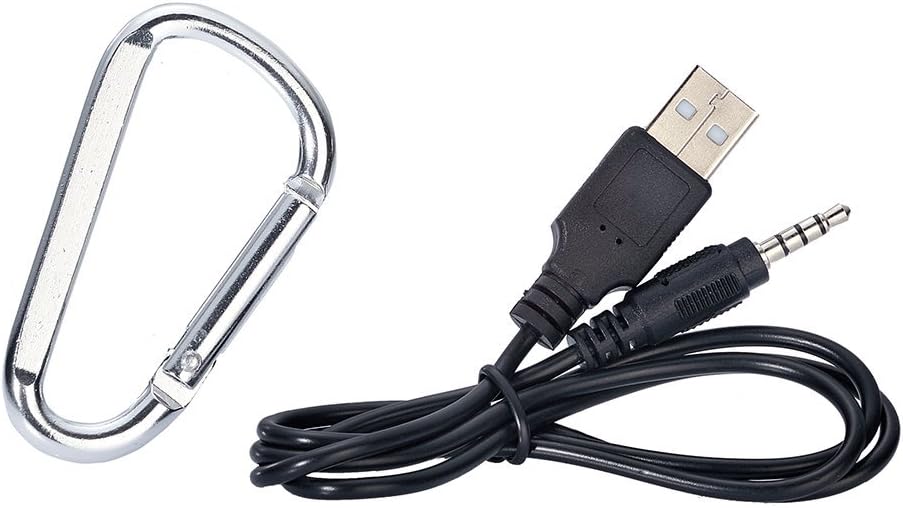
Image: Included USB charging cable and carabiner clip.
Продукт закінченийview
Ознайомтеся з різними частинами та елементами керування вашого динаміка.
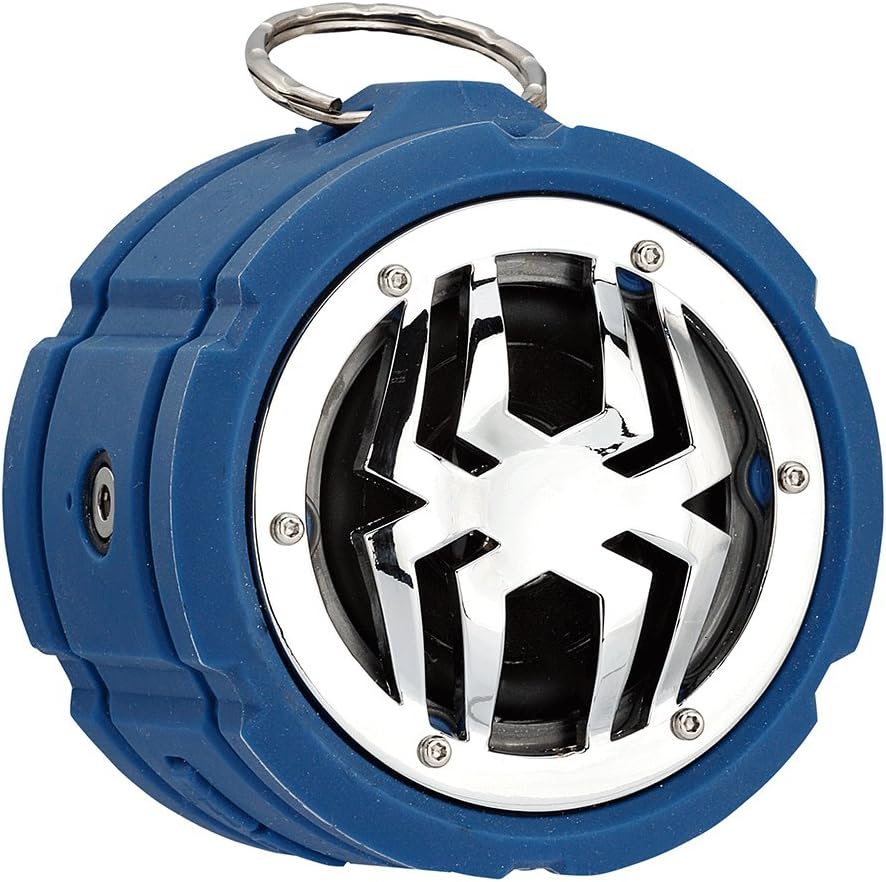
Зображення: спереду view of the Spider Waterproof Bluetooth Speaker, showing the speaker grille with spider design and the top ring for the carabiner.
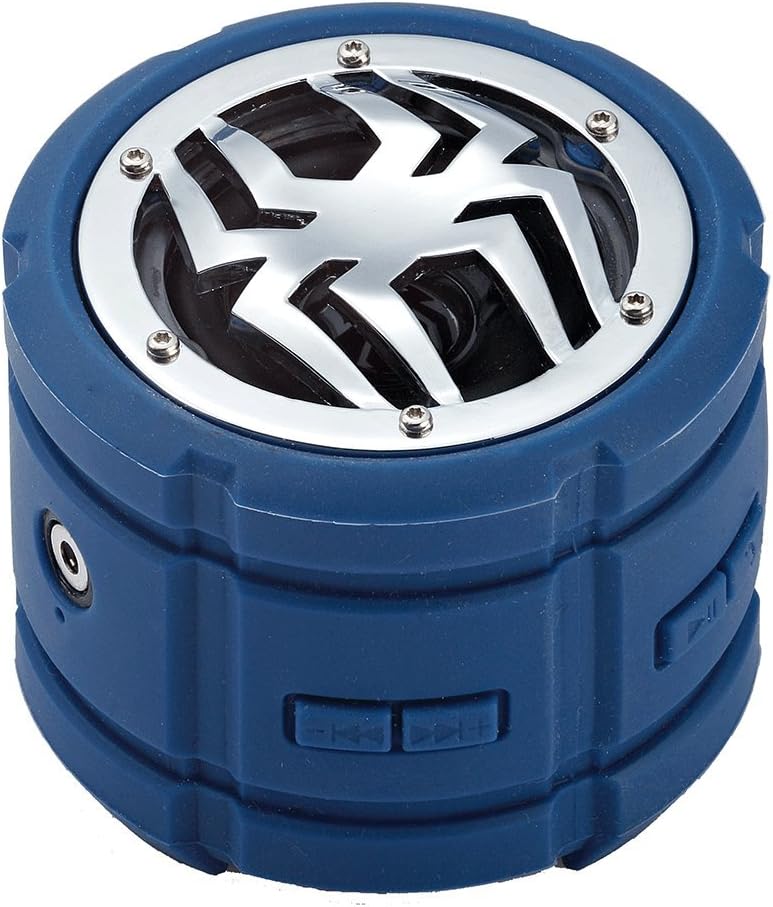
Зображення: Збоку view of the speaker, highlighting the control buttons for power, volume, and track navigation.

Зображення: Задня частина view of the speaker, showing the covered charging port and audio input jack.
Налаштування
1. Заряджання динаміка
Before first use, fully charge the speaker. Connect the small end of the USB charging cable to the speaker's charging port (located under the protective flap) and the USB-A end to a USB power adapter (not included) or a computer's USB port. The charging indicator light will illuminate during charging and turn off when fully charged.
2. Увімкнення/вимкнення живлення
- Щоб увімкнути: Press and hold the Power button (usually indicated by a power symbol) for approximately 3 seconds until you hear an audible prompt or see an indicator light.
- Щоб вимкнути: Знову натисніть і утримуйте кнопку живлення приблизно 3 секунди, доки не почуєте звуковий сигнал або індикатор не згасне.
3. Підключення Bluetooth
- Ensure the speaker is powered on and in Bluetooth pairing mode (indicated by a flashing LED light). If not, briefly press the Bluetooth button (if available) or power cycle the device.
- На мобільному пристрої (смартфоні, планшеті, ноутбуці) увімкніть Bluetooth та знайдіть доступні пристрої.
- Select "Spider BT802" or similar name from the list of found devices.
- Once paired, the speaker will provide an audible confirmation, and the LED indicator will stop flashing and remain solid.
4. Connecting via Audio Jack (AUX)
For devices without Bluetooth, you can use the 3.5mm audio jack. Connect one end of a 3.5mm audio cable (not included) to the speaker's AUX-in port and the other end to your audio source's headphone jack. The speaker will automatically switch to AUX mode.
Операційна
Відтворення музики
- Відтворення/пауза: Press the Play/Pause button (usually a triangle or two vertical bars).
- Наступний трек: Press the 'Next Track' button (usually a double arrow pointing right).
- Попередній трек: Press the 'Previous Track' button (usually a double arrow pointing left).
- Збільшення гучності: Press the 'Volume Up' button (usually '+').
- Зменшення гучності: Press the 'Volume Down' button (usually '-').
Call Functions (Built-in Microphone)
The speaker features a built-in microphone, allowing you to answer calls hands-free when connected via Bluetooth.
- Відповісти на дзвінок: Натисніть кнопку відтворення/паузи один раз, коли надходить дзвінок.
- Завершити виклик: Натисніть кнопку відтворення/паузи один раз під час дзвінка.
- Відхилити виклик: Натисніть і утримуйте кнопку відтворення/паузи протягом 2 секунд, коли надходить дзвінок.
Технічне обслуговування
- Прибирання: Використовуйте м’яку суху тканину для очищення динаміка. Для стійкого бруду злегкаamp можна використовувати тканину. Не використовуйте агресивні хімікати або абразивні засоби для чищення.
- Зберігання: Зберігайте динамік у прохолодному, сухому місці, подалі від прямих сонячних променів та екстремальних температур, якщо він не використовується протягом тривалого часу.
- Догляд за акумулятором: To prolong battery life, avoid fully discharging the speaker frequently. Charge it regularly, even if not in use.
Усунення несправностей
| проблема | Можлива причина | Рішення |
|---|---|---|
| Динамік не вмикається. | Низький заряд батареї. | Повністю зарядіть динамік. |
| Не вдається підключитися через Bluetooth. | Гучномовець не в режимі сполучення; Bluetooth пристрою вимкнено; Занадто далеко від пристрою. | Переконайтеся, що динамік перебуває в режимі сполучення; увімкніть Bluetooth на своєму пристрої; перемістіть динамік ближче до пристрою (на відстань до 10 метрів). |
| Ні звуку. | Занадто низька гучність; неправильний режим введення; пристрій не відтворює. | Increase speaker and device volume; Ensure correct mode (Bluetooth/AUX); Check if audio is playing on your device. |
| Погана якість звуку. | Interference; Low battery. | Move away from other electronic devices; Charge the speaker. |
Технічні характеристики
| Особливість | Деталь |
|---|---|
| Номер моделі | M-BTSP-L802 |
| Технологія підключення | Bluetooth, 3.5-мм аудіороз'єм |
| Особливості | Waterproof, Built-in Microphone, Multi-room Audio (if supported by source) |
| Режим аудіовиходу | Стерео |
| Максимальна вихідна потужність динаміка | 80 Вт |
| Час очікування | 120 години |
| Розміри (прибл.) | 11.68 х 9.4 х 7.62 см |
| Вага (прибл.) | 362.87 г |
| Колір | Синій |
Гарантія та підтримка
This Spider Waterproof Bluetooth Speaker (Model M-BTSP-L802) comes with a Гарантія від виробника 1 рік з дати покупки. Ця гарантія поширюється на дефекти матеріалів і виготовлення за нормального використання.
Гарантія не поширюється на:
- Пошкодження, спричинені нещасним випадком, зловживанням, неправильним використанням, повінню, пожежею, землетрусом або іншими зовнішніми причинами.
- Damage caused by operating the product outside the permitted or intended uses described by Spider.
- Damage caused by service performed by anyone who is not a representative of Spider or an authorized Spider Service Provider.
For warranty claims or technical support, please contact your retailer or the manufacturer directly. Please retain your proof of purchase for warranty validation.


