1. Giriş
Welcome to the GOBOULT Pyro Smartwatch user manual. This guide provides essential information for setting up, operating, and maintaining your new smartwatch. The GOBOULT Pyro combines advanced technology with a sleek design, offering features such as a vibrant AMOLED display, Bluetooth calling, comprehensive health monitoring, and various sports modes.
Please read this manual thoroughly to ensure proper use and to maximize your experience with the device.

Image 1.1: The GOBOULT Pyro Smartwatch in Charcoal Black. This image displays the watch face and strap, highlighting its overall design.
2. Temel Özellikler
The GOBOULT Pyro Smartwatch is equipped with a range of features designed to enhance your daily life and fitness routine:
- 1.43 inç AMOLED Ekran: Enjoy an ultra-clear and vibrant display with 600 nits brightness and Always-On Display functionality.
- Rotating Dial Navigation: Effortlessly browse menus and switch between applications.
- Bluetooth Calling 5.3: Make and receive calls directly from your wrist with enhanced audio quality.
- IP68 Water & Dust Resistance: Designed to withstand dust, sweat, and water immersion.
- 150+ Cloud-Based Watch Faces: Personalize your smartwatch to match your style.
- 120'den fazla Spor Modu: Track various fitness activities with real-time insights.
- Yapay Zeka Sesli Asistan: Control tasks hands-free using voice commands.
- Sağlık Takibi: Includes SpO2, heart rate, blood pressure, stress, sleep, and menstrual cycle tracking.
- Smart Productivity Features: Remote camera control, flashlight, world clock, weather updates, and 'Find My Phone' functionality.

Resim 2.1: Bir aşırıview gösteriasing key features of the GOBOULT Pyro Smartwatch, including the working dial, Always-On Display, 600 nits brightness, 120+ sports modes, Bluetooth calling, health monitoring, and IP68 water resistance.
3. Kurulum
3.1. Kutudan Çıkarma ve İlk İnceleme
Upon opening the package, ensure all components are present and undamaged. The box should contain:
- GOBOULT Pyro Smartwatch
- Şarj kablosu
- Kullanım Kılavuzu (bu belge)
- Garanti Kartı
3.2. Akıllı Saati Şarj Etme
Before first use, fully charge your GOBOULT Pyro Smartwatch. Connect the provided charging cable to the charging port on the back of the smartwatch and to a standard USB power adapter (not included). A full charge typically takes approximately 150 minutes.
Not: Use a compatible charger to avoid damage. The smartwatch requires 1 AAA battery (included) for internal functions, but the main power is supplied via the charging cable.
3.3. Akıllı Telefonunuzla Eşleştirme
Akıllı saatinizin tüm işlevlerini kullanabilmek için, onu Bluetooth aracılığıyla akıllı telefonunuzla eşleştirin:
- Download the official GOBOULT companion app from your smartphone's app store (available for Android and iOS).
- Akıllı telefonunuzda Bluetooth'un etkinleştirildiğinden emin olun.
- GOBOULT uygulamasını açın ve yeni bir cihaz eklemek için ekrandaki yönergeleri izleyin.
- Select 'GOBOULT Pyro' from the list of available devices.
- Hem akıllı telefonunuzda hem de akıllı saatinizde eşleştirme isteğini onaylayın.
Once paired, the smartwatch will synchronize data and notifications with your phone.
4. Operasyon
4.1. Görüntüleme ve Gezinme
The GOBOULT Pyro features a 1.43-inch AMOLED display with 600 nits brightness, ensuring clear visibility even in bright sunlight. The Always-On Display (AOD) feature allows you to see essential information without fully activating the screen.

Image 4.1: The 1.43-inch AMOLED display of the GOBOULT Pyro Smartwatch, showcasing its vibrant colors and clarity, along with the Always-On Display feature and 600 nits brightness.
Navigate through menus and apps using the touchscreen and the intuitive rotating dial. Rotate the dial to scroll through lists or zoom, and press it to select items or return to the home screen.

Image 4.2: Close-up of the GOBOULT Pyro Smartwatch demonstrating the rotating action bezel for navigation through menus and options.
4.2. Saat Yüzlerini Özelleştirme
Personalize your smartwatch with over 150 cloud-based watch faces. You can change watch faces directly from the smartwatch settings or through the companion app. The app also allows for custom watch face options.

Image 4.3: A visual representation of the 150+ cloud-based watch faces available for the GOBOULT Pyro Smartwatch, including options for custom watch faces.
4.3. Bluetooth Arama
With Bluetooth 5.3, you can make and receive calls directly from your smartwatch. The device features a dedicated microphone and speaker for clear, hands-free communication. Ensure your smartwatch is connected to your phone via Bluetooth for this feature to work.

Image 4.4: The GOBOULT Pyro Smartwatch displaying an incoming call, illustrating the Bluetooth calling feature with its dedicated microphone and speaker.
4.4. Spor Modları ve Aktivite Takibi
The smartwatch supports over 120 sports modes, allowing you to track a wide range of physical activities. Select your desired sport from the menu to monitor real-time data such as duration, calories burned, and heart rate.

Image 4.5: The GOBOULT Pyro Smartwatch displaying a running activity summary, highlighting the availability of 120+ sports modes for tracking various physical activities.
4.5. Sağlık İzleme
The GOBOULT Pyro provides 24/7 health monitoring capabilities:
- Kalp Atış Hızı Monitörü: Kalp atış hızınızı sürekli olarak takip eder.
- SpO2 İzleme: Kanınızdaki oksijen seviyesini ölçer.
- Kan Basıncı İzleme: Kan basıncınızın tahminlerini sağlar.
- Sleep & Stress Monitoring: Analyzes sleep patterns and stress levels.
- Kadınlarda Adet Döngüsü Takibi: Adet döngülerini takip etmeye ve tahmin etmeye yardımcı olur.
For accurate readings, ensure the smartwatch is worn snugly on your wrist. Consult a medical professional for any health concerns; the smartwatch is not a medical device.

Resim 4.6: Arka kısım view of the GOBOULT Pyro Smartwatch, showing the optical PPG tech sensors used for health monitoring features like heart rate, SpO2, and blood pressure tracking.
4.6. AI Voice Assistant and Smart Features
Access your AI voice assistant (Siri or Google Assistant) for hands-free commands. The smartwatch also offers additional smart features:
- SMS & Push Notifications: Receive alerts for messages and app notifications.
- Uzaktan Kamera Kontrolü: Saatinizi telefonunuzun kamerası için uzaktan kumanda olarak kullanın.
- El feneri: Activate a simple flashlight function.
- Dünya Saati: View Farklı zaman dilimlerindeki zamanlar.
- Weather Details: Get current weather updates.
- Telefonumu Bul: Eşleştirilmiş akıllı telefonunuzu bulun.
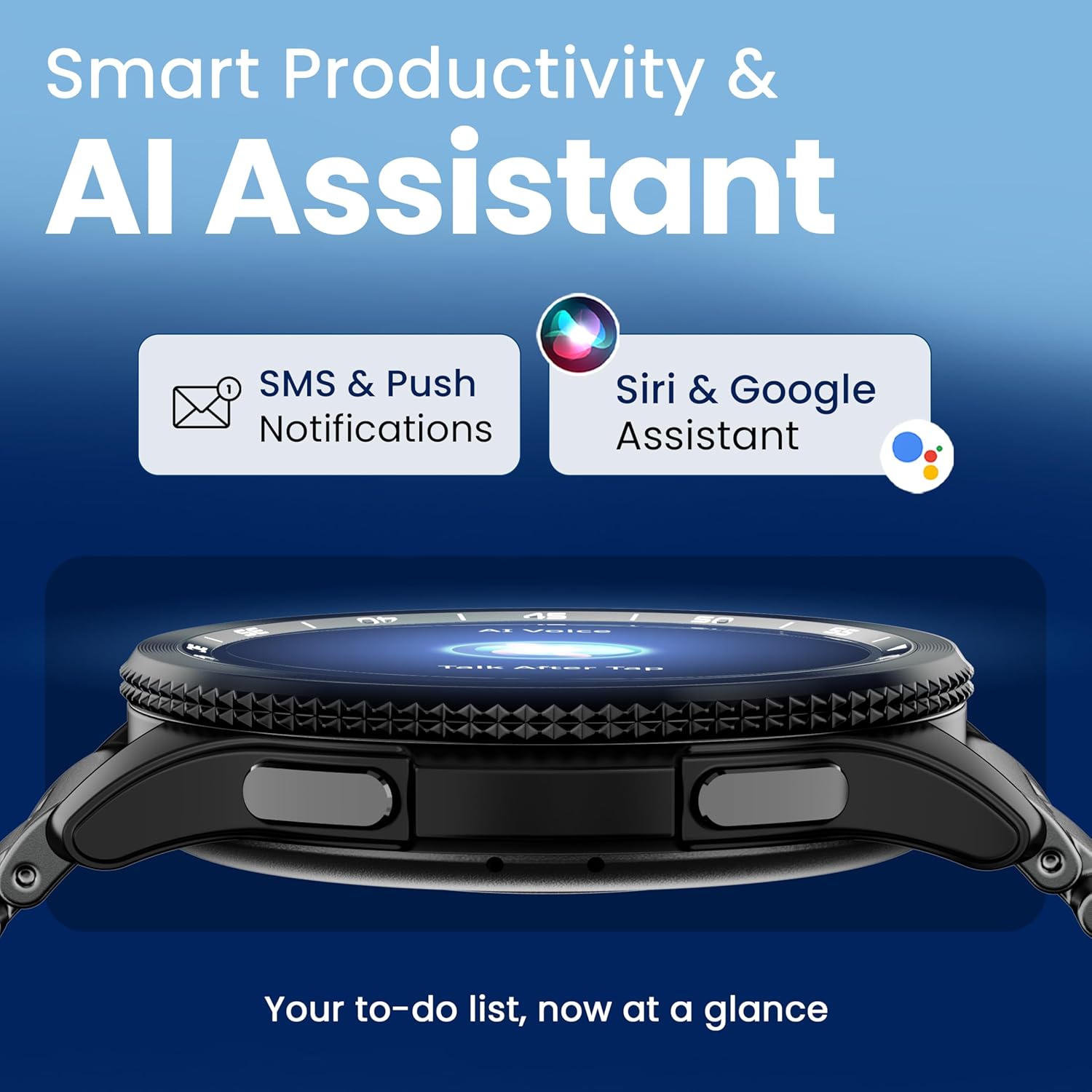
Image 4.7: The GOBOULT Pyro Smartwatch displaying the AI Voice Assistant interface, alongside icons for SMS and push notifications, indicating smart productivity features.

Image 4.8: The GOBOULT Pyro Smartwatch displaying the 'Find Phone' feature, with additional icons for remote camera control, flashlight, world clock, and weather details.
5. Bakım
5.1. Su ve Toza Dayanıklılık (IP68)
The GOBOULT Pyro Smartwatch is IP68 rated, meaning it is resistant to dust and can withstand immersion in water up to 1.5 meters for 30 minutes. This makes it suitable for daily wear, including during workouts and in rainy conditions. However, it is not recommended for diving, high-pressure water activities, or prolonged submersion.
Önemli: Water resistance is not a permanent condition and may decrease over time with normal wear. Avoid exposing the watch to hot water, steam, or detergents, as these can compromise the seals.
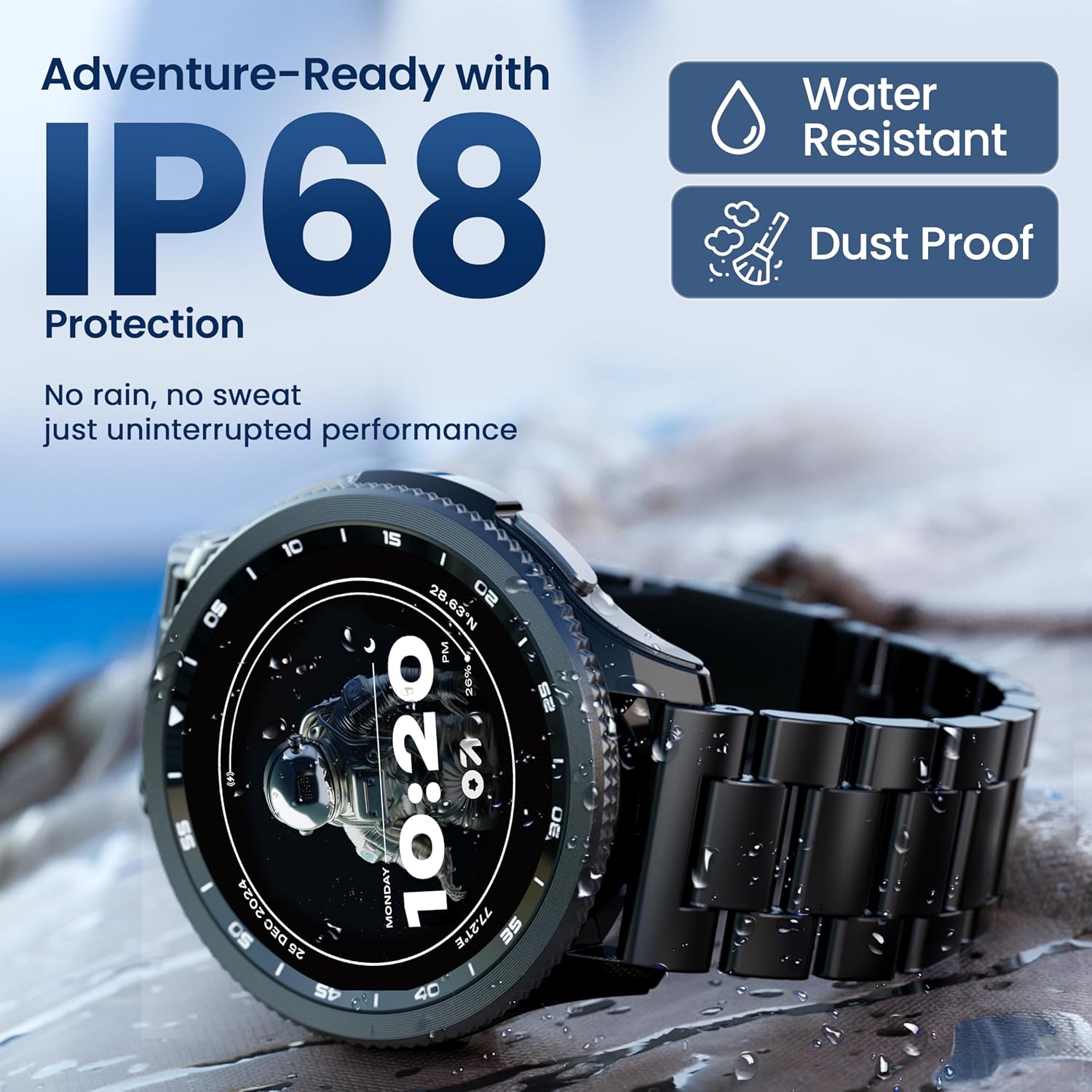
Image 5.1: The GOBOULT Pyro Smartwatch shown with water droplets, illustrating its IP68 water and dust resistance for uninterrupted performance in various conditions.
5.2. Akıllı Saatinizi Temizleme
Akıllı saatinizi temiz tutmak ve en iyi şekilde çalışmasını sağlamak için:
- Ekranı ve gövdeyi yumuşak, tiftiksiz bir bezle silin.
- Gerekirse, dampBezi hafifçe suyla yıkayın. Sert kimyasallar veya aşındırıcı malzemeler kullanmaktan kaçının.
- Verimli şarj sağlamak için şarj kontaklarını düzenli olarak temizleyin.
- If the strap is removable, clean it separately according to its material type.
5.3. Pil Bakımı
Pil ömrünü uzatmak için:
- Aşırı sıcaklıklardan kaçının.
- Sık sık şarj etmeden önce akünün tamamen bitmesine izin vermeyin.
- If storing the watch for an extended period, charge it to about 50% and power it off.
6. Sorun Giderme
If you encounter issues with your GOBOULT Pyro Smartwatch, refer to the following common solutions:
| Sorun | Olası Çözüm |
|---|---|
| Akıllı saat açılmıyor. | Saatinizin tam şarjlı olduğundan emin olun. Saatinizi en az 30 dakika şarj cihazına takın. |
| Akıllı telefonla eşleştirilemiyor | Check if Bluetooth is enabled on your phone. Ensure the smartwatch is in pairing mode. Restart both devices and try again. Make sure the companion app is installed and updated. |
| Yanlış sağlık okumaları | Saatin bileğinize tam oturduğundan, çok sıkı veya çok gevşek olmadığından emin olun. Saatin arkasındaki sensörleri temizleyin. Ölçüm sırasında aşırı hareketten kaçının. |
| Bildirimler görünmüyor | Verify that notification permissions are granted to the GOBOULT app on your smartphone. Check the app's settings to ensure notifications are enabled for desired applications. Ensure Bluetooth connection is stable. |
| Pil çabuk bitiyor | Reduce screen brightness. Disable Always-On Display if not needed. Limit background app refresh. Ensure no apps are constantly running in the background. Frequent Bluetooth calling can also consume more power. |
| Charging issues (e.g., not connecting to charger) | Ensure the charging cable is correctly aligned with the magnetic contacts on the watch. Clean the charging contacts on both the cable and the watch. Try a different USB power source. |
| Rotating dial not working | Check for any physical obstruction or debris around the dial. Gently clean the area. If the issue persists, a software glitch might be present; try restarting the watch. |
7. Özellikler
Below are the technical specifications for the GOBOULT Pyro Smartwatch:
| Özellik | Detay |
|---|---|
| Marka | GOBOULT |
| Model Serisi | Ateş |
| Ekran Boyutu | 1.43 inç |
| Görüntü Türü | AMOLED |
| Parlaklık | 600 Nit |
| Bağlantı | Bluetooth 5.3 |
| İşletim Sistemi Uyumluluğu | Android, iOS |
| Suya Dayanıklılık | IP68 |
| Pil Kapasitesi | 300 Miliamp Saat |
| Ortalama Pil Ömrü | 7 Güne Kadar |
| Pil Şarj Süresi | Yaklaşık 150 Dakika |
| Ürün Ağırlığı | 68 gr |
| Dahil Bileşenler | Akıllı saat, şarj kablosu, kullanım kılavuzu, garanti kartı |
8. Garanti ve Destek
8.1. Garanti Bilgileri
Your GOBOULT Pyro Smartwatch comes with a manufacturer's warranty. Please refer to the included Warranty Card for detailed information regarding warranty terms, conditions, and duration. Keep your proof of purchase for warranty claims.
8.2. Müşteri Desteği
For technical assistance, troubleshooting beyond this manual, or warranty service, please contact GOBOULT customer support. Contact details can typically be found on the Warranty Card or the official GOBOULT website. When contacting support, please have your product model (Pyro) and purchase details ready.


