1. Giriş
This manual provides detailed instructions for the installation, operation, and maintenance of your Ulecoce Keyless Entry Door Lock Deadbolt with Handle Set. This smart lock offers multiple access methods and enhanced security features for your home or office.

Image 1.1: The Ulecoce Keyless Entry Door Lock Deadbolt with Handle Set in satin nickel finish, installed on a dark door.
2. Ürün Özellikleri
- Anahtarsız Giriş: Supports 100 user codes (97 user, 3 admin), one-time codes, and 2 backup physical keys.
- Smart Access Management: Generate and share temporary or permanent codes for family, house sitters, or guests.
- Gelişmiş Güvenlik: Features auto-lock, one-touch locking, anti-peeping code input, and low battery alerts.
- Dayanıklılık: Designed to withstand extreme temperatures (-4℉ to 140℉) and is IP54 waterproof.
- Güç: Operates on 4 AA batteries (not included) with an approximate 180-day lifespan.

Resim 2.1: Üzeriview of the Ulecoce Keyless Entry Door Lock Set highlighting its main features.
3. Özellikler
| Bağlanmak | Detay |
|---|---|
| Marka | Ulecoce |
| Model Adı | WZ-U18L-S-0513-TP |
| Kilit Tipi | Sürgü |
| Malzeme | Metal |
| Renk | Saten Nikel |
| Ürün Boyutları (U x G x Y) | 1 x 1 x 1 inç |
| Ürün Ağırlığı | 3.36 pound |
| Özel Özellikler | Anti-Peeping Password, Auto-Lock, Keyless Entry, One-Touch Lock |
| Önerilen Kullanım | Ön Kapı |
| Güç Kaynağı | 4 AA Pil (dahil değildir) |
| Çalışma Sıcaklığı | -4℉ ila 140℉ (-20°C ila 60°C) |
| Çalışma Nemi | %0 ila %95 |
| Su Geçirmezlik Derecesi | IP54 |
| Sertifikasyon | ANSI Grade 3 Certified |
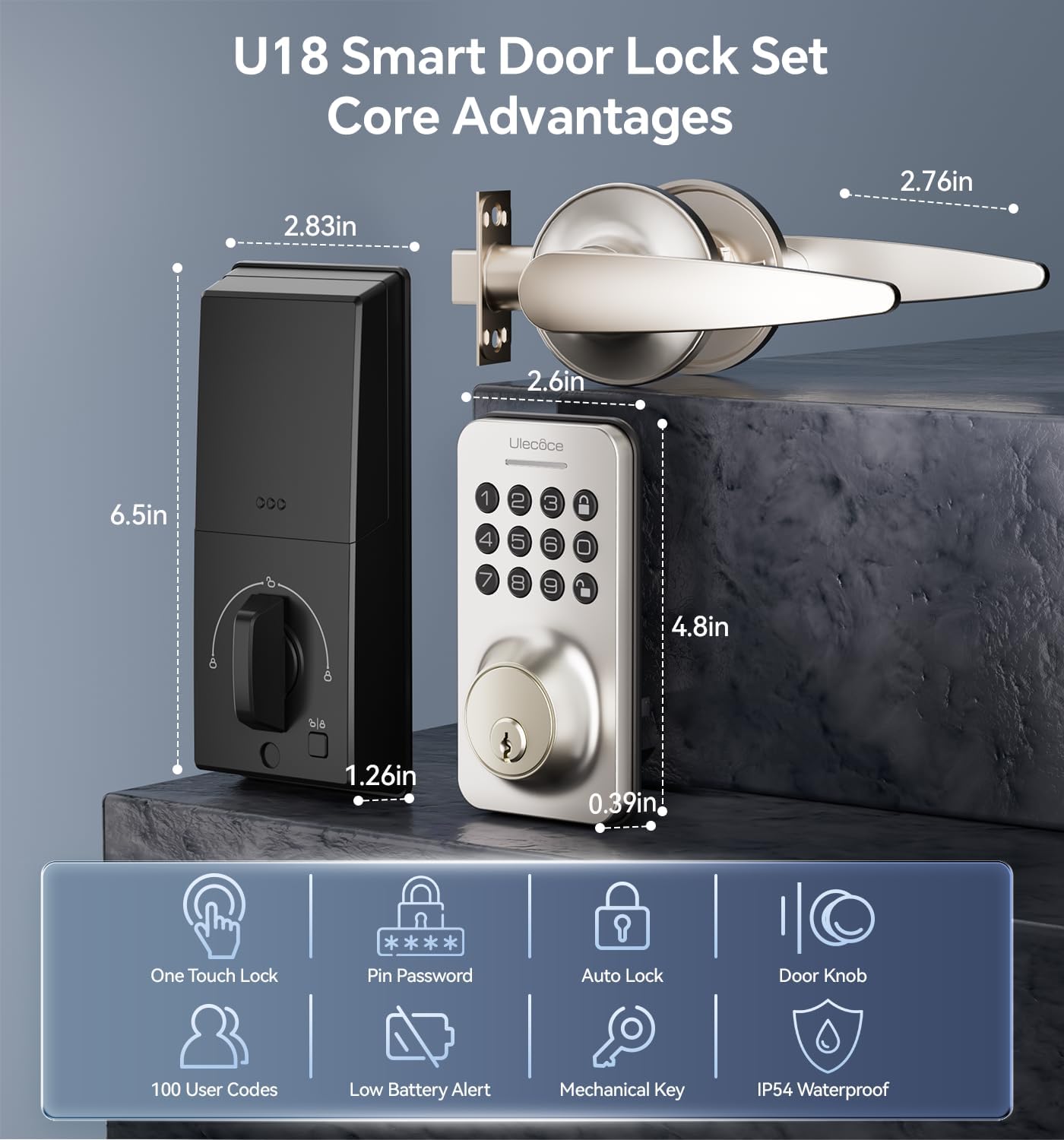
Image 3.1: Dimensions and key features of the Ulecoce U18 Smart Door Lock Set.

Image 3.2: ANSI Grade 3 certification and durability test results for the Ulecoce smart lock.
4. Kurulum ve Kurulum
The Ulecoce Keyless Entry Door Lock is designed for easy installation, requiring only a screwdriver. No additional drilling or professional locksmith services are typically needed. It is compatible with both left and right-hand doors.
4.1 Kurulum Öncesi Kontrol
Before beginning installation, ensure your door meets the compatibility requirements for latch hole and backset dimensions.
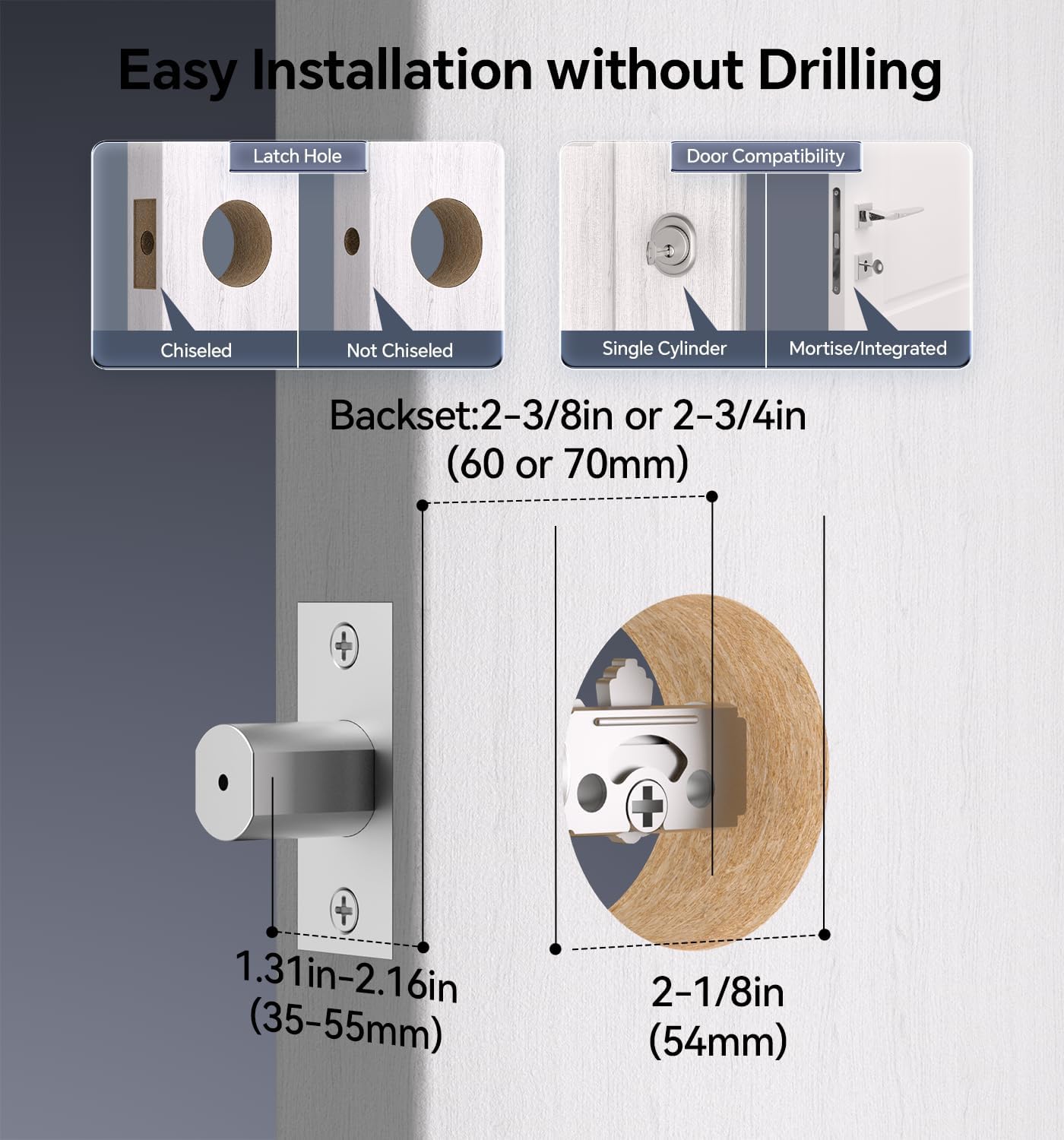
Image 4.1: Door compatibility and latch hole requirements for installation.

Image 4.2: Check door dimensions and lock measurements before purchase.
4.2 Kurulum Adımları
- Prepare the door: Ensure the door is properly prepped with the correct bore hole and backset.
- Install the latch and strike plate.
- Dış tuş takımı tertibatını takın.
- Install the interior assembly, connecting the cable.
- Secure the lock with screws.
- Pil yuvasına 4 adet AA pil (dahil değildir) yerleştirin.
- Test the lock's functionality.

Image 4.3: Installation process using a screwdriver.

Image 4.4: The lock is compatible with both left and right-hand door orientations.
5. Kullanım Talimatları
The Ulecoce smart lock offers various convenient ways to unlock and manage access.
5.1 Kilit Açma Yöntemleri
- Tuş takımı kodu: Enter your programmed user code on the keypad.
- Tek Kullanımlık Kodlar: Generate temporary codes for single use.
- Fiziksel Anahtar: Use the provided backup keys for manual unlocking.
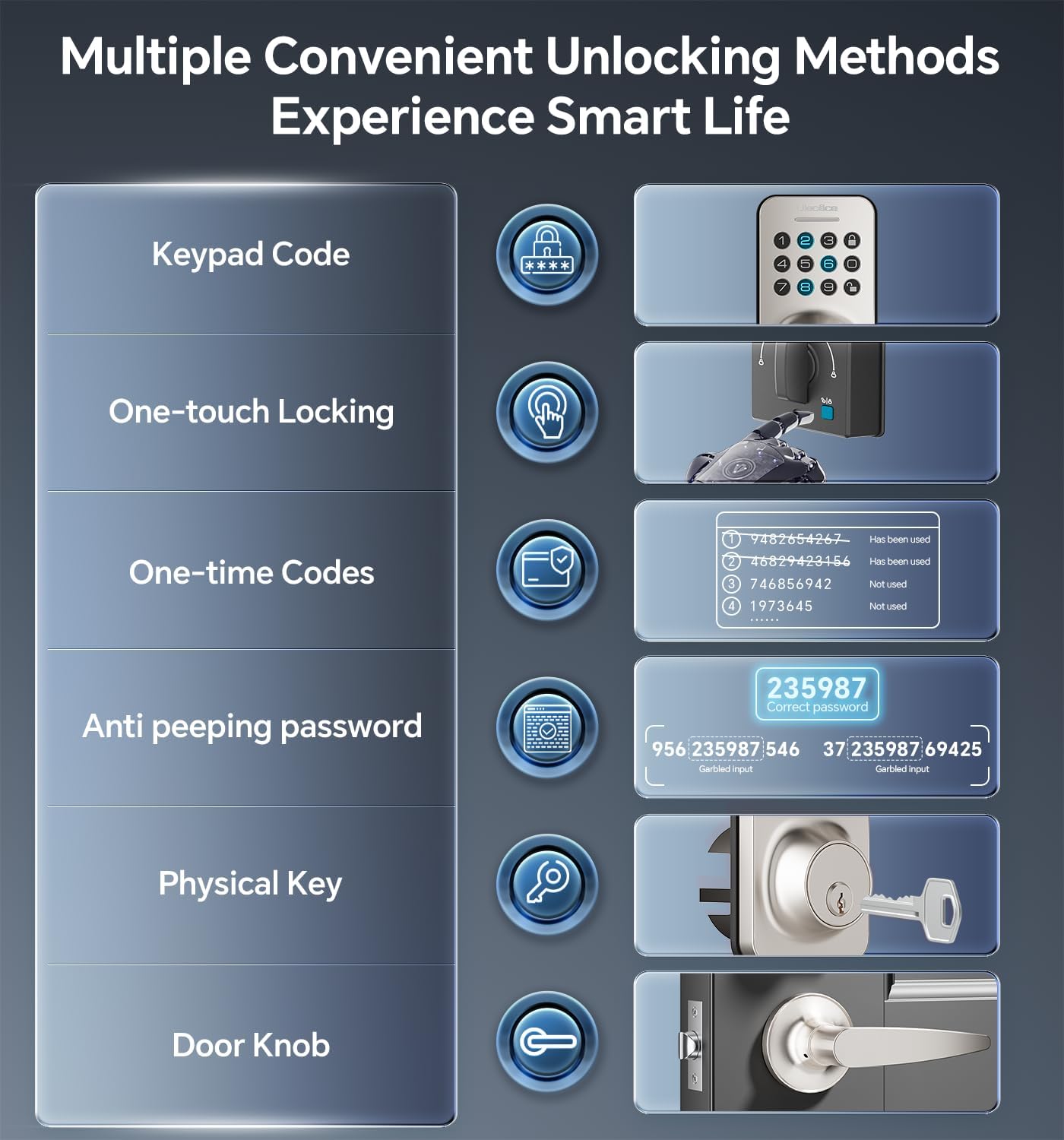
Image 5.1: Multiple methods available for unlocking the door.
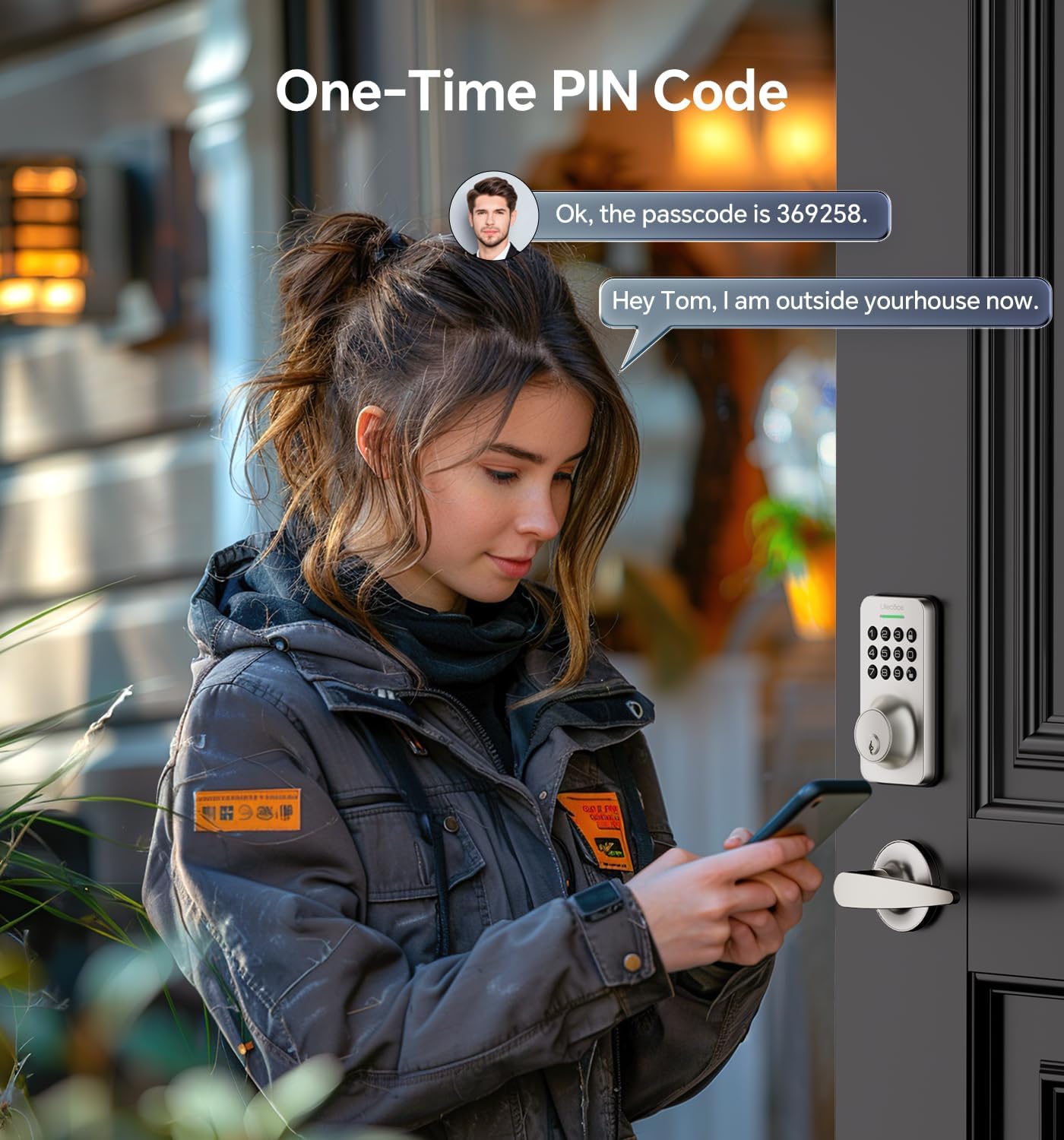
Image 5.2: Using a one-time PIN code for temporary access.
5.2 Gözetlemeyi Önleyici Şifre
To prevent others from guessing your code, you can enter random digits before or after your actual passcode. The lock will recognize the correct consecutive sequence within the input.
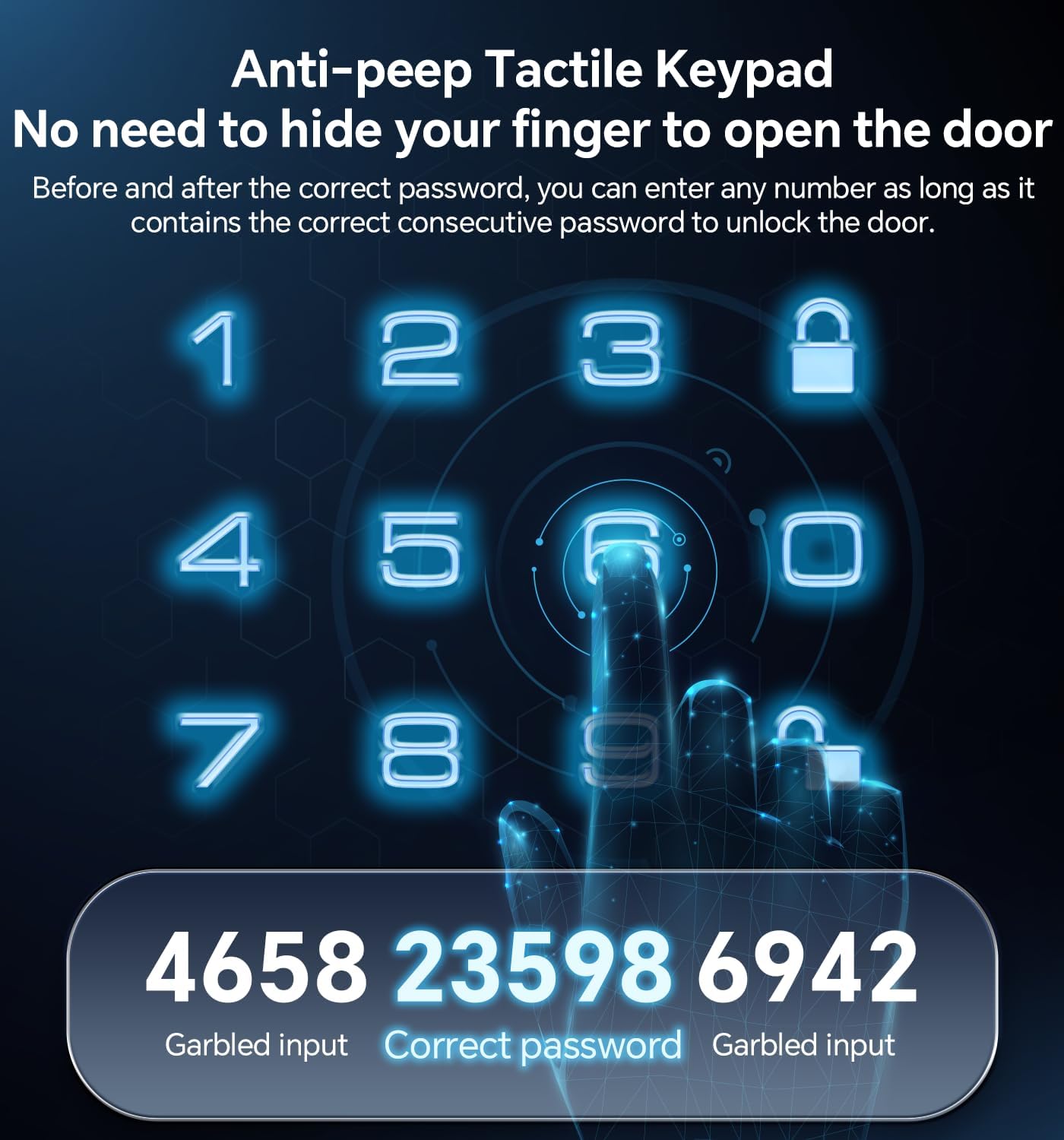
Resim 5.3: Örn.ample of using the anti-peeping password feature.
5.3 Auto-Lock and One-Touch Locking
- Otomatik kilit: The lock can be programmed to automatically lock after a set period (10-30 seconds) once the door is closed.
- Tek Dokunuşla Kilitleme: A dedicated button on the interior assembly allows for quick manual locking.

Image 5.4: The auto-lock feature provides convenience and security.
6. Bakım
6.1 Pil Değişimi
The lock is powered by 4 AA batteries (not included). When the battery level is low, the lock will provide an alert. Replace all four batteries promptly to ensure continuous operation.

Image 6.1: Low battery indicator and backlit keypad for visibility.
6.2 Temizlik
Clean the lock's exterior with a soft, dry cloth. Avoid using abrasive cleaners or solvents, as these can damage the finish or electronic components.
7. Sorun Giderme
- Kilit yanıt vermiyor: Check battery levels and replace if necessary. Ensure the keypad is clean and free of debris.
- Kod çalışmıyor: Verify the code is entered correctly. Ensure the anti-peeping feature is used as intended. If issues persist, reset the code or use a physical key.
- Otomatik kilitleme devreye girmiyor: Check the auto-lock settings to ensure it is enabled and the timer is set appropriately.
- Fiziksel anahtar çalışmıyor: Ensure the key is fully inserted and turned correctly. Check for any obstructions in the keyway.
Daha fazla yardım için lütfen Garanti ve Destek bölümüne bakın.
8. Garanti ve Destek
Ulecoce provides a 3 yıl ürün garantisi and lifetime after-sales service for this product. Our customer support team is available 24/7 via email to assist with any questions or concerns you may have.
Please feel free to contact us for support.


