4DRC Y10

4DRC Y10 AmpHibous Su Geçirmez RC Canavar Kamyon Kullanım Kılavuzu

Model: Y10 | Brand: 4DRC

giriiş

This manual provides essential information for the safe and effective operation of your 4DRC Y10 Amphibious Waterproof RC Monster Truck. Please read these instructions thoroughly before use and retain for future reference.

Güvenlik Bilgileri

No specific safety warnings were provided beyond general product safety. Always supervise children during operation. Keep fingers, hair, and loose clothing away from moving parts. Do not operate near people, pets, or obstacles. Ensure the battery compartment is securely sealed before water play.

Paket İçeriği

4DRC Y10 RC Monster Truck and accessories

Image: The 4DRC Y10 RC Monster Truck, remote control, wristband controller, two rechargeable batteries, USB charging cable, and a screwdriver.

Kurulum Kılavuzu

1. Pilin Takılması ve Şarj Edilmesi

  1. Kamyon Aküsü:

    Locate the battery compartment on the underside of the RC truck. Use the provided screwdriver to open the compartment. Connect one of the 7.4V rechargeable batteries to the truck's power connector. Securely close the battery compartment, ensuring it is sealed for waterproof operation.

    Installing battery in 4DRC Y10 RC Monster Truck

    Image: Illustration of battery installation in the RC truck, showing the compartment and connection points.

  2. Uzaktan Kumanda Pilleri:

    The 2.4GHz remote control requires 2 AA batteries (not included). Open the battery cover on the back of the remote control and insert the batteries, observing correct polarity. Close the cover securely.

  3. Charging the Truck Battery:

    Connect the 7.4V rechargeable battery to the USB charging cable. Plug the USB cable into a standard USB power adapter (e.g., phone charger, computer USB port). The indicator light on the USB cable will show charging status (typically red for charging, off or green for fully charged). Charging time is approximately 2-3 hours. Do not overcharge.

    USB charging cable for 4DRC Y10 RC Monster Truck battery

    Image: The USB charging cable connected to a rechargeable battery, illustrating the charging process.

2. Kontrol Cihazının Eşleştirilmesi

To pair the remote control with the truck:

  1. Ensure the truck battery is installed and the truck is powered off.
  2. Install batteries in the remote control and power it on. The indicator light on the remote will flash.
  3. Turn on the RC truck. The truck's lights will flash.
  4. Within a few seconds, the remote control and truck lights will become solid, indicating successful pairing.
  5. If using the wristband controller, ensure the main remote is off. Power on the truck, then power on the wristband controller. The wristband controller will pair with the truck. Note: The truck can only be paired with one controller at a time.

Kullanım Talimatları

Basic Controls (2.4GHz Remote Control)

4DRC Y10 RC Monster Truck remote control

Image: The 2.4GHz remote control, highlighting the joysticks for movement and steering.

Çift Kontrol Modları

The 4DRC Y10 offers two control methods:

4DRC Y10 RC Monster Truck with both remote and wristband controllers

Image: The RC truck shown with both the traditional remote control and the wristband controller, illustrating the dual control options.

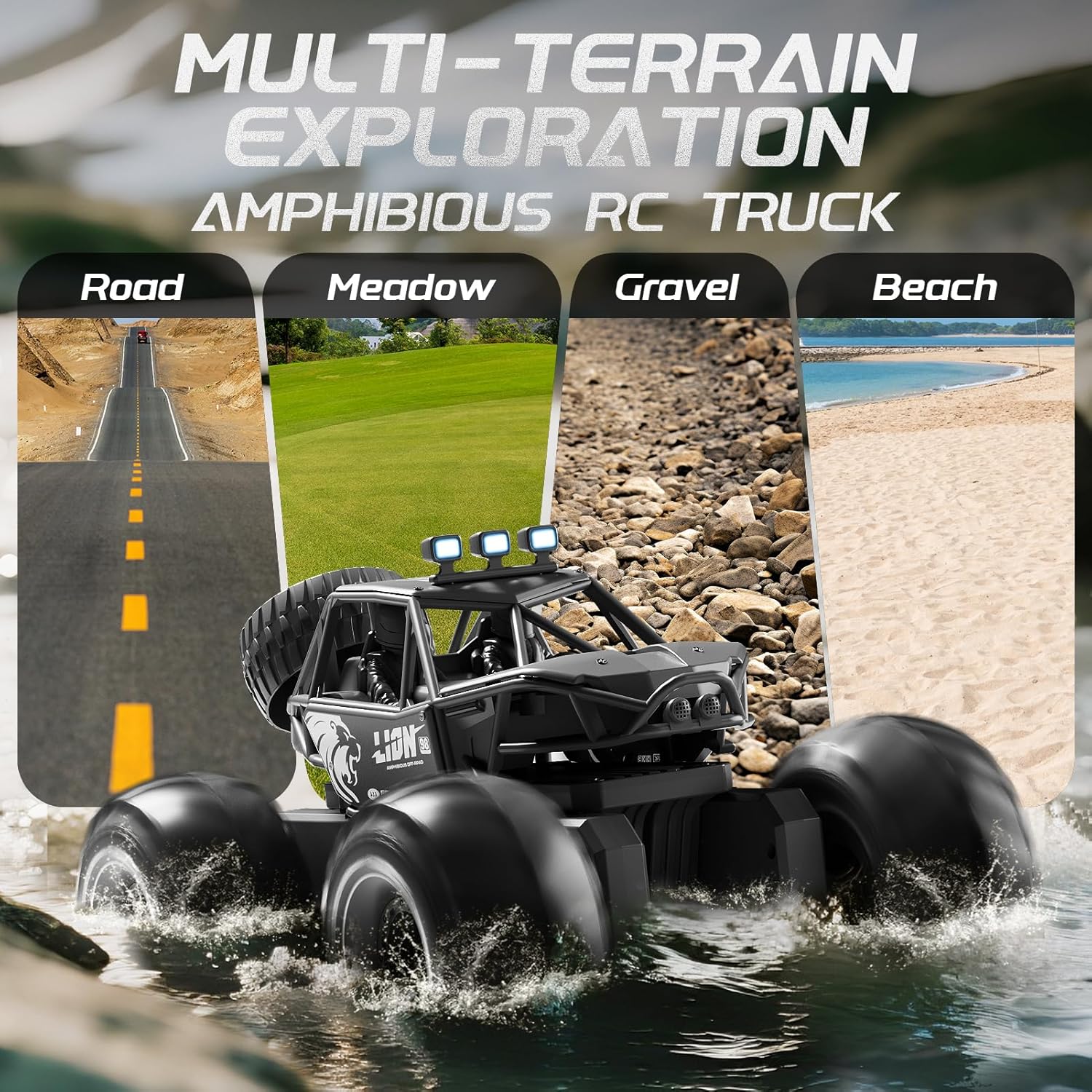
Amphibious and All-Terrain Operation

The 4DRC Y10 is designed for versatile use on various surfaces:

4DRC Y10 RC Monster Truck operating in water

Image: The 4DRC Y10 RC Monster Truck driving through water, demonstrating its amphibious capability.

4DRC Y10 RC Monster Truck on various terrains: road, meadow, gravel, beach

Image: The 4DRC Y10 RC Monster Truck depicted on different terrains including road, meadow, gravel, and beach, showcasing its multi-terrain exploration capabilities.

360° Stunt Rotation

The truck can perform 360-degree rotations. Refer to the remote control's specific button or joystick combination for activating this stunt. This feature adds dynamic play to both land and water operations.
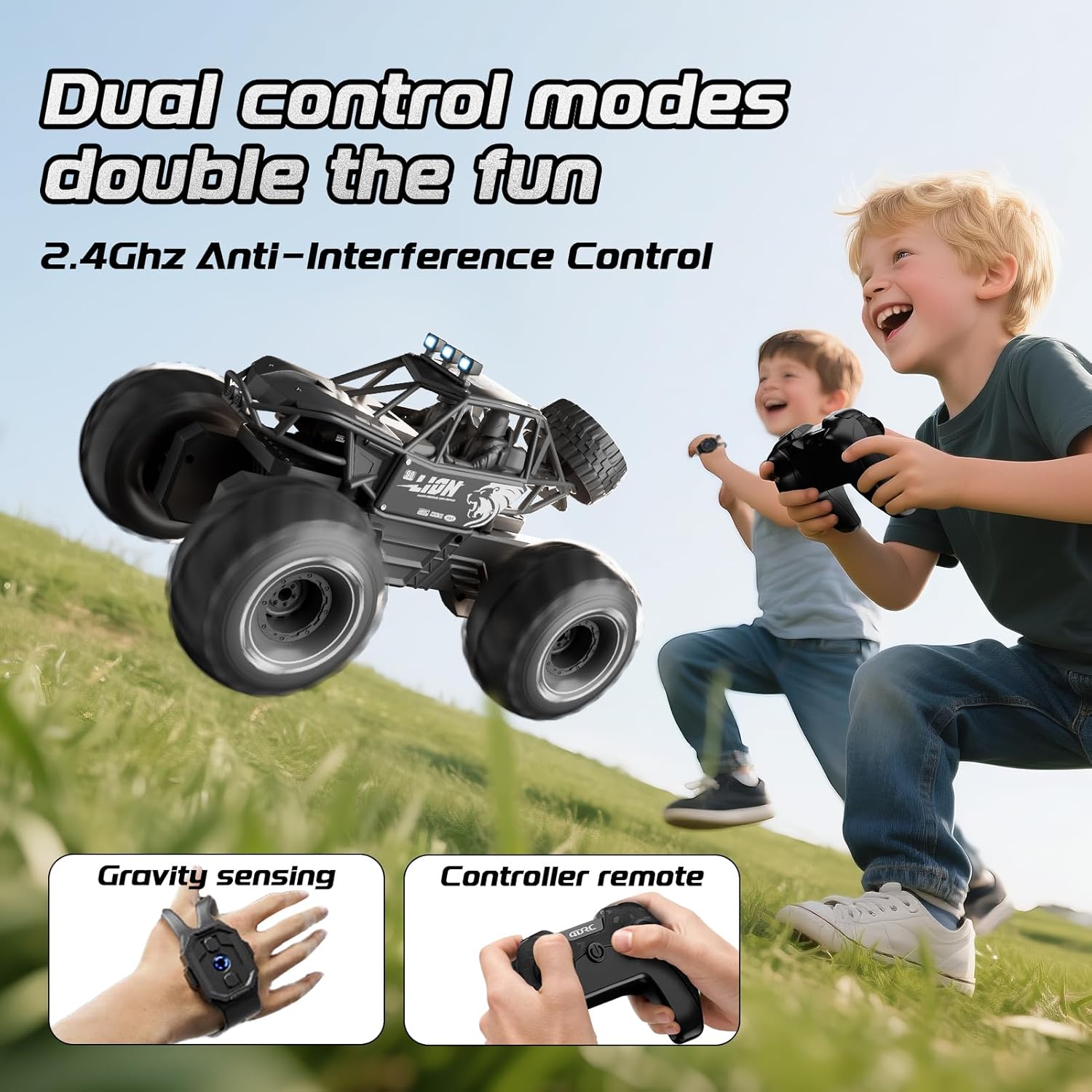
4DRC Y10 RC Monster Truck performing a 360-degree rotation

Image: The 4DRC Y10 RC Monster Truck shown in mid-rotation, illustrating its 360-degree stunt capability.

LED Farlar

The integrated LED headlights provide visibility and enhance the visual experience during operation, especially in low-light conditions.

Bakım

Sorun giderme

SorunOlası NedenÇözüm
Kamyon uzaktan kumandaya yanıt vermiyor.Low battery in truck or remote; not paired; out of range.Charge truck battery. Replace remote batteries. Re-pair the truck and remote. Ensure truck is within operating range (approx. 150 feet).
Truck moves erratically or is hard to control.Interference; joystick stiffness/malfunction.Operate in an open area away from other 2.4GHz devices. If joysticks are stiff, ensure they are not obstructed and apply gentle, consistent pressure. If the issue persists, contact customer support.
Truck stops working in water.Battery compartment not sealed; water ingress.Immediately remove from water. Open battery compartment and dry thoroughly. Ensure compartment is properly sealed before next water use. If damage occurred, contact customer support.
Kısa oyun süresi.Pil tam şarjlı değil; eski pil.Ensure battery is fully charged before use. Consider replacing old batteries if performance degrades significantly.

Özellikler

Garanti ve Destek

Garanti bilgileri veya teknik destek için lütfen satın alma işleminizle birlikte verilen iletişim bilgilerine bakın veya resmi 4DRC web sitesini ziyaret edin. webSite. Satın alma belgeniz olarak satın alma fişinizi saklayın.

İlgili Belgeler - Y10

Önview Y10 Motosiklet Kaskı Bluetooth Kulaklık Hızlı Kullanım Kılavuzu
Y10 motosiklet kaskı Bluetooth kulaklığına dair kısa bir rehber, ürünün tüm detaylarını içeriyor.viewTelefon özellikleri, müzik çalma, şarj etme, eşleştirme ve önemli güvenlik talimatları.
Önview 4DRC 4D-FII Dört Pervaneli Drone Kullanım Kılavuzu
Bu belge, 4DRC 4D-FII dört pervaneli insansız hava aracı için kurulum, kontroller, uçuş modları ve güvenlik önlemlerini kapsayan kullanım talimatlarını içermektedir.
Önview 4DRC 4D-FIO Dört Pervaneli Drone Kullanım Kılavuzu ve Çalıştırma Talimatları
Bu kullanım kılavuzu, 4DRC 4D-FIO Dört Pervaneli Drone için kapsamlı çalıştırma talimatları sunmaktadır. 14 yaş ve üzeri için uygun olan bu GPS özellikli drone'un kurulumu, uçuş kontrolleri, uygulama özellikleri, güvenlik yönergeleri ve sorun giderme hakkında bilgi edinin.
Önview Y10-2X Intercom Sürümü Kullanıcı Kılavuzu
Y10-2X Intercom Sürümü için güç açma/kapama, müzik çalma, telefon işlevleri ve interkom eşleştirme gibi özellikleri ayrıntılı olarak açıklayan kapsamlı kullanıcı kılavuzu. Ürünle birlikte gelirview, ürün listesi ve önemli duyurular.
Önview 4DRC 4D-F13 Quadcopter Kullanım Talimatları ve Kullanım Kılavuzu
Kurulum, kontroller, uçuş modları, güvenlik önlemleri ve uygulama entegrasyonu dahil olmak üzere 4DRC 4D-F13 quadcopter'ın çalıştırılmasına ilişkin kapsamlı kılavuz.
Önview 4DRC 4D-F13 Quadcopter Kullanım Talimatları
4DRC 4D-F13 Quadcopter için kurulum, kontroller, uygulama özellikleri ve optimum uçuş deneyimi için güvenlik yönergelerini kapsayan kapsamlı kullanım talimatları.