giriiş
This manual provides essential information for the safe and efficient operation of your Panasonic TV-65Z80AEZ 65-inch 4K Ultra HD OLED Smart TV. Please read these instructions thoroughly before using your television and retain them for future reference. This 4K OLED television from the Z80 series features integrated Fire TV, offering a comprehensive entertainment experience.
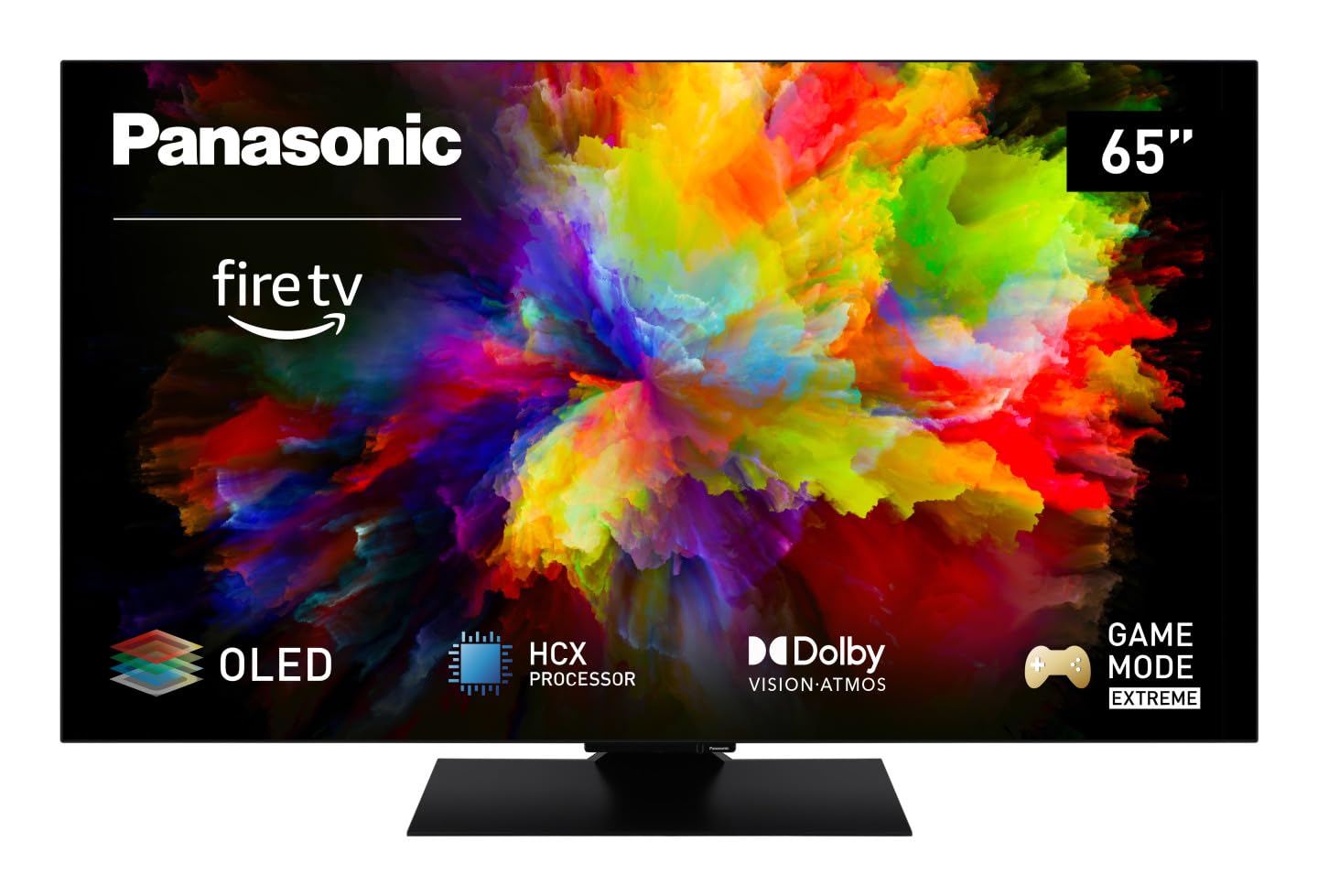
Resim: Ön view of the Panasonic TV-65Z80AEZ 65-inch 4K OLED Smart TV.
Güvenlik Bilgileri
Always follow basic safety precautions when using this television to reduce the risk of fire, electric shock, and injury. Keep the television away from water and moisture. Do not block ventilation openings. Use only attachments/accessories specified by the manufacturer. Refer all servicing to qualified service personnel.
- Güç Kaynağı: Güç kaynağı hacmini sağlayıntage matches the rating label on the TV.
- Havalandırma: Do not cover or block any ventilation openings. Allow adequate space around the TV for proper airflow.
- Temizlik: Temizlemeden önce televizyonun fişini çekin. Yumuşak ve kuru bir bez kullanın. Sıvı veya aerosol temizleyiciler kullanmayın.
- Montaj: If wall-mounting, ensure the wall mount is compatible with the TV's VESA standards and can support its weight. Follow the wall mount manufacturer's instructions carefully.
Paket İçeriği
Tüm öğelerin ambalajda mevcut olduğunu doğrulayın:
- Panasonic TV-65Z80AEZ 65-inch 4K OLED Smart TV
- Uzaktan kumanda
- Uzaktan Kumanda için AAA Piller (2 Adet)
- Güç Kablosu
- TV Sehpası Bileşenleri (varsa)
- Hızlı Başlangıç Kılavuzu (bu belge kapsamlı bir kılavuz niteliğindedir)
Kurmak
1. Fiziksel Kurulum
Stand Kurulumu: If using the included stand, carefully attach it to the television according to the diagrams in the quick start guide. Ensure all screws are securely fastened. Place the TV on a stable, level surface.
Duvara Montaj: If wall-mounting, consult a professional installer. Ensure the wall mount is rated for the TV's weight and size. Do not attempt to wall-mount the TV without proper tools and expertise.
2. Cihazları Bağlama
Connect your external devices such as cable boxes, Blu-ray players, gaming consoles, and sound systems to the appropriate ports on the back of the TV.

Resim: Yan view of the Panasonic TV-65Z80AEZ, illustrating the slim profile ve bağlantı noktaları.
- HDMI: For high-definition video and audio. This TV supports HDMI 2.1 for advanced gaming features.
- USB BAĞLANTI: For connecting USB storage devices or other peripherals. This TV has 2 USB ports.
- Ethernet: Kablolu internet bağlantısı için.
- Anten/Kablo: Anten veya kablolu TV bağlantısı için.
3. İlk Çalıştırma ve Ağ Kurulumu
- Kutu içeriğinde bulunan AAA pilleri uzaktan kumandaya takın.
- Güç kablosunu televizyona ve ardından elektrik prizine bağlayın.
- Uzaktan kumandadaki veya televizyondaki güç düğmesine basın.
- Follow the on-screen instructions to select your language, region, and connect to your Wi-Fi network. You can also use a wired Ethernet connection.
4. Fire TV Setup
Your Panasonic TV-65Z80AEZ comes with Fire TV built-in. During the initial setup, you will be prompted to sign in with your Amazon account or create a new one. This enables access to streaming services, apps, and personalized recommendations.
TV'yi çalıştırma
1. Temel Kontroller
Use the remote control to navigate the TV's interface. The remote includes standard buttons for power, volume, channel, input selection, and navigation within the Fire TV interface.
2. Akıllı TV Özellikleri
- Yangın TV: The intuitive 4K Fire TV home screen provides instant access to live TV, streaming apps, and personalized recommendations for up to 6 user profiles.
- Alexa Ses Kontrolü: Control your Smart TV using voice commands through the integrated Alexa. Press the microphone button on your remote and speak your command.
- Hava Oynatımı: Easily share content from your Apple devices (iPhone, iPad, Mac) to your TV for a seamless viewDeneyim.
3. Görüntü Kalitesi
- OLED & HCX Processor: Experience deep blacks and natural colors. The HCX processor ensures a cinematic experience with stunning image quality.
- Multi HDR Support: Enjoy optimized brightness, contrast, and colors scene by scene with support for Dolby Vision, HLG, HDR10, and HDR10+, ensuring exceptional images.
4. Ses Özellikleri
- Surround Sound Pro ve Dolby Atmos: Yükseltmek senin viewing experience with immersive Dolby Atmos and Surround Sound Pro technology, including an integrated subwoofer, for a cinema-worthy audio experience.
5. Extreme Game Mode
This mode is designed for gamers, offering ultra-low latency, Variable Refresh Rate (VRR), 120 Hz refresh rate, and Auto Low Latency Mode (ALLM) via HDMI 2.1. It also supports AMD FreeSync Premium and NVIDIA G-SYNC for fluid and responsive gameplay.
Bakım
Proper maintenance ensures the longevity and performance of your television.
- Ekran Temizleme: Ekranı yumuşak, tiftiksiz bir bezle nazikçe silin. İnatçı lekeler için hafifçe silin.ampBezi su veya özel bir ekran temizleyici ile temizleyin. Sıvıyı asla doğrudan ekrana püskürtmeyin.
- Dolap Temizliği: Televizyonun kasasını temizlemek için yumuşak, kuru bir bez kullanın.
- Toz alma: Aşırı ısınmayı önlemek için havalandırma açıklıklarını düzenli olarak tozdan temizleyin.
- Güç Kablosu: Periodically check the power cord for any damage. If damaged, replace it immediately with an authorized part.
Sorun giderme
Televizyonunuzda sorunlarla karşılaşırsanız aşağıdaki yaygın çözümlere başvurun:
| Sorun | Olası Çözüm |
|---|---|
| Güç Yok | Güç kablosunun hem televizyona hem de duvar prizine sağlam bir şekilde takılı olduğundan emin olun. Başka bir cihaz takarak prizin çalışıp çalışmadığını kontrol edin. |
| Görüntü yok, ancak ses var. | Check the input source. Press the 'Input' or 'Source' button on your remote to cycle through inputs. Ensure connected devices are powered on. |
| Ses yok, ancak görüntü mevcut. | Check the volume level. Ensure 'Mute' is not activated. Check audio cables if using external speakers. Verify audio output settings in the TV menu. |
| Uzaktan Kumanda Çalışmıyor | Pilleri değiştirin. Uzaktan kumanda ile televizyonun kızılötesi sensörü arasında herhangi bir engel olmadığından emin olun. |
| Wi-Fi'ye bağlanılamıyor | Wi-Fi yönlendiricinizin açık ve çalışır durumda olduğundan emin olun. Wi-Fi şifresini tekrar girin. Hem TV'yi hem de yönlendiriciyi yeniden başlatmayı deneyin. |
Bu çözümleri denedikten sonra sorun devam ederse lütfen müşteri desteğiyle iletişime geçin.
Özellikler
| Özellik | Detay |
|---|---|
| Marka | Panasonic |
| Model Numarası | TV-65Z80AEZ |
| Ekran Boyutu | 65 inç |
| Ekran Teknolojisi | OLED |
| Çözünürlük | 4K Ultra HD |
| Yenileme Hızı | 120 Hz |
| İşletim Sistemi | FireOS |
| Bağlantı Teknolojisi | Bluetooth, HDMI, Wi-Fi |
| Bağlantı Noktaları | Ethernet, HDMI, USB |
| Toplam USB Bağlantı Noktaları | 2 |
| Özel Özellikler | OLED, Dolby Vision, Dolby Atmos, Fire TV, Extreme Game Mode |
| Uyumlu Cihazlar | Laptop, Gaming Console, Smartphone, Tablet, Speakers |
| En Boy Oranı | 16:9 |
| Ürün Boyutları (DxGxY) | 4.7D x 144.4G x 82.4Y santimetre |
| Dahil Bileşenler | Television, Remote Control, Batteries |
Garanti ve Destek
Your Panasonic TV-65Z80AEZ is covered by a manufacturer's warranty. Please refer to the warranty card included with your product for specific terms and conditions, including the warranty period and coverage details. For technical support, service, or further assistance, please visit the official Panasonic support website or contact their customer service helpline. Keep your purchase receipt as proof of purchase for warranty claims.