Ürün Bittiview
The TIMNUT 36-pro Action Camera is designed for capturing high-quality video and photos in various environments, including underwater. It features 4K/60fps video recording, 24MP photo resolution, and a dual-screen design for versatile use. The camera comes with a waterproof case, a 64GB SD card, and multiple accessories to enhance your recording experience.
Yüksek Çözünürlüklü Yakalama

The camera supports native 4K video recording at 60 frames per second and captures still images at 24 megapixels, ensuring clear and detailed visuals for all your adventures.
Su Geçirmez Tasarım

Equipped with a durable waterproof housing, the camera can be submerged up to 40 meters (131 feet), making it ideal for diving, snorkeling, and other water sports.
Elektronik Görüntü Sabitleme (EIS)

The built-in Electronic Image Stabilization (EIS) technology helps to reduce blur and stabilize footage, providing smoother and more professional-looking videos even during dynamic activities.
Dual Touchscreens and SD Card

The camera features a 2-inch IPS touchscreen for easy navigation and playback, along with a front 1.4-inch screen for selfie composition. A 64GB MicroSD card is included for immediate use.
Uzun Pil Ömrü
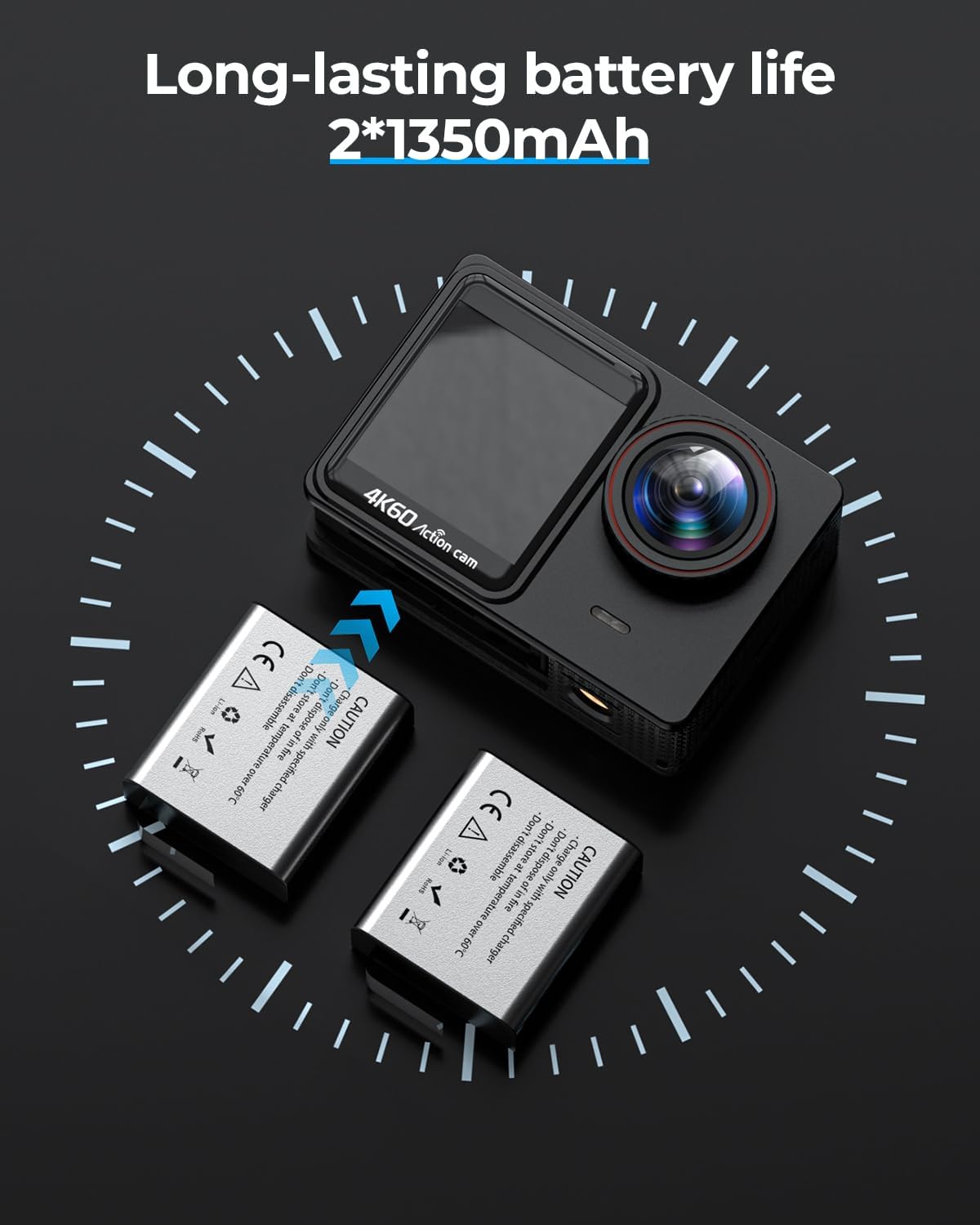
Two 1350mAh lithium-ion batteries are provided, offering extended recording time and ensuring you have enough power for prolonged use.
Kurulum Kılavuzu
Pillerin Şarj Edilmesi:
Insert the provided 1350mAh batteries into the dual battery charger. Connect the charger to a USB power source using the included USB cable. The indicator light will show charging status and turn off when fully charged. Ensure both batteries are fully charged before first use.
MicroSD Kartı Takma:
Locate the MicroSD card slot on the side of the camera. Gently insert the included 64GB MicroSD card with the gold contacts facing the front of the camera until it clicks into place. Ensure the card is properly seated to avoid data loss or recording issues. The camera supports up to 128GB MicroSD cards (U3 or higher recommended).
Attaching the Waterproof Case:
Open the latch on the waterproof case and carefully place the camera inside, ensuring it fits snugly. Close the latch securely to create a watertight seal. Before using underwater, always perform a dry test of the waterproof case without the camera inside to ensure no leaks are present.
Açma/Kapatma:
To power on, press and hold the Power/Mode button (usually on the front or top) for a few seconds until the screen illuminates. To power off, press and hold the same button until the screen turns off.
Kullanım Talimatları
Temel Kontroller:
- Güç / Mod Düğmesi: Press to cycle through video, photo, playback, and settings modes. Long press to power on/off.
- Deklanşör/Tamam Düğmesi: Press to start/stop recording video or take a photo. In menu, acts as confirmation.
- Yukarı/Aşağı Düğmeleri: Navigate menu options or zoom in/out (if applicable).
- Dokunmatik ekran: Swipe and tap on the rear 2-inch IPS screen to access settings, change modes, and review footage.
Video Kaydı:
- Kameranın Video Modunda olduğundan emin olun (ekranda video kamera simgesiyle gösterilir).
- Press the Shutter/OK button to begin recording. A red dot or timer will appear on the screen.
- Kaydı durdurmak için Deklanşör/Tamam düğmesine tekrar basın.
- To change video resolution (e.g., 4K/60fps), access the settings menu via the touchscreen or mode button.
Fotoğraf Yakalama:
- Switch to Photo Mode using the Power/Mode button.
- Ekranı kullanarak çekiminizi kadrajlayın.
- Fotoğraf çekmek için Deklanşör/Tamam düğmesine basın.
- To change photo resolution (e.g., 24MP), access the settings menu.
Wi-Fi Bağlantısı:
- Enable Wi-Fi on the camera through the settings menu.
- Download the recommended camera app on your smartphone or tablet.
- Connect your device to the camera's Wi-Fi network (SSID and password displayed on camera screen).
- Use the app to control the camera, view canlı footage ve transfer files.
Uzaktan Kumandanın Kullanımı:
- Ensure the remote control is paired with the camera (refer to camera settings for pairing instructions).
- Press the video button on the remote to start/stop video recording.
- Press the photo button on the remote to take a picture.
- The remote allows for convenient control from a distance, especially when the camera is mounted on a helmet or inaccessible location.
Bakım
Cleaning the Camera and Case:
After each use, especially in saltwater, rinse the waterproof case with fresh water and allow it to air dry. Use a soft, lint-free cloth to clean the camera lens and screens. Avoid using harsh chemicals or abrasive materials that could scratch surfaces.
Pil Bakım:
Store batteries in a cool, dry place when not in use. Do not expose batteries to extreme temperatures or direct sunlight. If storing for extended periods, charge batteries to about 50% capacity to prolong their lifespan.
SD Kart Yönetimi:
Foo'nuzu düzenli olarak yedekleyintage and photos to a computer or external storage. Format the MicroSD card periodically within the camera's settings to maintain optimal performance and prevent data corruption. Always power off the camera before inserting or removing the SD card.
Sorun giderme
| Sorun | Olası Neden | Çözüm |
|---|---|---|
| Kamera açılmıyor. | Pil bitmiş veya doğru takılmamış. | Ensure batteries are fully charged and correctly inserted. Try a different charged battery. |
| Video kaydı yapılamıyor/fotoğraf çekilemiyor. | SD kart dolu, bozuk veya takılı değil. | Check SD card status. Format the SD card (backup data first). Replace with a new SD card if necessary. |
| Video/fotoğraf kalitesi kötü. | Lens is dirty, low light conditions, incorrect settings. | Clean the lens. Ensure adequate lighting. Adjust resolution settings to 4K/24MP. Enable EIS for smoother video. |
| Wi-Fi bağlantı sorunları. | Yanlış şifre, kamera Wi-Fi'si kapalı, uygulama sorunları. | Verify Wi-Fi password. Ensure camera Wi-Fi is enabled. Restart camera and smartphone. Reinstall the camera app. |
| Water leakage in waterproof case. | Case not properly sealed, O-ring damaged or dirty. | Ensure the latch is fully closed. Check the O-ring for dirt, hair, or damage; clean or replace if necessary. Always perform a dry test before submerging. |
For further assistance, please refer to the official TIMNUT support channels.
Özellikler
| Özellik | Detay |
|---|---|
| Marka | TIMNUT |
| Örnek | 36-profesyonel |
| Video Çözünürlüğü | 4K (60 FPS) |
| Fotoğraf Çözünürlüğü | 24 Megapiksel |
| Optik Yakınlaştırma | 8x Çarpan |
| Dijital Zoom | 8x Çarpan |
| Ekran Boyutu | 2 inches (rear IPS touchscreen), 1.4 inches (front screen) |
| Görüntü Sabitleme | Elektronik Görüntü Sabitleme (EIS) |
| Suya Dayanıklı Derinlik | Su geçirmez kılıf ile 40 metreye (131 fit) kadar |
| Bağlantı | Wifi |
| Desteklenen Depolama | Mikro SD (64 GB kart dahildir) |
| Pil Türü | Lithium-ion (2 x 1350 mAh included) |
| Boyutlar (Ürün) | 0.98 x 2.3 x 1.57 cm; 500 grams (approx.) |
| Dahil Bileşenler | 1x 64G SD card, 2x batteries, 1x charger, 1x waterproof housing, various mounts and chains, 1x remote control. |
Garanti ve Destek
This product is subject to the standard return and replacement policies of the retailer. While specific warranty details are not provided in this manual, consumers typically have a period for returns or replacements in case of manufacturing defects.
For technical support, troubleshooting beyond this manual, or inquiries regarding warranty claims, please contact the seller or manufacturer directly through their official support channels. Refer to your purchase documentation for contact information.
Note: No seller-created videos were found in the provided product data that meet the criteria for inclusion in this manual.


