Cat Mate Elite Mikroçipli Kedi Kapısı, Dijital Zamanlayıcı ve LCD Ekranlı (Model 355W) - Kullanım Kılavuzu
Brand: Cat Mate | Model: 355W
giriiş
This manual provides comprehensive instructions for the installation, operation, and maintenance of your Cat Mate Elite Microchip Cat Flap with Digital Timer & LCD Display. This advanced pet door is designed to offer your cat freedom while maintaining home security.
Temel Özellikler
Microchip or I.D. Access: Allows entry only to your cat using their microchip or Cat Mate I.D. Disc (sold separately), preventing access by other animals.
Supports Up to 9 Cats with LCD Tracking: Ideal for multi-cat homes, offering activity tracking for up to 3 selected cats, including lock status, location, and last use time.
4-Way Locking & Timer Control: Choose from in/out, in-only, out-only, or locked settings, and set timed curfews to keep cats in at night.
Kurulumu Kolay: Fits single/multiple glazing, UPVC, metal, and wooden doors, as well as walls (self-lines up to 100mm / 4").
Resim: Ön view of the Cat Mate Elite Microchip Cat Flap.
Kurulum ve Yükleme
Paket açma
Tüm parçaları ambalajından dikkatlice çıkarın. Kuruluma başlamadan önce tüm parçaların eksiksiz olduğundan emin olun.
Cihazın Güçlendirilmesi
The Cat Flap requires 4 AA high-quality batteries for operation. Locate the battery compartment, typically on the top of the unit, and insert the batteries, ensuring correct polarity. Close the compartment securely.
Resim: Üst view of the Cat Mate Elite Microchip Cat Flap, showing the LCD display and control buttons.
Kurulum Bittiview
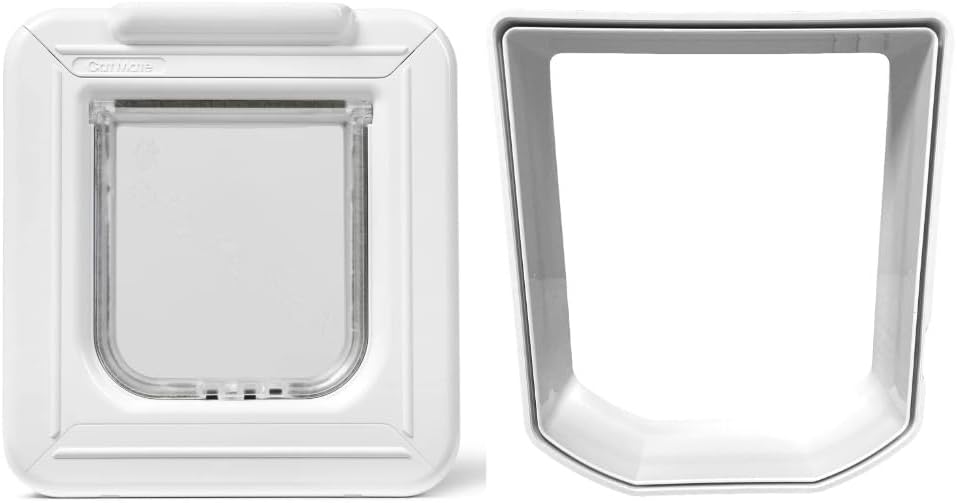
The Cat Mate Elite Microchip Cat Flap is designed for versatile installation in single/multiple glazing, UPVC, metal, and wooden doors. It can also be installed in walls, self-lining up to 100mm (4 inches) with additional wall liner sections (Model 308) for thicker walls.
Image: Cat Mate Elite Wall Liner (Model 308), used to extend the depth of the cat flap for wall installations.
Mounting the Cat Flap
Use the provided installation template to mark the cutting lines and screw holes on your chosen door or wall. Carefully cut the opening and drill pilot holes for the screws. Secure the cat flap using the appropriate screws for your door/wall thickness. Ensure the unit is level and sealed to prevent drafts.
Resim: Yan view of the Cat Mate Elite Microchip Cat Flap, illustrating its depth and design.
Microchip Programming
To program your cat's microchip, press the 'Program' button on the unit. When the indicator light flashes, encourage your cat to pass through the flap. The unit will scan and store your cat's microchip ID. Repeat for up to 9 different cats. The unit will only unlock for programmed microchips or Cat Mate I.D. Discs.
Video: This video demonstrates the installation process, battery insertion, and basic operation of a smart cat door, including microchip programming.
Kullanım Talimatları
4-Way Locking Mechanism
The Cat Flap features a 4-way rotary lock, allowing you to control your cat's access. The available settings are:
Kilitli: No entry or exit.
In-Only: Cat can enter but not exit.
Out-Only: Cat can exit but not enter.
Completely Open (In/Out): Cat can enter and exit freely.
Image: The digital display and control buttons for managing cat access and settings.
Video: This video demonstrates the four-way locking mechanism of the cat door, showing how to switch between different access modes.
Digital Timer and LCD Display
The integrated digital timer allows you to set specific curfew times, ensuring your cat remains indoors during certain hours. The LCD display provides real-time information, including the current lock status, your cat's location (in/out), and the last time the flap was used. This feature is particularly useful for monitoring multiple cats.
Image: A cat using the Cat Mate Elite Microchip Cat Flap to enter the home.
Bakım
Temizlik
Regularly clean the cat flap and its surrounding area with a damp cloth and mild detergent. Avoid abrasive cleaners that could damage the plastic or electronic components. Ensure the flap mechanism is free from dirt or debris to allow smooth operation.
Pil Değişimi
The LCD display will show a low battery indicator when the 4 AA batteries need to be replaced. To replace, open the battery compartment, remove old batteries, and insert new ones, observing correct polarity. Dispose of used batteries responsibly.
Sorun giderme
Cat Reluctance to Use Door
Some cats may be hesitant to use a new cat flap. To encourage use, try the following:
Temporarily tape the flap open for a few days so your cat can get used to walking through the opening.
Use treats or toys to entice your cat through the door.
Ensure the flap is not making loud noises that might startle your cat.
Unwanted Animals Gaining Entry
If unprogrammed animals are entering, ensure your cat's microchip is correctly programmed into the unit. Verify that the 4-way lock is set to 'In-Only' or 'Locked' if you wish to restrict exit or all access. Check for any obstructions preventing the flap from closing completely.
Power Issues / Display Not Working
Check the LCD display for a low battery indicator. If present, replace all 4 AA batteries. Ensure batteries are inserted with correct polarity. If the issue persists after battery replacement, consult the manufacturer's support.
Ürün Özellikleri
Özellik
Detay
Marka
Cat Mate
Model Numarası
355W
Flap Opening Size
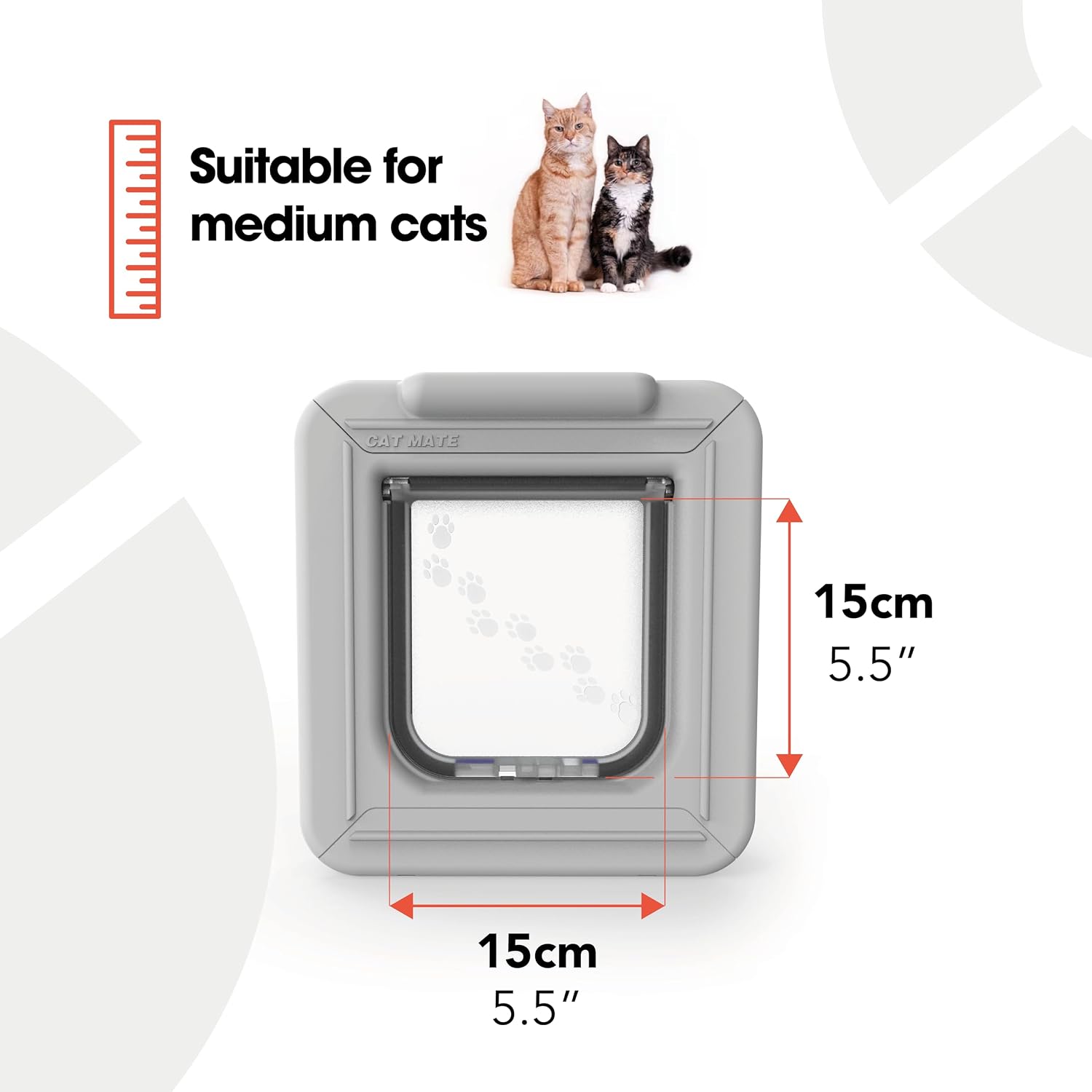
Width 15cm (5.5"), Height 15cm (5.5")
Genel Boyut
Width 248mm (9 3/4"), Height 265mm (10 3/8")
Minimum Compatible Thickness
4 Inches (with wall liner)
Malzeme
Metal (Çerçeve)
Renk
Beyaz
Güç Kaynağı
4 x AA Pil (dahil değildir)
Image: Cat Mate Elite Microchip Cat Flap with key dimensions for flap opening.
Garanti ve Destek
Warranty information is not available in the provided product data. Please refer to the product packaging or manufacturer's website for specific warranty details and customer support contact information.
Cat Mate C300 Otomatik Mama Kabı: Kullanım Kılavuzu Dijital zamanlayıcılı Cat Mate C300 Otomatik Evcil Hayvan Yemliği'nin kurulumu ve kullanımı için kapsamlı talimatlar; güvenlik yönergeleri, bileşen tanımlaması, çalıştırma ve bakım bilgileri dahil.
Cat Mate C300 Otomatik Mama Kabı: Kullanım Kılavuzu Dijital zamanlayıcılı Cat Mate C300 Otomatik Evcil Hayvan Mama Kabının kurulumu ve kullanımı için ayrıntılı talimatlar. Pil takma, saat ve yemek zamanı ayarları, test etme, temizleme ve bakım hakkında bilgi edinin.
Cat Mate C3000 Otomatik Kuru Mama Besleyici - Kullanım Kılavuzu Comprehensive instructions and guide for the Cat Mate C3000 Automatic Dry Food Pet Feeder, covering setup, operation, safety, and troubleshooting. Learn how to program meals, set feeding times, and maintain your pet feeder.