giriiş
Satın aldığınız için teşekkür ederizasing the Havit IX-102 Wired In-Ear Headphones with Microphone. This manual provides essential information for the proper setup, operation, and maintenance of your new earphones. Please read this guide thoroughly before use to ensure optimal performance and longevity of your product.
Ürün Bittiview
The Havit IX-102 headphones are designed for clear audio and convenient communication. Familiarize yourself with the components:
- In-Ear Earphones (Left and Right)
- Integrated Microphone and Control Module (on cable)
- 3.5mm Ses Jakı
- Çeşitli Boyutlarda Kulak Yastıkları
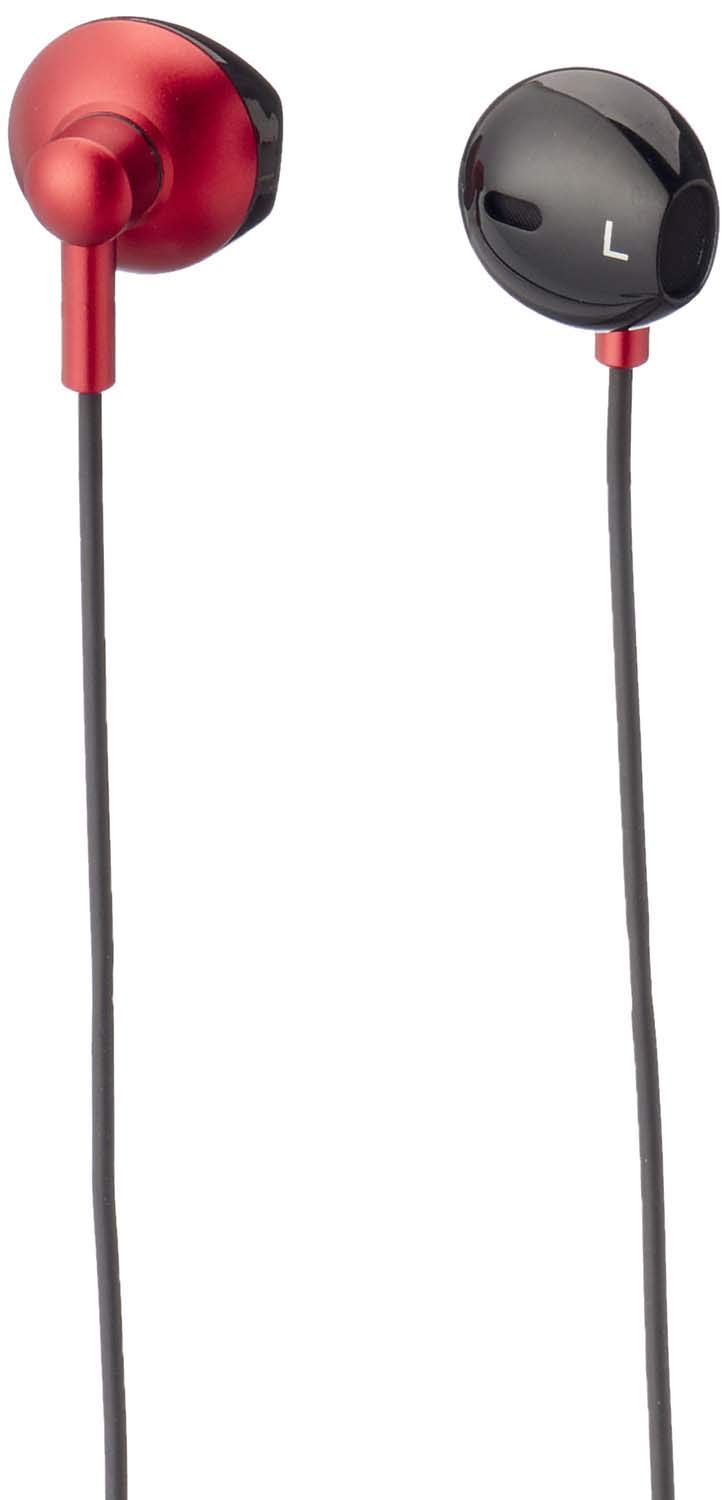
Şekil 1: Havit IX-102 Wired In-Ear Headphones. This image shows the complete set of in-ear headphones, featuring the earbuds, cable, and 3.5mm audio jack.

Şekil 2: Cable with Integrated Control Module. This image highlights the cable section that includes the microphone and a potential control button for managing audio and calls.

Şekil 3: 3.5mm Audio Jack. A close-up view of the standard 3.5mm connector used to plug the headphones into compatible audio devices.

Şekil 4: Replacement Ear Cushions. This image displays the various sizes of silicone ear cushions provided for a comfortable and secure fit.
Kurmak
- Kulak Yastıklarını Seçin: Choose the ear cushion size that provides the most comfortable and secure fit for your ears. A good seal enhances sound quality and bass response. Gently attach the selected ear cushions to the earphone nozzles.
- Cihaza Bağlan: Insert the 3.5mm audio jack firmly into the headphone port of your audio device (smartphone, tablet, laptop, MP3 player, etc.). Ensure the jack is fully inserted to prevent audio issues.
- Kulaklık Takın: Place the earphones into your ears. Adjust them until they feel comfortable and provide a good seal.
Kullanım Talimatları
The Havit IX-102 headphones feature an in-line control module for basic audio and call management. Functionality may vary slightly depending on your connected device.
- Müziği Oynat/Duraklat: Press the button on the control module once to play or pause the current track.
- Çağrıyı Cevapla/Sonlandır: When a call comes in, press the button once to answer. During a call, press the button once to end the call.
- Çağrıyı Reddet: Gelen aramayı reddetmek için düğmeye yaklaşık 2 saniye basılı tutun.
- Sonraki Parça: Press the button twice quickly to skip to the next song.
- Önceki parça: Press the button three times quickly to go back to the previous song.
- Mikrofon Kullanımı: Entegre mikrofon, görüşmeler sırasında eller serbest iletişim imkanı sağlar. En iyi ses alımı için mikrofonun net bir şekilde konumlandırıldığından emin olun.
Note: Volume control is typically managed directly on your connected audio device.
Bakım
Proper care will extend the life of your Havit IX-102 headphones.
- Kulak Yastıklarının Temizlenmesi: Remove the silicone ear cushions and wash them gently with mild soap and water. Rinse thoroughly and allow them to air dry completely before reattaching.
- Kulaklık Temizliği: Use a soft, dry, lint-free cloth to wipe the earphone bodies. Do not use harsh chemicals or abrasive materials. Avoid getting moisture into the speaker grilles.
- Kablo Bakımı: Avoid sharp bends, twists, or excessive pulling on the cable. Store the headphones neatly to prevent tangling.
- Depolamak: Kulaklıklarınızı kullanmadığınız zamanlarda temiz, kuru bir yerde, aşırı sıcaklıklardan ve doğrudan güneş ışığından uzakta saklayın.
Sorun giderme
Kulaklığınızla ilgili sorunlarla karşılaşırsanız, aşağıdaki yaygın sorunlara ve çözümlere bakın:
| Sorun | Olası Neden | Çözüm |
|---|---|---|
| Ses yok veya düşük ses seviyesi |
|
|
| Ses bozuk veya aralıklı |
|
|
| Mikrofon çalışmıyor |
|
|
Özellikler
| Marka | Havıt |
| Model Numarası | IX-102 |
| Renk | Siyah ve Kırmızı |
| Kulaklık Form Faktörü | Kulak içi |
| Bağlantı Teknolojisi | Kablolu |
| Bağlayıcı Türü | 3.5 mm jak |
| Kablo Uzunluğu | 1.2 metre |
| Malzeme Türü | Plastik |
| Ürün Ağırlığı | 60 gram |
| Dahil Bileşenler | Kulak Yastıkları |
| Uyumlu Cihazlar | Multiple devices with 3.5mm audio jack |
Garanti ve Destek
For warranty information or technical support, please refer to the documentation included with your purchase or contact Havit customer service directly. Contact details can typically be found on the manufacturer's official website veya ürün ambalajı.
Herhangi bir garanti talebiniz olması durumunda satın alma belgenizi saklayın.


