A3 Multiple SSID settings
It is suitable for: A3
Application introduction: Solution about how to configure multiple SSID for TOTOLINK products
STEP-1:
Connect your computer to the router by cable, enter http://192.168.0.1

STEP-2:
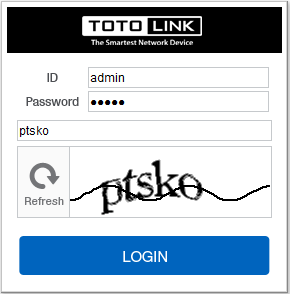
User Name and Password are required, by default both are admin in lowercase letter. Meanwhile you should fill in the vertification code .then Click Login.
STEP-3:
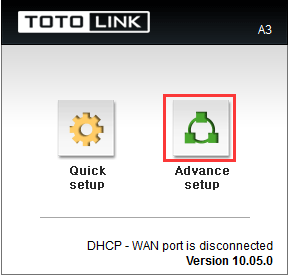
Then click the Advance setup bottom
STEP-4:
Please go to Advanced Setup->Wireless->Wireless Setup page,and check which you have selected.
Click Select guest network and SSID buttons,then Click Apply.

DOWNLOAD
A3 Multiple SSID settings – [Download PDF]
References
Related Posts
-
N600R Multiple SSID settingsN600R Multiple SSID settings It is suitable for: N600R, A800R, A810R, A3100R, T10, A950RG, A3000RU Application introduction: Solution about how…
-
A3002RU Multiple SSID settingsA3002RU Multiple SSID settings It is suitable for: N100RE, N150RH, N150RT, N151RT, N200RE, N210RE, N300RT, N301RT , N300RH, N302R…
-
A3 QOS settingsA3 QOS settings It is suitable for: A3 Application introduction: Solution about how to configure QoS on TOTOLINK products. STEP-1:…
-
A3 Reset settingsA3 Reset settings It is suitable for: A3 Application introduction: Solution about how to reset TOTOLINK products to factory defaults.…


