1. บทนำ
ขอบคุณสำหรับการซื้อasing the LG 43 inch UHD AI UA73 4K Smart TV. This television combines stunning 4K Ultra High Definition visuals with advanced Artificial Intelligence features and the intuitive webOS25 platform. Enjoy vibrant colors, sharp details, and smart functionalities including AI-powered search and voice control. This manual provides essential information for setting up, operating, and maintaining your new television.
2. ข้อมูลด้านความปลอดภัย
โปรดอ่านคำแนะนำด้านความปลอดภัยทั้งหมดอย่างละเอียดก่อนใช้งานทีวี เก็บคู่มือนี้ไว้เพื่อใช้อ้างอิงในอนาคต
2.1 ความปลอดภัยทางไฟฟ้า
- อย่าให้เต้ารับที่ผนังหรือสายไฟต่อพ่วงรับน้ำหนักมากเกินไป
- ตรวจสอบให้แน่ใจว่าสายไฟเสียบเข้ากับทีวีและเต้ารับที่ผนังอย่างแน่นหนา
- อย่าสัมผัสปลั๊กไฟขณะที่มือเปียก
2.2 การจัดวาง
- Place the TV on a stable, level surface or mount it securely to a wall using a compatible VESA mount.
- ควรมีการระบายอากาศรอบ ๆ ทีวีให้เพียงพอเพื่อป้องกันความร้อนสูงเกินไป
- ควรวางทีวีให้ห่างจากแสงแดดโดยตรง แหล่งความร้อน และความชื้น
2.3 การทำความสะอาด
- ถอดปลั๊กทีวีก่อนทำความสะอาด
- Use a soft, dry cloth to clean the screen and exterior. Do not use liquid cleaners or sprays directly on the TV.
3. เนื้อหาบรรจุภัณฑ์
ตรวจสอบว่ามีสิ่งของทั้งหมดอยู่ในกล่อง:
- LG 43 inch UHD AI 4K Smart TV (Model 43UA73006LA)
- AI Magic Remote Control
- สายไฟ
- ขาตั้งทีวี (2 ชิ้น) และสกรู
- User Manual and Regulatory Information
- แบตเตอรี่สำหรับรีโมทคอนโทรล (AA x 2)
4. การตั้งค่า
4.1 การแกะกล่องและการติดตั้งขาตั้ง
- นำทีวีออกจากบรรจุภัณฑ์อย่างระมัดระวัง แนะนำให้ใช้คนสองคนในขั้นตอนนี้
- วางจอทีวีลงบนพื้นผิวที่นุ่มและเรียบเพื่อป้องกันความเสียหาย
- Attach the stand pieces to the TV using the provided screws, ensuring they are securely fastened. Refer to the diagram in the quick setup guide for specific screw locations.
- Alternatively, if wall-mounting, follow the instructions provided with your VESA-compatible wall mount kit.
4.2 การเชื่อมต่ออุปกรณ์ต่อพ่วง
Connect external devices such as Blu-ray players, game consoles, or soundbars to the appropriate ports on the back of the TV.
- พอร์ต HDMI: สำหรับวิดีโอและเสียงความละเอียดสูง
- พอร์ต USB: สำหรับเชื่อมต่ออุปกรณ์จัดเก็บข้อมูล USB
- อินพุตเสาอากาศ/สายเคเบิล: สำหรับเชื่อมต่อเสาอากาศหรือเคเบิลทีวี
- เอาต์พุตเสียงดิจิตอลออปติคอล: สำหรับเชื่อมต่อกับซาวด์บาร์หรือเครื่องรับสัญญาณเสียง
4.3 การเปิดเครื่องครั้งแรกและการเชื่อมต่อเครือข่าย
- เสียบสายไฟเข้ากับทีวีแล้วเสียบเข้ากับเต้ารับที่ผนัง
- กดปุ่มเปิดปิดบนรีโมทคอนโทรลหรือบนทีวี
- Follow the on-screen instructions for the initial setup wizard. This will guide you through language selection, time zone, and network connection.
- เลือกเครือข่าย Wi-Fi ของคุณและป้อนรหัสผ่าน หรือเชื่อมต่อสายอีเทอร์เน็ตสำหรับการเชื่อมต่อแบบใช้สาย
5. การดำเนินการ
5.1 AI Magic Remote Control
The AI Magic Remote allows for intuitive control of your TV, including point-and-click navigation and voice commands.
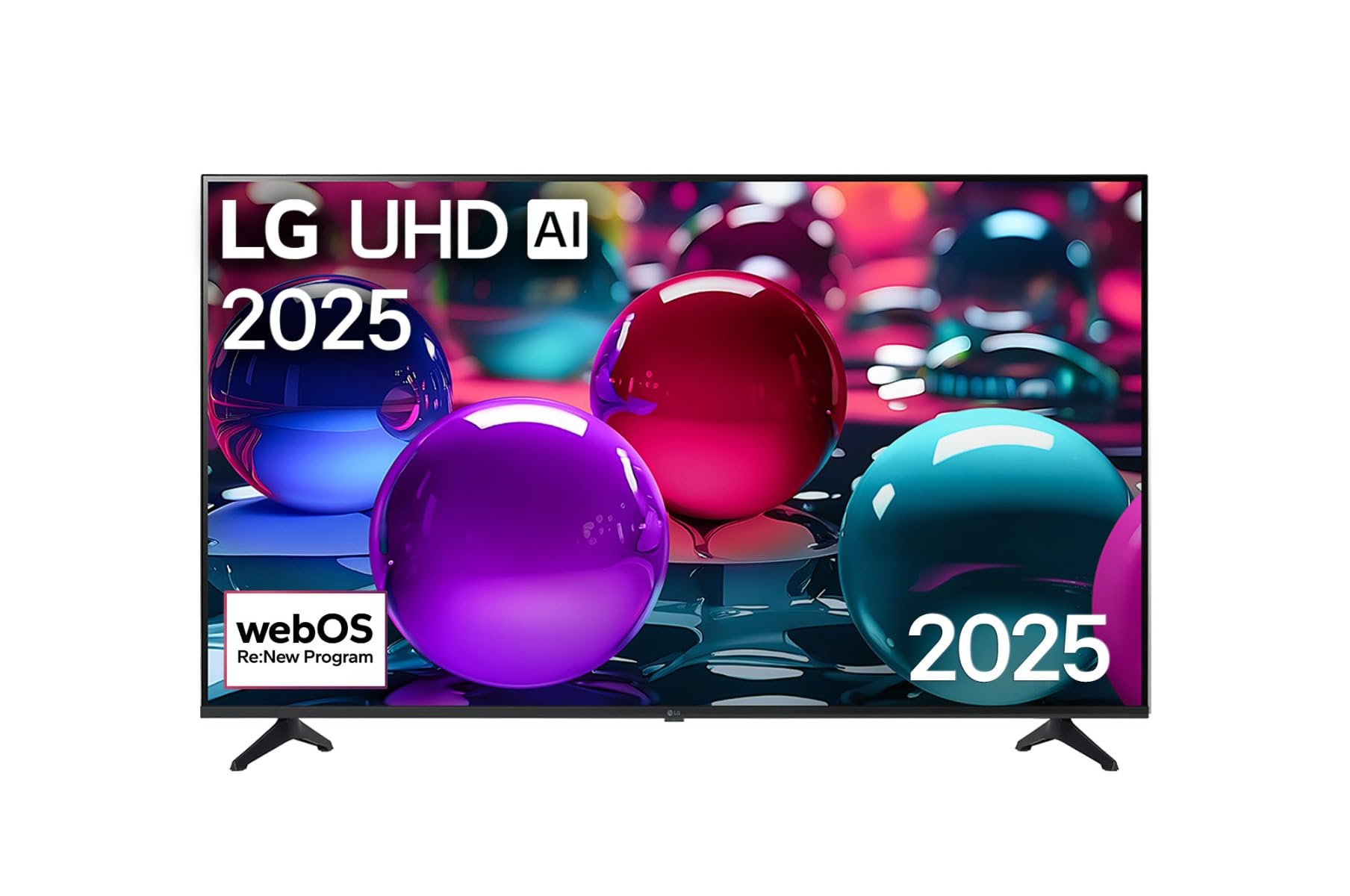
This image displays the LG 43 inch UHD AI 4K Smart TV, highlighting its webOS Re:New Program and Artificial Intelligence features. The accompanying AI Magic Remote is shown with a speech bubble indicating 'Just speak!', emphasizing its voice control capabilities.
- ปุ่มเปิด/ปิด: เปิดหรือปิดทีวี
- Scroll Wheel/OK Button: นำทางเมนูและยืนยันการเลือก
- ปุ่มคำสั่งเสียง: Press and hold to activate AI Search, AI Chatbot, or AI Concierge. Speak your command into the remote.
- ปุ่มโฮม: เข้าถึง webหน้าจอหลักของระบบปฏิบัติการ
- ปุ่มย้อนกลับ: กลับไปยังหน้าจอที่แล้ว
- เพิ่ม/ลดระดับเสียง: ปรับระดับเสียง.
- ช่องขึ้น/ลง: เปลี่ยนช่อง
5.2 webอินเทอร์เฟซระบบปฏิบัติการ
การ webOS Home screen provides quick access to apps, inputs, and settings. Use the Magic Remote to point and click on desired options or navigate with the directional buttons.
- ตัวเรียกใช้งานแอป: Customize and access your favorite streaming services and applications.
- ตัวเลือกอินพุต: Switch between HDMI inputs, USB, or live TV.
- การตั้งค่า: ปรับภาพ เสียง เครือข่าย และการตั้งค่าทั่วไปของทีวี
5.3 คุณสมบัติ AI
Leverage the power of AI for enhanced TV experience:
- การค้นหาด้วย AI: Use voice commands to find content, information, or apps quickly.
- แชทบอท AI: Interact with the TV for assistance or information.
- AI Concierge: Receive personalized content recommendations and smart home integration.
6. การบำรุงรักษา
6.1 การทำความสะอาดทีวีของคุณ
เพื่อรักษารูปลักษณ์และประสิทธิภาพของทีวี:
- ควรถอดปลั๊กทีวีทุกครั้งก่อนทำความสะอาด
- ใช้ผ้านุ่มไม่เป็นขุยเช็ดหน้าจอเบาๆ สำหรับรอยฝังแน่น ให้เช็ดเบาๆampชุบผ้าด้วยน้ำแล้วเช็ดให้แห้งทันที
- เช็ดทำความสะอาดกรอบและขาตั้งทีวีด้วยผ้าแห้งเนื้อนุ่ม
- Do not use abrasive cleaners, alcohol, benzene, or thinners, as these can damage the screen or finish.
6.2 การอัปเดตซอฟต์แวร์
Your LG Smart TV periodically receives software updates to improve performance and add new features. Ensure your TV is connected to the internet to receive these updates automatically. You can also manually check for updates in the TV's settings menu.
7 การแก้ไขปัญหา
หากคุณประสบปัญหาเกี่ยวกับทีวี โปรดดูวิธีแก้ไขทั่วไปต่อไปนี้:
| ปัญหา | วิธีแก้ปัญหาที่เป็นไปได้ |
|---|---|
| ไม่มีไฟฟ้า | Check if the power cord is securely plugged in. Try a different power outlet. |
| ไม่มีภาพแต่มีเสียง | ตรวจสอบให้แน่ใจว่าได้เลือกแหล่งสัญญาณเข้าที่ถูกต้อง ตรวจสอบการเชื่อมต่อสายเคเบิลกับอุปกรณ์ภายนอก |
| ไม่มีเสียงแต่มีภาพ | Check volume levels and mute settings. Verify audio output settings in the TV menu. |
| รีโมตคอนโทรลไม่ทำงาน | Replace batteries. Ensure there are no obstructions between the remote and the TV. Re-pair the Magic Remote if necessary (refer to TV settings). |
| ไม่สามารถเชื่อมต่อ Wi-Fi ได้ | รีสตาร์ทเราเตอร์และโมเด็มของคุณ ตรวจสอบรหัสผ่าน Wi-Fi ตรวจสอบว่าทีวีอยู่ในระยะของเราเตอร์ |
| ปัญหาคุณภาพของภาพ (เช่น ภาพเบลอ ภาพบิดเบี้ยว) | Check the resolution of the input source. Adjust picture settings in the TV menu. |
If the problem persists, please contact LG customer support.
8. ข้อมูลจำเพาะ
| คุณสมบัติ | รายละเอียด |
|---|---|
| ยี่ห้อ | LG |
| ชื่อรุ่น | 43UA73006LA |
| ขนาดหน้าจอ | 43 นิ้ว |
| เทคโนโลยีการแสดงผล | นำ |
| ปณิธาน | 4K UHD (3840 x 2160) |
| อัตราส่วนภาพ | 16:9 น. |
| ระบบปฏิบัติการ | webโอเอส25 |
| คุณสมบัติพิเศษ | AI Processor, AI Magic Remote, HDR10, Sleep Timer |
| สี | สีดำ |
| น้ำหนักสินค้า | 6.8 กิโลกรัม (14.96 ปอนด์) |
| ขนาดสินค้า | 37.68 x 37.68 x 21.97 นิ้ว |
| วันที่พร้อมใช้งานครั้งแรก | 28 พฤศจิกายน 2025 |
9. การรับประกันและการสนับสนุน
9.1 การรับประกันสินค้า
Your LG 43 inch UHD AI UA73 4K Smart TV is covered by a limited manufacturer's warranty. Please refer to the warranty card included in your package for specific terms, conditions, and duration of coverage. Keep your proof of purchase for warranty claims.
9.2 การสนับสนุนลูกค้า
หากต้องการความช่วยเหลือด้านเทคนิค การแก้ไขปัญหาที่อยู่นอกเหนือคู่มือนี้ หรือบริการรับประกัน โปรดติดต่อฝ่ายบริการลูกค้าของ LG:
- Webเว็บไซต์: เยี่ยมชมฝ่ายสนับสนุน LG อย่างเป็นทางการ webเว็บไซต์สำหรับคำถามที่พบบ่อย ดาวน์โหลด และคำขอรับบริการ
- โทรศัพท์: โปรดดูใบรับประกันหรือเอกสารอย่างเป็นทางการจาก LG webเว็บไซต์สำหรับหมายเลขติดต่อในภูมิภาค