การแนะนำ
This manual provides essential information for setting up, operating, maintaining, and troubleshooting your HP Victus 15 Gaming Laptop. Please read these instructions carefully to ensure optimal performance and longevity of your device.
สินค้าเกินview
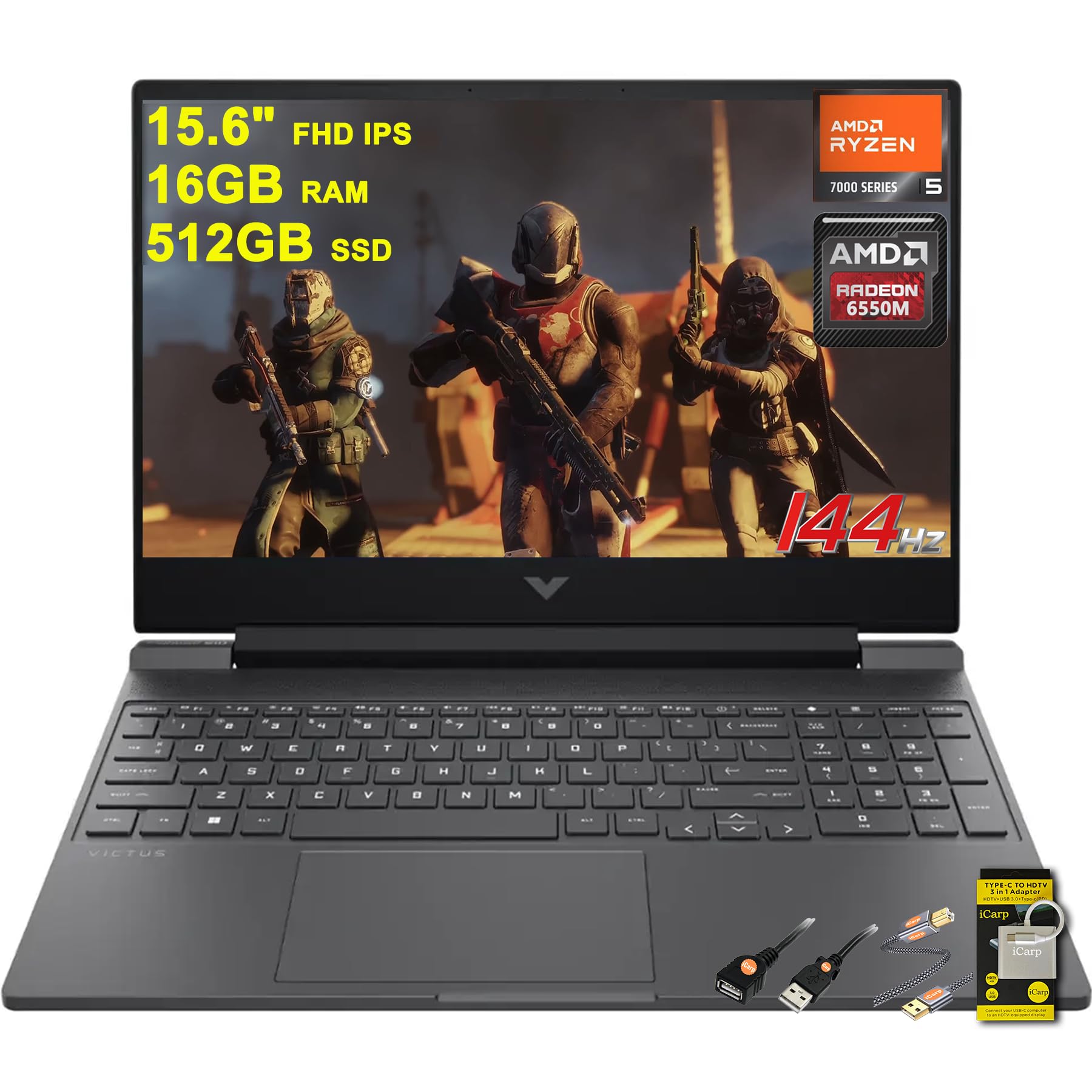
Figure 1: HP Victus 15 Gaming Laptop, showcasinด้วยการออกแบบที่เพรียวบางและการแสดงผลที่สดใส
คุณสมบัติหลัก
- โปรเซสเซอร์: Equipped with the powerful AMD Hexa-Core Ryzen 5 7535HS Processor.
- หน่วยความจำ: 16GB DDR5 RAM for smooth multitasking.
- พื้นที่จัดเก็บ: 512GB SSD for fast boot times and ampที่เก็บของ
- แสดง: 15.6" FHD (1920x1080) IPS 144Hz Anti-glare display with AMD FreeSync Premium.
- กราฟิก: Dedicated AMD Radeon RX 6550M Graphic.
- ระบบปฏิบัติการ: Microsoft Windows 11 Home.
- แป้นพิมพ์: Backlit Keyboard for enhanced visibility in low-light conditions.
- เสียง: DTS:X Ultra เพื่อประสบการณ์เสียงที่สมจริง
- การเชื่อมต่อ: Multiple ports including SuperSpeed USB-C, SuperSpeed USB-A, HDMI 2.1, Ethernet RJ45, and Multi-format SD Media Card Reader.
- การชาร์จ: Fast Charge capability.
ข้อกำหนดรายละเอียด
| คุณสมบัติ | ข้อมูลจำเพาะ |
|---|---|
| ขนาดหน้าจอยืน | 15.6 นิ้ว |
| ความละเอียดหน้าจอ | 1920 x 1080 พิกเซล |
| ความละเอียดหน้าจอสูงสุด | ขนาด 1920x1080 |
| โปรเซสเซอร์ | 3.3 GHz Ryzen 5 7535HS |
| แรม | แรม 16GB DDR5 |
| ฮาร์ดไดรฟ์ | SSD ความจุ 512GB |
| โคโปรเซสเซอร์กราฟิก | การ์ดจอ AMD Radeon RX 6550M |
| ขนาดแรมการ์ดจอ | 4GB |
| ระบบปฏิบัติการ | วินโดวส์ 11 โฮม |
| น้ำหนักสินค้า | 5.06 ปอนด์ |
| ขนาดสินค้า | 10.04 x 14.09 x 0.93 นิ้ว |
| สี | สีดำ |
มีอะไรอยู่ในกล่อง
- HP Victus 15 Gaming Laptop
- เครื่องชาร์จ
- ฮับ USB-C
- นามสกุล USB
- สายเคเบิลเครื่องพิมพ์
การตั้งค่า
- แกะกล่องแล็ปท็อป: ถอดแล็ปท็อปและอุปกรณ์เสริมทั้งหมดออกจากบรรจุภัณฑ์อย่างระมัดระวัง
- เชื่อมต่อพลังงาน: เสียบสายชาร์จเข้ากับพอร์ตจ่ายไฟของแล็ปท็อป จากนั้นเสียบเข้ากับเต้ารับที่ผนัง
- การบูตครั้งแรก: Open the laptop lid and press the power button. The laptop will guide you through the initial Windows 11 setup process. Follow the on-screen instructions to configure your language, region, network, and user account.
- เชื่อมต่ออุปกรณ์ต่อพ่วง: Connect any external devices such as a mouse, keyboard, or external monitor using the available USB or HDMI ports.
- การอัปเดตซอฟต์แวร์: Once Windows is set up, connect to the internet and check for any available system and driver updates to ensure optimal performance and security.
คำแนะนำการใช้งาน

Figure 2: HP Victus 15 Gaming Laptop, open view.
จอภาพและกราฟิก
The HP Victus 15 features a 15.6-inch Full HD (1920x1080) IPS display with a 144Hz refresh rate and AMD FreeSync Premium technology. This combination provides smooth visuals and reduces screen tearing, crucial for an immersive gaming experience. The dedicated AMD Radeon RX 6550M graphics card handles demanding games and applications with efficiency.
โปรเซสเซอร์และหน่วยความจำ
Powered by an AMD Hexa-core Ryzen 5 7535HS processor and 16GB of DDR5 RAM, the laptop delivers robust performance for gaming, multitasking, and content creation. The 512GB SSD ensures quick application loading and system responsiveness.
คีย์บอร์ดและทัชแพด
The full-size backlit keyboard offers comfortable typing and gaming, even in dimly lit environments. The integrated touchpad supports multi-touch gestures for intuitive navigation.
พอร์ตและการเชื่อมต่อ
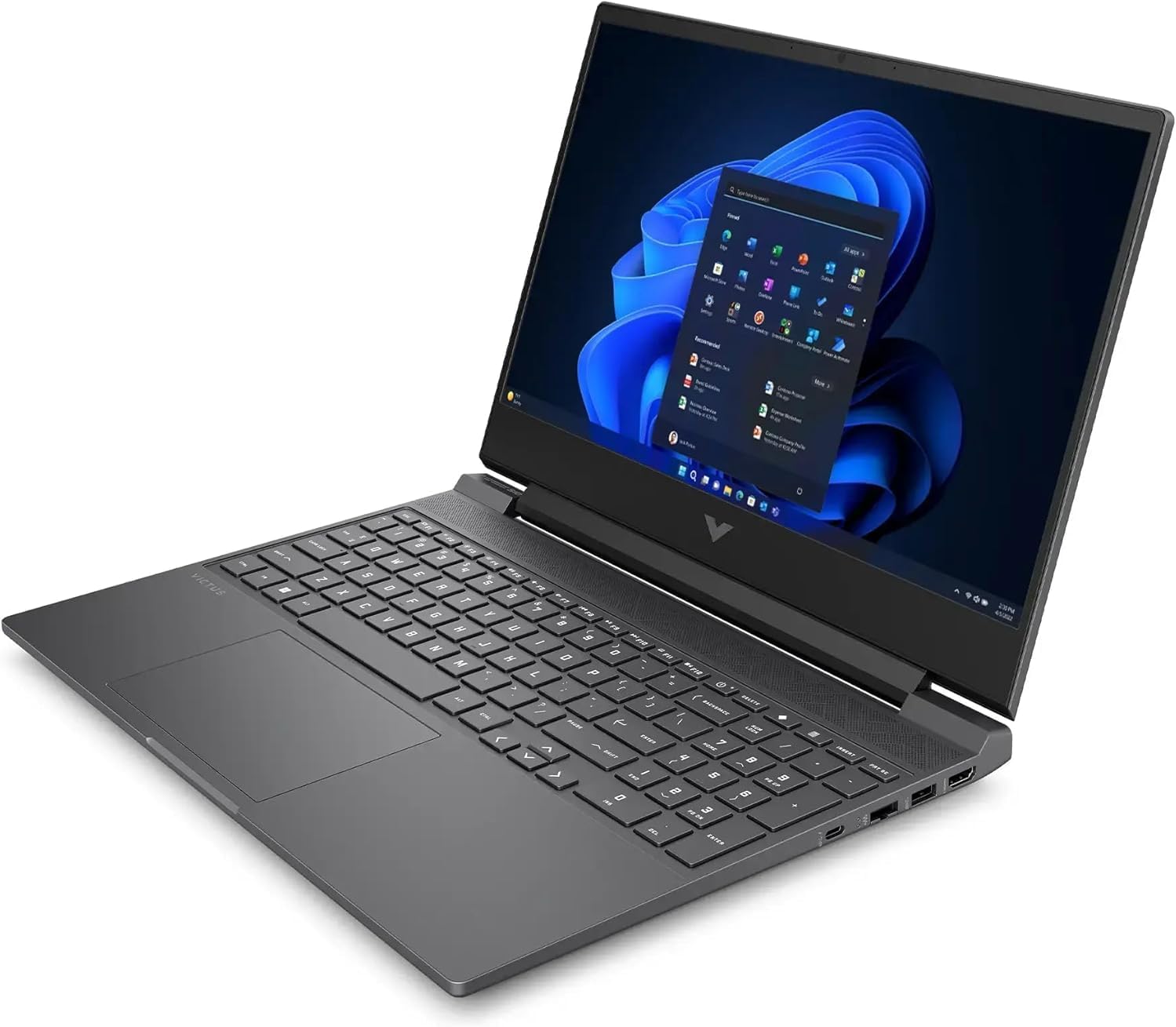
รูปที่ 3: ด้านข้าง view of the HP Victus 15, highlighting its connectivity ports.
The laptop is equipped with a variety of ports for all your peripheral needs:
- 1 x SuperSpeed USB Type-C
- 2 x SuperSpeed USB-A
- 1 x HDMI 2.1 (for external displays)
- 1 x Ethernet RJ45 (for wired network connection)
- 1 x Multi-format SD Media Card Reader
- 1 x Headphone/Microphone combo jack
การซ่อมบำรุง
- การทำความสะอาด: Regularly clean the screen with a soft, lint-free cloth and a screen-safe cleaner. Use compressed air to clear dust from keyboard keys and ventilation grilles.
- การอัปเดตซอฟต์แวร์: Keep your Windows operating system, drivers, and applications updated to ensure optimal performance, security, and compatibility.
- การดูแลแบตเตอรี่ เพื่อยืดอายุการใช้งานแบตเตอรี่ ควรหลีกเลี่ยงการปล่อยให้แบตเตอรี่หมดจนเกลี้ยงบ่อยๆ แนะนำให้รักษาระดับการชาร์จแบตเตอรี่ไว้ระหว่าง 20% ถึง 80% เท่าที่จะเป็นไปได้
- การระบายอากาศ : Ensure that the laptop's ventilation openings are not obstructed to prevent overheating, especially during intensive tasks like gaming.
- Upgradability: The HP Victus 15 is designed for easy access to internal components, allowing for potential RAM or storage upgrades. Refer to HP's official service guides for detailed instructions on component replacement or upgrades.
การแก้ไขปัญหา
- ไม่มีไฟฟ้า: ตรวจสอบให้แน่ใจว่าอะแดปเตอร์แปลงไฟเชื่อมต่อกับแล็ปท็อปและเต้ารับไฟฟ้าที่ใช้งานได้แน่นหนาแล้ว หากจำเป็นให้ลองเสียบกับเต้ารับอื่นดู
- ปัญหาการแสดงผล: If the screen is blank or flickering, try restarting the laptop. If using an external monitor, ensure the HDMI cable is properly connected and the correct display input is selected on the monitor.
- ประสิทธิภาพการทำงานช้าลง: Close unnecessary applications running in the background. Check Task Manager for high CPU, RAM, or disk usage. Ensure drivers are up to date.
- การเชื่อมต่อเครือข่าย: If you cannot connect to Wi-Fi or Ethernet, check your router and modem. Ensure Wi-Fi is enabled in Windows settings and try restarting your network adapter.
- ปัญหาด้านเสียง: Verify that the volume is not muted and that the correct audio output device is selected in Windows sound settings.
การรับประกันและการสนับสนุน
Your HP Victus 15 Gaming Laptop comes with a standard manufacturer's warranty. For detailed information regarding warranty terms, coverage, and duration, please refer to the warranty documentation included with your product or visit the official HP support webเว็บไซต์.
Additional protection plans are available for purchase, including 2-Year and 4-Year Protection Plans, and a Complete Protect plan. For technical assistance, driver downloads, and troubleshooting resources, please visit the ฝ่ายสนับสนุน HP Webเว็บไซต์.