1. สินค้าหมดview
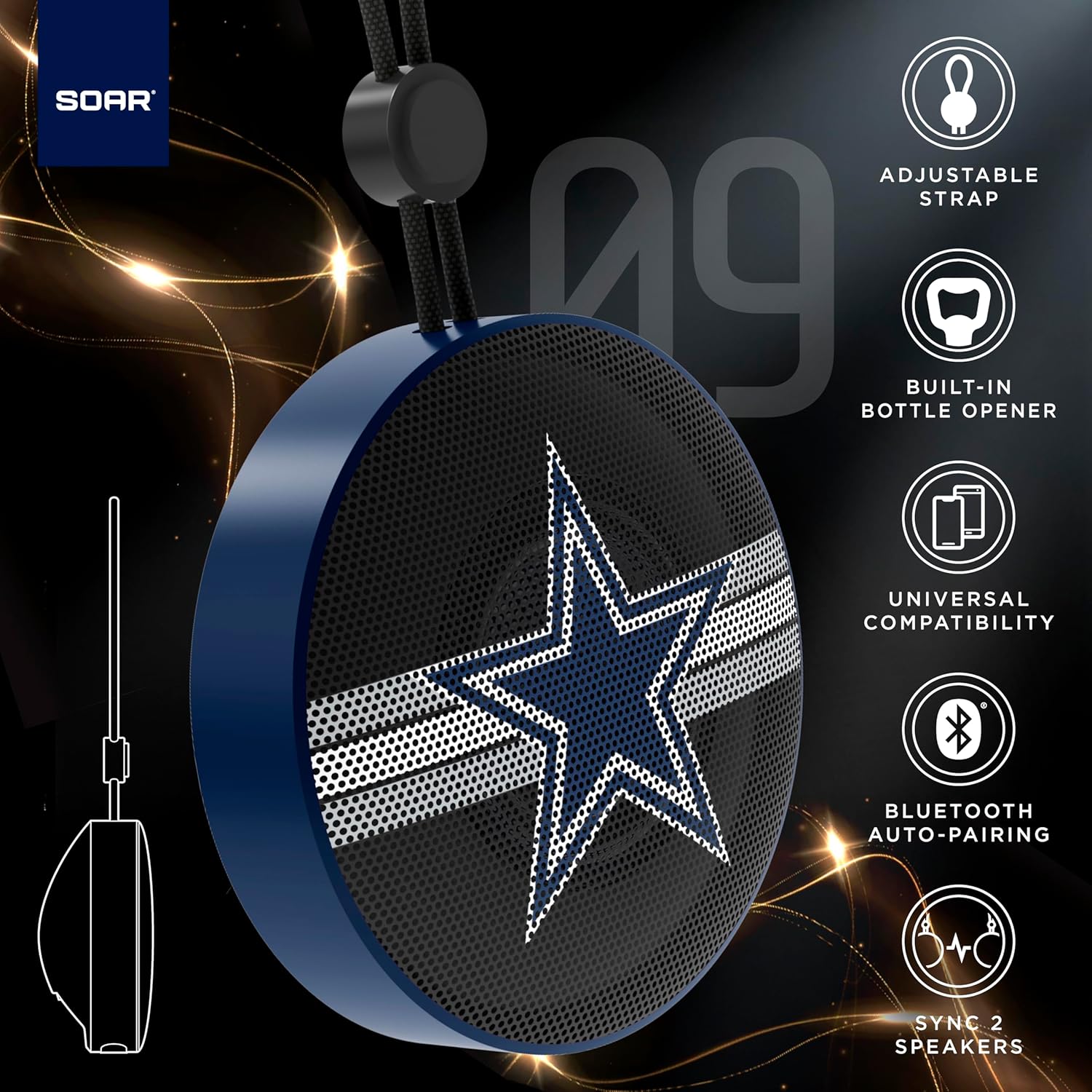
The SOAR NFL Bluetooth Bottle Opener Speaker is a compact and portable audio device designed for convenience and entertainment. It features 5W sound output, Bluetooth connectivity for wireless audio streaming, and a built-in bottle opener. The speaker includes an adjustable lanyard for easy carrying and offers up to 10 hours of playback on a single charge. It also supports dual pairing for an immersive stereo experience and has a built-in microphone for hands-free calls.

ด้านหน้า view of the SOAR NFL Bluetooth Bottle Opener Speaker featuring the Arizona Cardinals logo.

The product packaging highlighting features like adjustable strap, 10-hour battery life, and built-in bottle opener.
2. เนื้อหาบรรจุภัณฑ์
- SOAR NFL Bluetooth Bottle Opener Speaker
- สายชาร์จ USB-C
- คู่มือการใช้งาน
3. การตั้งค่า
3.1 การชาร์จลำโพง
Before first use, fully charge the speaker. Use the provided USB-C cable to connect the speaker's charging port to a compatible USB power source (e.g., wall adapter, computer USB port).
- ไฟแสดงสถานะการชาร์จจะสว่างขึ้นขณะทำการชาร์จ
- The light will change or turn off once charging is complete.
Detail of the USB-C charging port and control buttons on the speaker.
3.2 การเปิด/ปิดเครื่อง
To power on the speaker, press and hold the power button until you hear an audible prompt or see the LED lights activate. To power off, press and hold the power button again.
3.3 การจับคู่บลูทูธ
- ตรวจสอบให้แน่ใจว่าลำโพงเปิดอยู่และอยู่ในโหมดจับคู่ (ระบุโดยไฟ LED กะพริบ)
- บนอุปกรณ์พกพาของคุณ (สมาร์ทโฟน แท็บเล็ต ฯลฯ) ให้เปิดใช้งานบลูทูธ
- ค้นหา available Bluetooth devices. The speaker will appear as "SOAR POP" or a similar name.
- Select the speaker from the list to connect. A confirmation tone or voice prompt will indicate successful pairing.
4. การดำเนินการ
4.1 การเล่นเสียง
Once paired, you can stream audio from your device to the speaker. Use your device's controls to manage playback (play, pause, skip tracks) and adjust volume. The speaker itself may have basic playback controls (e.g., play/pause, next/previous track) as shown near the charging port.
4.2 Dual Pairing (True Wireless Stereo)
For an enhanced audio experience, two SOAR POP speakers can be paired together to create a stereo sound system. Refer to the specific instructions provided with your speakers for dual pairing mode activation.
4.3 ที่เปิดขวดในตัว
The speaker features a discreetly integrated bottle opener. Position the bottle cap under the metal opener and apply upward pressure to remove the cap.

The speaker demonstrating its built-in bottle opener function.
4.4 Adjustable Lanyard
The speaker includes a 10-inch adjustable lanyard for convenient portability. Attach it to a backpack, belt loop, or other gear for easy transport.

Image showing the speaker's dimensions and the adjustable lanyard for portability.
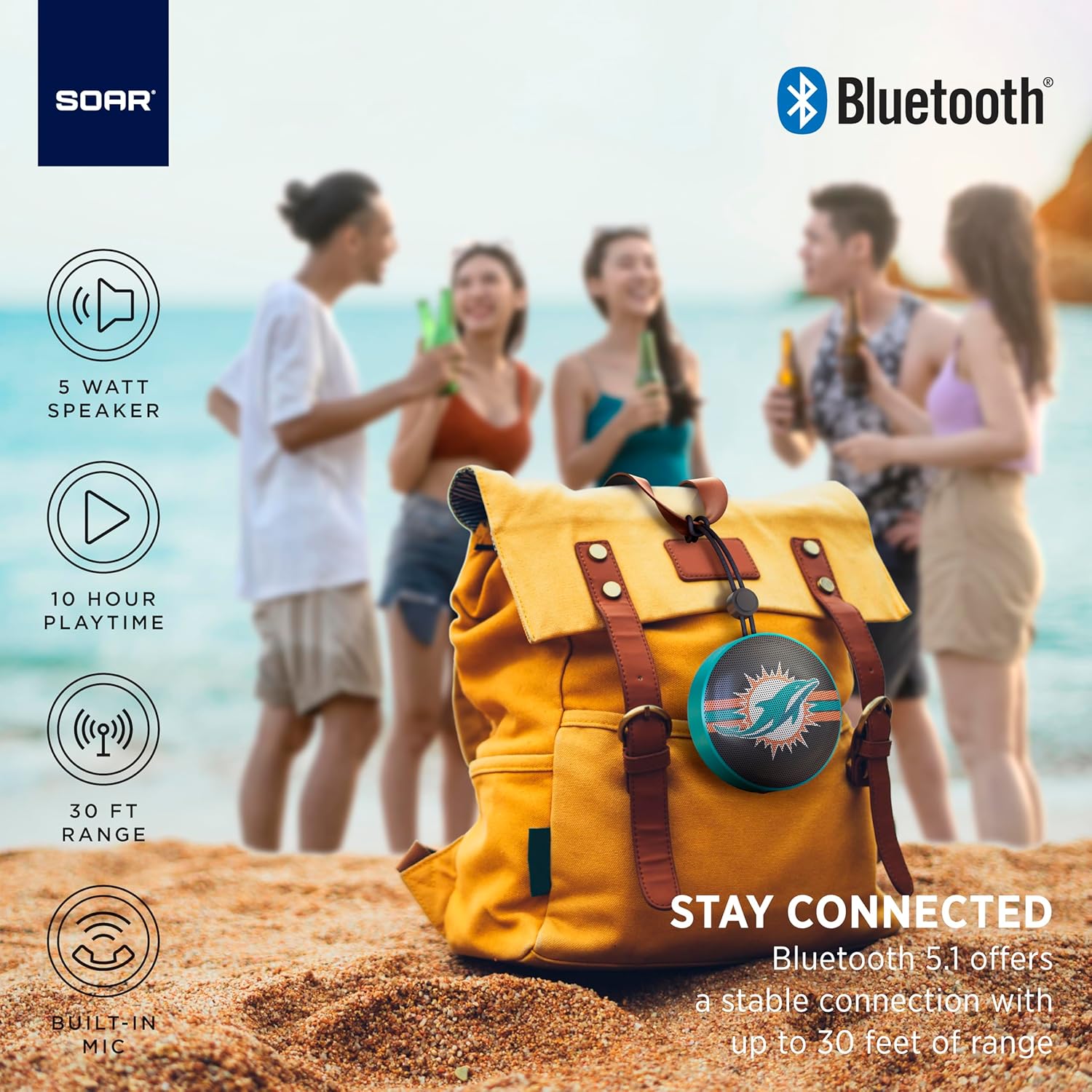
The portable speaker attached to a backpack, illustrating its on-the-go use.
4.5 การโทรแบบแฮนด์ฟรี
With the built-in microphone, you can answer calls directly through the speaker when connected to your smartphone. Press the play/pause button to answer or end a call.
5. การบำรุงรักษาและการดูแล
- การทำความสะอาด: ใช้ผ้าแห้งนุ่มๆ เช็ดทำความสะอาดลำโพง ห้ามใช้สารเคมีรุนแรงหรือน้ำยาทำความสะอาดที่มีฤทธิ์กัดกร่อน
- ความต้านทานน้ำ: The speaker is designed with IPX4 water resistance, meaning it is protected against splashing water from any direction. It is not intended for submersion in water. Ensure the charging port cover is securely closed to maintain water resistance.
- พื้นที่จัดเก็บ: เก็บลำโพงไว้ในที่แห้งและเย็น หลีกเลี่ยงแสงแดดโดยตรงและอุณหภูมิที่สูงหรือต่ำเกินไป
6 การแก้ไขปัญหา
- ไม่มีไฟฟ้า: ตรวจสอบให้แน่ใจว่าลำโพงชาร์จแบตเตอรี่เต็มแล้ว เชื่อมต่อกับแหล่งจ่ายไฟโดยใช้สาย USB-C
- ไม่สามารถจับคู่ผ่านบลูทูธ:
- ตรวจสอบให้แน่ใจว่าลำโพงอยู่ในโหมดจับคู่ (ไฟ LED กะพริบ)
- Ensure Bluetooth is enabled on your device and it is within range (up to 30 feet).
- ลืมอุปกรณ์จากการตั้งค่าบลูทูธของโทรศัพท์ของคุณและลองจับคู่ใหม่อีกครั้ง
- รีสตาร์ททั้งลำโพงและอุปกรณ์ของคุณ
- ไม่มีเสียง:
- ตรวจสอบระดับเสียงทั้งบนลำโพงและอุปกรณ์ที่เชื่อมต่อของคุณ
- โปรดตรวจสอบให้แน่ใจว่าลำโพงได้รับการจับคู่และเชื่อมต่อกับอุปกรณ์ของคุณเรียบร้อยแล้ว
- ลองเล่นเสียงจากแอปพลิเคชันหรือแหล่งอื่น
- คุณภาพเสียงไม่ดี:
- ย้ายลำโพงให้เข้าใกล้อุปกรณ์ของคุณมากขึ้นเพื่อลดสัญญาณรบกวน
- ตรวจสอบให้แน่ใจว่าไม่มีสิ่งกีดขวางระหว่างลำโพงและอุปกรณ์ของคุณ
- Check if the speaker is fully charged. Low battery can affect sound quality.
7. ข้อมูลจำเพาะ
| ยี่ห้อ | ทะยาน |
| หมายเลขรุ่น | NFL-BTX9-CARD |
| วัสดุ | โพลิเมอร์ |
| ขนาดสินค้า | ยาว 3.6 นิ้ว x กว้าง 1.8 นิ้ว |
| น้ำหนักสินค้า | 9.4 ออนซ์ |
| กำลังขับของลำโพง | 5W |
| อายุการใช้งานแบตเตอรี่ | นานถึง 10 ชั่วโมง |
| เวอร์ชันบลูทูธ | 5.1 |
| ความต้านทานต่อน้ำ | IPX4 (Protected against splashing of water) |
| ยูพีซี | 192129183983 |
8. การรับประกันและการสนับสนุน
For warranty information and customer support, please refer to the documentation included with your product or visit the official SOAR webไซต์นี้ โปรดเก็บใบเสร็จรับเงินที่ซื้อไว้เพื่อใช้เรียกร้องการรับประกัน