1. คำแนะนำด้านความปลอดภัยที่สำคัญ
Please read all safety instructions carefully before using this appliance. Failure to follow these instructions may result in electric shock, fire, or serious personal injury.
- ถอดปลั๊กพัดลมทุกครั้งก่อนทำความสะอาดหรือบำรุงรักษา
- ห้ามสอดนิ้วหรือวัตถุใดๆ เข้าไปในตะแกรงขณะที่พัดลมกำลังทำงาน
- ตรวจสอบให้แน่ใจว่าพัดลมวางอยู่บนพื้นผิวที่มั่นคงและระดับเพื่อป้องกันการพลิกคว่ำ
- วางสายไฟให้ห่างจากพื้นผิวที่ร้อน
- ห้ามใช้พัดลมกับสายไฟหรือปลั๊กที่ชำรุด
- เครื่องใช้ไฟฟ้าตัวนี้มีไว้สำหรับใช้ภายในอาคารเท่านั้น
2. เนื้อหาบรรจุภัณฑ์
ตรวจสอบว่ามีรายการทั้งหมดรวมอยู่ในแพ็คเกจของคุณ:
- 1 × Dreo Poly Fan (DR-HPF007S)
- อะแดปเตอร์แปลงไฟ 1 ×
- 1 × Remote Control (Battery included)
- 1 × Screw for Base
- 1 × Screwdriver for Base
3. การติดตั้งและการประกอบ
Follow these steps to assemble your DREO Smart Fan:
- นำส่วนประกอบทั้งหมดออกจากบรรจุภัณฑ์อย่างระมัดระวัง
- Attach the fan body to the pedestal column.
- Secure the base to the bottom of the pedestal column using the provided screw and screwdriver.
- Attach the remote control holder to the pedestal column at a convenient height.
- Plug the power adapter into the fan and then into a power outlet.
Video: PolyFan Assembly and Clean
This video demonstrates the step-by-step assembly process and how to clean the PolyFan. It shows how to attach the base, secure the column, and connect the power adapter. It also covers disassembling parts for cleaning.
Video: Dreo HPF004S Installation Video
This video provides a visual guide for the installation of the Dreo HPF004S fan, which shares similar assembly steps with the DR-HPF007S model.
4. คู่มือการใช้งาน
Your DREO Smart Fan offers multiple control methods and customizable settings for optimal comfort.
4.1 วิธีการควบคุม
- ระบบควบคุมแบบสัมผัส: Use the intuitive touch panel on the fan's pedestal.
- รีโมทคอนโทรล: Operate the fan from a distance with the included remote.
- DREO App: Connect via Wi-Fi for advanced features, scheduling, and voice control.
- การควบคุมด้วยเสียง: เชื่อมต่อกับ Alexa หรือ Google Assistant เพื่อการใช้งานแบบแฮนด์ฟรี
4.2 Fan Speeds and Airflow Modes
- 9 ความเร็วพัดลม: Adjust airflow intensity from a gentle breeze to powerful circulation.
- 6 Airflow Modes: Choose from Normal, Natural, Sleep, Auto, Custom, and Turbo modes to suit your preference.

Image: Fan Modes and Speeds
The fan's display shows the current speed and selected mode, offering 9 speed levels and 6 distinct airflow modes for personalized comfort.
4.3 การสั่น
- การสั่นแบบ 3 มิติ: Enjoy wide-area coverage with 150° horizontal and 120° vertical oscillation.
- Position-based Oscillation: (DREO app exclusive) The fan adjusts its airflow direction based on your movement within the room.

Image: 3D Oscillation
This image illustrates the fan's ability to oscillate both horizontally (150°) and vertically (120°), providing comprehensive air circulation.
Video: Dreo Smart Position-based Oscillation Fan TurboPoly Fan 707S
This video highlights the smart position-based oscillation feature of the fan, demonstrating how it tracks movement to maintain airflow.
4.4 ฟังก์ชั่นจับเวลา
ตั้งค่าพัดลมให้ปิดอัตโนมัติหลังจากช่วงเวลาที่กำหนด:
- บนอุปกรณ์: นานถึง 8 ชั่วโมง
- DREO App: Up to 12 hours for extended control.
4.5 Smart Features via DREO App
- การกำหนดตารางเวลา: Program the fan to turn on/off at specific times.
- Temperature Triggers: Set the fan to adjust speed based on ambient temperature.
- วิดเจ็ตบนเดสก์ท็อป: Quick access to fan controls from your smartphone home screen.
- การทำงานที่เงียบ: Operates as low as 25dB for undisturbed sleep.
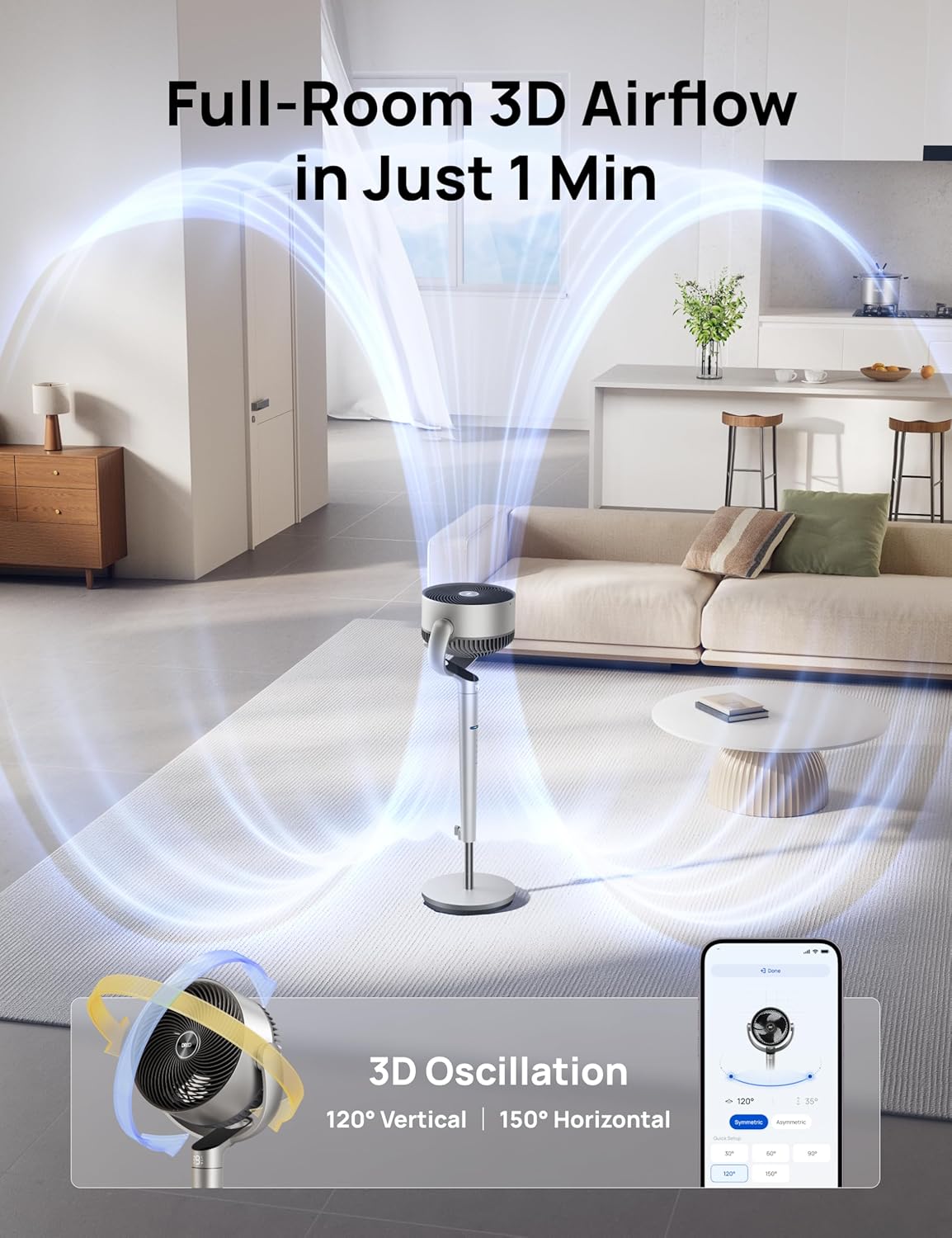
Image: App Control Interface
The DREO app provides comprehensive control over fan settings, including modes, speeds, oscillation, and smart features.
5. การทำความสะอาดและการบำรุงรักษา
การทำความสะอาดเป็นประจำจะช่วยให้พัดลมของคุณทำงานได้อย่างเหมาะสมและมีอายุการใช้งานยาวนาน
- ควรถอดปลั๊กพัดลมทุกครั้งก่อนทำความสะอาด
- เช็ดพื้นผิวภายนอกด้วยผ้านุ่ม damp ผ้า.
- To clean the fan blades, remove the front grille by rotating it counter-clockwise.
- Rotate the blade cap counter-clockwise to remove it, then carefully take out the blade from the shaft.
- Rinse the cap, blade, and grille under running water. Dry all parts thoroughly before reassembling.
- Reassemble the fan by reversing the disassembly steps.
Video: PolyFan Assembly and Clean
This video demonstrates how to disassemble the fan for cleaning and reassemble it, ensuring proper maintenance.
6 การแก้ไขปัญหา
If you encounter any issues with your DREO Smart Fan, refer to the following common solutions:
- พัดลมไม่เปิด: Ensure the power cord is securely plugged into a working outlet. Check if the power adapter is correctly connected to the fan.
- การไหลเวียนของอากาศที่อ่อนแอ: Verify that the fan speed is set to an appropriate level. Clean the fan blades and grilles to remove any dust buildup.
- เสียงรบกวนที่ผิดปกติ: Ensure all parts are assembled correctly and securely. Clean the fan to remove any foreign objects that might be causing noise.
- การควบคุมระยะไกลไม่ทำงาน: Check the battery in the remote control. Ensure there are no obstructions between the remote and the fan.
- ปัญหาการเชื่อมต่อ Wi-Fi: Ensure your Wi-Fi network is 2.4GHz. Restart your router and the fan, then try connecting again via the DREO app.
7. ข้อมูลจำเพาะ
| คุณสมบัติ | รายละเอียด |
|---|---|
| ยี่ห้อ | ดริโอ |
| ชื่อรุ่น | DR-HPF007S |
| ขนาดสินค้า | ลึก 13.7 นิ้ว x กว้าง 8.7 นิ้ว x สูง 42.52 นิ้ว |
| แหล่งพลังงาน | DC |
| วัดtage | 50 วัตต์ |
| เล่มที่tage | 120 โวลต์ |
| ระดับเสียง | 25 เดซิเบล |
| ความจุการไหลของอากาศ | 1404 ลูกบาศก์ฟุตต่อนาที |
| ความเร็ว | 8 Meters per Second |
| จำนวนระดับพลังงาน | 9 |
| คุณสมบัติพิเศษ | Adjustable Height, Adjustable Tilt, Oscillating, Remote Controlled, Timer, Wi-Fi, Voice Control |
| วิธีการควบคุม | แอพ รีโมท สัมผัส |
| การใช้งานภายใน/ภายนอกอาคาร | ในร่ม |
| น้ำหนักสินค้า | 17.96 ปอนด์ |
| ยูพีซี | 810142858212 |
8. การรับประกันและการสนับสนุน
For product support, warranty information, or any inquiries, please contact Dreo customer service:
- Webเว็บไซต์: www.dreo.com
- อีเมล: support@dreo.com
- โทรศัพท์: (888) 290-1688 (Mon-Fri, 9:00 AM-5:00 PM PST/PDT)