1. บทนำและเรื่องอื่นๆview
The Belkin USB-C Car Charger 75W (Model CCC001) is designed to provide efficient and versatile charging for multiple devices in your vehicle. Featuring a built-in 30-inch (75cm) retractable USB-C cable, along with additional USB-C and USB-A ports, this charger delivers a maximum output of 75W. It supports fast charging for a wide range of devices, including smartphones, tablets, and laptops, ensuring your devices are powered up quickly and conveniently on the go.
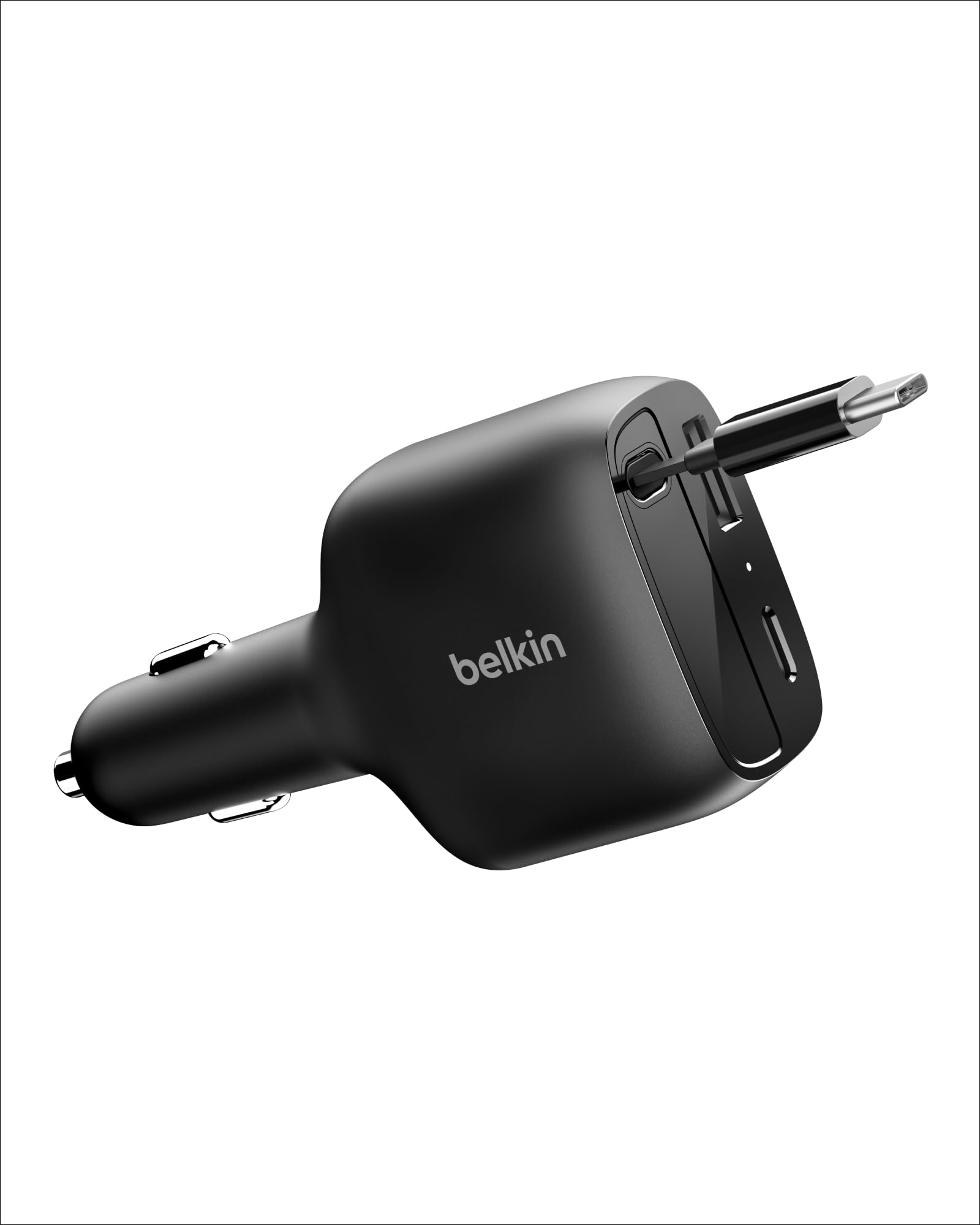
Image 1.1: The Belkin USB-C Car Charger 75W, showcasinด้วยดีไซน์ที่กะทัดรัดและสายเคเบิลแบบยืดหดได้ในตัว
2. คุณสมบัติของผลิตภัณฑ์
- สาย USB-C แบบยืดหดได้: A convenient, built-in 30-inch (75cm) tangle-free USB-C cable for organized charging.
- เทคโนโลยีชาร์จเร็ว: Rapidly charges compatible devices. For example, an iPhone 16 Pro can charge from 0-50% in approximately 27 minutes, and a Galaxy S25 in approximately 31 minutes.
- การชาร์จพร้อมกัน: Features a 75W max output (60W from retractable cable), one additional USB-C port, and one USB-A port, allowing up to three devices to charge concurrently.
- เข้ากันได้สากล: Supports fast charging for all Power Delivery (PD)-enabled devices, including laptops, tablets, smartphones, smartwatches, earbuds, and power banks.
- Sleek, Compact Design: โปรต่ำfile form factor integrates seamlessly into your car's interior, keeping cables organized and accessible.
- Belkin SmartProtect: Incorporates overvoltage protection and rigorous safety testing for dependable performance and dynamic power distribution.
- การออกแบบที่ยั่งยืน: Constructed with a minimum of 90% post-consumer recycled plastic (excluding cable) and packaged in 100% plastic-free materials.

Image 2.1: Illustration of the charger's 75W maximum output and fast charging capabilities for various devices.

Image 2.2: Visual representation of the charger's versatile power distribution across its ports for different usage scenarios.
3. การตั้งค่า
- Insert into Vehicle Power Outlet: Plug the Belkin USB-C Car Charger firmly into your vehicle's 12V power outlet (cigarette lighter socket). Ensure it is securely seated.
- ไฟแสดงสถานะพลังงาน: The charging status indicator light on the charger will illuminate to confirm it is receiving power.
Video 3.1: An official video from Belkin Inc. demonstrating the insertion of the BoostCharge USB-C Retractable Car Charger into a vehicle's power outlet and its use.
4. คู่มือการใช้งาน
4.1 Using the Retractable USB-C Cable
- ต่อสายเคเบิล: Gently pull the USB-C connector end of the retractable cable to extend it to the desired length (up to 30 inches / 75 cm).
- เชื่อมต่ออุปกรณ์: เสียบหัวต่อ USB-C เข้ากับอุปกรณ์ที่รองรับของคุณ
- ดึงสายเคเบิลกลับ: When finished charging, gently pull the cable again until it clicks, then release it to allow it to retract back into the charger housing. This mechanism helps prevent tangles and keeps your car interior tidy.
4.2 Using Additional Ports
- เชื่อมต่ออุปกรณ์ USB-C: Plug a compatible USB-C charging cable (not included) into the additional USB-C port on the charger, then connect it to your device.
- Connect USB-A Device: Plug a compatible USB-A charging cable (not included) into the USB-A port on the charger, then connect it to your device.
The charger intelligently distributes power to connected devices, optimizing charging speed up to its 75W maximum output.

Image 4.1: Demonstrating the convenient pull-to-extend and pull-to-retract mechanism of the integrated USB-C cable.

Image 4.2: The car charger actively charging an iPhone, AirPods, and a tablet concurrently, highlighting its multi-device capability.

Image 4.3: A visual comparison illustrating how the retractable cable contributes to a clutter-free and organized car environment.
5. ความเข้ากันได้
The Belkin USB-C Car Charger offers universal compatibility with a wide range of devices that support USB-C and USB-A charging standards, especially those utilizing Power Delivery (PD) technology.
- รุ่นโทรศัพท์ที่รองรับ: Supports Apple (iPhone 15 series and later), Samsung (Galaxy S25 series), Google Pixel phones, and many other USB-C powered smartphones.
- อุปกรณ์ที่รองรับ: Includes laptops (e.g., MacBook, Chromebook), tablets (e.g., iPad Air 13), smartwatches, earbuds (e.g., AirPods), power banks, and other USB-C accessories.

ภาพที่ 5.1: ภาพรวมโดยละเอียดview of devices compatible with the Belkin USB-C Car Charger, including various smartphones, tablets, and laptops.
6. ข้อมูลด้านความปลอดภัย
The Belkin USB-C Car Charger is equipped with Belkin SmartProtect technology to ensure the safety of your devices and the charger itself. This includes:
- โอเวอร์โวลtagการป้องกันอี: ป้องกันความเสียหายจากปริมาณเสียงที่มากเกินไปtage.
- การป้องกันความร้อนสูงเกินไป: ตรวจสอบและควบคุมอุณหภูมิเพื่อป้องกันความร้อนสูงเกินไป
- การทดสอบความปลอดภัยอย่างเข้มงวด: Undergoes extensive testing to meet safety standards.
- Dynamic Power Distribution: Maximizes charging efficiency while safeguarding connected equipment.
Always ensure the charger is properly connected to your vehicle's power outlet and that cables are securely attached to devices.

ภาพที่ 6.1: ภายใน view of the charger highlighting the Belkin SmartProtect features for device safety.
7. ข้อมูลจำเพาะ
| หมายเลขรุ่น | ซีซีซี001 |
| ขนาดสินค้า | 3.86 x 1.95 x 1.14 นิ้ว (98 x 49.5 x 29 มม.) |
| น้ำหนักสินค้า | 3.52 ออนซ์ |
| อินพุต Voltage | กระแสตรง 12 – 24 โวลต์ |
| รวมวัดtagอี เอาท์พุต | 75W สูงสุด |
| Retractable USB-C Cable Output | 60W Max (5V/3A, 9V/3A, 12V/3A, 15V/3A, 20V/3A) PPS 5-16V/3A |
| Additional USB-C Port Output | 30W Max (5V/3A, 9V/3A, 15V/2A) PPS 5-11V/3A |
| พอร์ต USB-A | กำลังไฟสูงสุด 12 วัตต์ (5 โวลต์/2.4 แอมป์) |
| ความยาวสายเคเบิลรวม | 30 นิ้ว (75 ซม.) |
| คุณสมบัติพิเศษ | Charging Status Indicator, Fast Charging, Retractable Cable, Travel-friendly |
| มีอะไรอยู่ในกล่อง | 1 x Belkin USB-C Car Charger 75W w/ 30in Retractable USB-C Cable |
8 การแก้ไขปัญหา
- ไม่มีพลังงาน/การชาร์จ:
- Ensure the car charger is fully inserted into the vehicle's 12V power outlet.
- Check if your vehicle's power outlet is active (some vehicles require the ignition to be on).
- ตรวจสอบให้แน่ใจว่าสายชาร์จเชื่อมต่อกับที่ชาร์จและอุปกรณ์ของคุณอย่างแน่นหนาแล้ว
- Test with a different device or cable to rule out device/cable issues.
- การชาร์จช้า:
- ตรวจสอบให้แน่ใจว่าอุปกรณ์ของคุณรองรับการชาร์จด่วนและคุณกำลังใช้สายเคเบิลที่เข้ากันได้
- Charging multiple devices simultaneously may distribute the total wattage, potentially reducing individual device charging speeds.
- Check the power requirements of your device against the charger's output specifications.
- Retractable Cable Not Functioning:
- Gently pull the cable to its full extension and then release it to allow the retraction mechanism to reset.
- Avoid forcing the cable or pulling it at an extreme angle.
9. การรับประกันและการสนับสนุน
The Belkin USB-C Car Charger 75W (Model CCC001) comes with a 2-year warranty. Additionally, Belkin offers a Connected Equipment Warranty (CEW) of up to $2,500. This warranty covers electronic devices damaged by an electrical charge while properly connected to this product.
For detailed warranty information, product support, or to register your product, please visit the official Belkin webเว็บไซต์: belkin.com/cew.


