1. บทนำ
This manual provides essential instructions for setting up, operating, and maintaining your LG 43QNED80TUC QNED 4K Smart TV. Please read this manual thoroughly before using your television to ensure safe and optimal performance. Keep this manual for future reference.
2. อะไรอยู่ในกล่อง
ตรวจสอบว่าส่วนประกอบทั้งหมดมีอยู่ก่อนเริ่มการตั้งค่า
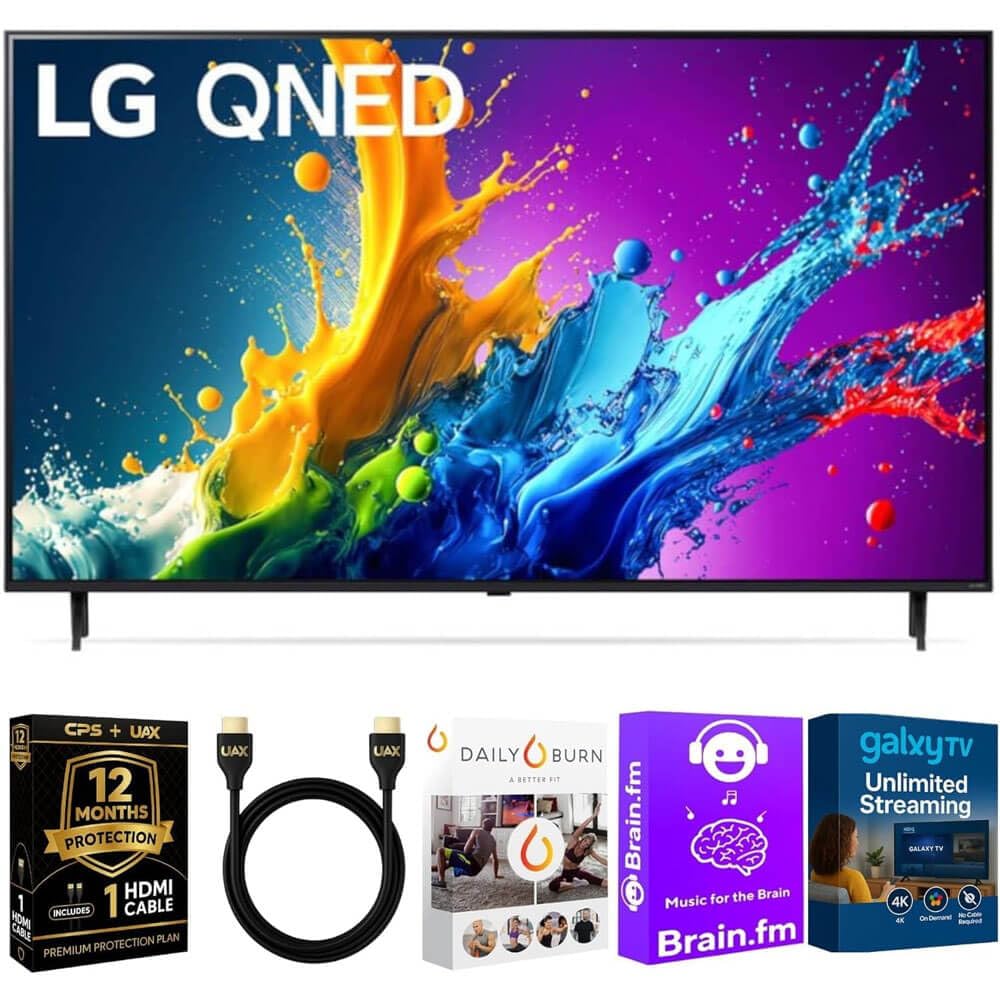
ภาพ: The LG 43QNED80TUC QNED 4K Smart TV, displaying its dimensions and a list of included accessories such as the Magic Remote, remote control batteries, stand, and quick start guide.
- LG 43QNED80TUC QNED 4K Smart TV
- เมจิกรีโมท
- แบตเตอรี่รีโมทคอนโทรล
- ส่วนประกอบขาตั้งทีวี
- สายไฟ
- คู่มือเริ่มต้นอย่างรวดเร็ว
- UAX HDMI 2.0 Cable (6ft)
- 12-Month CPS Protection Plan documentation
- Streaming Bundle activation details (Brain.fm, Daily Burn, Galaxy TV)
3. การตั้งค่า
3.1 การประกอบขาตั้ง
Carefully place the TV screen-down on a soft, flat surface. Attach the stand components to the designated slots on the bottom of the TV using the provided screws. Ensure the stand is securely fastened before placing the TV upright.

ภาพ: ด้านข้าง view of the LG QNED TV, illustrating its slim design and the attached stand, which provides stable support.
3.2 การเชื่อมต่ออุปกรณ์ต่อพ่วง
Connect your external devices such as cable boxes, gaming consoles, or Blu-ray players to the TV's input ports. Use the provided UAX HDMI 2.0 cable for optimal performance with compatible devices.

ภาพ: หลัง view of the LG QNED TV, highlighting the various input and output ports including HDMI, USB, Ethernet, RF In, and Optical Digital Audio Out, for connecting external devices.
พอร์ตที่มี:
- อินพุต HDMI 4 ช่อง
- พอร์ต USB 2 พอร์ต
- 1 Ethernet (LAN) Port
- RF เข้า (เสาอากาศ / สายเคเบิล)
- ออปติคัลดิจิตอลออดิโอเอาท์
3.3 การเปิดเครื่องครั้งแรกและการตั้งค่าพื้นฐาน
Plug the power cable into the TV and a wall outlet. Press the power button on the Magic Remote or on the TV. Follow the on-screen prompts to complete the initial setup, including language selection, network connection, and channel scanning.
4. การใช้งานทีวีของคุณ
4.1 การใช้เมจิกรีโมต
The Magic Remote allows intuitive control of your TV. Point and click, use the scroll wheel, or utilize voice commands for navigation and content selection. Ensure batteries are correctly inserted.
4.2 webคุณสมบัติของสมาร์ททีวีระบบปฏิบัติการ
ทีวี LG QNED ของคุณทำงานบน webOS, providing access to a wide range of streaming services and LG Channels. Navigate the home screen to find apps like Netflix, Prime Video, Disney+, and more.
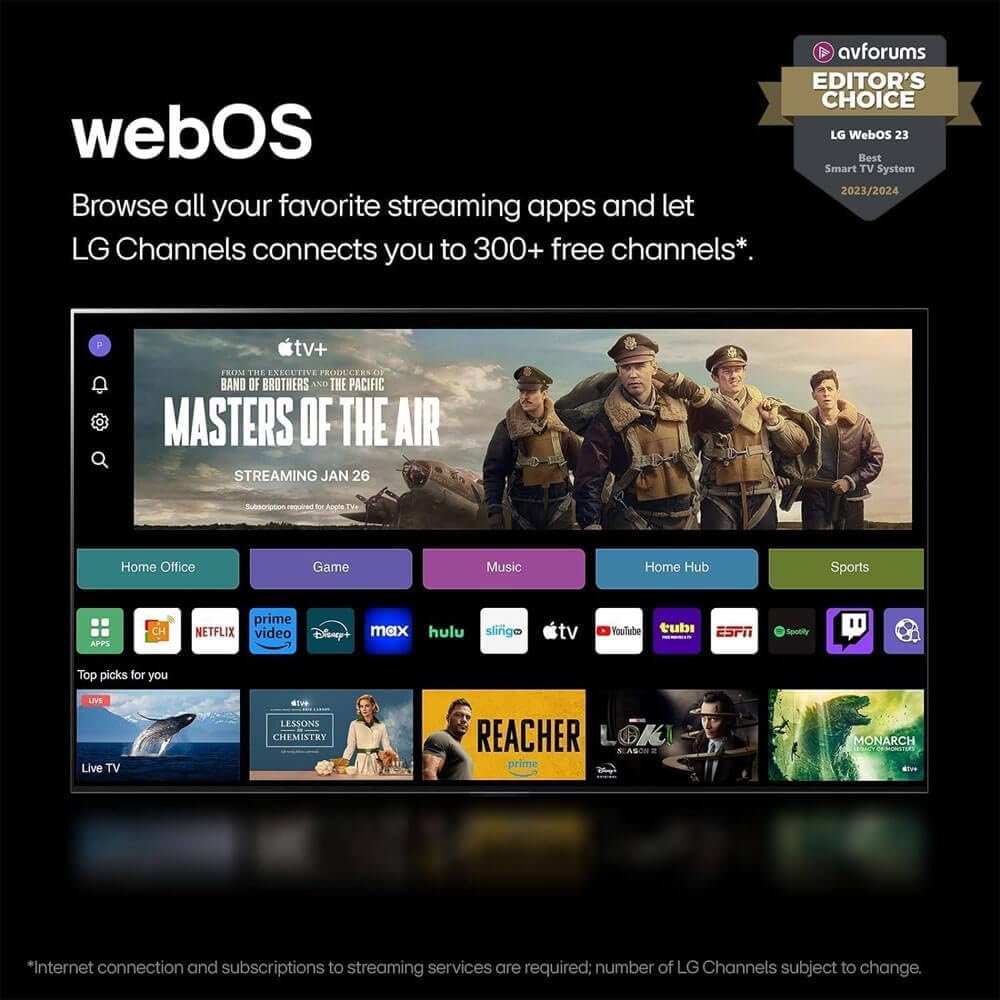
ภาพ: แอลจี webOS 23 interface, displaying a selection of popular streaming applications and content categories, indicating easy access to entertainment.
การควบคุมด้วยเสียง: The TV features Alexa Built-in. Press the microphone button on your Magic Remote and speak your commands to search for content, control smart home devices, or get information.
4.3 Picture and Sound Enhancement (a5 AI Processor Gen7)
The a5 AI Processor Gen7 automatically optimizes picture and sound quality in real-time. This processor enhances brightness, refines detail, and improves audio clarity for an immersive viewการสร้างประสบการณ์

ภาพ: A visual representation of the LG a5 AI Processor Gen7 chip, illustrating its role in enhancing brightness, sound, and picture detail for an improved viewการสร้างประสบการณ์
HDR and Audio Technologies: The TV supports HDR10 and Dolby Vision for enhanced contrast and color, and Dolby Atmos for immersive audio. These technologies are automatically engaged when compatible content is played.
4.4 Gaming Features (Game Optimizer)
Access the Game Optimizer menu to quickly adjust settings for an optimal gaming experience. Features include Auto Low Latency Mode (ALLM) for reduced input lag and HGiG compatibility for accurate HDR gaming.

ภาพ: A screenshot of the LG Game Optimizer interface displayed during a racing game, showing options for customizing gaming settings like ALLM, eARC, and HGiG.
5. การบำรุงรักษา
5.1 การทำความสะอาดทีวีของคุณ
Gently wipe the screen and cabinet with a soft, dry cloth. For stubborn marks, lightly dampen the cloth with water. Avoid using harsh chemicals or abrasive cleaners, as these can damage the screen and finish.
5.2 Software Updates (webOS Re:New Program)
Your TV will receive software updates through the webOS Re:New Program for up to 5 years. These updates provide new features and performance improvements. Ensure your TV is connected to the internet for automatic updates. You will receive a notification if an update requires manual acceptance.

ภาพ: แอลจี webOS Re:New Program logo, signifying the commitment to providing software updates and feature refreshes for 5 years.
6 การแก้ไขปัญหา
หากคุณประสบปัญหาเกี่ยวกับทีวี โปรดดูปัญหาทั่วไปและวิธีแก้ไขต่อไปนี้ก่อนติดต่อฝ่ายบริการ
| ปัญหา | สาเหตุที่เป็นไปได้ | สารละลาย |
|---|---|---|
| ไม่มีไฟฟ้า | สายไฟหลุด; มีปัญหากับเต้ารับ | ตรวจสอบให้แน่ใจว่าสายไฟเชื่อมต่อแน่นดีแล้ว ทดสอบเต้ารับกับอุปกรณ์อื่น |
| No Picture, Only Sound | แหล่งข้อมูลอินพุตไม่ถูกต้อง ปัญหาอุปกรณ์ภายนอก | ตรวจสอบแหล่งสัญญาณเข้า ตรวจสอบให้แน่ใจว่าอุปกรณ์ภายนอกเปิดอยู่และเชื่อมต่ออย่างถูกต้อง |
| No Sound, Only Picture | Volume muted; audio settings incorrect. | Unmute the TV. Check audio output settings in the TV menu. |
| รีโมตคอนโทรลไม่ทำงาน | แบตเตอรี่หมด อุดตัน รีโมตไม่จับคู่ | เปลี่ยนแบตเตอรี่ นำสิ่งกีดขวางออก เชื่อมต่อรีโมท Magic Remote อีกครั้งหากจำเป็น (โปรดดูคู่มือเริ่มต้นใช้งานฉบับย่อ) |
| ไม่สามารถเชื่อมต่อ Wi-Fi ได้ | รหัสผ่านไม่ถูกต้อง ปัญหาเราเตอร์ ทีวีอยู่ห่างจากเราเตอร์มากเกินไป | Verify Wi-Fi password. Restart your router. Move TV closer or use a wired Ethernet connection. |
7. ข้อมูลจำเพาะ
- แบบอย่าง: 43QNED80TUC
- ประเภทจอภาพ: QNED 4K UHD
- ขนาดหน้าจอ: 43 inches (43.1 inches diagonal)
- โปรเซสเซอร์: a5 โปรเซสเซอร์ AI Gen7
- ระบบปฏิบัติการ: webOS สมาร์ททีวี
- รองรับ HDR: HDR10, Dolby วิชั่น
- รองรับเสียง: ระบบเสียง Dolby Atmos
- การเชื่อมต่อ: ไวไฟ, บลูทูธ
- พอร์ต: 4 HDMI, 2 USB, 1 Ethernet (LAN), RF In, Optical Digital Audio Out
- ขนาดสินค้า (กว้าง x สูง x ลึก):
- Without Stand: 38.1 x 22.2 x 1.2 inches
- With Stand: 38.1 x 25 x 10.1 inches
- น้ำหนักสินค้า: 27 ปอนด์
- ผู้ผลิต: LG
8. การรับประกันและการสนับสนุน
Your LG 43QNED80TUC QNED 4K Smart TV includes a standard manufacturer's warranty. Additionally, this bundle includes a 12-Month CPS Protection Plan for extended coverage and peace of mind. Refer to the documentation provided with your purchase for specific terms and conditions of both the manufacturer's warranty and the CPS Protection Plan.
For technical assistance, troubleshooting, or warranty claims, please contact LG Customer Support or refer to the official LG webไซต์สำหรับทรัพยากรการสนับสนุนโดยละเอียด
ฝ่ายสนับสนุนแอลจี Webเว็บไซต์: https://www.lg.com/us/support
9. วิดีโอผลิตภัณฑ์
LG webOS Smart TV Overview
วีดีโอ: โอเวอร์view ของแอลจี webOS Smart TV platform, demonstrating its user interface, app navigation, and smart features for an enhanced entertainment experience.
LG a5 AI Processor Gen7 Explained
วีดีโอ: This video explains the capabilities of the LG a5 AI Processor Gen7, detailing how it optimizes picture and sound quality through artificial intelligence for a superior viewการสร้างประสบการณ์
LG Game Optimizer Features
วีดีโอ: A demonstration of the LG Game Optimizer, showcasing its various settings and how it enhances gaming performance with features like ALLM and HGiG for a smoother, more responsive gaming experience.