1. บทนำ
This manual provides essential information for the setup, operation, and maintenance of your Thomson Go TV 32-inch Portable Android TV, Model 32HA4M44. Designed for flexible viewing, this HD Ready television features Android TV for access to numerous streaming services, Google Assistant for voice control, and a built-in battery for up to 4 hours of portable use. Its adjustable stand and integrated wheels enhance mobility, allowing you to enjoy entertainment anywhere in your home.

รูปที่ 1 : ด้านหน้า view of the Thomson Go TV 32-inch Portable Android TV on its stand.
2. เนื้อหาบรรจุภัณฑ์
Ensure all the following items are included in your product packaging:
- Thomson Go TV 32-inch Unit
- อะแดปเตอร์แปลงไฟ
- สายไฟ
- รีโมทคอนโทรล
- คู่มือการใช้งาน (เอกสารนี้)
- บัตรรับประกัน
3. การตั้งค่าทางกายภาพ
3.1. ขนาดและตำแหน่ง
Before setting up, consider the dimensions of your TV for optimal placement.

Figure 2: Diagram illustrating the dimensions of the Thomson Go TV, including its height, width, and depth.
3.2. Adjusting the TV View
The Thomson Go TV offers adjustable tilt, height, and rotation features for a comfortable viewการสร้างประสบการณ์
- เอียง: Adjust the screen vertically to reduce glare or optimize viewมุมอิง
- ความสูง: ปรับระดับหน้าจอขึ้นหรือลงให้ตรงกับระดับสายตา
- การหมุน: Swivel the screen horizontally to share content with others in the room.

Figure 3: The TV stand allows for various adjustments to achieve an optimal viewมุมอิง
3.3. ความคล่องตัว
The integrated wheels at the base of the stand allow for easy movement of the TV between rooms or locations.
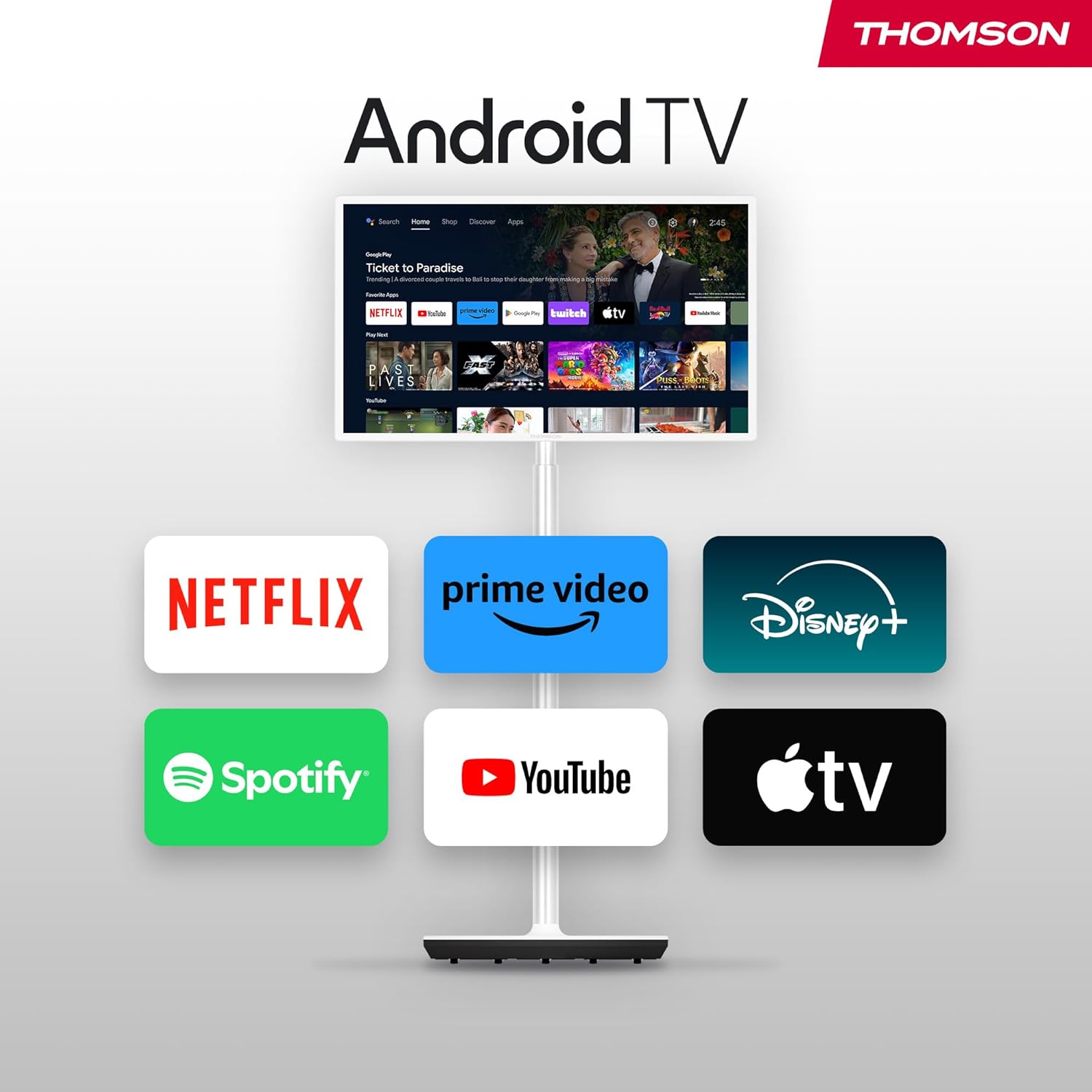
Figure 4: The TV can be easily moved around your home thanks to its wheeled base.
4. การเชื่อมต่อ
The Thomson Go TV provides various ports for connecting external devices:
- ช่องต่อ HDMI: เชื่อมต่ออุปกรณ์ความละเอียดสูง เช่น เครื่องเล่นบลูเรย์ เครื่องเล่นเกม หรือกล่องรับสัญญาณทีวี
- ยูเอสบี: เชื่อมต่ออุปกรณ์จัดเก็บข้อมูล USB สำหรับการเล่นสื่อ
- แลน (อีเธอร์เน็ต): สำหรับการเชื่อมต่ออินเตอร์เน็ตแบบใช้สาย
- AV ใน: สำหรับเชื่อมต่ออุปกรณ์อนาล็อกรุ่นเก่า
- เสาอากาศ: For connecting to a terrestrial antenna for live TV broadcasts.

Figure 5: Rear panel showing available connection ports.
5. การเปิดเครื่องและการตั้งค่าเบื้องต้น
To power on your Thomson Go TV, connect the power adapter to the TV and a power outlet. Press the power button on the TV or the remote control. Follow the on-screen instructions for initial setup, including language selection, network connection (Wi-Fi or Ethernet), and Google account login for Android TV features.
6. Operating Your Thomson Go TV
6.1. อินเทอร์เฟซ Android TV
Your Thomson Go TV runs on Android TV, providing a user-friendly interface for accessing a wide range of applications and content. The home screen displays your favorite apps, recommended content, and various categories for easy navigation.

Figure 6: The Android TV home screen with various streaming applications.
6.2. การควบคุมด้วยเสียงด้วย Google Assistant
The remote control features a dedicated button for Google Assistant, allowing you to control your TV and search for content using voice commands. Simply press the Google Assistant button and speak your command.

Figure 7: The remote control with Google Assistant and direct access buttons.

Figure 8: Using voice commands with Google Assistant on the Thomson Go TV.
6.3. Streaming and Casting
Access popular streaming services like Netflix, Prime Video, YouTube, Disney+, and Spotify directly from the Android TV interface. Utilize Google Cast to stream movies, music, and videos from your smartphone, tablet, or laptop directly to your TV screen.

Figure 9: Content being cast from a mobile device to the Thomson Go TV using Google Cast.
6.4. การทำงานของแบตเตอรี่
The integrated battery provides up to 4 hours of viewing time, allowing for flexible placement without immediate need for a power outlet.
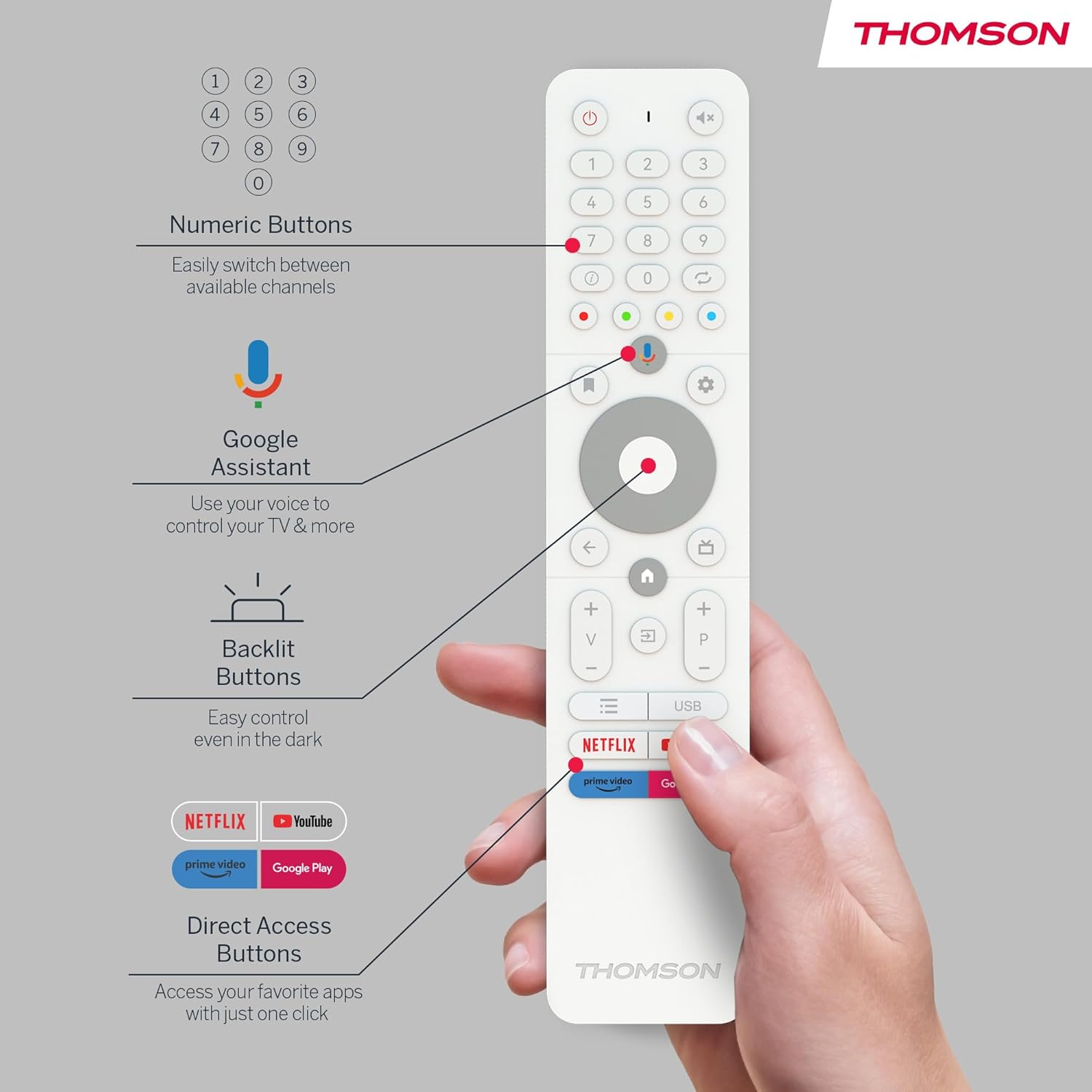
Figure 10: The TV's built-in battery supports portable use for up to 4 hours.
6.5. คุณสมบัติด้านเสียง
Experience clear audio with Dolby Audio technology and 16W speakers.

Figure 11: Dolby Audio enhances the sound experience on the Thomson Go TV.
6.6. Hotspot Functionality
The TV supports hotspot functionality, allowing it to share its internet connection with other devices.
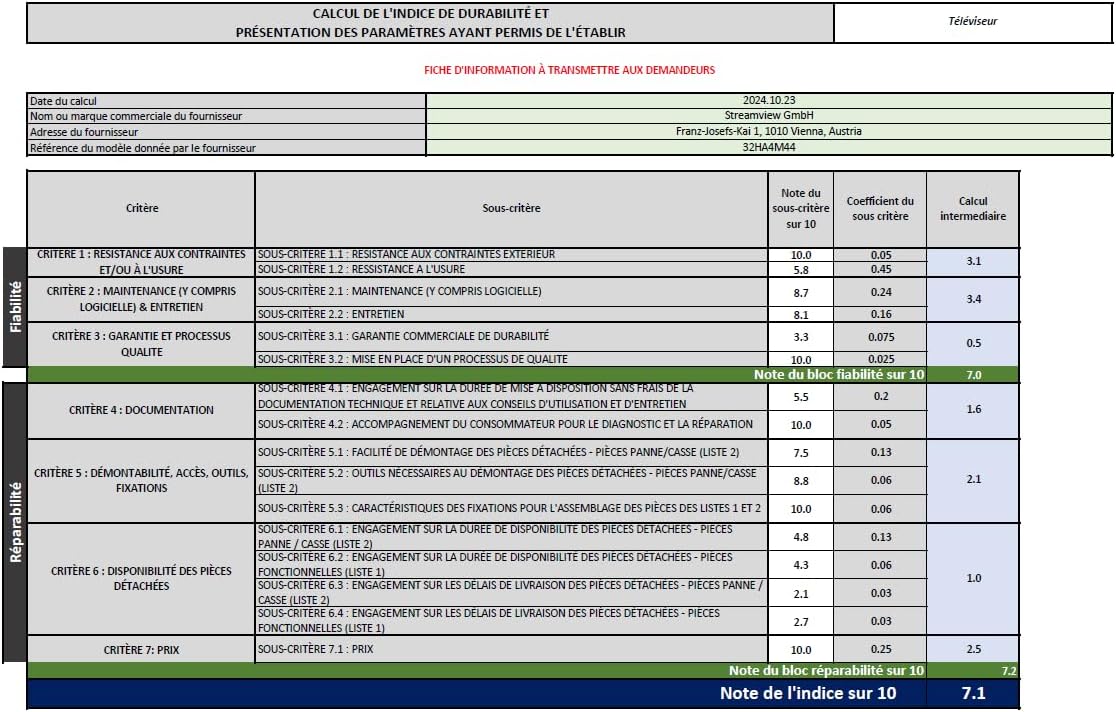
Figure 12: The TV's hotspot feature in use, sharing its internet connection.
7. การบำรุงรักษาและการดูแล
To ensure the longevity and optimal performance of your Thomson Go TV, follow these general maintenance guidelines:
- การทำความสะอาด: Use a soft, dry cloth to clean the screen and exterior surfaces. For stubborn marks, slightly dampชุบผ้าด้วยน้ำหรือน้ำยาทำความสะอาดหน้าจอชนิดอ่อนที่ไม่ทำให้เกิดรอยขีดข่วน หลีกเลี่ยงสารเคมีรุนแรง
- การระบายอากาศ : ตรวจสอบให้แน่ใจว่าช่องระบายอากาศของทีวีไม่ได้ถูกปิดกั้นเพื่อป้องกันความร้อนสูงเกินไป
- พื้นที่จัดเก็บ: เมื่อไม่ได้ใช้งานเป็นเวลานาน ควรเก็บทีวีไว้ในที่แห้งและเย็น หลีกเลี่ยงแสงแดดโดยตรงและอุณหภูมิที่สูงหรือต่ำเกินไป
- การดูแลแบตเตอรี่ เพื่อให้แบตเตอรี่ใช้งานได้นานที่สุด ควรหลีกเลี่ยงการปล่อยให้แบตเตอรี่หมดจนเกลี้ยงบ่อยๆ ควรชาร์จแบตเตอรี่เป็นประจำ แม้ว่าจะไม่ได้ใช้งานตลอดเวลาก็ตาม
8 การแก้ไขปัญหา
If you encounter issues with your Thomson Go TV, try the following basic troubleshooting steps:
- ไม่มีไฟฟ้า: ตรวจสอบว่าสายไฟเชื่อมต่อกับทั้งทีวีและเต้ารับไฟฟ้าอย่างแน่นหนาหรือไม่ ตรวจสอบให้แน่ใจว่าเต้ารับไฟฟ้าใช้งานได้
- ไม่มีภาพ/เสียง: Verify that the correct input source is selected. Check all cable connections (HDMI, AV, Antenna).
- รีโมทคอนโทรลไม่ทำงาน: เปลี่ยนแบตเตอรี่ในรีโมทคอนโทรล ตรวจสอบให้แน่ใจว่าไม่มีสิ่งกีดขวางระหว่างรีโมทและเซ็นเซอร์อินฟราเรดของทีวี
- ปัญหาการเชื่อมต่อเครือข่าย: Restart your Wi-Fi router. Reconnect the TV to the Wi-Fi network or try a wired Ethernet connection.
- แอปไม่ตอบสนอง: Try closing and reopening the application. If the issue persists, restart the TV.
สำหรับปัญหาที่ซับซ้อนมากขึ้น โปรดดูทรัพยากรสนับสนุนออนไลน์หรือติดต่อฝ่ายบริการลูกค้า
9. ข้อมูลจำเพาะทางเทคนิค
| คุณสมบัติ | ข้อมูลจำเพาะ |
|---|---|
| ยี่ห้อ | ทอมสัน |
| หมายเลขรุ่น | 32HA4M44 |
| ขนาดหน้าจอ | 32 นิ้ว (81 เซนติเมตร) |
| เทคโนโลยีการแสดงผล | จอแอลซีดี |
| ปณิธาน | 720p (1366x768) |
| อัตราการรีเฟรช | 60 เฮิรตซ์ |
| ระบบปฏิบัติการ | แอนดรอยด์ทีวี |
| คุณสมบัติพิเศษ | Chromecast, Browser, Voice Control (Google Assistant), Hotspot Function |
| การเชื่อมต่อ | HDMI, USB (1 port), Wi-Fi, Ethernet |
| เทคโนโลยีเสียง | ระบบเสียงดอลบี้ |
| ประเภทแบตเตอรี่ | ลิเธียมไอออน (รวมอยู่ด้วย) |
| อายุการใช้งานแบตเตอรี่ | นานถึง 4 ชั่วโมง |
| การจัดอันดับประสิทธิภาพการใช้พลังงาน | E |
| ขนาดสินค้า | 6P x 73W x 43H เซนติเมตร |
| ผู้ผลิต | ลำธารView บริษัท จีเอ็มบีเอช |
| ประเทศต้นกำเนิด | จีน |
For detailed energy information, please visit the EPREL database: https://eprel.ec.europa.eu/qr/2062485
10. การรับประกันและการสนับสนุน
The Thomson Go TV 32HA4M44 comes with a manufacturer's warranty of 3 years. For warranty claims, technical support, or service inquiries, please refer to the contact information provided on your warranty card or visit the official Thomson support webเว็บไซต์.


