1. ข้อมูลด้านความปลอดภัยที่สำคัญ
Please read and understand all instructions before using this product. Failure to follow these instructions may result in electric shock, fire, or other hazards.
- This camera is designed for ใช้ภายในอาคารเท่านั้น. Do not expose it to rain, moisture, or water.
- โปรดใช้เฉพาะอะแดปเตอร์แปลงไฟที่ให้มาหรืออะแดปเตอร์ที่ได้รับการรับรองเท่านั้น
- ควรเก็บกล้องให้ห่างจากแสงแดดโดยตรง แหล่งความร้อน และสนามแม่เหล็กแรงสูง
- ตรวจสอบให้แน่ใจว่าได้วางกล้องบนพื้นผิวที่มั่นคงหรือติดตั้งอย่างแน่นหนาเพื่อป้องกันการตกหล่น
- อย่าพยายามถอดประกอบหรือซ่อมกล้องด้วยตนเอง โปรดติดต่อฝ่ายบริการลูกค้าเพื่อขอความช่วยเหลือ
- เก็บให้พ้นจากมือเด็กและสัตว์เลี้ยง
2. สินค้าหมดview
The Geeni Scope 2K Smart Auto-Tracking Indoor Security Camera offers advanced surveillance features for your home. It provides 2K Quad HD video, motion detection with auto-tracking, night vision, and two-way audio communication.

Image: Geeni Scope 2K Smart Auto-Tracking Indoor Security Camera highlighting its key features such as 2K Live Video, Motion Sensor, Pan & Tilt, Night Vision, 2-Way Audio, App Control, Share Access, microSD Slot, Built-in Siren, and Person Detection.
คุณสมบัติหลัก:
- วิดีโอ 2K Ultra HD: Capture sharp and clear images with 2K HD resolution.
- Smart Auto-Tracking: Camera automatically follows detected movement.
- การแจ้งเตือนการตรวจจับการเคลื่อนไหว: Receive instant notifications on your smartphone.
- ปรับปรุงการมองเห็นในตอนกลางคืน: Clear surveillance in complete darkness up to 20 feet.
- เสียงสองทาง: สื่อสารผ่านกล้องโดยใช้ไมโครโฟนและลำโพงในตัว
- ครอบคลุมพื้นที่กว้าง: 355° horizontal pan and 50° vertical tilt viewมุมการเอียง
- การควบคุมด้วยเสียง: เข้ากันได้กับ Amazon Alexa และ Google Assistant
- การจัดเก็บข้อมูลภายในเครื่อง: Supports microSD card for video recording.
3. อะไรอยู่ในกล่อง
- Geeni Scope 2K Smart Auto-Tracking Indoor Security Camera
- อะแดปเตอร์แปลงไฟ
- ชุดติดตั้ง (สกรู, พุกยึดผนัง)
- คู่มือการใช้งาน
4. คู่มือการติดตั้ง
ขั้นตอนที่ 1: ดาวน์โหลดแอป Geeni
Download the Geeni app from the App Store (for iOS devices) or Google Play Store (for Android devices). Register for an account or log in if you already have one.
ขั้นตอนที่ 2: เปิดกล้อง
Connect the provided power adapter to the camera and plug it into a power outlet. The camera will power on, and an indicator light will begin to flash, indicating it is ready for pairing.
Step 3: Add Device in Geeni App
- เปิดแอป Geeni แล้วแตะไอคอน "+" ที่มุมบนขวามือเพื่อเพิ่มอุปกรณ์ใหม่
- เลือก "กล้องวิดีโอ" จากรายการอุปกรณ์
- ทำตามคำแนะนำบนหน้าจอเพื่อเชื่อมต่อกล้องกับเครือข่าย Wi-Fi 2.4GHz ของคุณ ตรวจสอบให้แน่ใจว่ารหัสผ่าน Wi-Fi ของคุณถูกต้อง
- แอปจะแสดงรหัส QR ถือโทรศัพท์ของคุณให้ห่างจากเลนส์กล้องประมาณ 6-8 นิ้ว (15-20 ซม.) จนกว่าคุณจะได้ยินเสียงแจ้งเตือน
- Once connected, the indicator light will turn solid blue. You can then name your camera and begin using it.
Step 4: Camera Placement
Place the camera on a flat surface or mount it to a wall using the included mounting kit. Ensure the camera has a clear view of the area you wish to monitor. The camera is designed for indoor use only.

Image: The Geeni Scope 2K camera demonstrating its wide coverage with 355° horizontal pan and 50° vertical tilt capabilities, ensuring no blind spots in indoor monitoring.
5. คู่มือการใช้งาน
5.1 สด View และการควบคุมการแพนและการเอียง
Open the Geeni app and select your camera to view the live feed. Use the on-screen controls to pan (move horizontally) and tilt (move vertically) the camera lens to adjust your viewมุมอิง
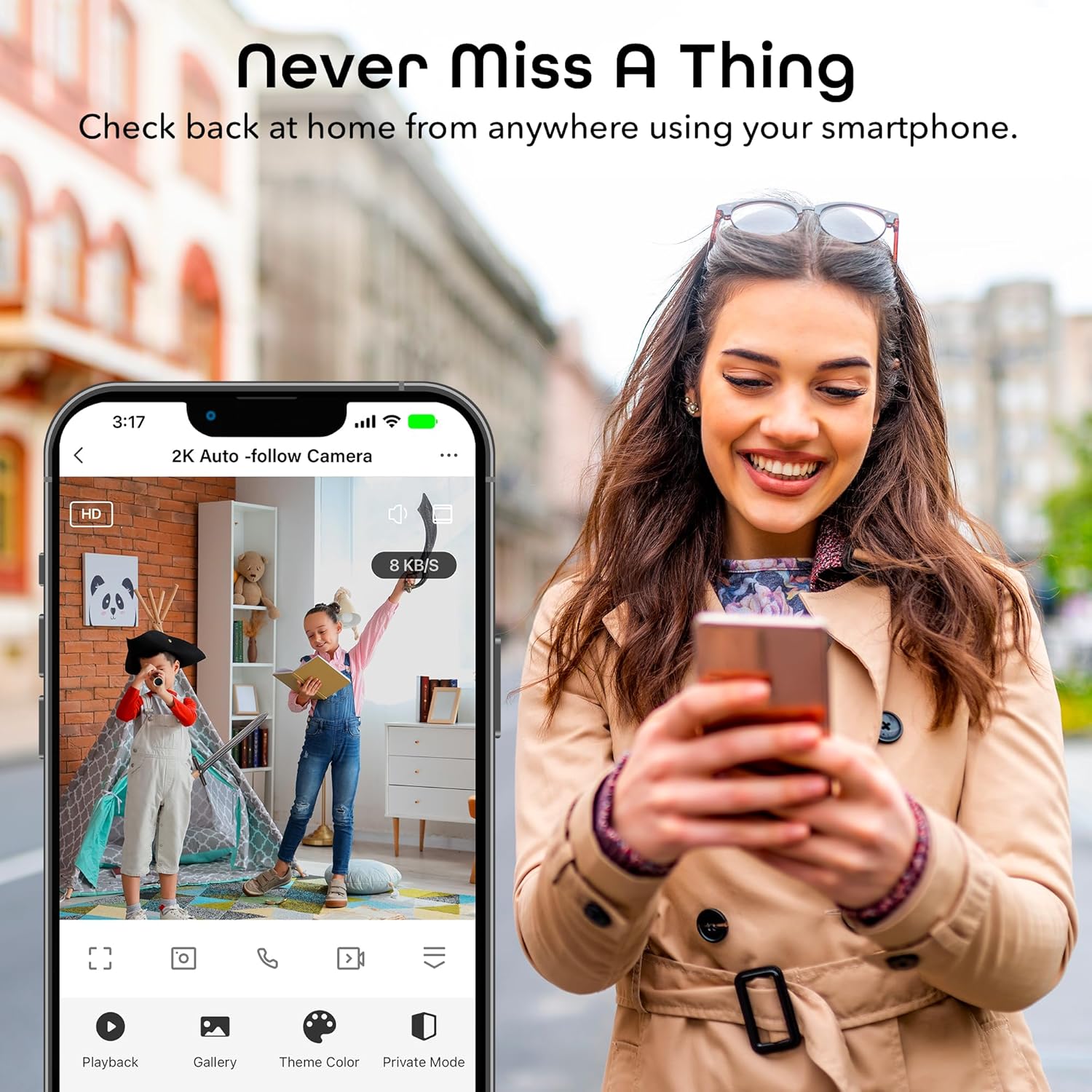
Image: A smartphone displaying the Geeni app's live view interface, allowing users to monitor their space remotely.
5.2 การตรวจจับการเคลื่อนไหวและการติดตามอัตโนมัติ
The camera is equipped with advanced motion detection. When motion is detected, the camera can automatically track the moving object and send an alert to your smartphone.
- To enable/disable motion detection and auto-tracking, navigate to the camera settings in the Geeni app.
- Adjust sensitivity levels to minimize false alerts.
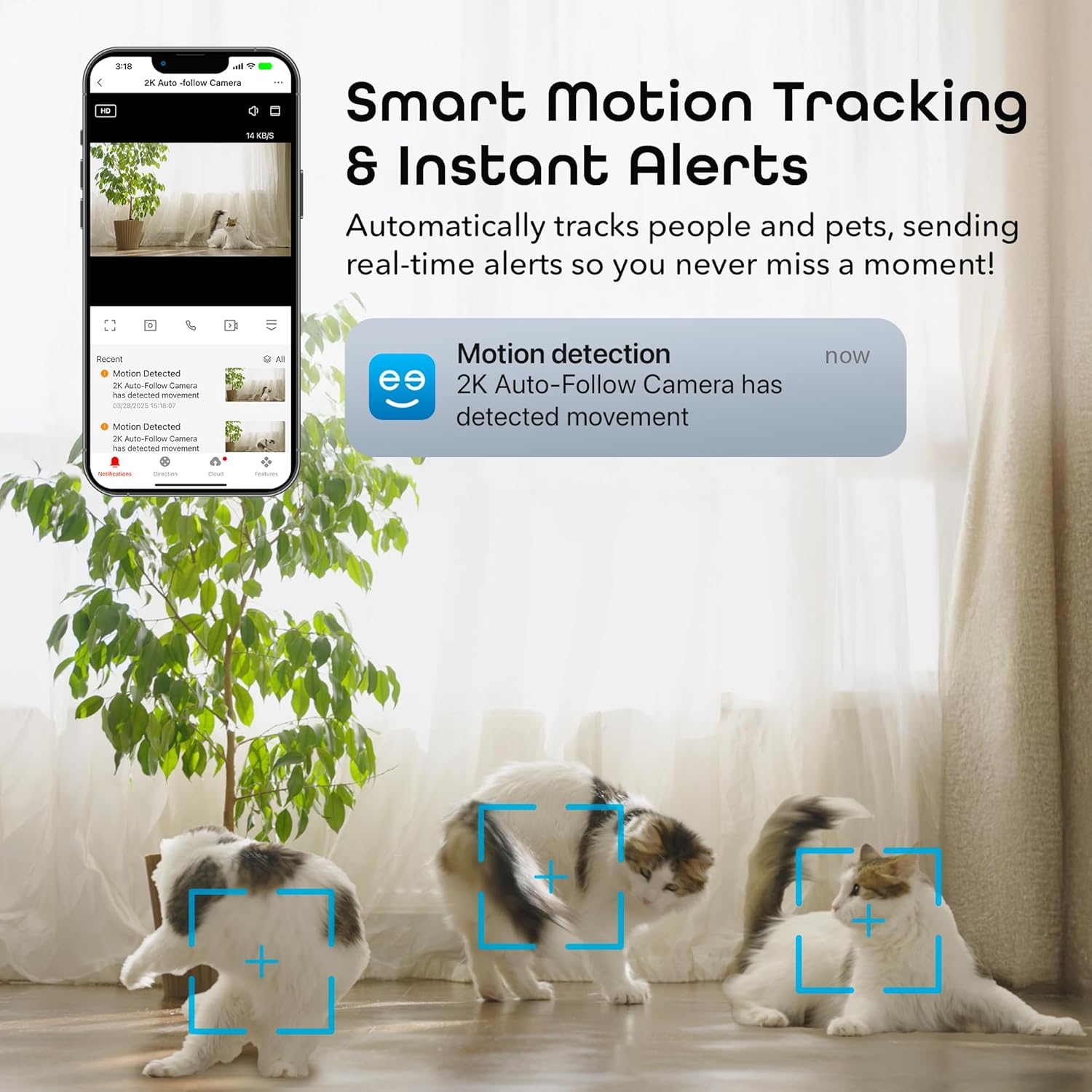
Image: A smartphone displaying a motion detection notification from the Geeni app, indicating movement detected by the 2K Auto-Follow Camera, with cats visible in the camera's field of view.
5.3 การมองเห็นตอนกลางคืน
The camera automatically switches to enhanced night vision in low-light conditions, providing clear black-and-white video up to 20 feet.
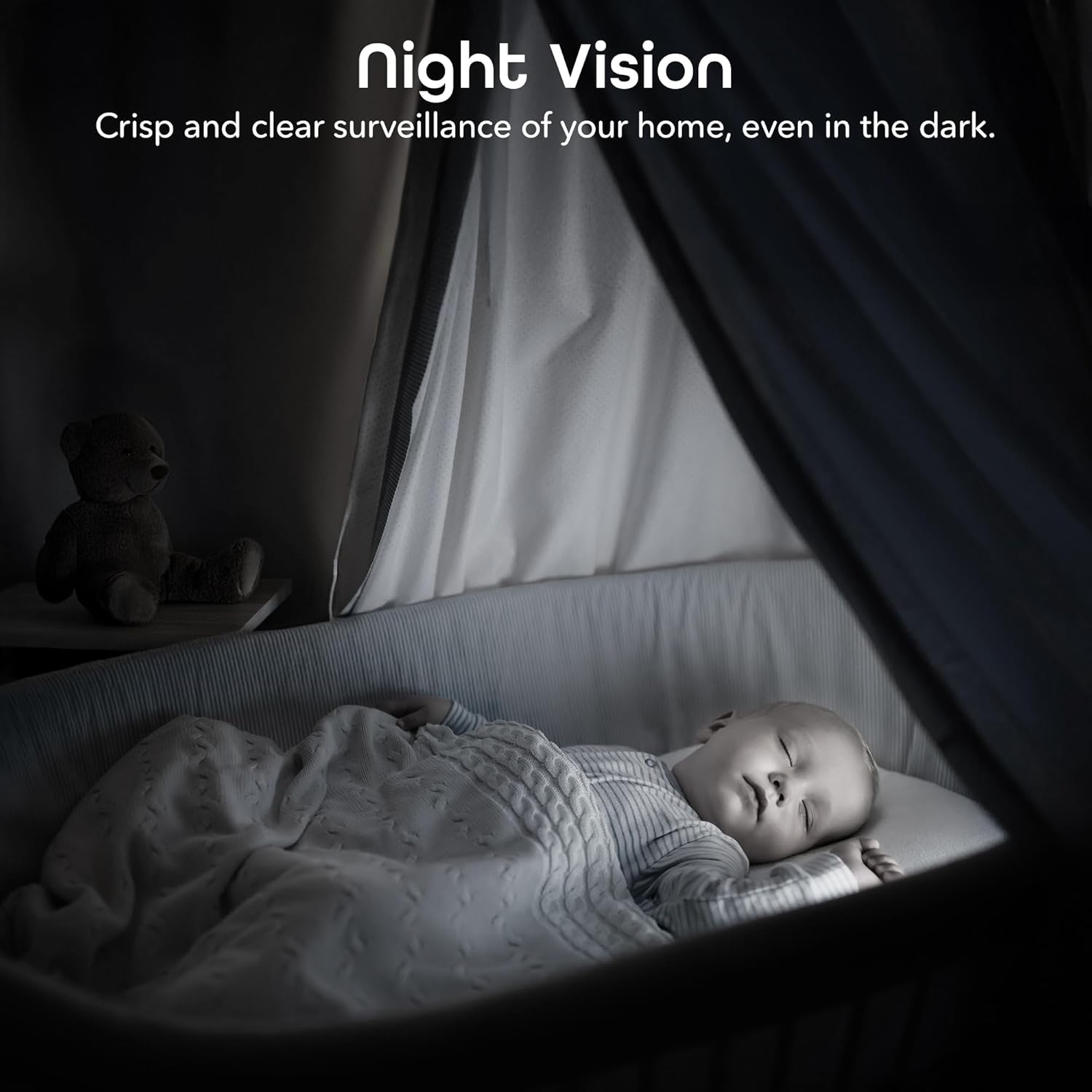
Image: A bedroom scene at night, showcasing the Geeni camera's crisp and clear night vision capability, allowing for surveillance even in complete darkness.
5.4 เสียงสองทาง
ใช้ฟีเจอร์เสียงสองทางเพื่อสื่อสารกับบุคคลที่อยู่ใกล้กล้อง แตะไอคอนไมโครโฟนในหน้าจอถ่ายทอดสด view to speak, and the camera's built-in speaker will transmit your voice.

Image: A person speaking into a smartphone, with a child reacting, demonstrating the instant two-way audio feature that allows communication through the camera's built-in microphone and speaker.
5.5 การบันทึกและการเก็บรักษา
The camera supports local storage via a microSD card (not included). Insert a microSD card (up to 128GB, Class 10 or higher recommended) into the designated slot on the camera for continuous or event-based recording. You can also subscribe to cloud storage services through the Geeni app for additional backup.
5.6 การบูรณาการการควบคุมด้วยเสียง
Integrate your Geeni Scope 2K camera with Amazon Alexa or Google Assistant for convenient voice control. Follow the instructions in the Geeni app to link your account with your preferred smart assistant. Once linked, you can use voice commands such as, "Alexa, show me the baby room camera" or "Hey Google, show me the living room camera."

Image: A tablet displaying a live camera feed of a baby in a crib, with logos for Google Home, Alexa, and the Geeni App, illustrating the camera's compatibility with voice control platforms.
5.7 การแบ่งปันการเข้าถึง
You can share access to your camera's live feed and features with family members or trusted individuals through the Geeni app. Go to the camera settings and select the sharing option to invite others.
6. การบำรุงรักษา
- การทำความสะอาด: Gently wipe the camera lens with a soft, dry cloth to remove dust or smudges. Do not use liquid cleaners or abrasive materials.
- อัพเดตเฟิร์มแวร์: Periodically check the Geeni app for available firmware updates. Keeping your camera's firmware up-to-date ensures optimal performance and security.
7 การแก้ไขปัญหา
ปัญหาทั่วไปและวิธีแก้ไข:
- กล้องไม่เชื่อมต่อกับ Wi-Fi:
- โปรดตรวจสอบให้แน่ใจว่าเครือข่าย Wi-Fi ของคุณเป็น 2.4GHz กล้องไม่รองรับเครือข่าย 5GHz
- ตรวจสอบว่ารหัสผ่าน Wi-Fi ของคุณถูกต้อง
- ย้ายกล้องให้เข้าใกล้เราเตอร์ Wi-Fi ของคุณมากขึ้น
- Reset the camera (refer to the app for specific reset instructions) and try pairing again.
- คุณภาพวิดีโอไม่ดี:
- ตรวจสอบความเร็วการเชื่อมต่ออินเทอร์เน็ตของคุณ การเชื่อมต่อที่เสถียรและรวดเร็วเป็นสิ่งจำเป็นสำหรับการสตรีมวิดีโอ 2K
- ตรวจสอบให้แน่ใจว่าเลนส์กล้องสะอาดและไม่มีสิ่งกีดขวาง
- In night vision mode, ensure there are no reflective surfaces close to the camera that could cause glare.
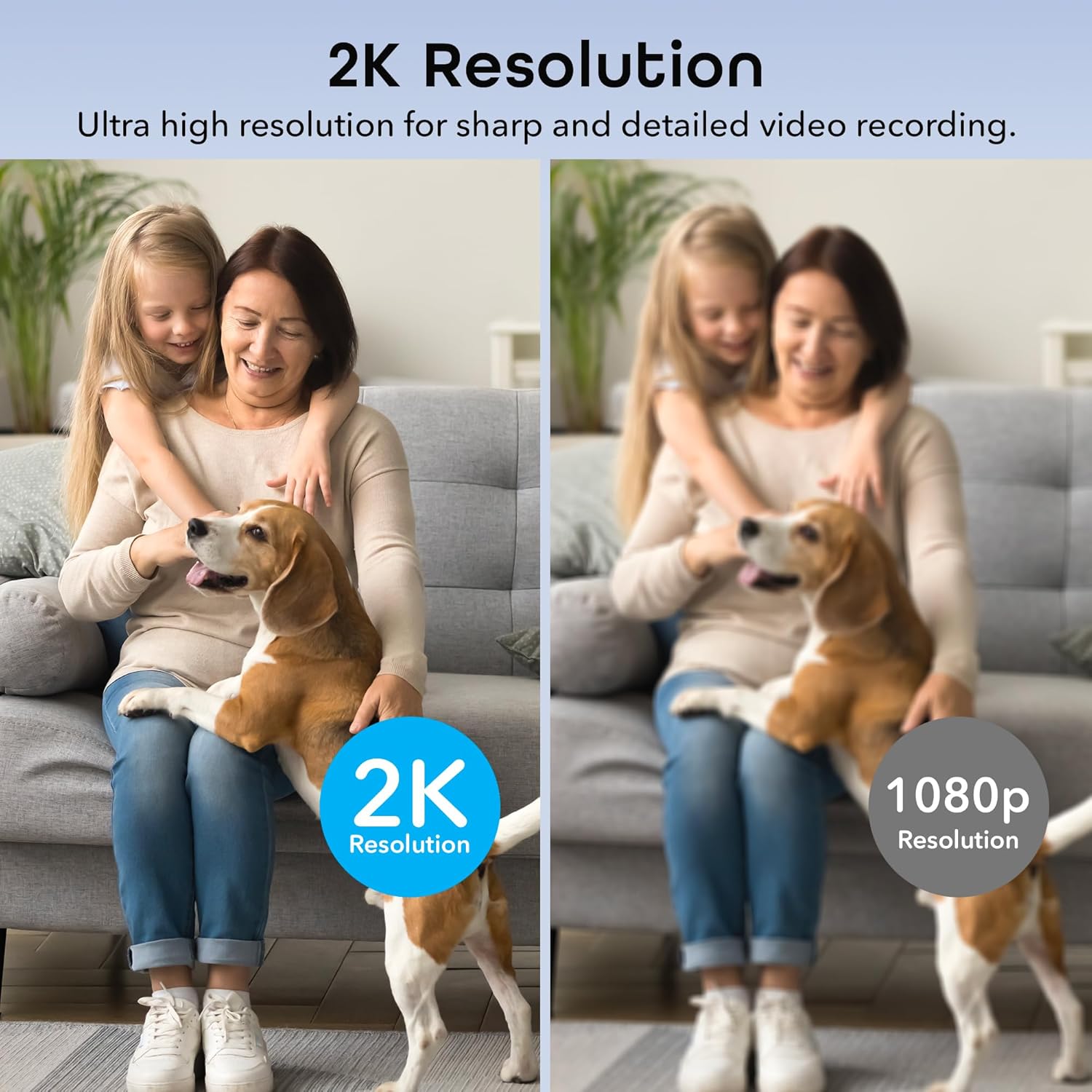
Image: A side-by-side comparison illustrating the superior sharpness and detail of 2K resolution video compared to 1080p resolution.
- Motion alerts not working:
- Verify motion detection is enabled in the Geeni app settings.
- Check your phone's notification settings to ensure the Geeni app is allowed to send notifications.
- ปรับความไวต่อการเคลื่อนไหว
- ปัญหาเสียงสองทาง:
- Ensure your phone's microphone is enabled for the Geeni app.
- ตรวจสอบการตั้งค่าระดับเสียงทั้งในโทรศัพท์และในแอปพลิเคชัน
For further assistance, please refer to the help section within the Geeni app or visit the Geeni support webเว็บไซต์.
8. ข้อมูลจำเพาะ
| หมายเลขรุ่น | GNC-CW068-199 |
| การใช้งานภายใน/ภายนอกอาคาร | ในร่ม |
| แหล่งพลังงาน | สายไฟ |
| โปรโตคอลการเชื่อมต่อ | Wi-Fi (2.4GHz เท่านั้น) |
| ประเภทตัวควบคุม | Amazon Alexa, Google Assistant, Geeni App |
| ประเภทการติดตั้ง | ติดตั้งบนผนัง, ตั้งพื้น |
| ความละเอียดในการจับภาพวิดีโอ | 2K Quad HD (4MP Effective Still Resolution) |
| Viewอิงแองเกิล | 100 Degrees (Fixed), 355° Pan, 50° Tilt |
| ช่วงการมองเห็นตอนกลางคืน | 20 ฟุต |
| วัสดุ | โพลีคาร์บอเนต (พีซี) |
| ขนาด (กว้าง x ยาว x สูง) | 2.8 x 2.68 x 4.33 นิ้ว |
| น้ำหนักสินค้า | 5.6 ออนซ์ |
| การเข้ารหัสวิดีโอ | เอช.264 |
| ประเภทการแจ้งเตือน | การเคลื่อนไหวเท่านั้น |
| ระดับความต้านทานต่อน้ำ | ไม่ทนน้ำ |
9. วิดีโอผลิตภัณฑ์อย่างเป็นทางการ
วิดีโอ: วิดีโอแสดงผลิตภัณฑ์อย่างเป็นทางการasing the features and functionality of the Geeni Scope 2K Smart Auto Tracking Indoor Camera.
10. การรับประกันและการสนับสนุน
Geeni products are designed for reliability and performance. For information regarding product warranty, please refer to the warranty card included with your purchase or visit the official Geeni webเว็บไซต์.
For technical support, troubleshooting, or any questions about your Geeni Scope 2K camera, please contact Geeni Customer Support through the Geeni app's help section or their official webเว็บไซต์.


