1. สินค้าหมดview
The INFIYA Z1 Solar Camera is a wireless outdoor security camera designed for home surveillance. It features a built-in 5200 mAh battery, solar charging capabilities, PIR motion detection, siren alarm, and 2K color night vision. It supports SD and optional cloud storage and is compatible with Alexa.
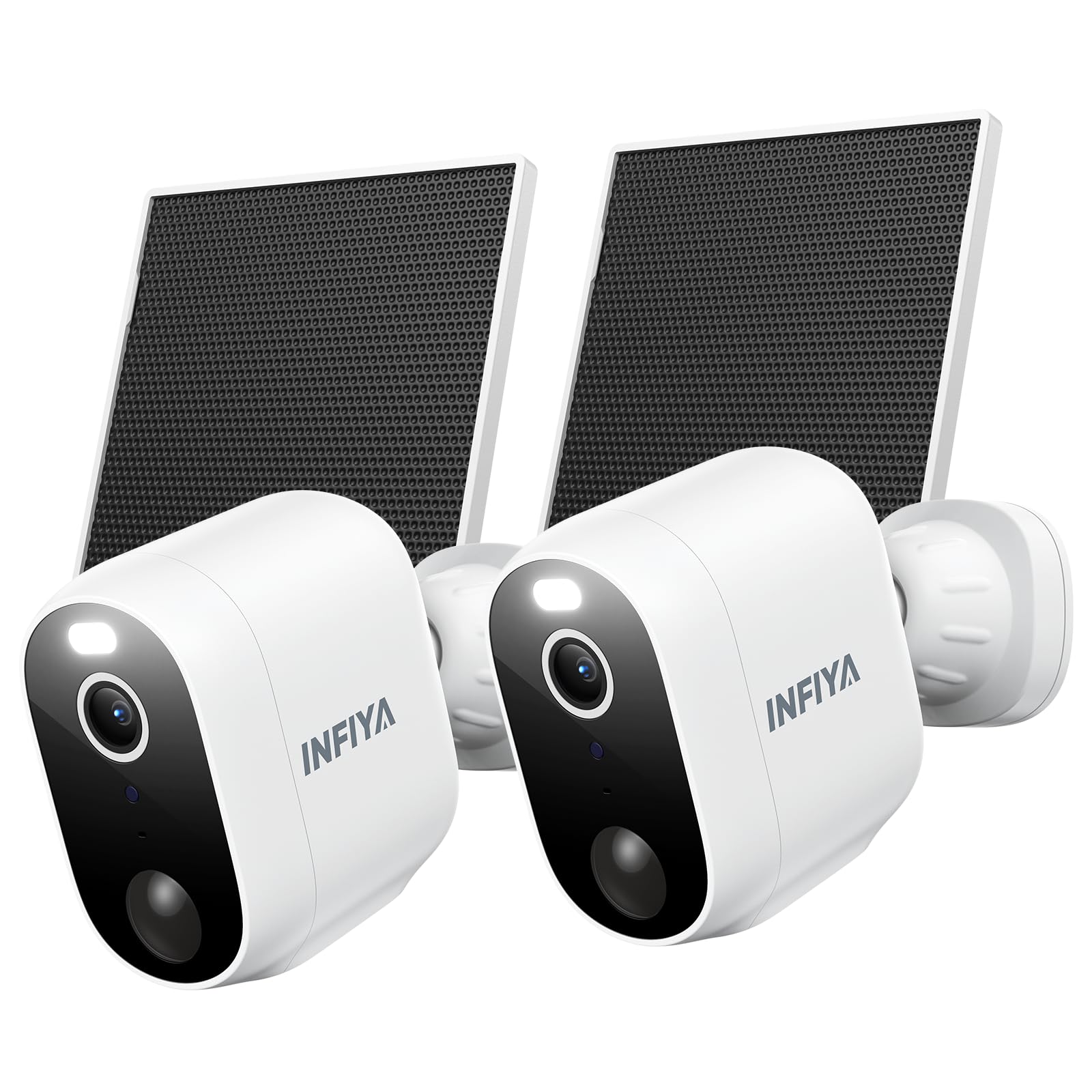
Image 1.1: INFIYA Z1 Solar Camera highlighting key features.
- เวลาสแตนด์บายนานขึ้น: Built-in 5200 mAh battery with included solar panel for continuous power.
- AI-Enhanced PIR Human Detection: Reduces false alerts by detecting important events up to 32ft.
- Dual Defense: Light and siren alarm to deter intruders, with 2-way audio for communication.
- 2K FHD Live Feed: Crystal-clear video resolution for detailed surveillance.
- การมองเห็นสีกลางคืน: White light enables color vision at night; infrared for black & white mode.
- Truly Wireless: IP65 weather resistance and 2.4GHz WiFi connectivity (5GHz not supported).
- การจัดเก็บที่ยืดหยุ่น: Supports App Motion Alerts, Local TF Card Storage (up to 128GB, not included), and Optional Cloud Storage.
2. อะไรอยู่ในกล่อง

Image 2.1: Package contents for the INFIYA Z1 Solar Camera.
- Solar Camera (x2)
- วงเล็บ (x2)
- คู่มือการติดตั้ง
- สกรูยึด
- สติกเกอร์แม่แบบสำหรับติดตั้ง
- Type-C Power Cord (x2)
- แผงโซลาร์เซลล์ (x2)
3. การตั้งค่าและการติดตั้ง
Follow these steps to set up and install your INFIYA Z1 Solar Camera.
3.1 การดาวน์โหลดแอปและการสร้างบัญชี
- Scan the QR code on the product packaging or in the Installation Guide to download the Wansview Cloud app from Google Play or the App Store.
- เปิดแอปและสร้างบัญชีใหม่หรือเข้าสู่ระบบหากคุณมีอยู่แล้ว
3.2 การเชื่อมต่อกล้อง
Ensure your phone is connected to a 2.4GHz Wi-Fi network. 5GHz Wi-Fi is not supported.
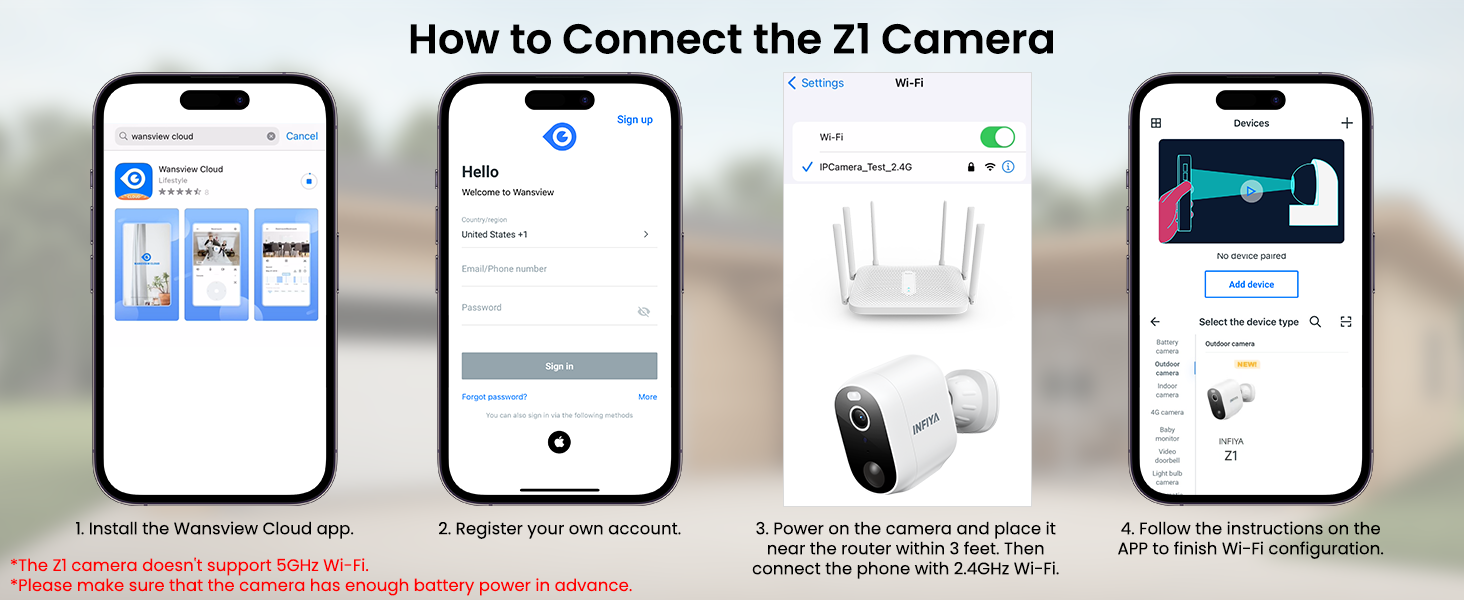
Image 3.1: Visual guide for connecting the Z1 camera to the Wansview แอพคลาวด์
- ในวังview Cloud app, tap the '+' icon to add a new device.
- Select the 'INFIYA Z1' camera model.
- Choose 'Wi-Fi connection by QR code' or 'Wi-Fi connection by Soft-AP' as per the app's instructions.
- Power on the camera. Ensure it has sufficient battery or charge it for about 30 minutes in advance.
- If using QR code connection, scan the QR code displayed on your phone with the camera lens.
- Follow any remaining in-app prompts to complete the connection.
3.3 การติดตั้งทางกายภาพ
The camera and solar panel can be wall-mounted or ceiling-mounted. It is recommended to install the solar panel in an area with direct sunlight.
- Use the provided mounting template stickers to mark drill holes on your desired installation surface.
- เจาะรูและใส่สลักเกลียวขยายตัว
- Affix the camera bracket base and solar panel bracket using the provided screws.
- Attach the camera to its bracket and connect the solar panel cable to the camera's Type-C port.
4. การใช้งานกล้องของคุณ
เดอะวันส์view Cloud app provides full control over your INFIYA Z1 camera's features.
4.1 สด View และระบบเสียงสองทาง
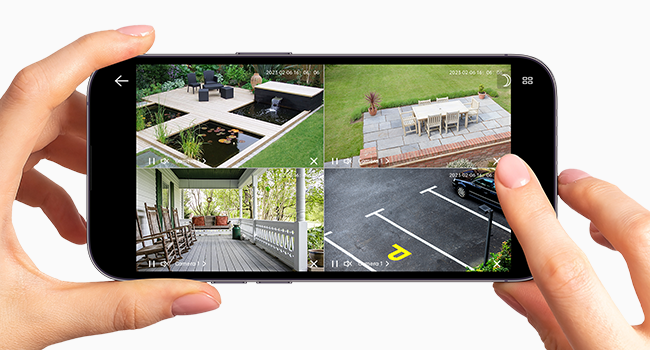
Image 4.1: Multiple camera views within the Wansview แอพคลาวด์
- Access live 2K FHD video streams from your camera(s) via the app.
- Use the microphone icon to enable two-way audio, allowing you to speak through the camera.
- Switch between 2K and standard definition video quality as needed.
- Record video directly to your smartphone or capture still images.
4.2 การตรวจจับการเคลื่อนไหวและการแจ้งเตือน
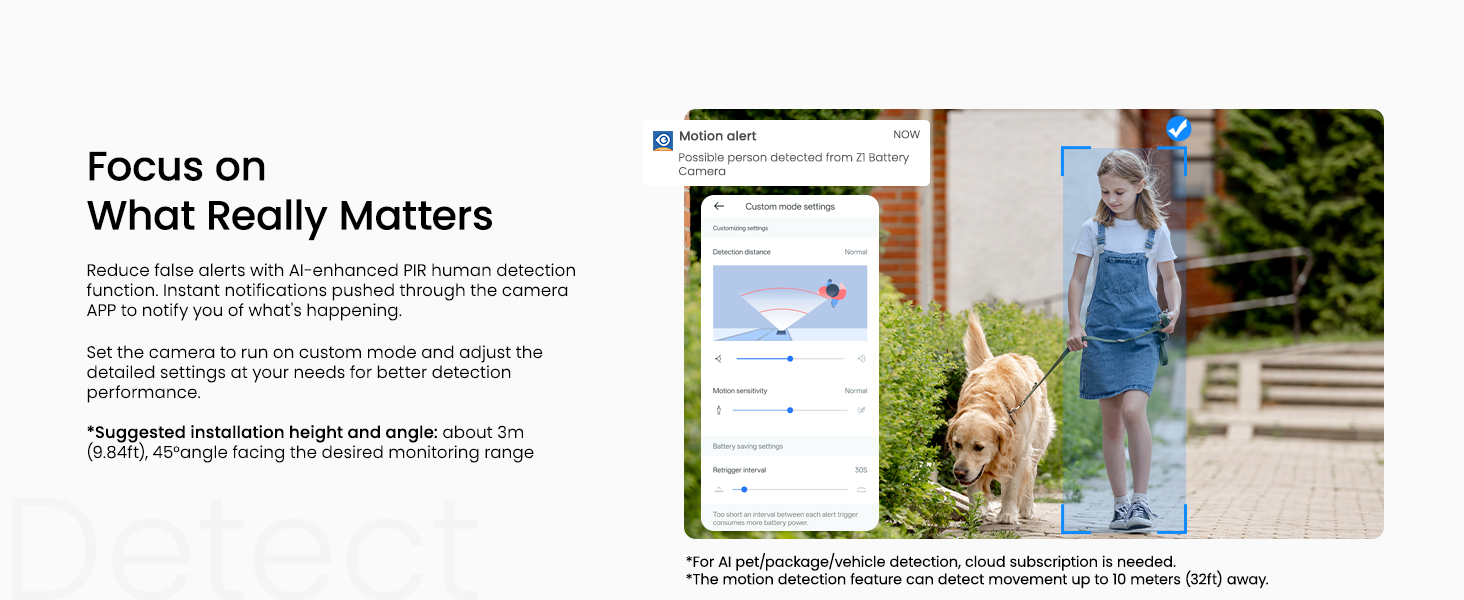
Image 4.2: Customizing motion detection settings and receiving alerts.
- Configure motion detection settings (Power-save, Standard, Performance, Custom modes) to balance battery life and detection sensitivity.
- Enable motion alerts to receive real-time notifications on your smartphone when activity is detected.
- Customize detection types (e.g., human, pet, vehicle) and notification preferences.
4.3 Night Vision & Lighting
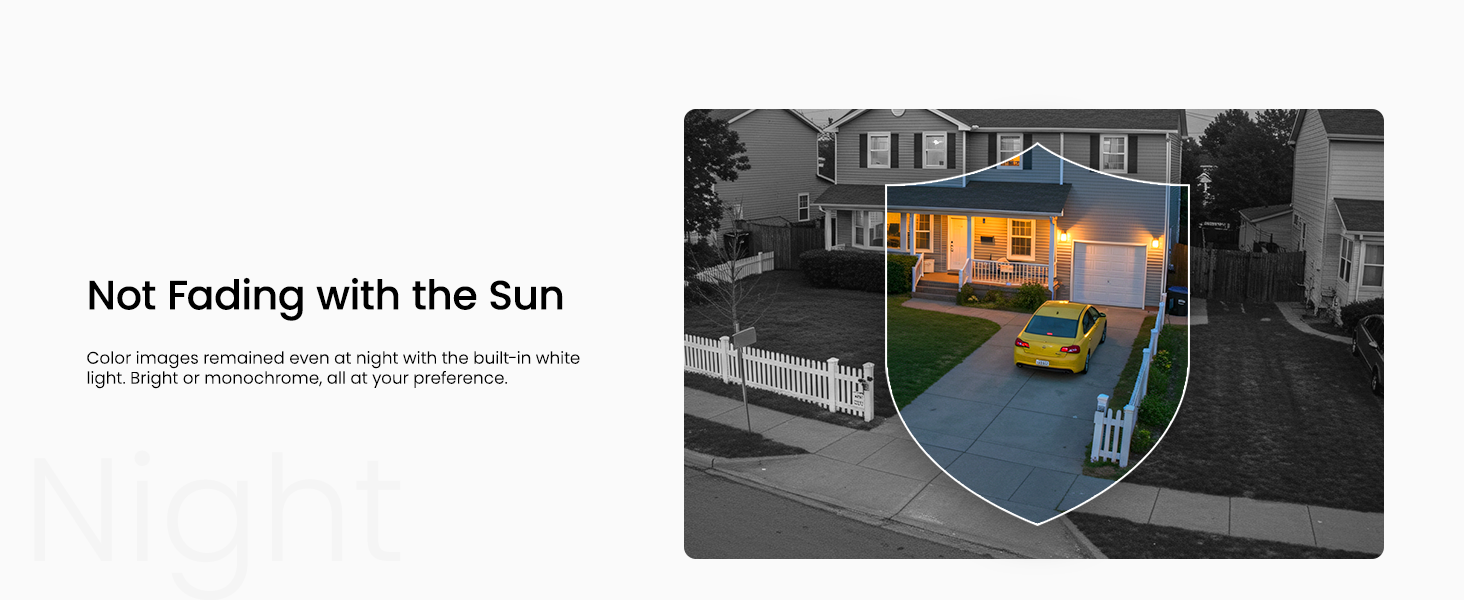
Image 4.3: The camera offers both infrared and full-color night vision options.
- Choose between Auto Infrared mode (black & white), Intelligent Light mode (color night vision with white lights on motion), or Full Color Night mode (always color with ambient light).
- Manually turn on/off the camera's integrated light for enhanced visibility or deterrence.
4.4 สัญญาณเตือนภัยไซเรน

Image 4.4: The camera's siren can be manually activated or triggered by motion.
- Manually activate the siren from the app to deter unwanted visitors.
- Set the siren to be triggered automatically by motion detection for an immediate response.
5. ตัวเลือกการจัดเก็บ

ภาพที่ 5.1: จบแล้วview of the three available storage modes.
- App Motion Alerts: Receive real-time snapshots/clips (no permanent save) at no cost.
- การจัดเก็บข้อมูลในการ์ด TF ภายในเครื่อง: Supports up to 128GB (FAT32 format only) for loop recording. TF card not included.
- บริการจัดเก็บข้อมูลบนคลาวด์ (ไม่บังคับ): Subscription required for secure off-site backup, multi-device access, and advanced AI recognition features (human, pet, vehicle, package).
6. การแชร์อุปกรณ์
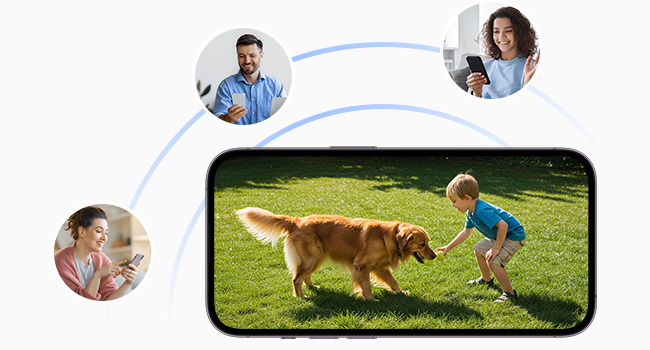
Image 6.1: Share camera access with family members or other users.
You can share access to your camera with other users (family, friends) through the Wansview Cloud app. Navigate to 'Settings' > 'Device Sharing' and invite new members. You can select specific permissions for shared users, such as live view, motion alerts, cloud storage replay, two-way audio, light control, and siren control.
7. ข้อมูลจำเพาะ
| การใช้งานภายใน/ภายนอกอาคาร | ในร่ม, กลางแจ้ง |
| อุปกรณ์ที่รองรับ | Alexa Assistant |
| แหล่งพลังงาน | ใช้พลังงานจากแบตเตอรี่ พลังงานแสงอาทิตย์ |
| โปรโตคอลการเชื่อมต่อ | Wi-Fi (2.4GHz เท่านั้น) |
| ประเภทตัวควบคุม | แอนดรอยด์, ไอโอเอส |
| ประเภทการติดตั้ง | ติดผนัง, ติดเพดาน |
| ความละเอียดในการจับภาพวิดีโอ | 1296p (2K) |
| สี | สีขาว |
| การให้คะแนนการคุ้มครองระหว่างประเทศ | IP65 |
| พลังงานแบตเตอรี่ | 5200 มิลลิวินาทีamp ชั่วโมง |
| ช่วงการมองเห็นตอนกลางคืน | 26 ฟุต |
| Viewอิงแองเกิล | 98.9 องศา |
8. การบำรุงรักษา
To ensure optimal performance and longevity of your INFIYA Z1 Solar Camera, follow these maintenance guidelines:
- การทำความสะอาดปกติ: ควรทำความสะอาดเลนส์กล้องและพื้นผิวแผงโซลาร์เซลล์เป็นระยะด้วยวัสดุที่อ่อนนุ่มและแห้งamp ใช้ผ้าเช็ดทำความสะอาดฝุ่นละออง สิ่งสกปรก หรือเศษผงต่างๆ ที่อาจบดบังทัศนวิสัยหรือลดประสิทธิภาพการชาร์จ
- การตรวจสอบแบตเตอรี่: While solar-powered, monitor the battery level in the app, especially during prolonged periods of low sunlight or heavy usage.
- อัพเดตเฟิร์มแวร์: ตรวจสอบ Wansview Cloud app regularly for firmware updates to ensure your camera has the latest features and security enhancements.
- การป้องกันสภาพอากาศ: Although IP65 rated, ensure the camera is installed securely to withstand strong winds or heavy precipitation. Avoid direct high-pressure water jets.
9 การแก้ไขปัญหา
If you encounter issues with your INFIYA Z1 Solar Camera, refer to these common troubleshooting tips:
- ปัญหาการเชื่อมต่อ: Ensure your Wi-Fi network is 2.4GHz. Verify the Wi-Fi signal strength at the camera's location using the app. Try resetting the camera by holding the reset button for 5 seconds until the red and blue LEDs flash alternately.
- แบตเตอรี่ไม่ชาร์จ: Confirm the solar panel is receiving direct sunlight. Check the connection cable between the solar panel and the camera. Ensure the solar panel surface is clean.
- การแจ้งเตือนการเคลื่อนไหวที่ผิดพลาด: Adjust the motion detection sensitivity settings in the app. Utilize custom detection zones to exclude areas with frequent irrelevant movement (e.g., swaying trees).
- การมองเห็นตอนกลางคืนไม่ดี: Ensure the camera lens is clean. Check night vision settings in the app (Auto Infrared, Intelligent Light, Full Color Night) to match your preference and ambient light conditions.
- ปัญหาเกี่ยวกับระบบเสียงสองทาง: Verify microphone and speaker settings in the app. Ensure there are no obstructions blocking the camera's microphone or speaker.
10. การรับประกันและการสนับสนุน
For warranty information, technical support, or further assistance, please refer to the official INFIYA website or contact their customer service directly. The Wansview Cloud app also provides a 'Support Center' and 'Diagnose' section for in-app assistance.


