การแนะนำ
This user manual provides comprehensive instructions for the installation, operation, and maintenance of your PGST Smart Home Security System. Designed for ease of use and robust protection, this wireless alarm system offers real-time alerts, multiple alarm modes, and compatibility with smart home assistants like Alexa and Google Assistant. Ensure you read this manual thoroughly before setting up and using your system.
คุณสมบัติหลัก
- Real-Time Alerts & No Monthly Fees: Receive instant notifications via the Smart Life Tuya App (iOS/Android) and calls/messages from the 4G GSM card during emergencies. No hidden costs or recurring charges.
- โหมดปลุกหลายแบบ: Features loud sound alarms with siren and supports Arm/Disarm/Stay at Home modes via the app.
- Intelligent & Precise Control: Accurately detects intrusions and can be expanded with additional PGST accessories like smoke detectors and security cameras.
- การติดตั้ง DIY ง่ายๆ: Simple to install in key areas of your home, user-friendly for all ages.
- การควบคุมด้วยเสียง: Compatible with Amazon Alexa and Google Assistant for convenient arming and disarming.
- 2.4-inch TFT Colorful Display Screen: Provides clear information and easy navigation.
- Support for 11 Languages: Multi-language menu display, voice operation prompts, and alarm SMS settings.
- Anti-demolition Alarm Function: Alerts if the host unit is tampถูกถอดออกหรือถูกเอาออก
- Wireless Sensor Battery Low Alarm: Notifies you via app when door magnet or infrared sensors have low battery.
รวมส่วนประกอบ
The 8-piece kit includes:
- 1 x PGST A105F Alarm System Host
- Additional sensors and accessories as part of the 8-piece kit (e.g., door alarms, motion detector, remote controls, RFID tags, SOS button).

ภาพ: เหนือview of the PGST Smart Home Security System 8-piece kit, showing the main control panel, motion sensor, door/window sensor, remote controls, RFID tagsและมีปุ่มขอความช่วยเหลือฉุกเฉิน (SOS) ด้วย
การตั้งค่า
Initial Setup & Network Configuration
The PGST Smart Home Security System is designed for easy DIY installation. Follow these steps to configure your network:

Image: Diagram showing two methods for network configuration: Method 1 (Soft AP Configure) and Method 2 (Airlink Configure), detailing host and phone operations.
- เปิดเครื่อง: Connect the main alarm host to a power source.
- ดาวน์โหลดแอพ: Download the "Smart Life" or "Tuya Smart" app from your device's app store (iOS/Android).
- ลงทะเบียน/เข้าสู่ระบบ: สร้างบัญชีหรือเข้าสู่ระบบแอพ
- เพิ่มอุปกรณ์: In the app, select "Add Device" and choose the security system.
- Network Configuration (Method 1 - Soft AP):
- On the Host: Go to Menu -> Wi-Fi -> Soft AP Configure.
- On your Phone: Connect to Wi-Fi (2.4GHz), enable Bluetooth, open the Smart Life APP, and select "Add devices".
- Network Configuration (Method 2 - Airlink):
- On the Host: Go to Menu -> Wi-Fi -> Airlink Configure.
- On your Phone: Connect to Wi-Fi (2.4GHz), open the Smart Life APP, select "Add devices", then "Alarm", "Wi-Fi", and "Blink Quickly".
- จับคู่เซ็นเซอร์: Follow the app's instructions to pair included sensors (door/window sensors, motion detectors, etc.) with the main alarm host.
- การจัดวาง: Strategically place sensors in key areas of your home, such as entry points and high-traffic zones.
Sensor Installation Tips
- เซ็นเซอร์ประตู/หน้าต่าง: Install on the frame and moving part of doors and windows. Ensure alignment for proper detection.
- เครื่องตรวจจับความเคลื่อนไหว: Mount in corners or on walls to cover a wide area, typically 6-8 feet high. Avoid direct sunlight or heat sources.
- ไซเรน: Place in a central location or outdoors (if weather-resistant) for maximum sound projection.
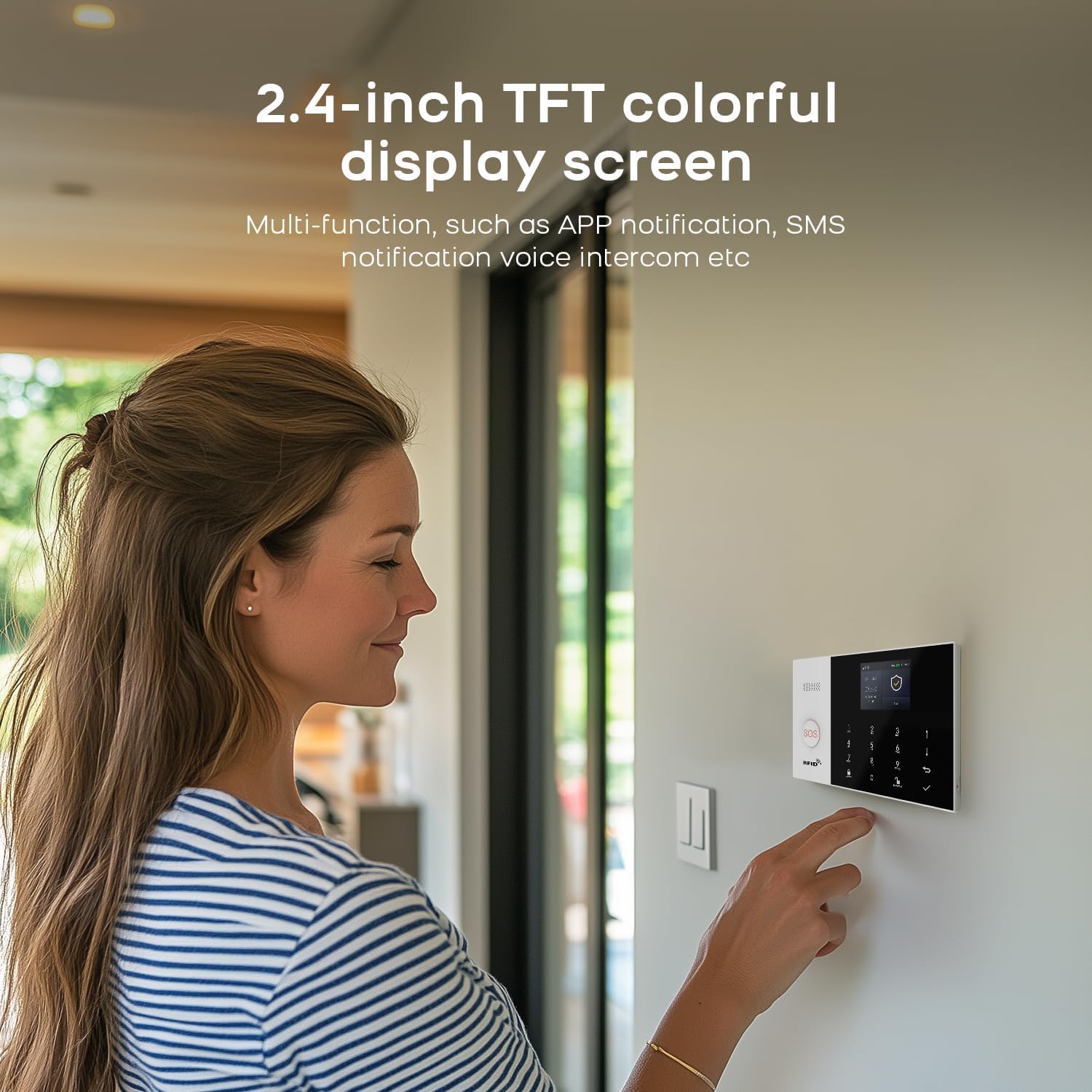
Image: A woman interacting with the 2.4-inch TFT colorful display screen of the PGST security system, highlighting its multi-functionality.
คำแนะนำการใช้งาน
ติดอาวุธและปลดอาวุธ
The system offers flexible arming and disarming options:
- การควบคุมแอพ: Use the Smart Life/Tuya App to remotely arm, disarm, or set "Stay at Home" mode.
- ปุ่มกด: Enter your PIN on the main alarm host keypad to arm or disarm.
- รีโมทคอนโทรล: Use the provided remote controls for quick arming/disarming.
- การควบคุมด้วยเสียง: Integrate with Amazon Alexa or Google Assistant to arm or disarm using voice commands (e.g., "Alexa, arm my home").

Image: A woman and a dog in a living room, demonstrating voice control compatibility with Amazon Alexa and Google Assistant for the PGST security system.
การแจ้งเตือนปลุก
When an alarm is triggered, the system provides immediate notifications:
- การแจ้งเตือนแบบพุชของแอป: Receive instant notifications on your smartphone via the Smart Life/Tuya App.
- 4G GSM Card Alerts: If a 4G GSM card is inserted, the system can call or send SMS messages to pre-set numbers.
- ไซเรน: The system's siren will emit a loud sound to deter intruders and alert occupants.

Image: Illustration showing the PGST security system dialing pre-set alarm calls and sending messages to multiple contacts when an emergency occurs.
ฟังก์ชันสัญญาณเตือน SOS
The system includes an SOS button for immediate assistance in emergencies, particularly useful for the elderly or those needing quick help.
Video: Demonstrates the SOS alarm function, showing a person pressing an SOS button and the immediate alert received on a smartphone, enabling timely assistance.
Doorbell Prompt Function
Utilize the smart intercom feature to communicate with visitors or delivery personnel, ensuring you never miss a package.
Video: Illustrates the doorbell prompt feature, showing a delivery person leaving a package, a user pressing a smart doorbell, and a person receiving a video call on their smartphone to communicate with the delivery person.
Water Immersion Detection
The water immersion detector alerts you when water levels exceed a set threshold, preventing potential damage from leaks or floods.
Video: Shows a water immersion detector in a bathroom, demonstrating how it triggers an alarm when water levels rise, indicating a potential flood or leak.
การตรวจจับควัน
The smoke detector provides early warning of fire hazards, sending alarms directly to your mobile phone.
Video: Illustrates the smoke detector in a kitchen, showing it activating and sending an alarm to a mobile phone when smoke is detected, allowing for timely intervention.
Solar Siren Integration
For enhanced security, the system can integrate with a solar siren, providing a high-decibel alarm sound outdoors.
Video: Demonstrates the solar siren installed on an exterior wall, emitting a loud alarm sound when triggered by the security system.
การซ่อมบำรุง
- การตรวจสอบแบตเตอรี่: The system will notify you via the app if wireless sensors (door magnet, infrared) have low battery. Replace batteries promptly to ensure continuous protection.
- การทำความสะอาดปกติ: Gently wipe the main alarm host and sensors with a soft, dry cloth to remove dust. Avoid using abrasive cleaners or liquids.
- อัพเดตเฟิร์มแวร์: Check the Smart Life/Tuya App regularly for any available firmware updates for your system to ensure optimal performance and security.

Image: Illustrates the wireless sensor low battery alarm, showing how door magnets and infrared sensors send low voltage signals to the host, which then pushes information to the user through the app.
การแก้ไขปัญหา
- ความยากในการตั้งค่า: If you encounter issues during setup, refer to the "Setup" section or contact customer support. Operation videos can be provided if necessary.
- ปัญหาการเชื่อมต่อ: Ensure your Wi-Fi network is 2.4GHz (5G Wi-Fi is not supported). Check your internet connection and the system's Wi-Fi status.
- เซ็นเซอร์ไม่ทำงาน: Verify that sensors are correctly paired and installed. Check battery levels for wireless sensors.
- แอปไม่ได้รับการแจ้งเตือน: Ensure the Smart Life/Tuya App has necessary permissions (notifications, background data) on your smartphone. Check your phone's internet connection.
ข้อมูลจำเพาะ
| คุณลักษณะ | ค่า |
|---|---|
| ยี่ห้อ | ป.ป.ช |
| หมายเลขรุ่น | พีจีเอสที เอ105เอฟ |
| แหล่งพลังงาน | ใช้พลังงานจากแบตเตอรี่ |
| อุปกรณ์ที่รองรับ | สมาร์ทโฟน |
| ขนาดรายการ (ยาว x กว้าง x สูง) | 8 x 6 x 4 นิ้ว |
| เทคโนโลยีการเชื่อมต่อ | ไร้สาย |
| ประเภทการแจ้งเตือน | Motion Only (expandable) |
| วิธีการควบคุม | แอป |
| จำนวนหน่วย | 8.0 Count (for 8-piece kit) |
| ยูพีซี | 704444503096 |
| น้ำหนักสินค้า | 1.39 ปอนด์ |
การรับประกันและการสนับสนุน
PGST offers a รับประกัน 1 ปี for this Smart Home Security System. If you have any questions, require assistance with setup, or encounter any issues, please feel free to contact PGST customer support. Quality is our top priority, and every product undergoes rigorous multi-stage testing to ensure compliance with international safety standards.
หากต้องการความช่วยเหลือเพิ่มเติม คุณสามารถดูได้ที่ [แหล่งข้อมูลเพิ่มเติม] ร้าน PGST บน Amazon สำหรับแหล่งข้อมูลเพิ่มเติมและข้อมูลการติดต่อ


