1. บทนำ
ขอบคุณที่เลือกใช้ CZEview 2K Solar Outdoor Surveillance Camera. This manual provides essential information for setting up, operating, and maintaining your camera. Please read it carefully before use to ensure optimal performance and safety.
เนื้อหาแพ็คเกจ:
- ซีแซดอีview Solar Outdoor Camera
- ฐานติดตั้ง
- สกรูและปลั๊กติดผนัง
- Mounting Straps (for pole or tree mounting)
- สายไฟ USB-C
- คู่มือการใช้งาน

Image: Contents of the CZEview Solar Outdoor Camera package.
2. ข้อมูลด้านความปลอดภัย
โปรดปฏิบัติตามข้อควรระวังด้านความปลอดภัยต่อไปนี้ เพื่อป้องกันความเสียหายต่อผลิตภัณฑ์ หรือการบาดเจ็บต่อตัวคุณเองและผู้อื่น:
- ห้ามถอดประกอบหรือดัดแปลงกล้อง
- โปรดใช้เฉพาะสายไฟที่ให้มาในการชาร์จเท่านั้น
- Ensure the camera is securely mounted to prevent falling.
- Keep the camera away from extreme heat sources or open flames.
- ควรหลีกเลี่ยงการให้เลนส์สัมผัสกับแหล่งกำเนิดแสงที่สว่างจ้าโดยตรงเป็นเวลานาน
- กำจัดผลิตภัณฑ์และแบตเตอรี่อย่างมีความรับผิดชอบตามกฎระเบียบท้องถิ่น
3. สินค้าหมดview
ซีแซดอีview ZY-C6 is a 2K HD wireless outdoor surveillance camera powered by an integrated solar panel and a high-capacity lithium-ion battery. It features advanced motion detection, two-way audio, and 360° pan/tilt capabilities for comprehensive monitoring.

Image: CZEview 2K Solar Outdoor Surveillance Camera.
คุณสมบัติหลัก:
- ไร้สาย 100% และใช้พลังงานแสงอาทิตย์: Eliminates the need for complex wiring, powered by an efficient solar panel and built-in rechargeable battery.
- อายุการใช้งานแบตเตอรี่ที่ยาวนานขึ้น: Can last up to 30 days on a single full charge, requiring only two days of sunlight for a full recharge.
- 2K HD & 360° View: Features a 2K HD lens with 5x magnification and a 130° wide-angle view. The lens can pan 360° horizontally and tilt 120° vertically.
- AI Human Detection & Real-time Alerts: Accurately identifies human figures, reducing false alarms from pets or leaves. Sends instant notifications to your smartphone via the app.
- ระบบเสียงสองทางและไซเรนเตือนภัย: Built-in microphone and speaker allow for two-way communication. An alarm siren can be triggered remotely to deter intruders.
- การมองเห็นสีกลางคืน: Provides clear night vision up to 15 meters, with options for color or monochrome viewing, supported by 150 lumens projectors.
- การออกแบบที่ทนฝนและแดด: IP65 rated, suitable for outdoor use in temperatures from -20℃ to 50℃.
- การจัดเก็บข้อมูลภายในเครื่อง: Supports local video storage on a microSD card up to 256GB (card not included).

Image: Wireless and Solar Power features with 5200mAh battery.

Image: 360° Pan and 120° Tilt View.

ภาพ: ความสามารถในการมองเห็นภาพสีในเวลากลางคืน

Image: Durable and Stable performance in various weather conditions.
4. การตั้งค่า
4.1 การชาร์จเริ่มต้น
Before first use, fully charge the camera using the provided USB-C power cable. This ensures the battery is conditioned for optimal performance and longevity.
4.2 การดาวน์โหลดแอปและสร้างบัญชี
ดาวน์โหลด CZE อย่างเป็นทางการview app (or CloudEdge app, as mentioned in reviews) from your smartphone's app store (iOS App Store or Google Play Store). Follow the in-app instructions to create an account and log in.
4.3 การเชื่อมต่อ Wi-Fi
The camera supports 2.4GHz Wi-Fi networks only. Ensure your smartphone is connected to a 2.4GHz Wi-Fi network during the setup process. Follow the app's instructions to add your camera and connect it to your home Wi-Fi network.
4.4 การติดตั้งกล้อง
Choose a mounting location where the solar panel can receive direct sunlight for most of the day to ensure continuous charging. The camera can be mounted on a wall or a tree/pole using the included accessories.
- การติดตั้งบนผนัง:
- Mark the drilling points using the mounting base as a template.
- เจาะรูและใส่ปลั๊กผนัง
- Secure the mounting base to the wall with the provided screws.
- ติดตั้งกล้องเข้ากับฐานยึด
- Tree/Pole Mounting:
- Thread the mounting straps through the designated slots on the mounting base.
- Wrap the straps around the tree or pole and secure them tightly.
- ติดตั้งกล้องเข้ากับฐานยึด
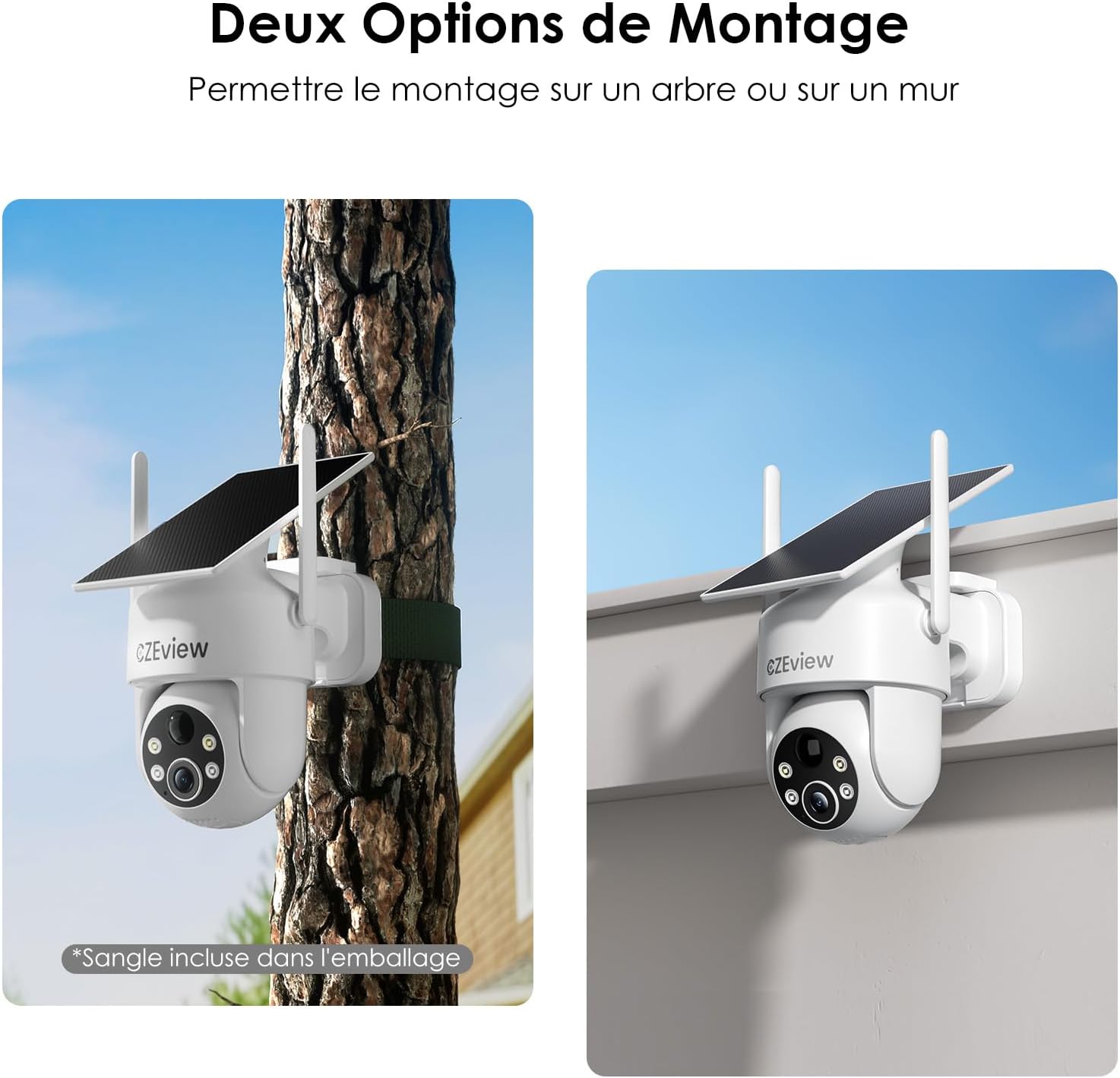
Image: Two mounting options for the camera: wall and tree/pole.

Image: Solar panel placement for optimal charging.
5. การดำเนินการ
5.1 สด View และการควบคุม PTZ
เปิด CZEview app to access the live feed from your camera. Use the on-screen controls to pan (360° horizontal) and tilt (120° vertical) the camera lens to adjust your viewing angle. You can also use the 5x digital zoom feature for closer inspection.

Image: 360° Surveillance Coverage.
5.2 การตรวจจับการเคลื่อนไหวและการแจ้งเตือน
The camera is equipped with AI human detection to minimize false alarms. When motion is detected, the camera will automatically record video and send real-time alerts to your smartphone. You can customize detection sensitivity and set specific monitoring zones within the app.
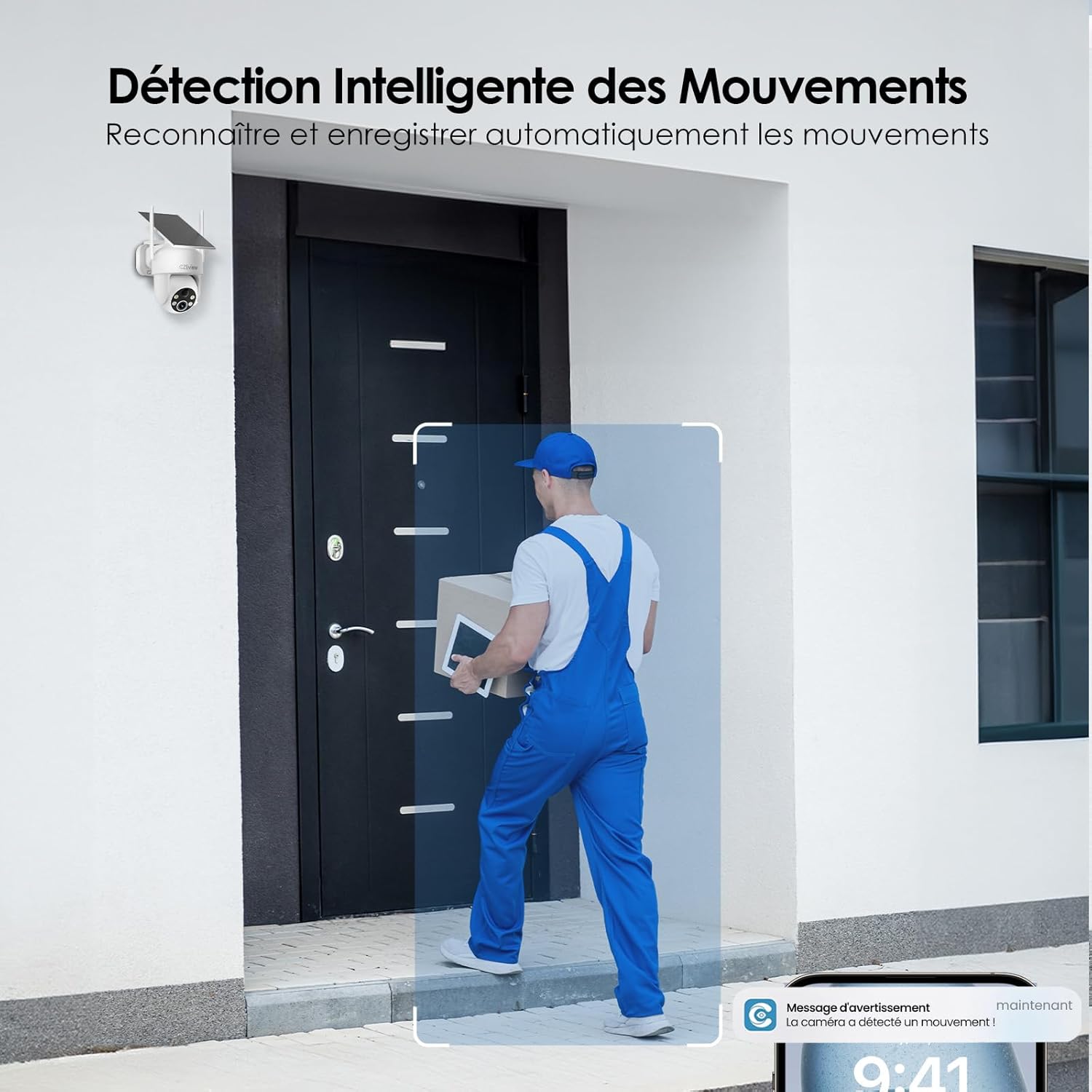
Image: Intelligent Motion Detection in action.
5.3 เสียงสองทาง
Utilize the built-in microphone and speaker for two-way communication. This allows you to speak to visitors or deter unwanted individuals directly through the camera from your smartphone.

Image: Two-Way Audio and Alarm System features.
5.4 การมองเห็นตอนกลางคืน
The camera automatically switches to night vision mode in low-light conditions. It supports both color and monochrome night vision, providing clear images up to 15 meters. The integrated 150 lumens projectors enhance visibility in color night vision mode.

Image: Color Night Vision in operation.
5.5 หน่วยความจำภายในเครื่อง (การ์ด microSD)
Insert a microSD card (up to 256GB, not included) into the camera's designated slot for local video storage. The camera will automatically record detected events to the card. Ensure the card is formatted correctly via the app if needed.

Image: Local Storage on MicroSD Card.
6. การบำรุงรักษา
6.1 การชาร์จแบตเตอรี่
The integrated solar panel continuously charges the camera's battery. For optimal performance, ensure the solar panel is clean and receives direct sunlight. If the camera is installed in a shaded area or during prolonged periods of low sunlight, you may need to manually charge the camera using the USB-C power cable.
6.2 การทำความสะอาด
ทำความสะอาดเลนส์กล้องและแผงโซลาร์เซลล์ด้วยผ้านุ่มเป็นประจำamp cloth to remove dust, dirt, or debris. Do not use harsh chemicals or abrasive materials, as they may damage the surfaces.
6.3 ข้อพิจารณาด้านสิ่งแวดล้อม
The camera is designed for outdoor use and is IP65 weatherproof. It can operate reliably in temperatures ranging from -20℃ to 50℃. Ensure the camera is not exposed to temperatures outside this range for extended periods.
7 การแก้ไขปัญหา
| ปัญหา | สาเหตุที่เป็นไปได้ | สารละลาย |
|---|---|---|
| กล้องไม่สามารถเชื่อมต่อกับ Wi-Fi ได้ | Incorrect Wi-Fi band (5GHz not supported). Weak Wi-Fi signal. Incorrect password. | Ensure you are connecting to a 2.4GHz Wi-Fi network. Move the camera closer to the router or use a Wi-Fi extender. Double-check your Wi-Fi password. |
| Battery not charging or draining quickly. | Insufficient sunlight on the solar panel. Excessive motion detection events. Low ambient temperature. | Relocate the camera to an area with more direct sunlight. Reduce motion detection sensitivity or frequency of recordings. Manually charge the camera if necessary. |
| สัญญาณเตือนภัยผิดพลาดจากระบบตรวจจับความเคลื่อนไหว | Pets, swaying branches, or passing vehicles triggering detection. | Enable AI human detection in the app. Adjust detection sensitivity. Set up targeted detection zones to exclude irrelevant areas. |
| คุณภาพของภาพไม่ดี | Dirty lens. Low light conditions. | Clean the camera lens. Ensure adequate lighting for optimal image quality, especially at night. |
8. ข้อมูลจำเพาะ
| คุณสมบัติ | รายละเอียด |
|---|---|
| หมายเลขรุ่น | ซีวาย-ซี6 |
| ยี่ห้อ | ซีแซดอีview |
| ความละเอียดวิดีโอ | 2K (1440p) |
| มุมเลนส์ | มุมกว้าง 130° |
| ช่วงแพน/เอียง | แนวนอน 360 องศา แนวตั้ง 120 องศา |
| ซูมดิจิตอล | 5x |
| ช่วงการมองเห็นตอนกลางคืน | สูงสุด 15 เมตร |
| ประเภทการมองเห็นตอนกลางคืน | Color / Monochrome with 150 lumens projectors |
| การเชื่อมต่อ | Wi-Fi (2.4GHz เท่านั้น) |
| แหล่งพลังงาน | Integrated Solar Panel, Lithium-ion Battery (5200mAh) |
| อายุการใช้งานแบตเตอรี่ (เมื่อชาร์จเต็ม) | Up to 30 days (without sun) |
| ทนทานต่อสภาพอากาศ | IP65 |
| อุณหภูมิในการทำงาน | -20℃ ถึง 50℃ (-4°F ถึง 122°F) |
| พื้นที่จัดเก็บ | การ์ด microSD (สูงสุด 256GB ไม่รวมอยู่ในชุด) |
| ขนาด (กว้าง x ยาว x สูง) | 18 x 8 x 14 ซม. (7.1 x 3.1 x 5.5 นิ้ว) |
| น้ำหนัก | 530 กรัม (1.17 ปอนด์) |
9. การรับประกันและการสนับสนุน
ซีแซดอีview products come with a standard manufacturer's warranty. For detailed warranty information, technical support, or service inquiries, please refer to the contact information provided on the product packaging or visit the official CZEview webไซต์ โปรดเก็บหลักฐานการซื้อไว้เพื่อใช้ในการเรียกร้องการรับประกัน


