การแนะนำ
This manual provides essential instructions for setting up, operating, maintaining, and troubleshooting your GOBOULT Dire Smartwatch. Please read this guide thoroughly to ensure optimal performance and longevity of your device.
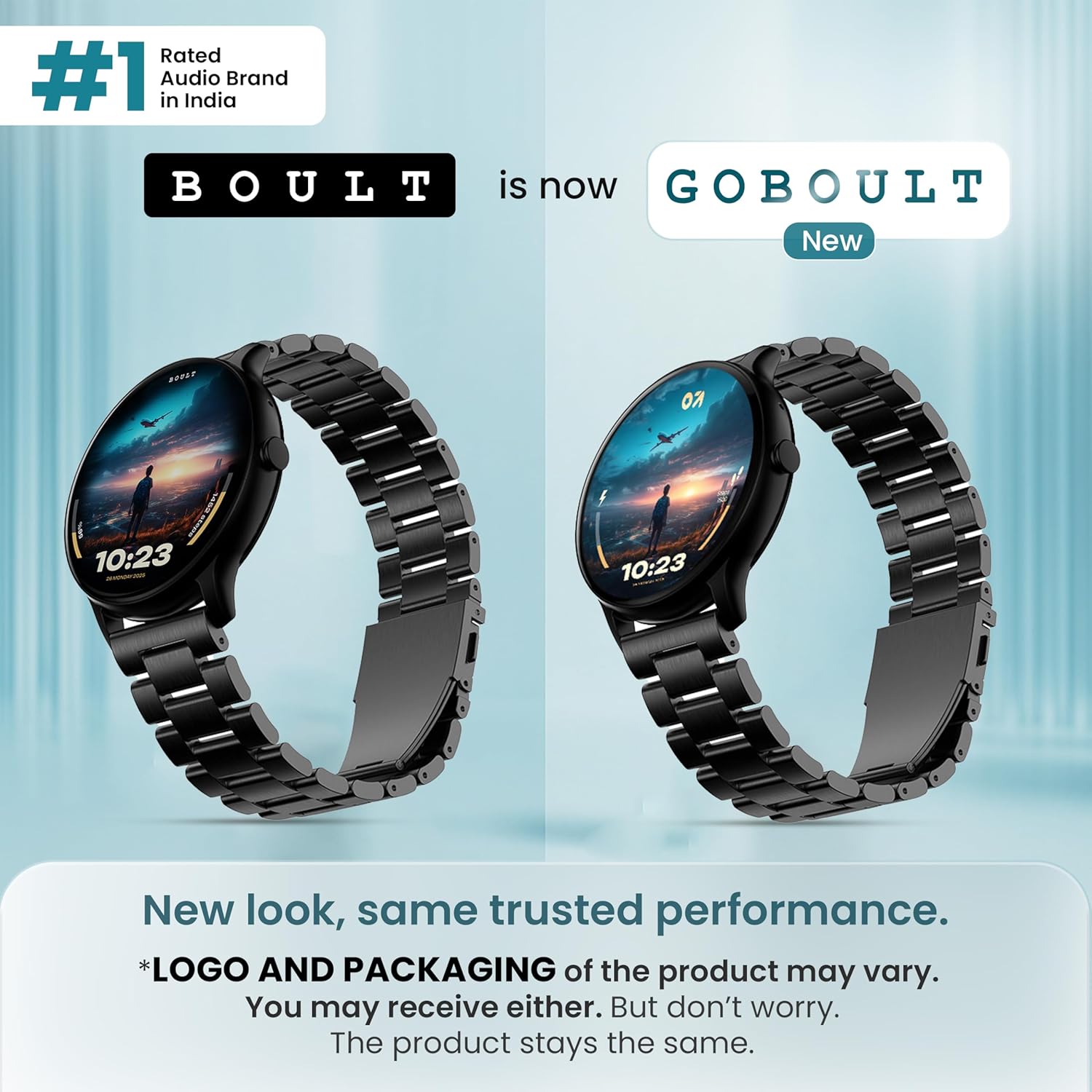
ภาพ: ด้านหน้า view of the GOBOULT Dire Smartwatch, showcasing its display and strap.
มีอะไรอยู่ในกล่อง
ตรวจสอบว่ามีรายการทั้งหมดต่อไปนี้อยู่ในบรรจุภัณฑ์ผลิตภัณฑ์ของคุณ:
- GOBOULT Dire Smartwatch (Jet Black)
- สายชาร์จ
- คู่มือการใช้งาน (เอกสารนี้)
- บัตรรับประกัน
การตั้งค่า
1. การชาร์จครั้งแรก
Before first use, fully charge your smartwatch. Connect the provided charging cable to the magnetic charging points on the back of the watch and to a standard USB power adapter (not included). A full charge typically takes approximately 150 minutes.
2. การเปิด/ปิดเครื่อง
- การเปิดเครื่อง: Press and hold the side button until the GOBOULT logo appears on the screen.
- วิธีปิดเครื่อง: กดปุ่มด้านข้างค้างไว้ จากนั้นเลือก 'ปิดเครื่อง' บนหน้าจอ
3. การติดตั้งและการจับคู่แอป
- Download the companion application (e.g., 'Boult Fit' or similar as indicated in the packaging) from your smartphone's app store (compatible with iOS and Android).
- ตรวจสอบให้แน่ใจว่าได้เปิดใช้งาน Bluetooth บนสมาร์ทโฟนของคุณแล้ว
- เปิดแอปและทำตามคำแนะนำบนหน้าจอเพื่อสร้างบัญชีหรือเข้าสู่ระบบ
- Select 'Add Device' or 'Pair Device' within the app and choose 'Boult Dire' from the list of available devices.
- ยืนยันคำขอจับคู่บนสมาร์ทโฟนและสมาร์ทวอทช์ของคุณทั้งสอง
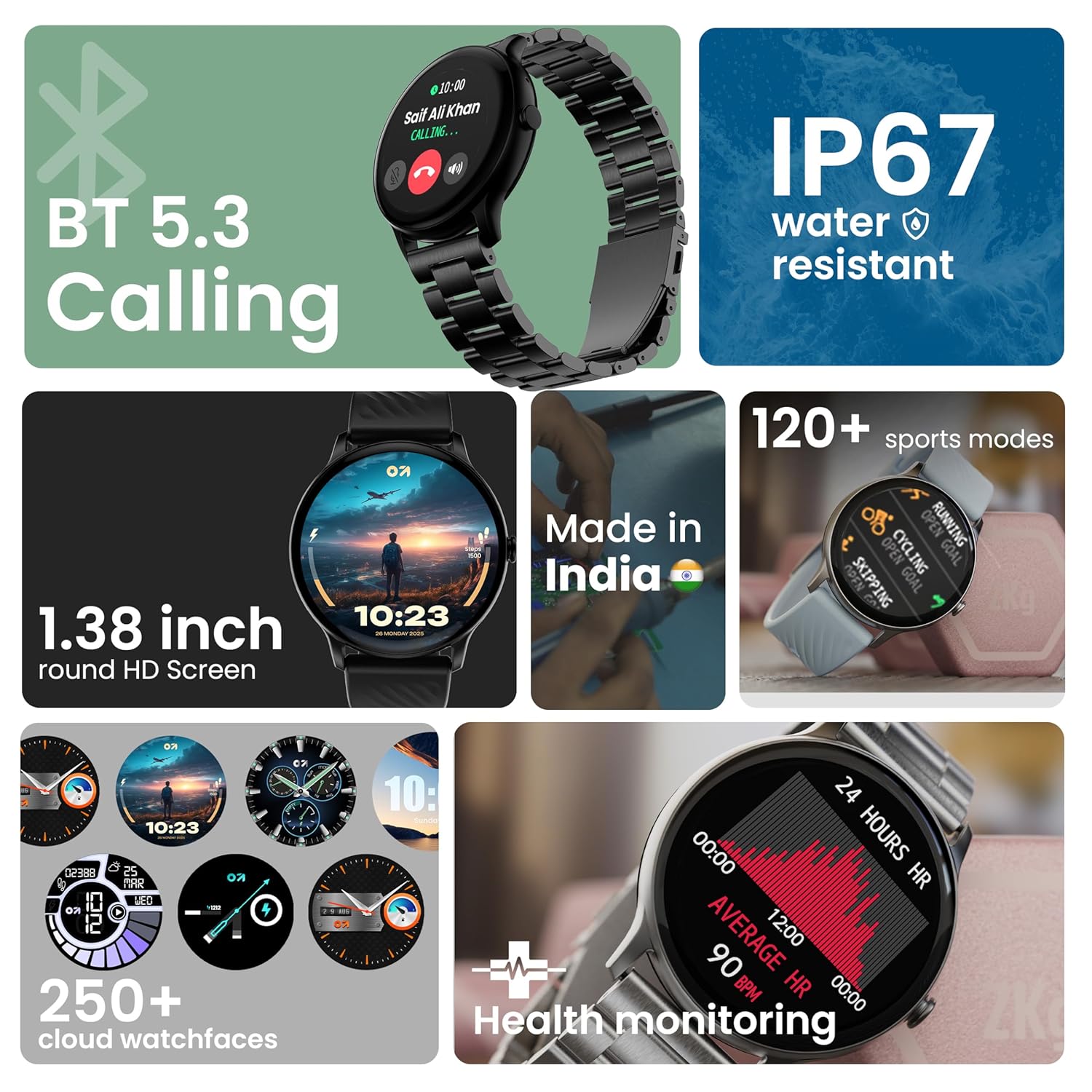
ภาพ: เหนือview of key smartwatch features including Bluetooth 5.3 Calling, IP67 water resistance, 1.38-inch HD screen, 250+ watchfaces, 120+ sports modes, and health monitoring.
คำแนะนำการใช้งาน
1. แสดงการนำทาง
The 1.38-inch 2.5D curved HD display is fully touch-sensitive. Swipe left, right, up, or down to navigate through menus, notifications, and widgets. Tap to select items.
2. การปรับแต่งหน้าปัดนาฬิกา
Your smartwatch supports over 250 cloud watch faces. To change the watch face, long-press on the current watch face on the home screen, then swipe left or right to browse and tap to select. More options are available through the companion app.
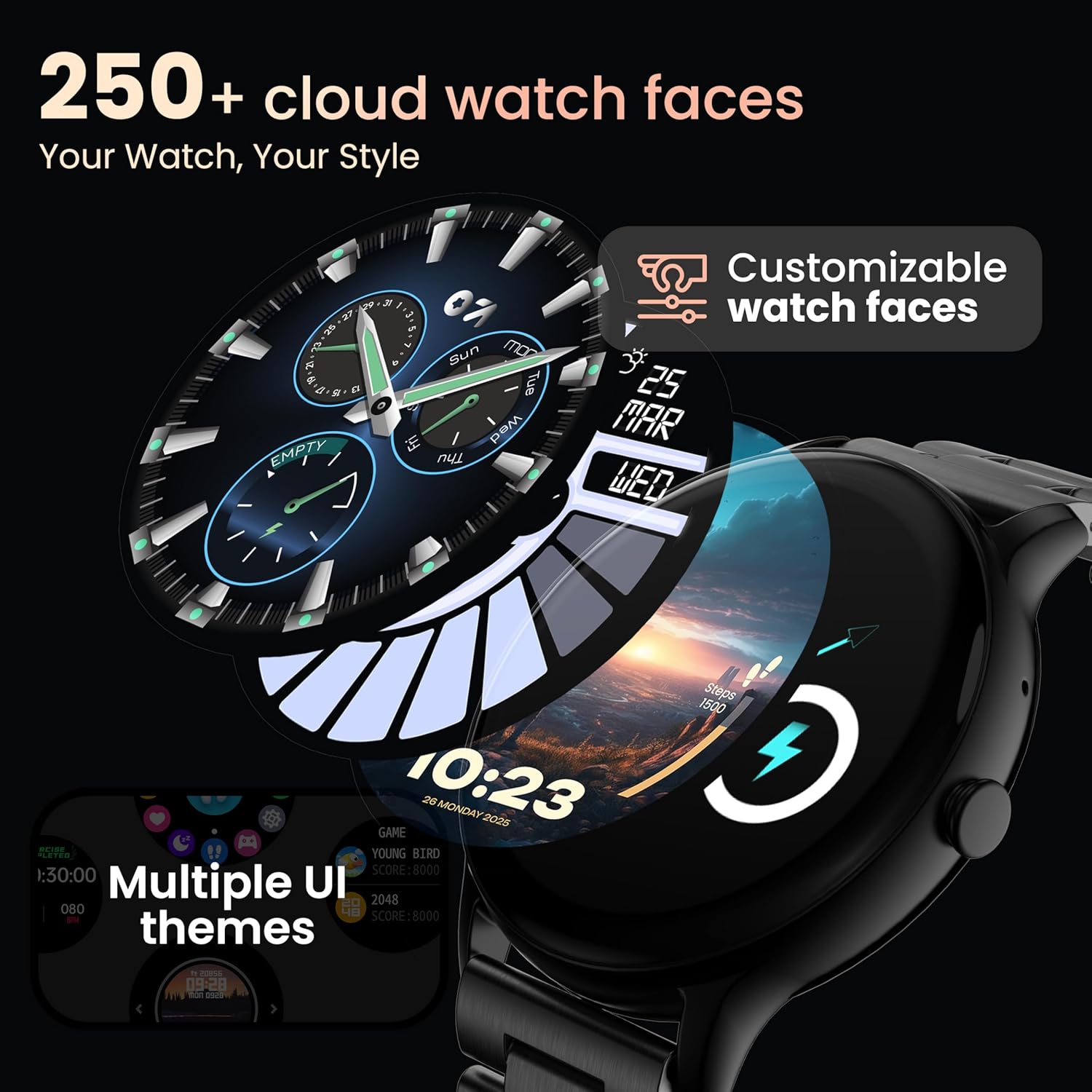
Image: A visual representation of various customizable watch faces and UI themes available on the smartwatch.
3. การโทรผ่านบลูทูธ
With Bluetooth 5.2 technology, you can make and receive calls directly from your wrist. The smartwatch features a dedicated speaker and microphone. Access the call function from the main menu to dial, answer, or reject calls. Contact synchronization is available via the companion app.
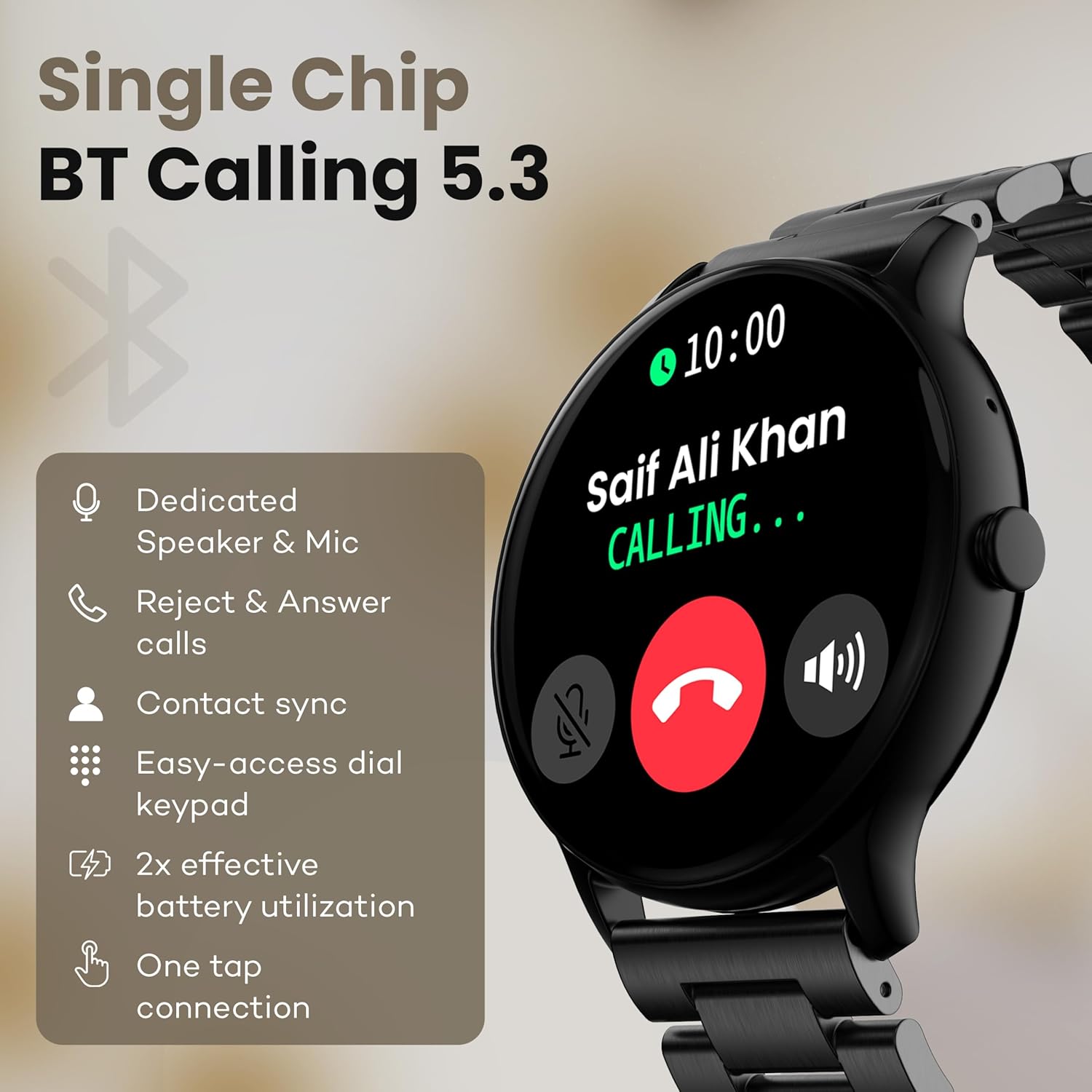
Image: The smartwatch screen showing an incoming call, highlighting features like dedicated speaker & mic, call rejection/answering, contact sync, and easy-access dial keypad.
4. โหมดกีฬา
The device supports over 120 sports modes. Navigate to the 'Sports' menu to select your activity. The watch will track metrics such as calories burned, distance, and heart rate during your workout.
5. ผู้ช่วยเสียง AI
Activate the AI Voice Assistant feature (if enabled via the app) to control your watch or smartphone using voice commands.
6. การควบคุมกล้อง
Use your smartwatch as a remote shutter for your smartphone camera. Open the camera control feature on your watch and tap to take a picture.
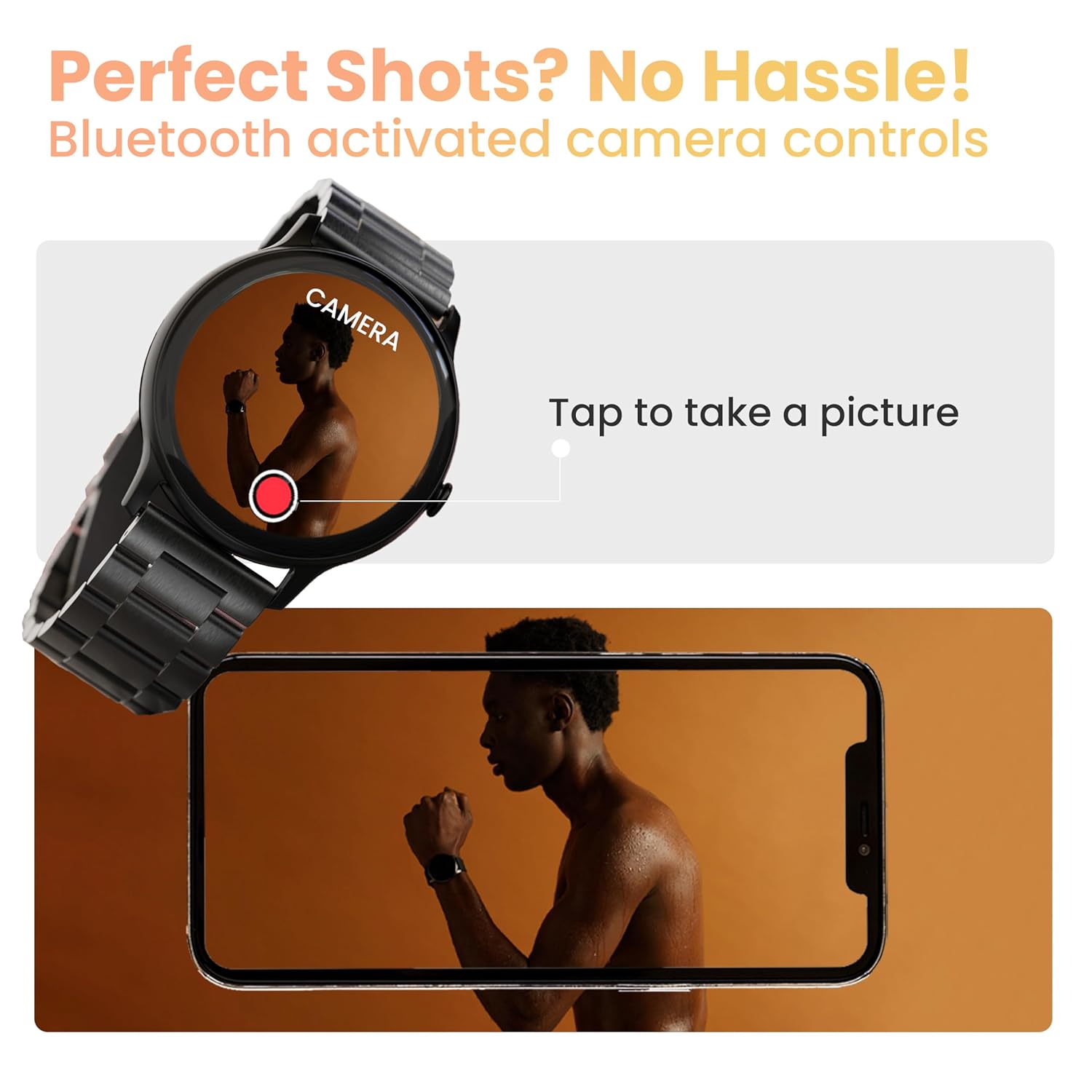
Image: The smartwatch displaying a camera interface, indicating its ability to control a smartphone camera via Bluetooth.
7. การแจ้งเตือน
Receive notifications from your paired smartphone directly on your wrist. Ensure notification permissions are granted in the companion app.

Image: The smartwatch displaying various updates and reminders, such as message notifications and 'Time to Drink Water'.
8. Mini Games
The smartwatch includes pre-installed mini-games for entertainment. Access them through the main menu.
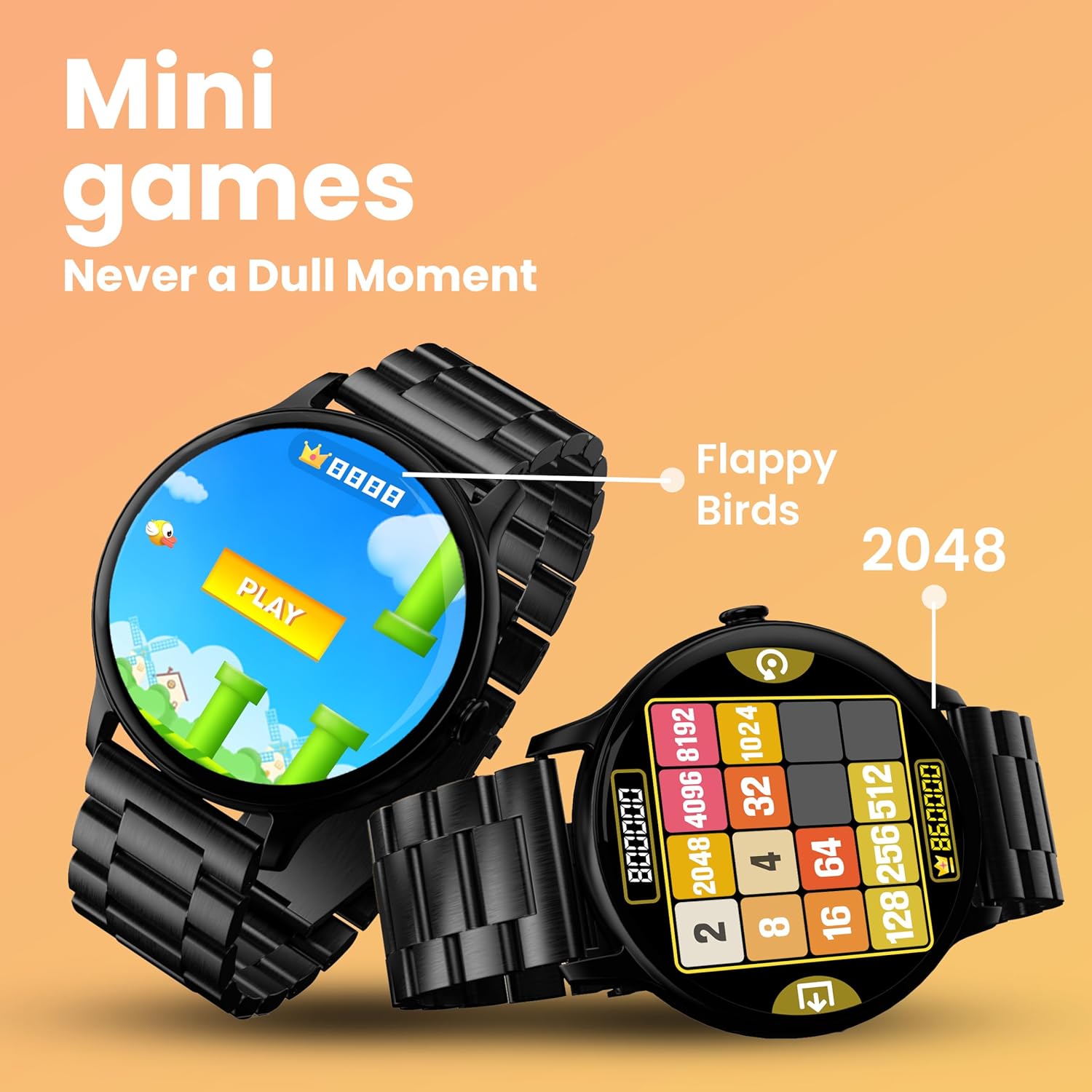
Image: The smartwatch screen showing two mini-games, 'Flappy Birds' and '2048', available for play.
คุณสมบัติการติดตามสุขภาพ
Your GOBOULT Dire Smartwatch is equipped with several health monitoring functions:
- 24x7 Heart Rate Monitor: ติดตามอัตราการเต้นของหัวใจของคุณอย่างต่อเนื่องตลอดทั้งวัน
- เครื่องวัดความอิ่มตัวของออกซิเจนในเลือด (SpO2): วัดระดับออกซิเจนในเลือดของคุณ
- การติดตามรอบเดือนของผู้หญิง: ช่วยติดตามและคาดการณ์รอบเดือน
- Drink Water Reminders: แจ้งเตือนให้คุณดื่มน้ำเป็นระยะๆ
- การแจ้งเตือนอยู่ประจำ: แจ้งเตือนคุณเมื่อคุณไม่ได้ใช้งานเป็นเวลานานเกินไป
- การติดตามการนอนหลับ: วิเคราะห์รูปแบบและคุณภาพการนอนหลับของคุณ
- Calories Count & Meditation: Tracks calorie expenditure and offers guided meditation features.
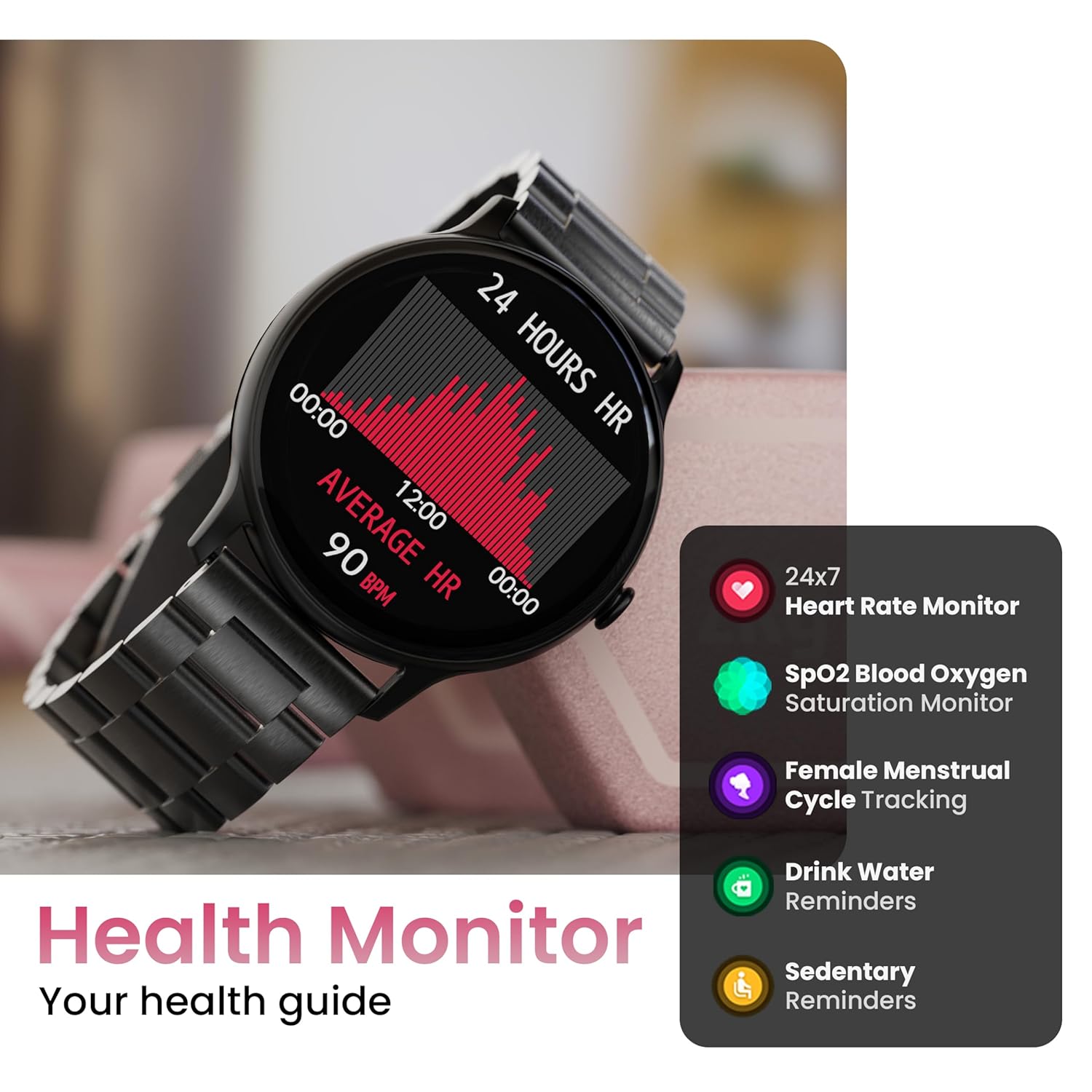
Image: The smartwatch displaying a heart rate graph, alongside icons for Heart Rate Monitor, SpO2, Female Menstrual Cycle Tracking, Drink Water Reminders, and Sedentary Reminders.
คุณสมบัติอัจฉริยะ
ค้นหาโทรศัพท์ของฉัน
If your paired smartphone is misplaced, use the 'Find Device' feature on your smartwatch. Navigate to the watch menu, select 'Find Device', and tap the search button. Your connected phone will ring or vibrate, helping you locate it.
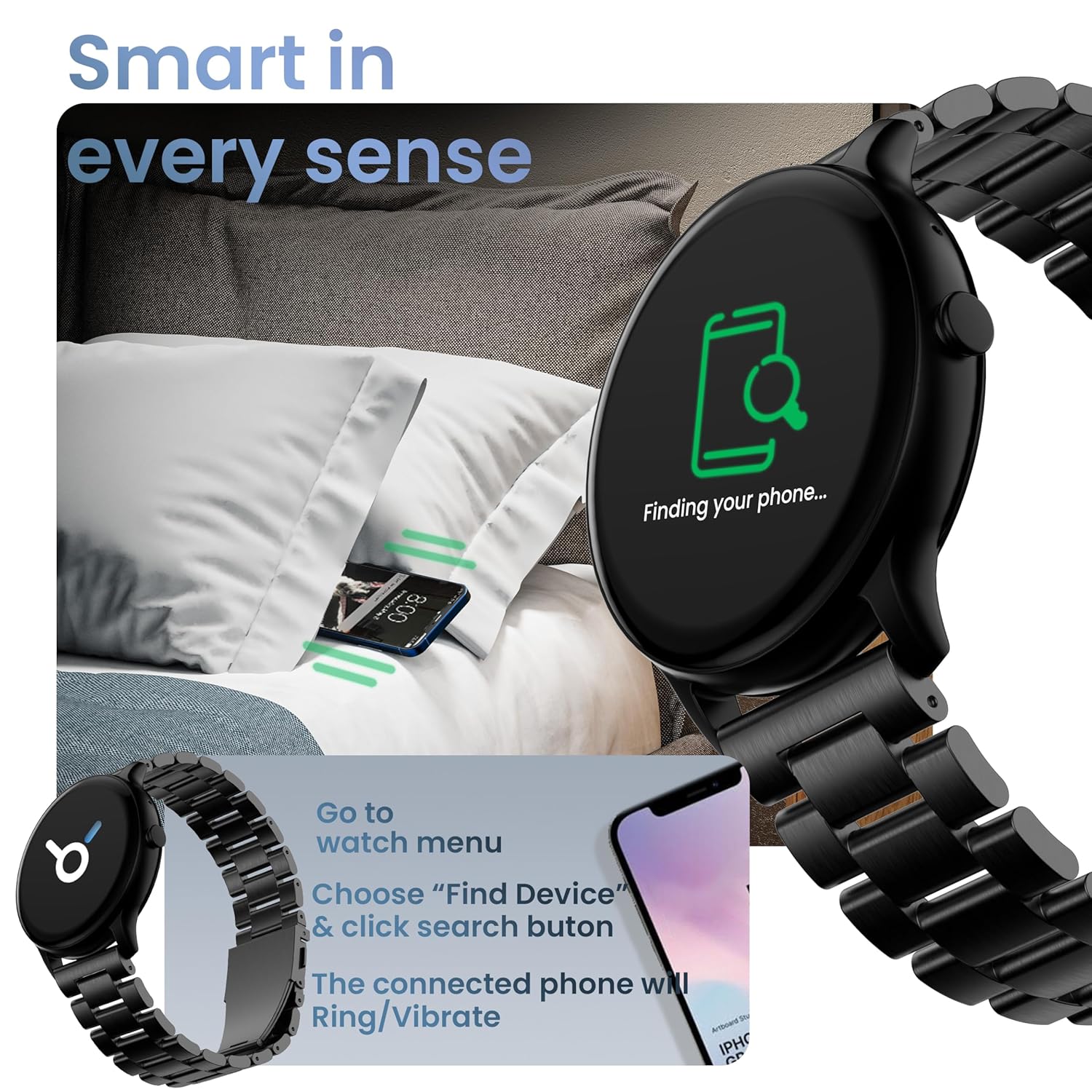
Image: The smartwatch displaying 'Finding your phone...' with an illustration of a phone vibrating under a pillow, demonstrating the 'Find Device' function.
การซ่อมบำรุง
การทำความสะอาดอุปกรณ์
เช็ดทำความสะอาดสมาร์ทวอทช์เป็นประจำด้วยผ้าแห้งนุ่มๆ ที่ไม่เป็นขุย สำหรับคราบสกปรกที่ติดแน่น ให้ใช้ผ้าชุบน้ำหมาดๆ เช็ดเบาๆampชุบผ้าด้วยน้ำ หลีกเลี่ยงการใช้สารเคมีรุนแรงหรือวัสดุที่มีฤทธิ์กัดกร่อน
ความต้านทานน้ำและฝุ่น (IP67)
The GOBOULT Dire Smartwatch is IP67 rated, meaning it is resistant to dust and can withstand immersion in water up to 1 meter for 30 minutes. It is suitable for daily use, including splashes and sweat. However, it is not recommended for swimming, showering with hot water, or diving.
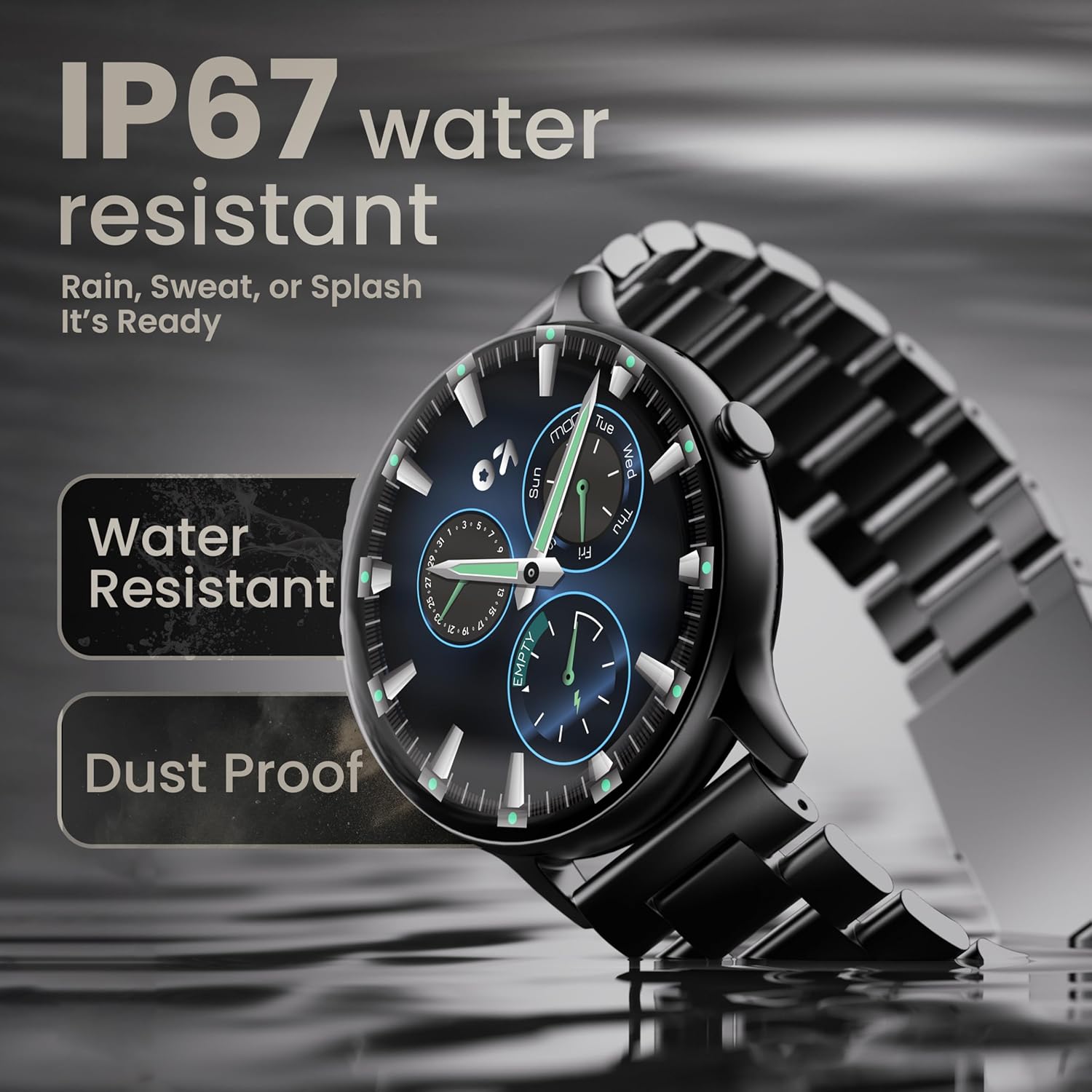
Image: The smartwatch submerged partially in water, with text indicating 'IP67 water resistant' and 'Rain, Sweat, or Splash It's Ready'.
การดูแลแบตเตอรี่
To maximize battery life (up to 7 days on average), avoid extreme temperatures and fully discharge the battery occasionally before recharging. Use only the provided charging cable.
การแก้ไขปัญหา
| ปัญหา | สารละลาย |
|---|---|
| นาฬิกาเปิดไม่ติด | ตรวจสอบให้แน่ใจว่านาฬิกาชาร์จเต็มแล้ว เสียบนาฬิกาเข้ากับเครื่องชาร์จอย่างน้อย 30 นาที |
| ไม่สามารถจับคู่กับสมาร์ทโฟนได้ | Make sure Bluetooth is enabled on your phone. Restart both the watch and phone. Ensure the companion app is installed and open. Check if the watch is already paired with another device. |
| การแจ้งเตือนไม่ปรากฏ | Verify that notification permissions are granted for the companion app in your phone's settings. Ensure the watch is connected via Bluetooth. |
| ข้อมูลสุขภาพที่ไม่ถูกต้อง | ตรวจสอบให้แน่ใจว่าสวมนาฬิกาให้กระชับพอดีข้อมือ ไม่แน่นหรือหลวมเกินไป ทำความสะอาดเซ็นเซอร์ที่ด้านหลังนาฬิกา |
| อายุการใช้งานแบตเตอรี่สั้น | Reduce screen brightness, disable unnecessary features like continuous heart rate monitoring if not needed, and limit frequent notifications. Ensure background app usage is optimized. |
ข้อมูลจำเพาะ
| คุณสมบัติ | รายละเอียด |
|---|---|
| ยี่ห้อ | โกบูลท์ |
| ชื่อรุ่น | Boult Dire |
| ขนาดจอแสดงผล | 1.38 นิ้ว |
| ประเภทจอภาพ | HD, 2.5D Curved |
| ความสว่าง | 500 นิต |
| เวอร์ชันบลูทูธ | 5.2 |
| ความต้านทานต่อน้ำ | IP67 (ทนฝุ่นและน้ำ) |
| อายุการใช้งานแบตเตอรี่ (เฉลี่ย) | 7 วัน |
| เวลาในการชาร์จแบตเตอรี่ | 150 นาที |
| ความเข้ากันได้ของระบบปฏิบัติการ | ไอโอเอส, แอนดรอยด์ |
| น้ำหนักสินค้า | 40 กรัม |
| วัสดุกรอบ | โลหะผสมสังกะสี |
| ส่วนประกอบที่รวมอยู่ | Charging Cable, Smartwatch, User Manual, Warranty Card |
การรับประกันและการสนับสนุน
Your GOBOULT Dire Smartwatch comes with a manufacturer's warranty. Please refer to the included Warranty Card for detailed terms, conditions, and duration of the warranty period.
For technical assistance, product inquiries, or warranty claims, please contact GOBOULT customer support through the contact information provided on your Warranty Card or the official GOBOULT webเว็บไซต์.


