การแนะนำ
This manual provides comprehensive instructions for the MoKo 10X Rechargeable Magnifying Glass with 21 LED Lights. Designed for enhanced visual clarity, this device is ideal for reading, inspection, and exploring small details. It features a powerful 10X magnification, adjustable LED lighting, and a comfortable ergonomic design for extended use.
โปรดอ่านคู่มือนี้อย่างละเอียดก่อนใช้งานผลิตภัณฑ์ เพื่อให้มั่นใจได้ถึงการใช้งานและการบำรุงรักษาที่ถูกต้อง
มีอะไรอยู่ในกล่อง
- MoKo 10X Rechargeable Magnifying Glass
- สายชาร์จ USB
- ผ้าเช็ดทำความสะอาด
- กระเป๋าเก็บของ
- คู่มือการใช้งาน
การตั้งค่า
1. การชาร์จครั้งแรก
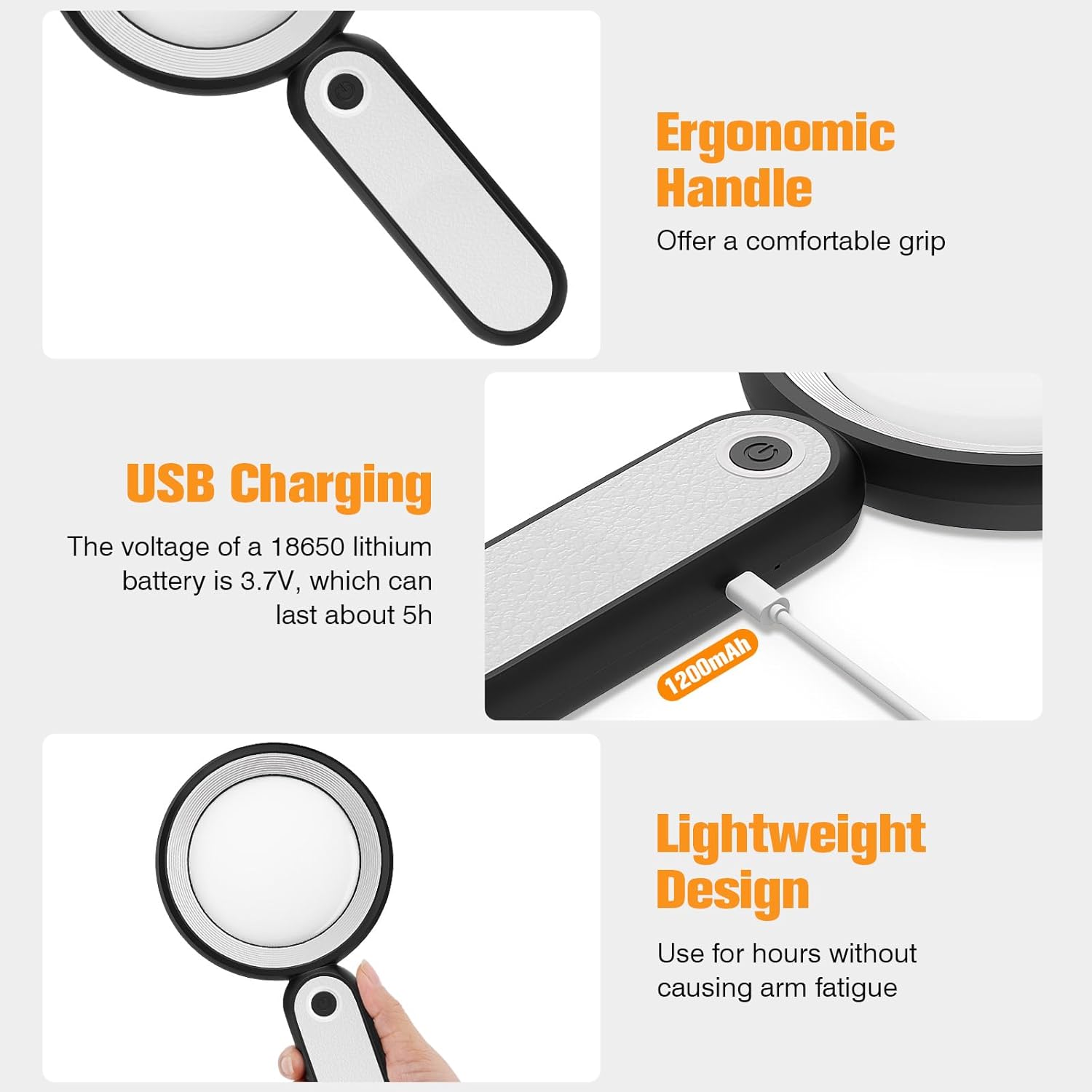
Before first use, fully charge the magnifying glass. Locate the USB charging port on the handle of the device.

Image: USB charging port on the handle.
- Connect the provided USB charging cable to the charging port on the magnifying glass.
- เสียบปลายอีกด้านของสาย USB เข้ากับอะแดปเตอร์แปลงไฟ USB ที่ใช้งานร่วมกันได้ (ไม่ได้รวมอยู่ในชุด) หรือพอร์ต USB ของคอมพิวเตอร์
- The charging indicator lights (if present) will show the charging status. Allow the device to charge until fully powered, typically around 5 hours for a full charge.
2. การปรับด้ามจับ
The magnifying glass features an adjustable handle for comfortable use.

Image: Ergonomic handle design.
- Gently pivot the handle to your desired angle for handheld use.
- The handle can be folded for compact storage or extended for a comfortable grip during use.
คำแนะนำการใช้งาน
1. การขยายภาพ
The MoKo Magnifying Glass provides 10X magnification for clear viewing of small text and objects.

Image: Magnifying glass in use, showing 10X magnification on text.
- Hold the magnifying glass approximately 3-5 inches (7.5-12.5 cm) above the object you wish to magnify.
- Adjust the distance slightly until the object comes into clear focus.
2. โหมดแสงไฟ LED
The device is equipped with 21 LED lights and three lighting modes to suit various environments and reduce eye strain.

Image: Three adjustable lighting modes (cool, warm, mixed) for the LED lights.
- Locate the power button on the handle.
- Press the power button once to activate the แสงเย็น โหมด.
- Press the power button a second time to switch to แสงอุ่น โหมด.
- Press the power button a third time to activate the Mixed Light โหมด.
- Press the power button a fourth time to turn off the LED lights.
Choose the lighting mode that provides the most comfortable and clear viewing experience for your specific task and ambient light conditions.
การซ่อมบำรุง
1. การทำความสะอาดเลนส์
To maintain optimal clarity, keep the optical glass lens clean.
- Use the provided soft cleaning cloth to gently wipe the lens surface.
- Avoid using abrasive materials, paper towels, or chemical cleaners, as these can scratch or damage the lens.
- สำหรับรอยเปื้อนฝังแน่น ให้เช็ดเบาๆampen the cleaning cloth with a small amount of lens cleaning solution or water, then gently wipe and dry.
2. การจัดเก็บ
When not in use, store the magnifying glass in the provided storage pouch to protect it from dust and scratches.

Image: Magnifying glass being stored in its protective pouch.
- เก็บในที่เย็นและแห้ง ห่างจากแสงแดดโดยตรงและอุณหภูมิที่สูงเกินไป
การแก้ไขปัญหา
| ปัญหา | สาเหตุที่เป็นไปได้ | สารละลาย |
|---|---|---|
| ไฟไม่ติด | แบตเตอรี่ต่ำหรืออุปกรณ์ปิดอยู่ | Charge the device using the provided USB cable. Ensure the power button is pressed correctly to cycle through modes. |
| ภาพที่ได้จากการขยายไม่ชัดหรือบิดเบี้ยว | Incorrect distance from object or dirty lens. | Adjust the distance between the lens and the object. Clean the lens with the provided cleaning cloth. |
| Handle is stiff or difficult to adjust. | Minor friction in the hinge. | Apply gentle, consistent pressure. Avoid forcing the hinge. |
ข้อมูลจำเพาะ
| คุณสมบัติ | รายละเอียด |
|---|---|
| ยี่ห้อ | โมโกะ |
| หมายเลขรุ่น | 10X |
| กำลังขยาย | 10X |
| วัสดุเลนส์ | กระจกออปติคอล |
| ไฟ LED | 21 ลูกปัด LED |
| โหมดแสงสว่าง | 3 (Cool, Warm, Mixed) |
| แหล่งพลังงาน | Rechargeable USB (1200mAh battery, 3.7V) |
| อายุการใช้งานแบตเตอรี่ (ใช้งานต่อเนื่อง) | ประมาณ 5 ชั่วโมง |
| ขนาดสินค้า | 9.57 x 4.72 x 1.02 นิ้ว (24.3 x 12 x 2.6 ซม.) |
| น้ำหนักสินค้า | 7.05 ออนซ์ (200ก.) |
| ยูพีซี | 840401442876 |
ภาพ: ขนาดผลิตภัณฑ์
การรับประกันและการสนับสนุน
MoKo products are designed for reliability and performance. For warranty information or technical support, please refer to the contact details provided with your purchase or visit the official MoKo webเว็บไซต์.
เก็บใบเสร็จรับเงินของคุณไว้เป็นหลักฐานการซื้อสำหรับการเรียกร้องการรับประกันใดๆ
ข้อมูลด้านความปลอดภัยที่สำคัญ
- Do not expose the magnifying glass to direct sunlight for extended periods, as this may cause fire or damage to surfaces.
- เก็บให้พ้นจากมือเด็ก
- หลีกเลี่ยงการทำอุปกรณ์หล่นหรือกระแทกอย่างรุนแรง
- Do not attempt to disassemble or modify the magnifying glass.


